
리액트를 사용하지 않았을 경우
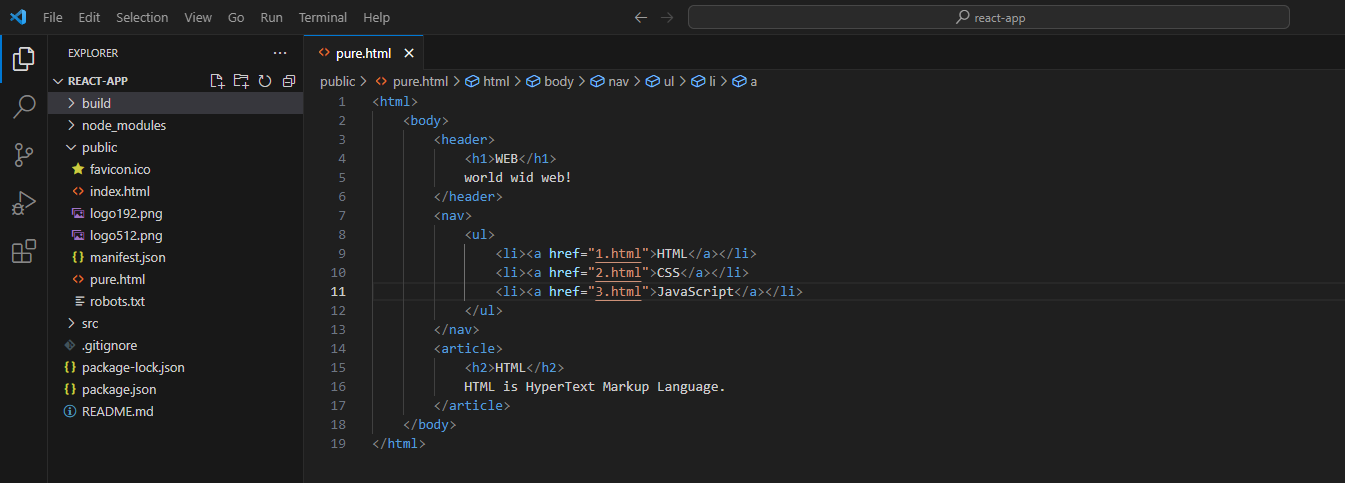
❤컴포넌트 만들기
pure.html 의 header 부분을 App.js 에서 class Subject 로 변경
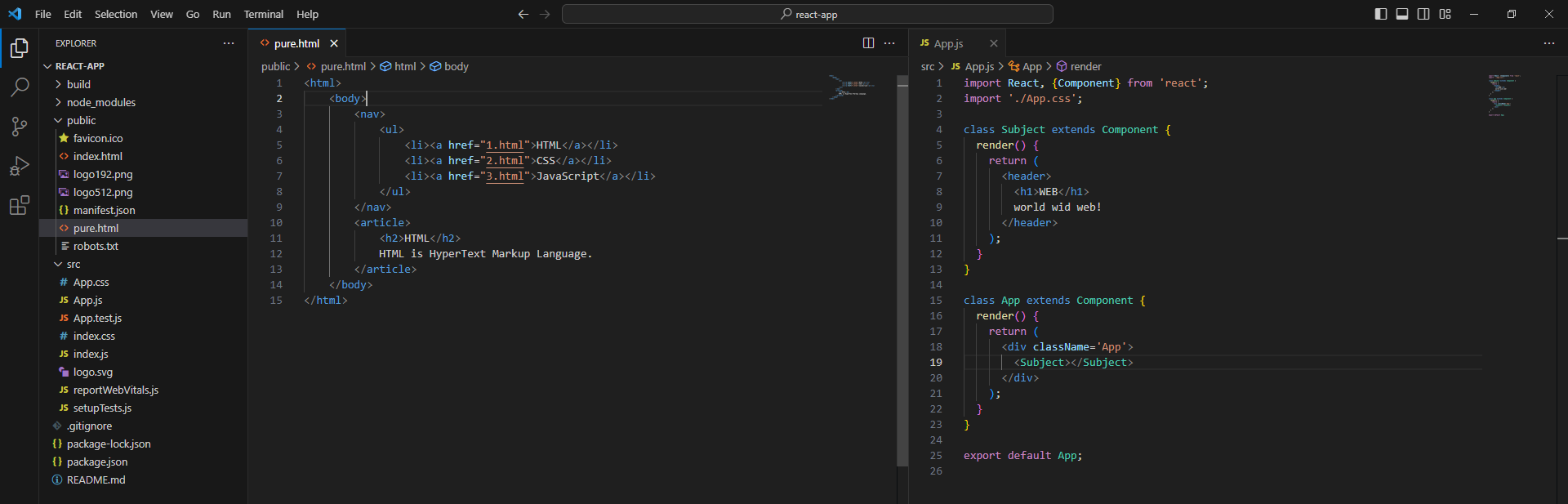
pure.html 의 nav, article 부분도 같은 방법으로 클래스 만들어주기
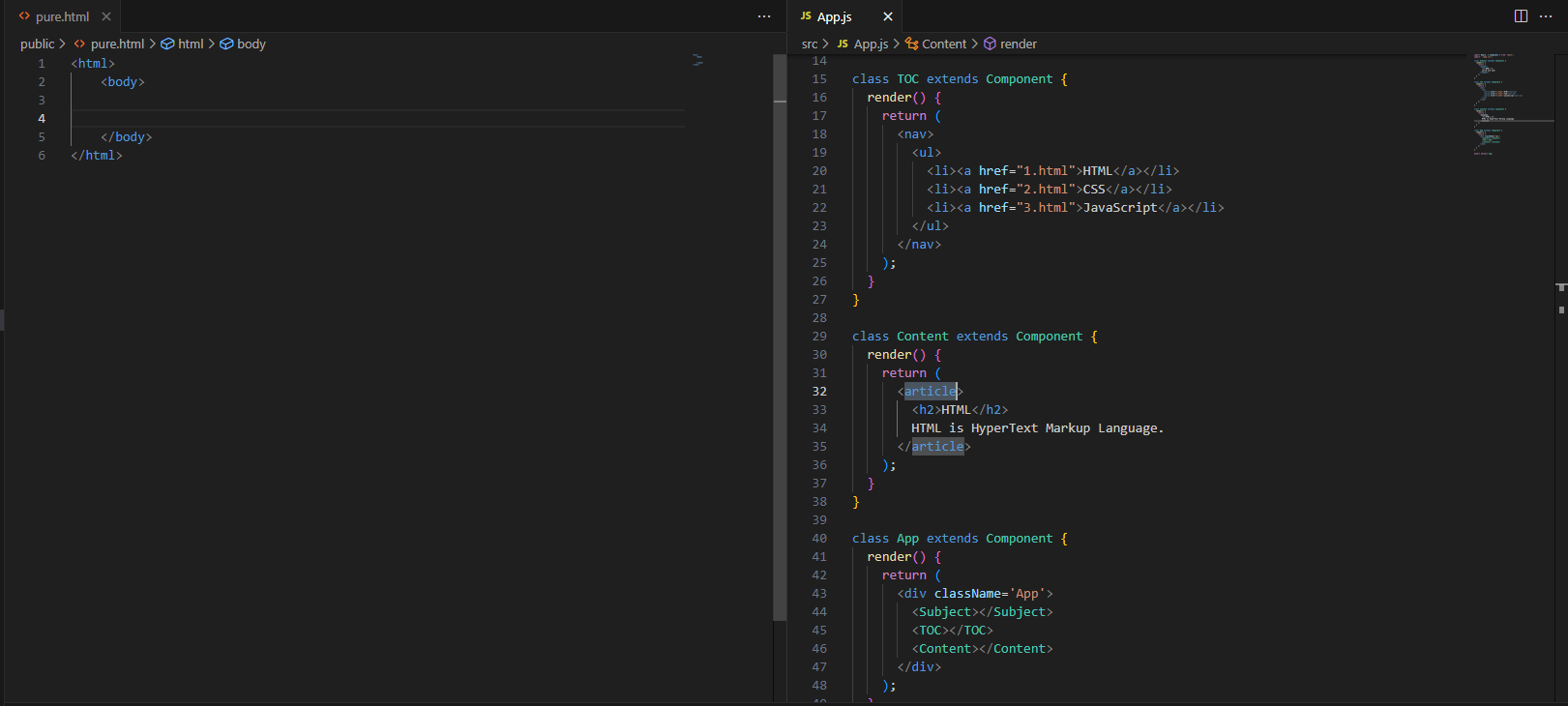
❤props
props의 자세한 설명 [Components와 Props]
props를 사용하면 리팩토링이 가능함!
코드 수정!!
class Subject extends Component {
  render() {
    return (
      <header>
        <h1>{this.props.title}</h1>
        {this.props.sub}
      </header>
    );
  }
}

class Content extends Component {
  render() {
    return (
      <article>
        <h2>{this.props.title}</h2>
        {this.props.desc}
      </article>
    );
  }
}

class App extends Component {
  render() {
    return (
      <div className='App'>
        <Subject title="WEB" sub="world wid web!"></Subject>
        <Subject title="React" sub="For UI"></Subject>
        <TOC></TOC>
        <Content title="HTML" desc="HTML is HyperText Markup Language."></Content>
      </div>
    );
  }
}
❤React Developer Tools
- 확장 프로그램에 추가해주기
❤컴포넌트 파일로 분리하기
App.js에 있는 TOC, Component, Subject 분리
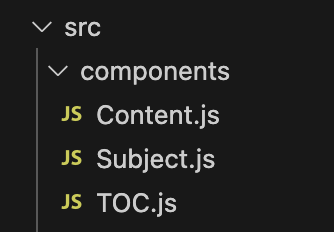
**App.js**
import TOC from './components/TOC'
import Content from './components/Content'
import Subject from './components/Subject'
❤State
props는 (함수 매개변수처럼) 컴포넌트에 전달되는 반면
state는 (함수 내에 선언된 변수처럼) 컴포넌트 안에서 관리된다.
App.js
초기화 담당
constructor(props){
    super(props);
    this.state = {
      subject:{title:'WEB', sub:'world wid web!'},
      contents:[
        {id:1, title:'HTML', desc:'HTML is HyperText'},
        {id:2, title:'CSS', desc:'CSS is design'},
        {id:3, title:'JavaScript', desc:'JavaScript is interactive'},
      ]
    }
}
rander() 함수 내 state 불러오기
<Subject
  title={this.state.subject.title}
  sub={this.state.subject.sub}>
</Subject>
<TOC data={this.state.contents}></TOC>
TOC.js
import React, { Component } from "react";

class TOC extends Component {
  render() {
    var lists = [];
    var data = this.props.data;
    var i = 0;
    while(i < data.length){
    	// 여러 개의 목록 자동으로 생성할 때 key,
        // key 값을 넣어주지 않으면 console에서 에러 메시지 발생
        lists.push(<li key={data[i].id}><a href={"/content/" + data[i].id}>{data[i].title}</a></li>);
        i = i+1;
    }
    return (
      <nav>
        <ul>
          {lists}
        </ul>
      </nav>
    );
  }
}
export default TOC;