17. post를 통한 DB에 데이터 저장
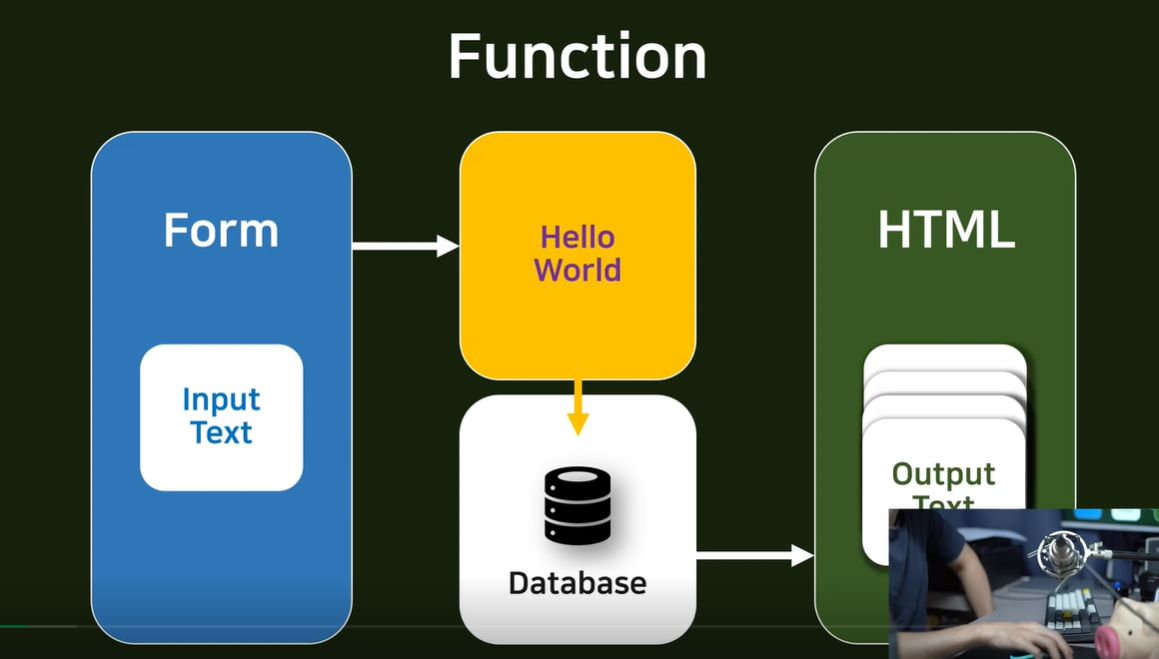
DB save
1. send POST data
2. receive POST data
3. save DB
- send POST data
<form action="/account/hello_world/" method="post">
  {% csrf_token %}
  <div>
      <input type="text" name="hello_world_input">
      <div>
        <input type="submit" class="btn btn-primary" value="POST">
      </div>
  </div>
</form>
hello_world.html
- receive POST data
def hello_world(request):
    if request.method == "POST":
        temp = request.POST.get('hello_world_input')
        return render(request, 'accountapp/hello_world.html', context={'text' :temp})
    else:
        return render(request, 'accountapp/hello_world,html', cotext={'text': 'GET METHOD'})
view.py
- save DB
model로 view에서 객체를 만들어 받은 정보 저장

def hello_world(request):
    if request.method == "POST":
        temp = request.POST.get('hello_world_input')

        new_hello_world = HelloWorld()
        new_hello_world.text = temp
        new_hello_world.save()

        return render(request, 'accountapp/hello_world.html', context={'hello_world_output' :new_hello_world})
    else:
        return render(request, 'accountapp/hello_world,html', cotext={'text': 'GET METHOD'})
저장된 데이터 if문으로 다시 html에서 출력
<form action="/account/hello_world/" method="post">
  {% csrf_token %}
  <div>
      <input type="text" name="hello_world_input">
      <div>
        <input type="submit" class="btn btn-primary" value="POST">
      </div>
  </div>
</form>

{% if hello_world_output %}
	<h1>
    	{{text}}
    </h1>
{% endif %}
18. DB에 저장된 데이터를 for문을 이용해 출력
- view.py에서 DB에 저장된 객체 리스트 리턴
def hello_world(request):
    if request.method == "POST":
        temp = request.POST.get('hello_world_input')

        new_hello_world = HelloWorld()
        new_hello_world.text = temp
        new_hello_world.save()

        hello_world_list = HelloWorld.objects.all()
        return render(request, 'accountapp/hello_world.html', context={'hello_world_list' :hello_world_list})
    else:
        hello_world_list = HelloWorld.objects.all()
        return render(request, 'accountapp/hello_world,html', cotext={'hello_world_list': hello_world_list})
view.py
- html에서 출력
<form action="/account/hello_world/" method="post">
  {% csrf_token %}
  <div>
      <input type="text" name="hello_world_input">
      <div>
        <input type="submit" class="btn btn-primary" value="POST">
      </div>
  </div>
</form>

{% if hello_world_list %}
	<h1>
    	{{ hello_world_list }}
    </h1>
{% endif %}
hello_world.html
-> 쿼리셋 형태로 객체들이 출력된다
- 쿼리셋 형태의 객체들을 for문으로 출력
{% if hello_world_list %}
  {% for hello_world in hello_world_list %}
    <h4>
      {{ hello_world.text }}
    </h4>
  {% endfor %}
{% endif %}
hello_world.html
- 새로고침할 때마다 post요청이 들어가 객체를 계속 생성하지 않도록 post요청 후 get요청으로 넘어가게 view 함수 구현
def hello_world(request):
    if request.method == "POST":
        temp = request.POST.get('hello_world_input')

        new_hello_world = HelloWorld()
        new_hello_world.text = temp
        new_hello_world.save()

        return HttpResponseRedirect(reverse('accountapp:hello_world'))
    else:
        hello_world_list = HelloWorld.objects.all()
        return render(request, 'accountapp/hello_world,html', cotext={'hello_world_list': hello_world_list})
HttpRespenseRedirect: 해당 주소로 재접속 하라
reverse() : accoutapp:helo_world를 accountapp/hello_world로 바꿔주는 함수
19. Pycharm 디버깅
- 메뉴바에 Run -> edit configurations
- templates -> python -> scripts path: venv->scripts
- -> parameter: runserver 적용
- 특정 파일 디버깅: 우측버튼: debug 'manage' -> 서버 실행
-> 코드 중간에 run을 멈출 수 있고 현재까지의 디버깅 상태(:debuger) 확인 가능
20. Class Based View
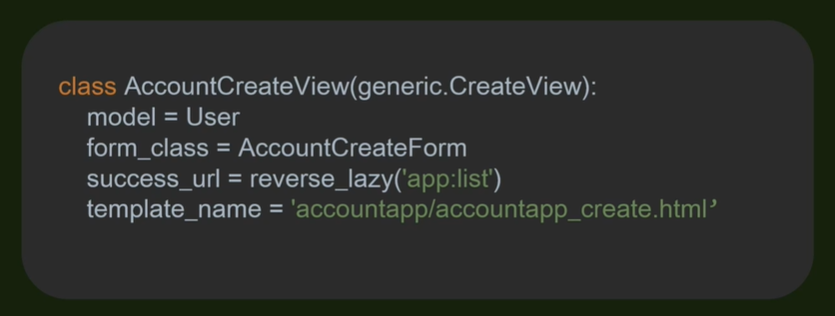
class based view를 사용해서 가독성도 좋고 사용하기 편리함
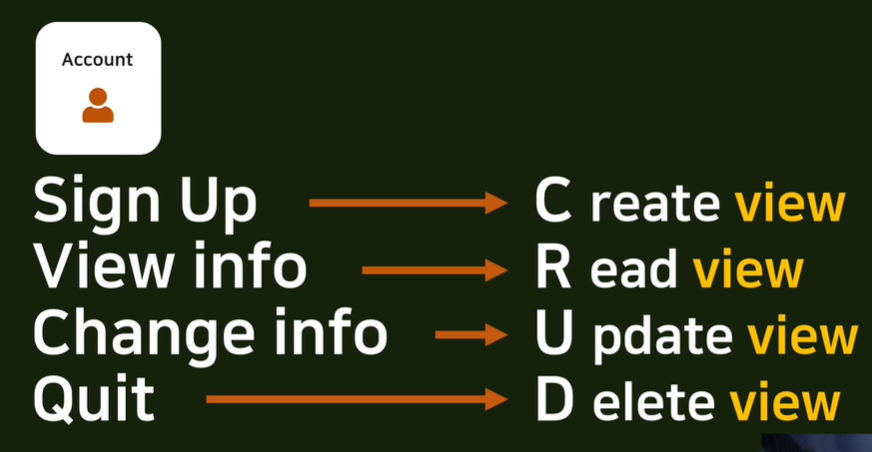
CRUD