이걸 왜 해야돼?
- 안드로이드 앱에서 파이어베이스의 기능을 사용하기 위해 가장 먼저 해야한다!!
- 연결을 하지 않으면 사용할 수 없어!!!
연결 해보자!
1. 콘솔 접속 후 안드로이드 연결 선택
- 우선 콘솔에 접속하면 첫 화면에 아래와 같이 나올것이다.

- 우리는 안드로이드와 연결할 것이니 안드로이드 연결을 선택하자!

2. 앱 등록
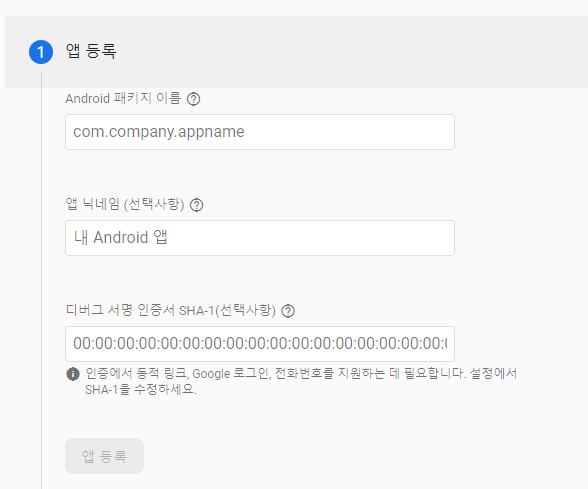
-
첫 화면에서 몇몇 모르는 부분이 나오는데 당황할 필요없다!!!
-
찬찬히 하나씩 확인해서 설정해보자!
a) Android 패키지 이름 ?
- 안드로이드 스튜디오로 프로젝트를 만들었을텐데, Module 단위의 gradle에서 쉽게 확인이 가능하다!
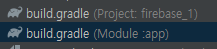
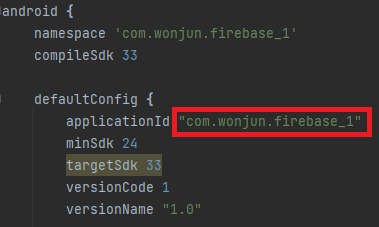
b) 앱 닉네임 ?
- 안드로이드 스튜디오에서 생성한 앱의 이름을 원하는데로 설정할 수 있는데, 안해도 상관없어!!
- 하면 쉽게 알 수 있다 정도?
c) 디버그 서명 인증서 ?
- SHA-1 해시를 받기 위해 Keytool을 사용한다는데.... 안해도돼!
d) 완성된 모습
- 과감히 앱 등록을 누르자!
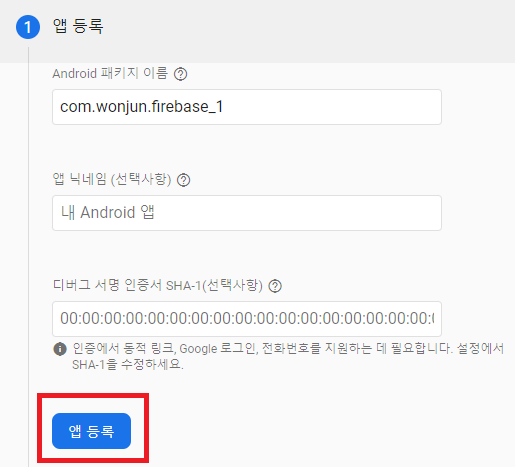
- 안드로이드 스튜디오로 프로젝트를 만들었을텐데, Module 단위의 gradle에서 쉽게 확인이 가능하다!
3. 구성 파일 다운로드 후 추가
파일을 추가하지 않는다면, 파이어베이스를 사용할 수 없다!! 꼭 넣자!!!!
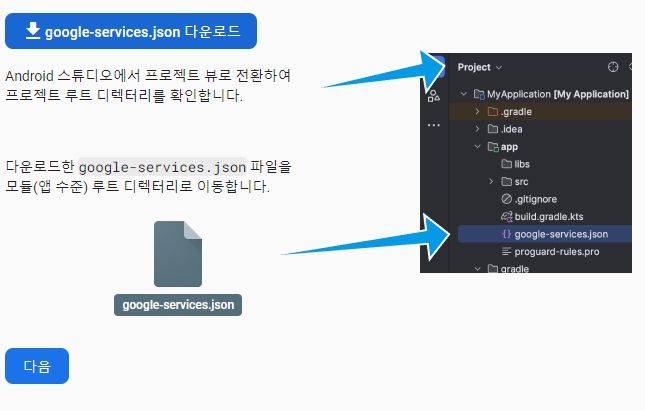
- 사진을 보면 쉽게 설정이 되어있다!!!!
- 그래도 확인을 해보자!!!
a) 어딘지 모르겠어 ㅠㅠ
- Project 최상위로 가라고 하지만 굳이!!! 필요 없다!!
- 처음에는 Android 경로로 되어있을것인데, 누르면 여러가지가 나온다.
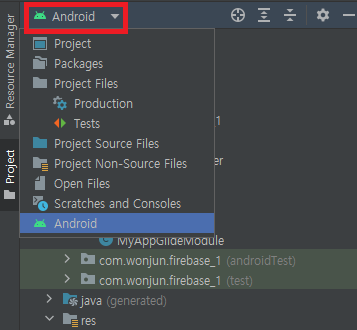
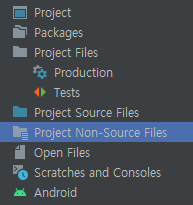
- Project Non-Source Files 부분을 누르면 쉽게 갈 수 있다!
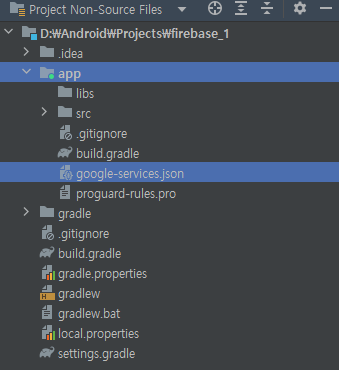
- app 폴더 경로에 넣으면 된다!! 쉽지?!!
4. Firebase SDK 추가

-
안드로이드 스튜디오에 라이브러리를 설치하는 단계!!
Kotlin을 사용한다면 Kotlin DSL
Java를 사용한다면 Groovy
나는 Java를 사용하니 Groovy를 선택하겠다!

a) 프로젝트 단위 gradle 추가
plugins {
  // ...

  // Add the dependency for the Google services Gradle plugin
  id 'com.google.gms.google-services' version '4.4.0' apply false
}
b) 모듈 단위 gradle 추가
  plugins {
    id 'com.android.application'

    // Add the Google services Gradle plugin
    id 'com.google.gms.google-services'
    ...
  }

  dependencies {
    // Import the Firebase BoM
    implementation platform('com.google.firebase:firebase-bom:32.3.1')

    // TODO: Add the dependencies for Firebase products you want to use
    // When using the BoM, don't specify versions in Firebase dependencies
    implementation 'com.google.firebase:firebase-analytics'

    // Add the dependencies for any other desired Firebase products
    // https://firebase.google.com/docs/android/setup#available-libraries
  }
c) 동기화 - Sync Now
- 새롭게 추가해서 설치하는거니, 설치를 꼭 하자!!
5. 설정 끝!!!
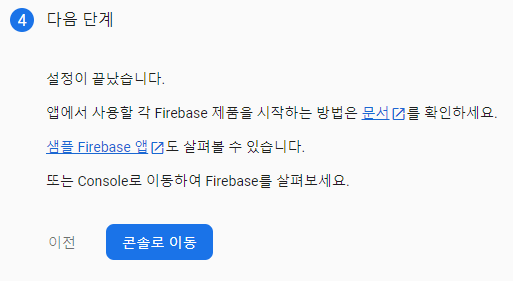
- 정상적으로 연결이 됬다면, 이전과는 다르게 연결하라는 메시지가 없고 연결된 앱을 보여준다!!


공부해보자