< Prophet >
- 페이스북에서 공개한 시계열 예측 라이브러리
- 주요 구성 요소는 총 4가지로
- Trend 2. Seasonality 3. Holiday 4. 오차
- Trend : 주기적이지 않은 변화 트렌드
- Seasonality : weekly, yearly 등 주기적으로 나타나는 패턴
- Holiday : 불규칙한 이벤트.
(특정 기간에 값이 비정상적으로 증가 또는 감소하는 경우 holiday로 정의) - 오차 : 정규분포를 따르는 잔차
Example 1
import pandas as pd
import numpy as np
import matplotlib.pyplot as plt
%matplotlib inline


time = np.linspace(0, 1, 365*2)
result = np.sin(2*np.pi*12*time)
ds = pd.date_range("2023-01-01", periods=365*2, freq="D")
df = pd.DataFrame({"ds": ds, "y": result})
df.head()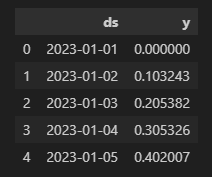
df["y"].plot(figsize=(10, 6));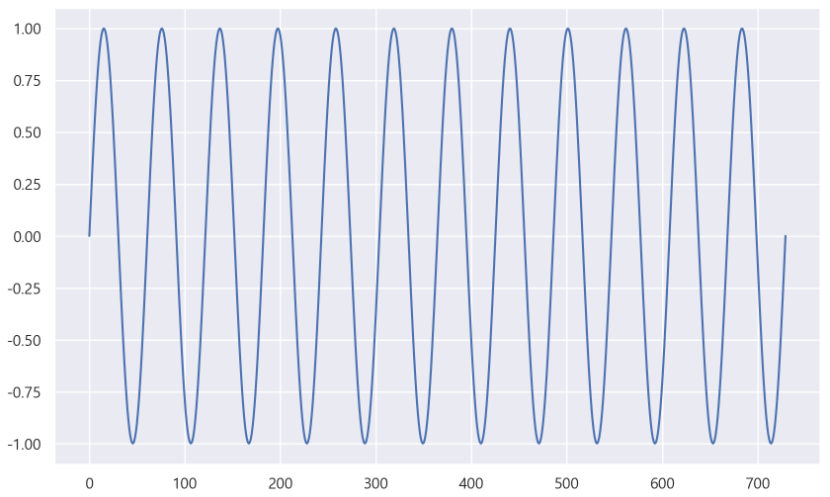
import prophet

m = prophet.Prophet(yearly_seasonality=True, daily_seasonality=True)
m.fit(df);
- 예측값을 넣을 데이터 프레임 생성
( periods 값은 향후 몇일을 예측할 것인지 설정 )
future = m.make_future_dataframe(periods=30)
forecast = m.predict(future)
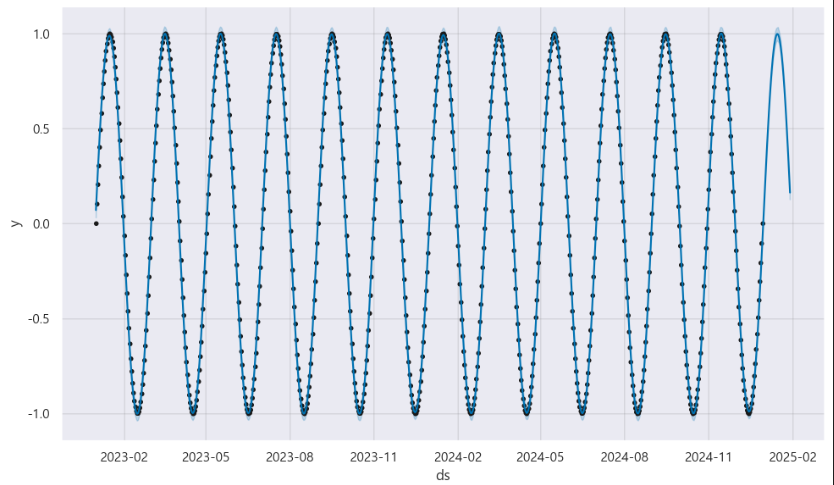
m.plot(forecast);
예측 결과 시각화
- 파란색 선이 모델이 예측한 값
- 검정색 점이 실제 데이터 값
Example 2
ㄴ time 추가
time = np.linspace(0, 1, 365*2)
result = np.sin(2*np.pi*12*time) + time

ds = pd.date_range("2023-01-01", periods=365*2, freq="D")
df = pd.DataFrame({"ds": ds, "y": result})

df["y"].plot(figsize=(10, 6));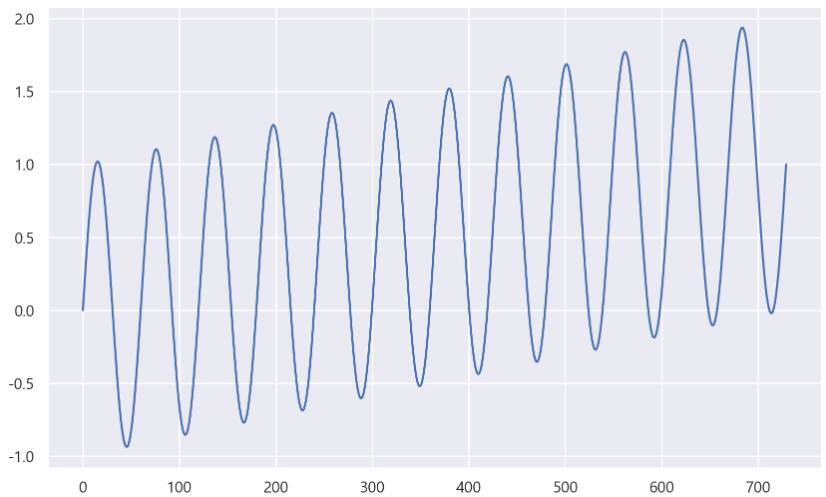
m = prophet.Prophet(yearly_seasonality=True, daily_seasonality=True)
m.fit(df)
future = m.make_future_dataframe(periods=30)
forecast = m.predict(future)
m.plot(forecast);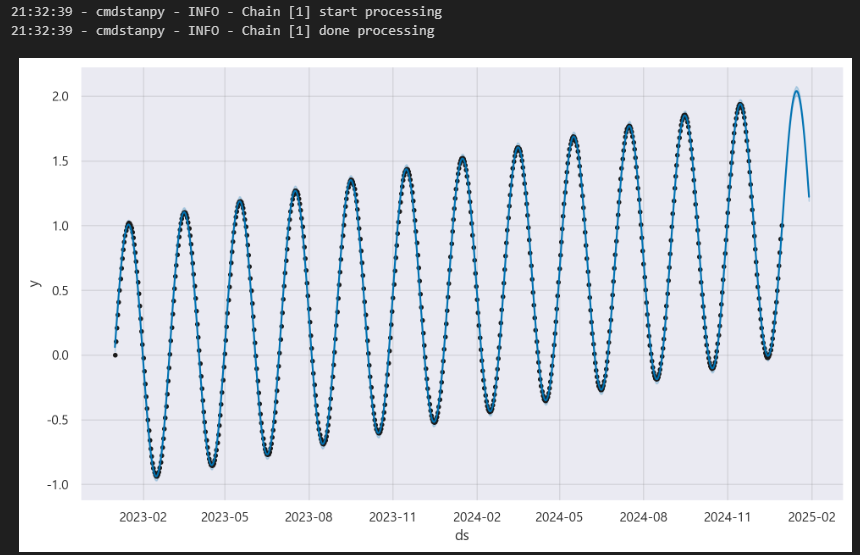
Example 3
ㄴ Holiday 고려
time = np.linspace(0, 1, 365*2)
result = np.sin(2*np.pi*12*time) + time + np.random.randn(365*2)/4

ds = pd.date_range("2023-01-01", periods=365*2, freq="D")
df = pd.DataFrame({"ds": ds, "y": result})

df["y"].plot(figsize=(10, 6));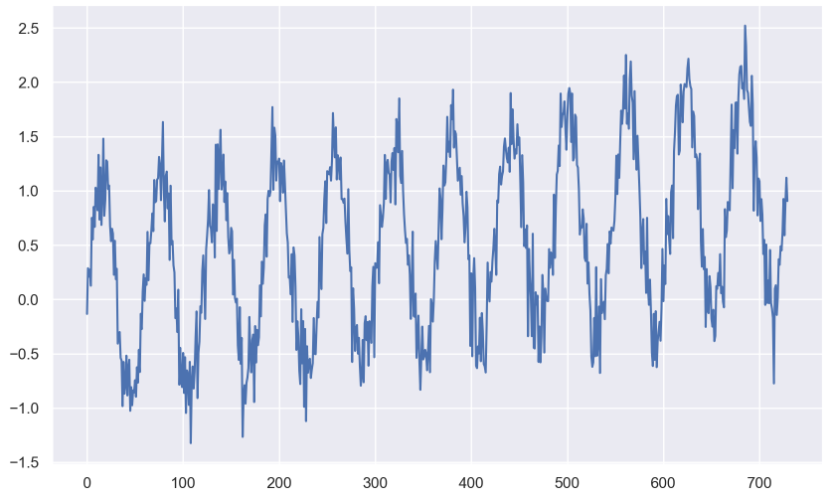
m = prophet.Prophet(yearly_seasonality=True, daily_seasonality=True)
m.fit(df)
future = m.make_future_dataframe(periods=30)
forecast = m.predict(future)
m.plot(forecast);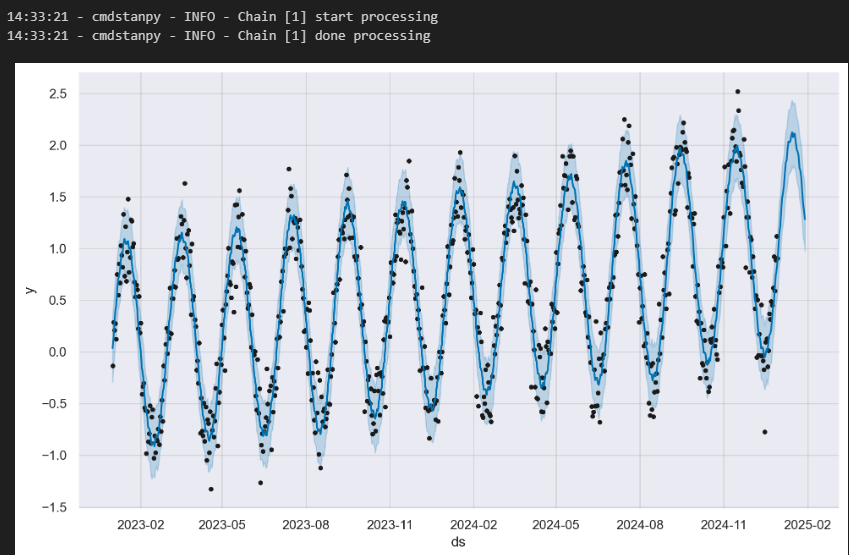
Example 4
ㄴ 잔차 고려
# data name -> pinkwink_web

pinkwink_web["hit"].plot(figsize=(12, 4), grid=True);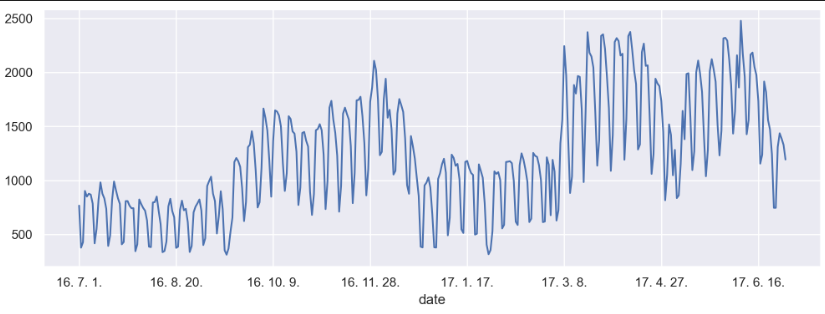
- trend 분석을 시각화하기 위한 x축 값 만들기
time = np.arange(0, len(pinkwink_web))
traffic = pinkwink_web["hit"].values
fx = np.linspace(0, time[-1], 1000)- 에러를 계산할 함수 작성
def error(f, x, y):
    return np.sqrt(np.mean((f(x) - y) ** 2))


fp1 = np.polyfit(time, traffic, 1)
f1 = np.poly1d(fp1)

f2p = np.polyfit(time, traffic, 2)
f2 = np.poly1d(f2p)

f3p = np.polyfit(time, traffic, 3)
f3 = np.poly1d(f3p)

f15p = np.polyfit(time, traffic, 15)
f15 = np.poly1d(f15p)


plt.figure(figsize=(12, 4))
plt.scatter(time, traffic, s=10)
plt.plot(fx, f1(fx), lw=4, label='f1')
plt.plot(fx, f2(fx), lw=4, label='f2')
plt.plot(fx, f3(fx), lw=4, label='f3')
plt.plot(fx, f15(fx), lw=4, label='f15')

plt.grid(True, linestyle="-", color="0.75")
plt.legend(loc=2)
plt.show()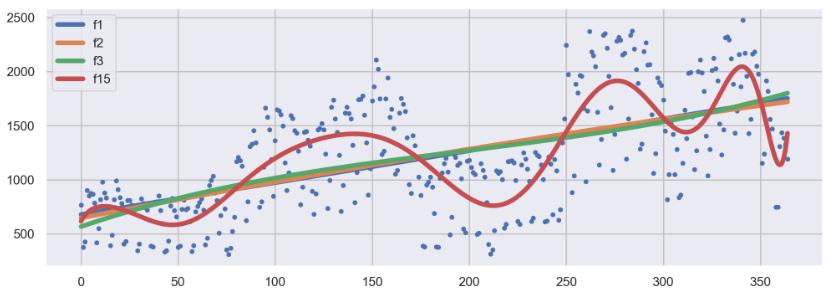
m = prophet.Prophet(yearly_seasonality=True, daily_seasonality=True)
m.fit(df);
# 60일에 해당하는 데이터 예측
future = m.make_future_dataframe(periods=60)

# 예측 결과는 상한/하한의 범위를 포함해서 얻어진다
forecast = m.predict(future)
forecast[["ds", "yhat", "yhat_lower", "yhat_upper"]].tail()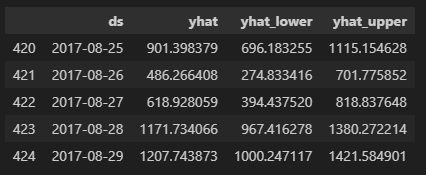
m.plot(forecast);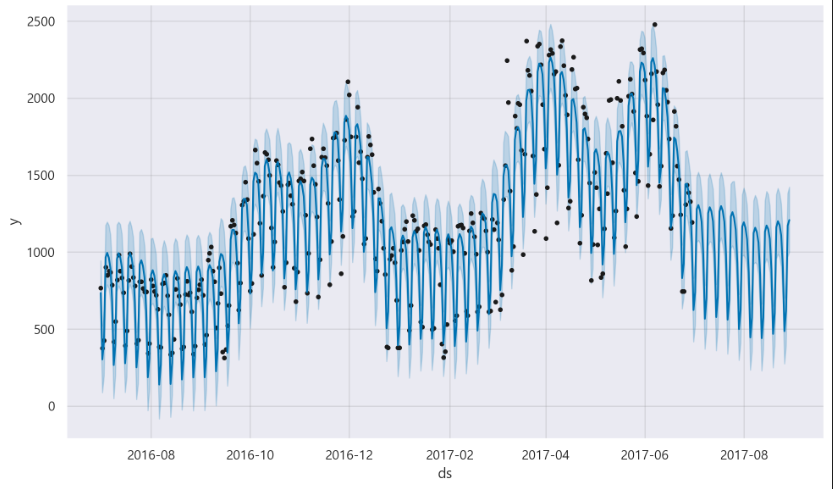
m.plot_components(forecast);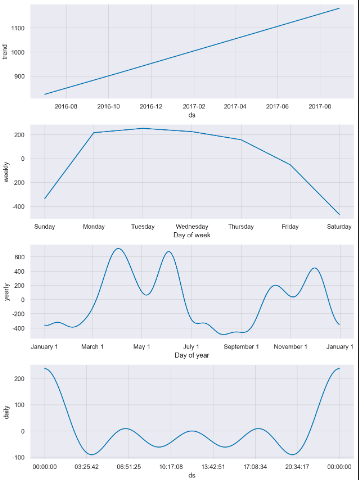
- Trend는 점점 증가하는 추세
- 주 계절성은 월요일부터 크게 증가, 금요일부터는 하락세
- 연 계절성은 4월, 6월에 특히 높은 상승을 보임.

데이터 관련 학습 일지