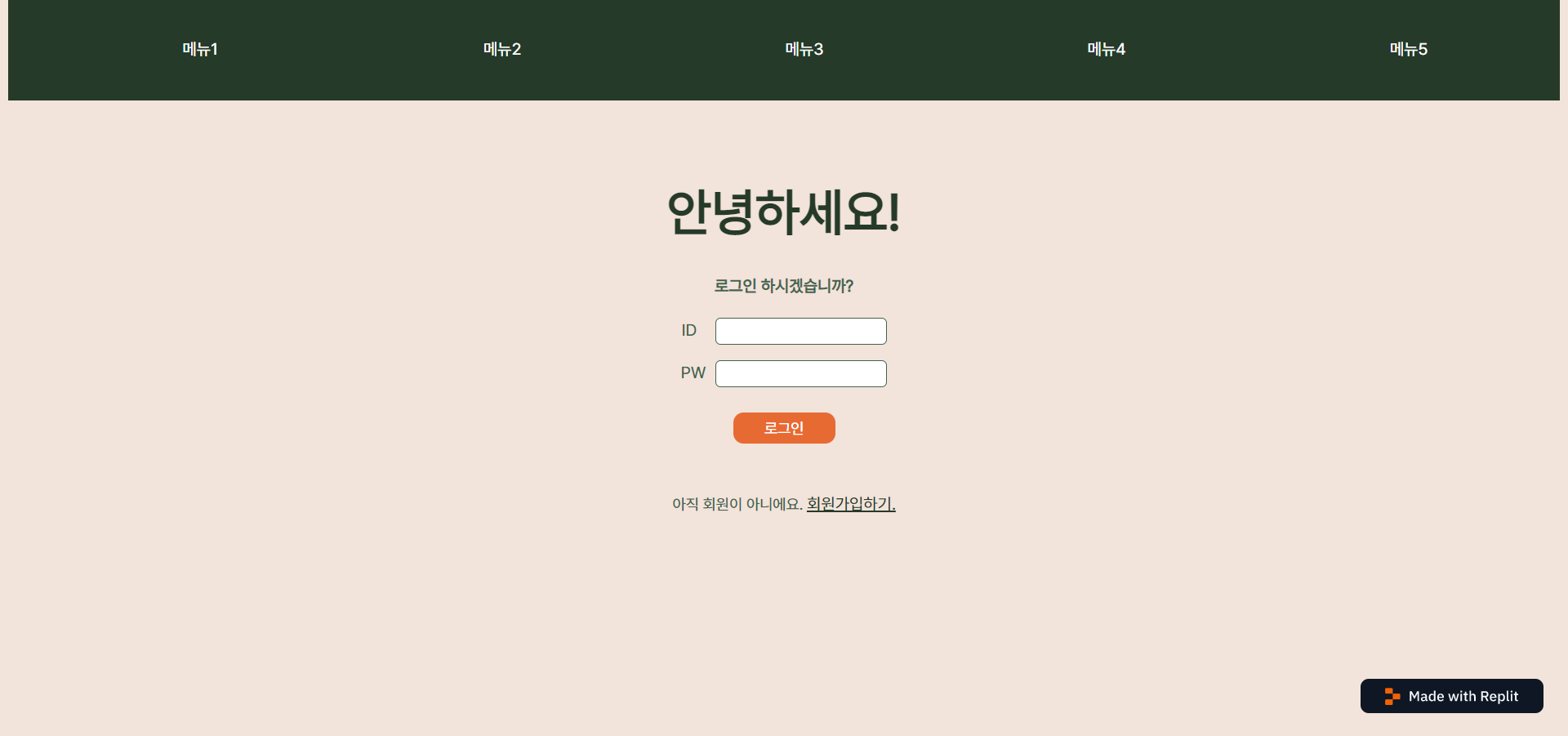
App.js
import './App.css'
import Home from './Home.jsx'
import Header from './Header.jsx'

export default function App() {
  return (
    <div>
      <Header />
      <Home />
    </div>
  );
}
Header.js
import './HeaderStyle.css'

function Header() {
  return (
    <header>
      <h1></h1>
      <ul id="header-menu">
        <li>메뉴1</li>
        <li>메뉴2</li>
        <li>메뉴3</li>
        <li>메뉴4</li>
        <li>메뉴5</li>
      </ul>
    </header>
  );
}

export default Header;
HeaderStyle.css
@font-face {
    font-family: 'Pretendard-Regular';
    src: url('https://cdn.jsdelivr.net/gh/Project-Noonnu/noonfonts_2107@1.1/Pretendard-Regular.woff') format('woff');
    font-weight: 400;
    font-style: normal;
}


header {
  overflow: hidden;
  width: 100%;
  height: 100px;
  background-color: #263A29;
  margin-top: -10px;
}


ul {
  list-style: none;
  color: white;
  font-family: 'Pretendard-Regular';
}

li {
  width: 20%;
  float: left;
  text-align: center;
  position: relative;
  bottom: 40px;
}
Home.js
import styles from './HomeStyle.css'
import { useState } from 'react'

function Login() {
  const handleSubmit = (e) => {e.preventDefault();}
  const [id, setId] = useState("")
  const [pw, setPw] = useState("")

  return (
    <div id="login-form">
      <form>
        <h4>로그인 하시겠습니까?</h4>
        <label>ID</label>
        <input value={id} id="id" type="text"></input><br></br>
        <label>PW</label>
        <input value={pw} id="pw" type="text"></input><br></br>
        <button onClick={handleSubmit}>로그인</button><br></br>
        <a>아직 회원이 아니에요. </a>
        <u href="#">회원가입하기.</u>
      </form>
    </div>
  );
}

function Home() {
  return (
    <div>
      <h1>안녕하세요!</h1>
      <Login />
    </div>
  );
}

export default Home;
HomeStyle.css
@font-face {
    font-family: 'Pretendard-Regular';
    src: url('https://cdn.jsdelivr.net/gh/Project-Noonnu/noonfonts_2107@1.1/Pretendard-Regular.woff') format('woff');
    font-weight: 400;
    font-style: normal;
}

html {
  background-color: #F2E3DB;
}

#root {
  position: relative;
  font-family: 'Pretendard-Regular';
  text-align: center;
  color: #41644A;
}

h1 {
  margin-top: 80px;
  position: relative;
  font-size: 50px;
  animation-name: move, fadeIn;
  animation-duration: 3s;
  animation-iteration-count: 1;
  color: #263A29
}

@keyframe move {
  from {left:0;}
  to {right:50px;}
}

@keyframe fadeIn {
  from {opacity:0;}
  to {opacity:1;}
}

#login-form {
  animation: fadein 2s;
}

#id {
  margin-left: 18px;
  margin-bottom: 15px;
}

#pw {
  margin-left: 10px;
}

input {
  height: 23px;
  border: 1px solid;
  border-color: #41644A;
  border-radius: 5px;
}

input:focus {
  border: 2px solid;
  outline-color: #263A29;
}

button {
  width: 100px;
  height: 30px;
  margin-top: 25px;
  margin-bottom: 50px;
  border: 0.5px;
  border-color: #E86A33;
  background-color: #E86A33;
  color: white;
  font-family: 'Pretendard-Regular';
  font-size: 15px;
  border-radius: 10px;
}

button:hover {
  transition: all 0.2s;
  background-color: #D05F2D;
}

a {
  font-size: 15px;
  margin-top: 20px;
}


u {
  color: #263A29;
}

u:hover {
  transition: 0.1s;
  color: #D05F2D;
}
Drop down 메뉴바 벨로그 https://velog.io/@dpdnjs402/uq0d5qph