Welcome Page
resources/static 폴더에 index.html 파일을 하나 추가하고 아래 코드를 작성해준다.
<!DOCTYPE HTML>
<html>
<head>
	<title>Hello</title>
	<meta http-equiv="Content-Type" content="text/html; charset=UTF-8" />
</head>
<body>
Hello
<a href="/hello">hello</a>
</body>
</html>
스프링 부트가 제공하는 Welcome Page 기능
- 프로젝트를 실행하면 Spring boot는 resources의 static 폴더에서 우선 index.html 을 찾아 Welcome page를 실행하는 기능을 제공한다.
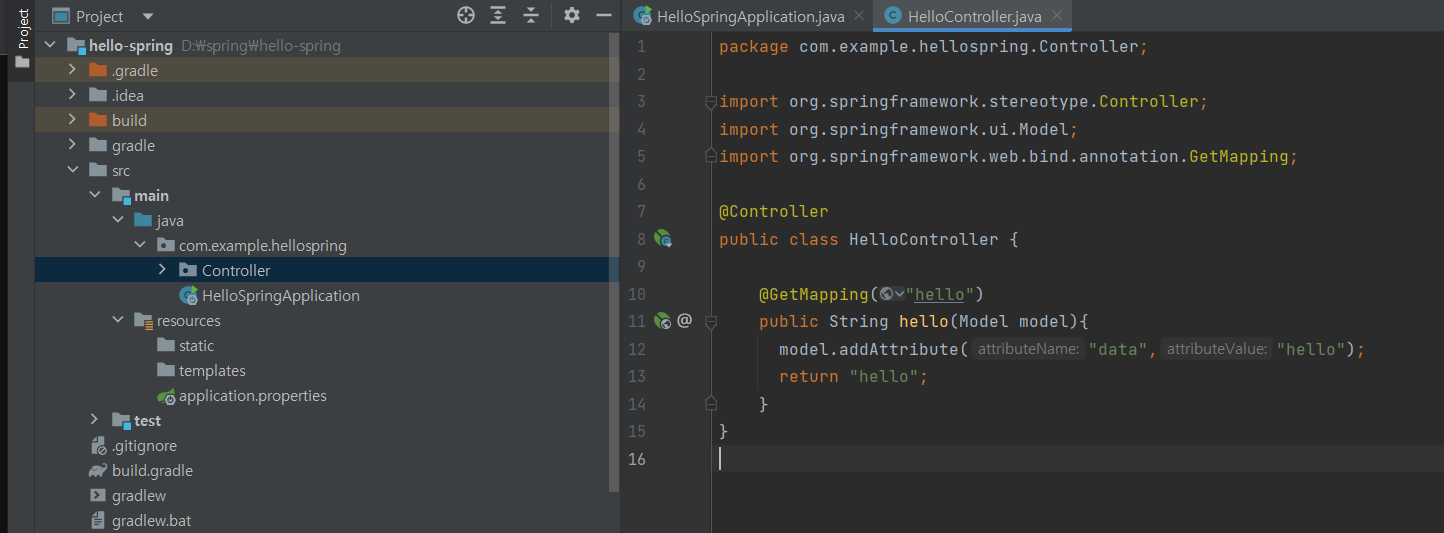
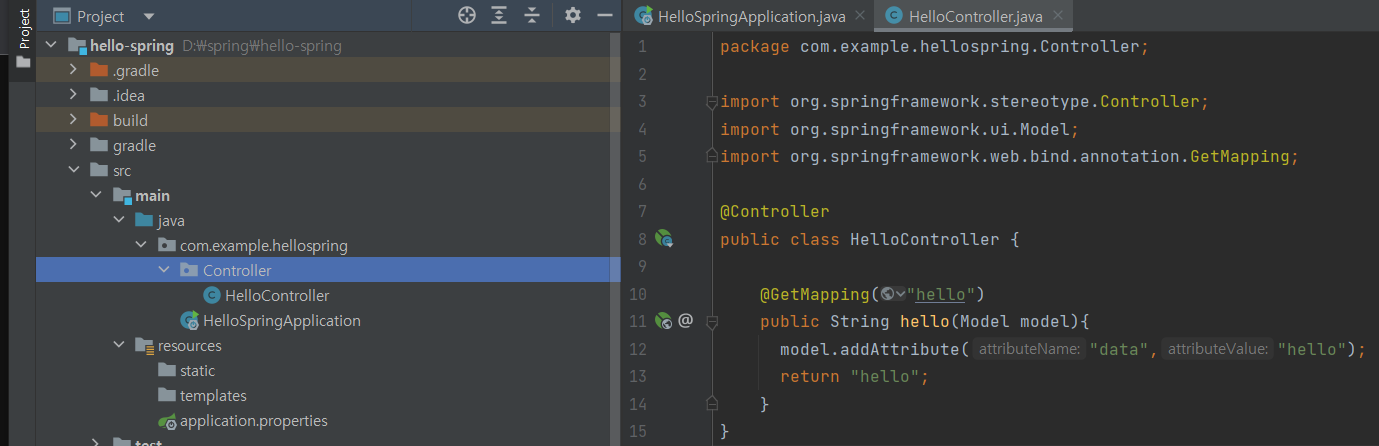
com.example.hellospring 그룹에 controller 패키지를 생성하고, 해당 패키지에 controller 파일을 추가하여 아래와 같이 작성해준다.
** @Controller를 먼저 작성하면 알아서 import 된다.
이번에는 resources/templates/hello.html에 아래와 같이 작성해준다.
<!DOCTYPE HTML>
<html xmlns:th="http://www.thymeleaf.org">
<head>
	<title>Hello</title>
	<meta http-equiv="Content-Type" content="text/html;charset=UTF-8" />
</head>
<body>
<p th:text="'안녕하세요. ' + ${data}" >안녕하세요. 손님</p>
</body>
</html>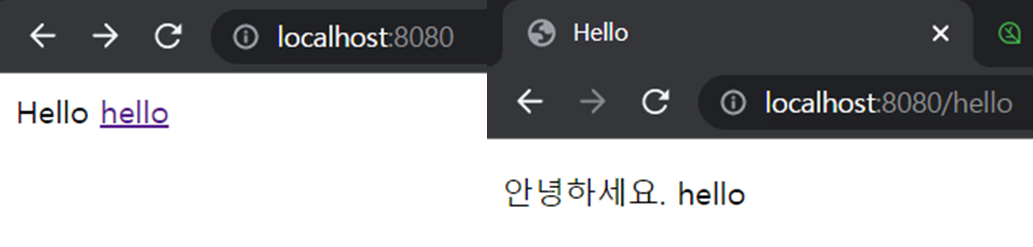
프로젝트는 가장 먼저 resources/static/index.html을 실행한다.
Get방식인 HelloController의 GetMapping("hello")를 통해 컨트롤러가 실행되고, data 값을 "hello"로 설정해주고 "hello"를 리턴한다.
컨트롤러에서 리턴 값으로 문자를 반환하면 viewResolver가 화면을 찾아서 처리한다.
- 스프링 부트 템플릿엔진 기본 viewName 매핑
- resources:templates/ + (ViewName) + .html
빌드하고 실행하기
콘솔로 이동 (cmd 창 열고 프로젝트 파일 열기)
1. gradlew
2. gradlew build
3. cd build/libs
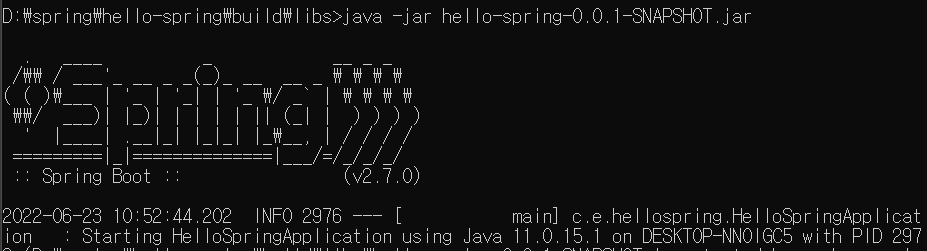
4. java -jar hello-spring-0.0.1-SNAPSHOT.jar
5. 실행 확인

화이링~!