정적 컨텐츠
- 스프링 부트 정적 컨텐츠 기능
- https://docs.spring.io/spring-boot/docs/2.3.1.RELEASE/reference/html/spring-bootfeatures.html#boot-features-spring-mvc-static-content
resources/static/hello-static.html
<!DOCTYPE html>
<html lang="en">
<head>
  <title>static content</title>
  <meta http-equiv="Content-Type" content="text/html; charset=UTF-8"  />
</head>
<body>
정적 컨텐츠입니다.
</body>
</html>
실행
웹브라우저에서 위 주소로 요청하면 내장 톰켓 서버에서는 서버 요청을 받고 컨트롤러에서 hello-static을 찾는다.
우선적으로 컨트롤러에서 찾고 없으면 resources 폴더에서 찾아 실행한다.
MVC와 템플릿 엔진
- MVC : Model, View, Controller
이전에는 View에서 Controller 기능까지 다했지만, 현재는 View와 Controller로 나눠서 한다.
Controller에 아래 코드를 추가해보자.
Controller
@Controller
public class HelloController {

@GetMapping("hello-mvc")
public String helloMvc(@RequestParam("name") String name, Model model){
    model.addAttribute("name", name);
    return "hello-template";
	}
}
View
resources/templates/hello-templates.html
<html xmlns:th="http://www.thymeleaf.org">
<body>
<p th:text="'hello ' + ${name}">hello! empty</p>
</body>
</html>
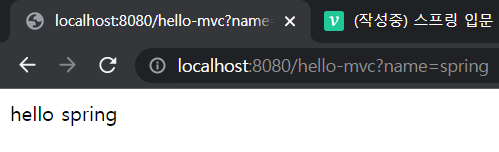
hello-mvc를 컨트롤러에서 찾고, 전달받은 name을 model의 Key 값이 name인 것의 값으로 치환한다.
hello-templates.html의 hello! empty 가 hello + spring(name) 으로 변환되어 렌더링 된 것을 아래 결과에서 확인할 수 있다.
API
ResponseBody 문자 반환
@ResponseBody를 사용하면 viewResolver를 사용하지 않는다.
대신에 HTTP의 BODY에 문자 내용을 직접 반환하게 된다.
아래 코드와 결과 그리고 소스 창을 살펴보자
@Controller
public class HelloController {
	@GetMapping("hello-string")
	@ResponseBody
	public String helloString(@RequestParam("name") String name) {
		return "hello " + name;
	}
}
위에서 본 mvc와 string 모델의 결과 값은 동일하다.
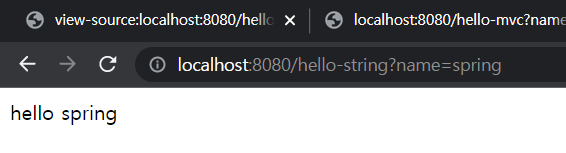
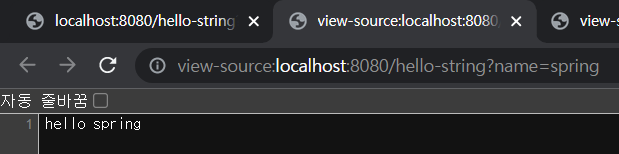
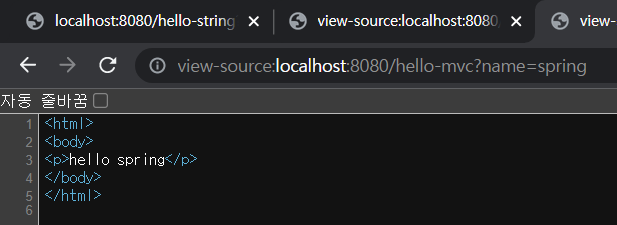
hello-mvc는 html 태그로 둘러 쌓여있지만, hello-string은 @ResponseBody에서 반환 받은 값을 그대로 내려준다.
ResponseBody 객체 반환
위에서는 문자열을 반환하였는데 이번에는 ResoponseBody를 이용해서 객체를 반환하는 경우를 살펴보자.
@GetMapping("hello-api")
@ResponseBody
public Hello helloApi(@RequestParam("name") String name) {
	Hello hello = new Hello();
	hello.setName(name);
	return hello;
}

static class Hello {
	private String name;

    public String getName() {
		return name;
	}

    public void setName(String name) {
		this.name = name;
	}
}
웹 브라우저로부터 hello-api를 요청 받으면 Mapping되는 Controller를 찾는다.
@ResponseBody를 사용하고, 객체를 반환하면 객체가 JSON으로 변환된다.
출력
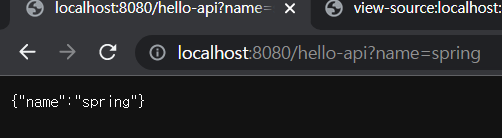
소스
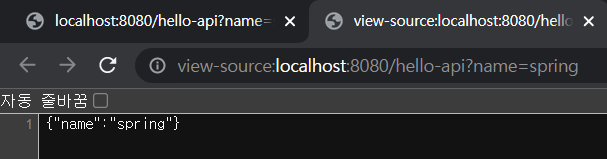
@ResponseBody를 사용
- HTTP의 BODY에 문자 내용을 직접 반환
- viewResolver 대신에 HttpMessageConverter가 동작
- 기본 문자처리 : StringHttpMessageConverter
- 기본 객체처리 : MappingJackson2HttpMessageConverter
- byte 처리 등등 기타 여러 HttpMessageConverter가 기본으로 등록되어 있음
참고: 클라이언트의 HTTP Accept 해더와 서버의 컨트롤러 반환 타입 정보 둘을 조합해서 HttpMessageConverter가 선택된다.