공식 문서 : https://docs.ansible.com/
1)개요
- 여러 개의 서버를 효율적으로 관리하기 위해 고안된 환경 구성 자동화 도구
- 현재는 레드햇에서 개발
- chef, puppet 도 동일한 작업을 수행해주는 도구
- 리눅스에서 동일한 환경을 구성하기 위해서 사용하는 가장 기초적인 방법은 Bash Shell Script
- Bash Shell Script
- 각종 패키지의 설치 및 설정 파일의 수정 등을 위해 일괄 처리 목록(Batch Processing List)을 Shell Script에 나열하고 이를 실행하는 방식으로 작업
- 클러스터에 존재하는 많은 서버들에 동시에 동일한 환경을 배포해야 하는 상황에서는 Bash Shell Script는 한계점이 명확
- Bash Shell Script는 환경 설정을 위해 만들어진 것이 아니며 규칙이 명확하지 않음
- 환경의 배포와 구성을 규격화된 코드로 정의해 사용해 나가는 것이 IaC(Infrastructure as a Code)
- IaC의 대표적인 도구가 Ansible
2)Ansible 사용 환경 준비
- 서버 와 클라이언트 구조로 구성
- chef 나 puppet 과 다르게 에이전트가 없는 구조
- Ansible Command를 입력할 수 있는 컴퓨터에서 명령을 입력하면 SSH Daemon을 이용해서 클라이언트 컴퓨터에 접속해서 명령을 전달
- Ansible을 사용하기 위한 컴퓨터는 Python이 설치되어 있어야 하고 SSH 접속이 가능해야 합니다.
- python 확인
python3 --version
- ansible 설치
sudo apt install software-properties-common
sudo apt-add-repository ppa:ansible/ansible
sudo apt update
sudo apt install ansible
- 버전 확인
ansible --version
3)Inventory
- Ansible에서 관리하는 모든 서버의 목록
- 컴퓨터들은 파이썬 인터프리터가 설치되어 있어야 하고 SSH 서버가 설치되어 있어야 합니다.
/etc/ansible/hosts에 설정을 합니다.- 기본 설정
ex.[group_name] 서버주소 서버주소 …[webservers] 192.168.0.241 192.168.0.242
- SSH-Key를 복사한 후 별명을 이용해서 원격 사용자를 지정
[webservers]
web1 ansible_host=192.168.0.241 ansible_user=사용자
web2 ansible_host=192.168.0.242 ansible_user=사용자
- 퍼블릭 클라우드에서는 인벤토리를 동적으로 가져오는 기능을 제공
- 애드훅 명령
ansible <타겟> -m 명령 -a 인자ansible all -m ping
4)playbook
- 개요
- 서버의 설정 방법을 기술한 구성 파일
- 각 서버에서 수행해야 할 일련의 작업을 이 파일에 정의
- yaml 파일로 작성
샘플 작성 및 실행
- playbook.yaml 파일을 만들고 작성
- hosts: localhost # 수행될 컴퓨터로 inventory에 있는 컴퓨터 이름이나 all 또는 localhost
  become: yes # 특정 사용자로 전환(become)할지 여부
  become_method: sudo # 관리자 모드로 수행
  tasks:
  - name: ensure apache is at the latest version
    apt: name=apache2 state=latest
  - name: ensure apache is running
    service: name=apache2 state=started enabled=yes
-
실행
ansible-playbook playbook.yaml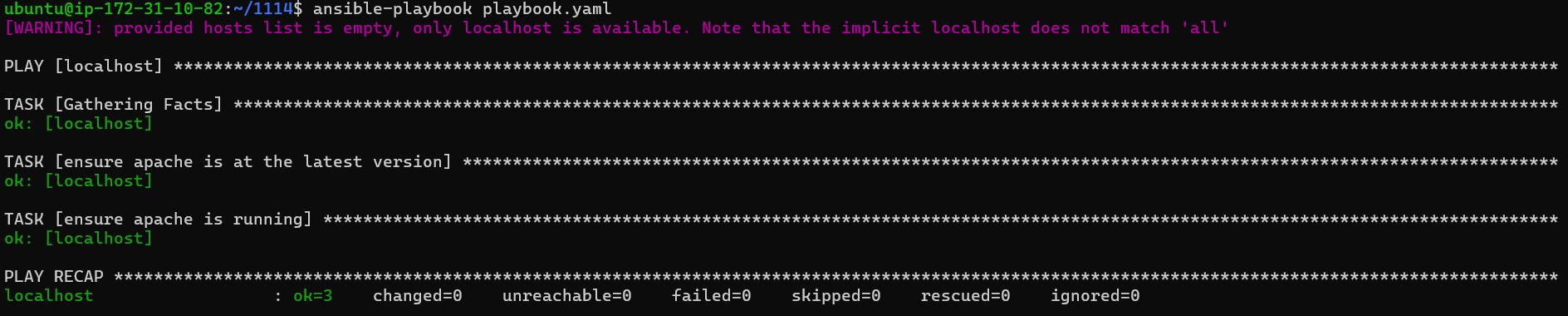
-
apache2 설치 및 실행 확인
sudo systemctl status apache2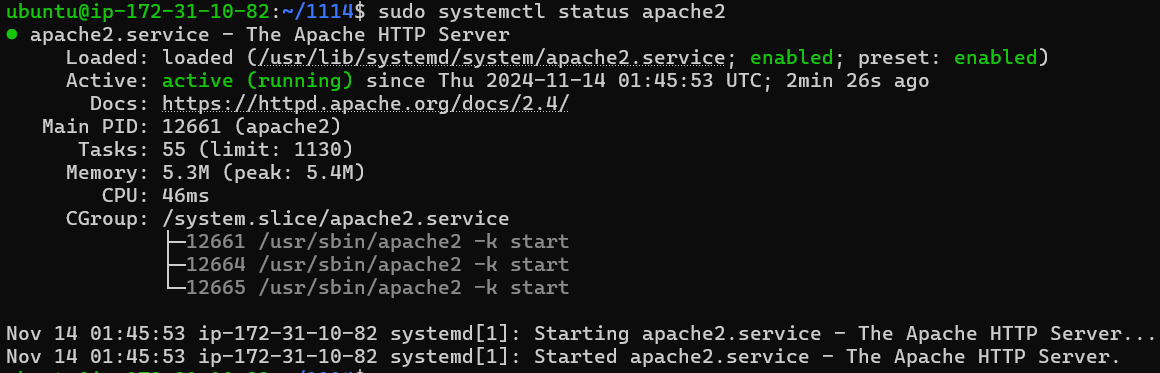
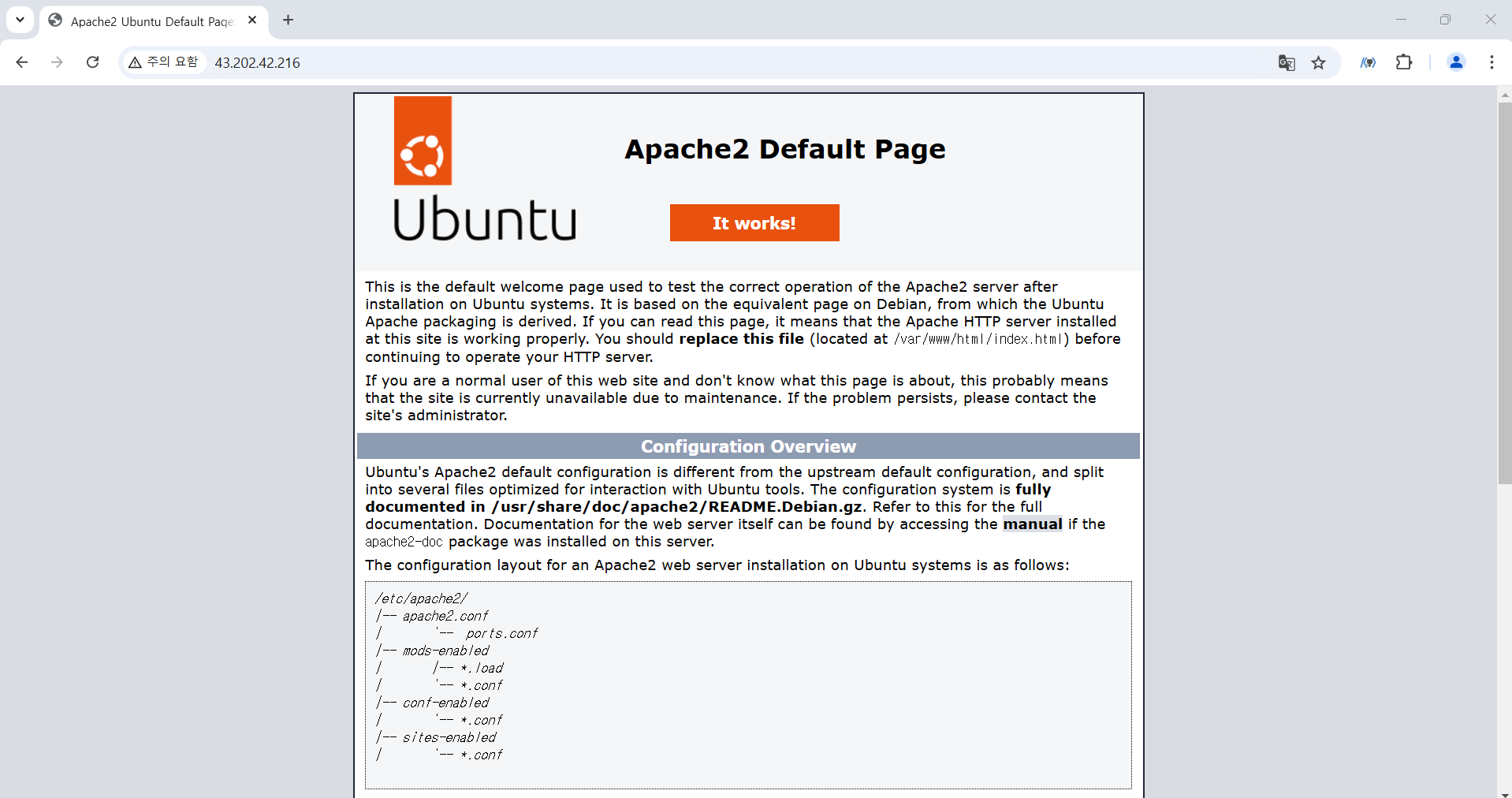
- 브라우저에서 인스턴스의 PublicIP로 접속
- playbook을 실행할 때
-f 스레드개수를 설정하면 태스크를 병렬로 수행할 수 있습니다.ansible-playbook -f 2 playbook.yaml
- 플레이북은 멱등성을 가진다.
- 이전 내용과 동일한 부분은 작업을 다시 수행하지 않고 이전의 내용을 이용
5)Handler
- 변경이 발생하면 알려주는 이벤트 방식의 메커니즘 구현을 위한 개념
- 주요 개념
- handler: 알림을 받으면 실행할 태스크를 지정
- notify: 실행할 핸들러를 지정
- playbook.yaml 파일 수정
- hosts: localhost # 수행될 컴퓨터로 inventory에 있는 컴퓨터 이름이나 all 또는 localhost
  become: yes # 특정 사용자로 전환(become)할지 여부
  become_method: sudo # 관리자 모드로 수행
  tasks:
  - name: ensure apache is at the latest version
    apt: name=apache2 state=latest
  - name: ensure apache is running
    service: name=apache2 state=started enabled=yes
  - name: copy configuration
    copy:
      src: foo.conf
      dest: /etc/foo.conf
    notify:
    - restart apache
  handlers:
  - name: restart apache
    service:
      name: apache2
      state: restarted
- foo.conf 파일 생성
touch foo.conf
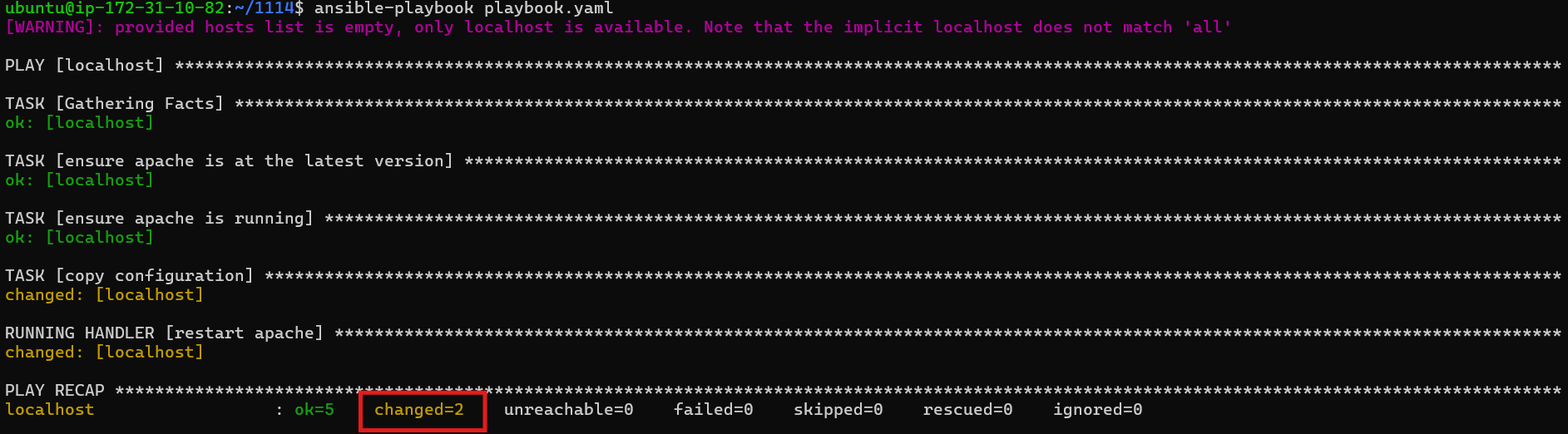
- 재실행
foo.conf 파일이 생성되었기 때문에 ansible이 변경을 감지했다.ansible-playbook playbook.yaml
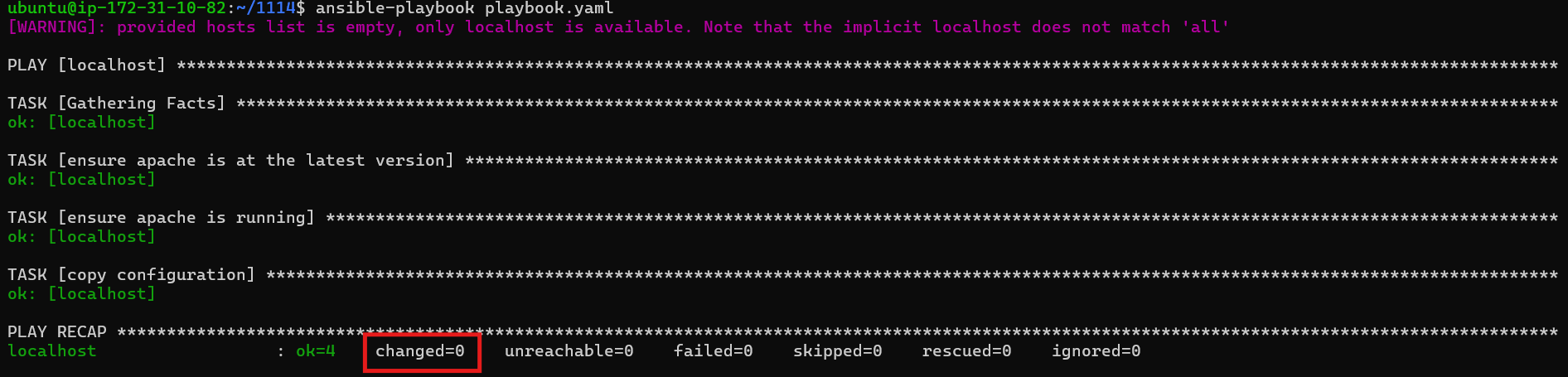
그대로 다시 실행하면, foo.conf 파일의 변경이 없기 때문에, change 되지 않는다.ansible-playbook playbook.yaml
- foo.conf 파일 내용 변경
echo "content" > foo.conf
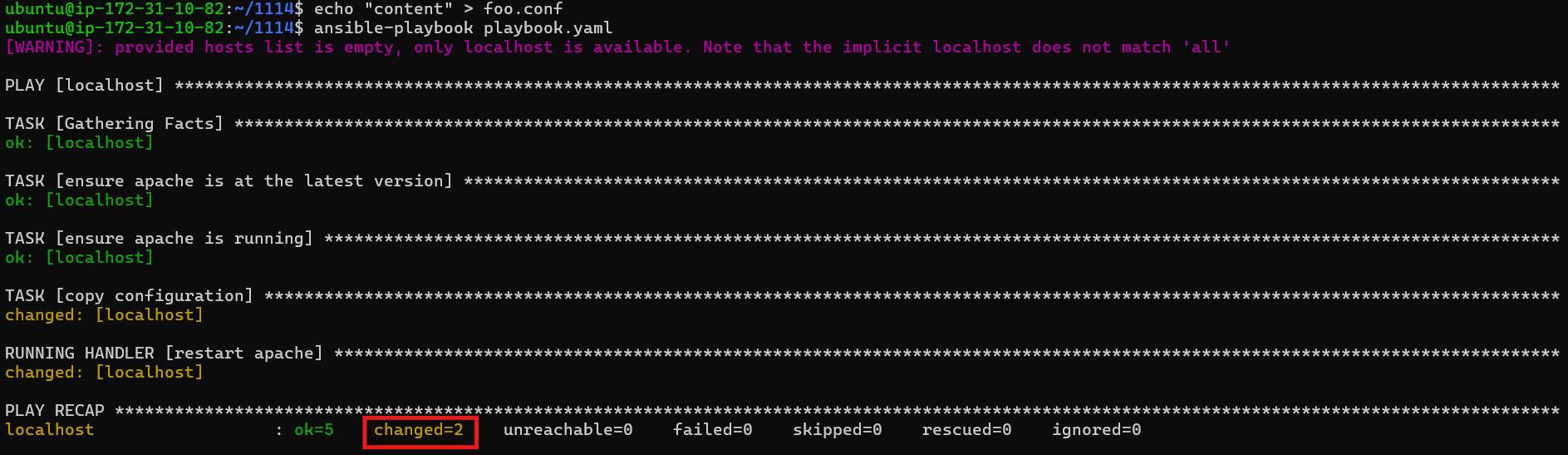
- 재실행
foo.conf 파일을 변경한 후 실행하면 변경을 감지하여 수행한다.ansible-playbook playbook.yaml
6)변수 사용
- 앤서블은 만들어서 사용할 수 있는 기능을 제공
- 변수를 만들 때는 vars 속성에 이름 과 값을 설정하고, Jinja 구문을 이용해서 변수를 이용
- Jinja 구문은 Django에서 Python 의 문법을 이용해서 HTML을 만드는 구문이기도 합니다.
-
playbook.yaml 파일 수정
- hosts: localhost # 수행될 컴퓨터로 inventory에 있는 컴퓨터 이름이나 all 또는 localhost
  become: yes # 특정 사용자로 전환(become)할지 여부
  become_method: sudo # 관리자 모드로 수행

  vars:
    http_port: 8080

  tasks:
  - name: print port number
    debug:
      msg: "Port number: {{http_port}}"

  - name: ensure apache is at the latest version
    apt: name=apache2 state=latest
  - name: ensure apache is running
    service: name=apache2 state=started enabled=yes
  - name: copy configuration
    copy:
      src: foo.conf
      dest: /etc/foo.conf
    notify:
    - restart apache
  handlers:
  - name: restart apache
    service:
      name: apache2
      state: restarted
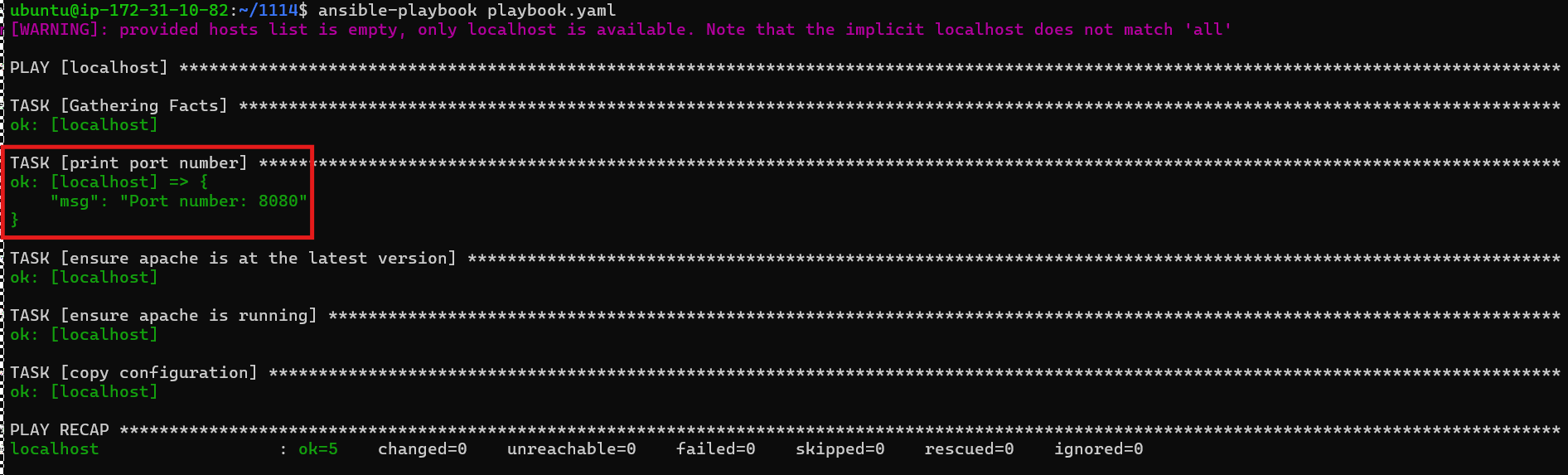
- 실행
변수로 선언한ansible-playbook playbook.yamlhttp_port의 값이 8080 으로 출력되었다.
7)Role
- 재사용의 개념
- 다른 플레이북에 삽입해 재사용할 수 있도록 구조화한 플레이북
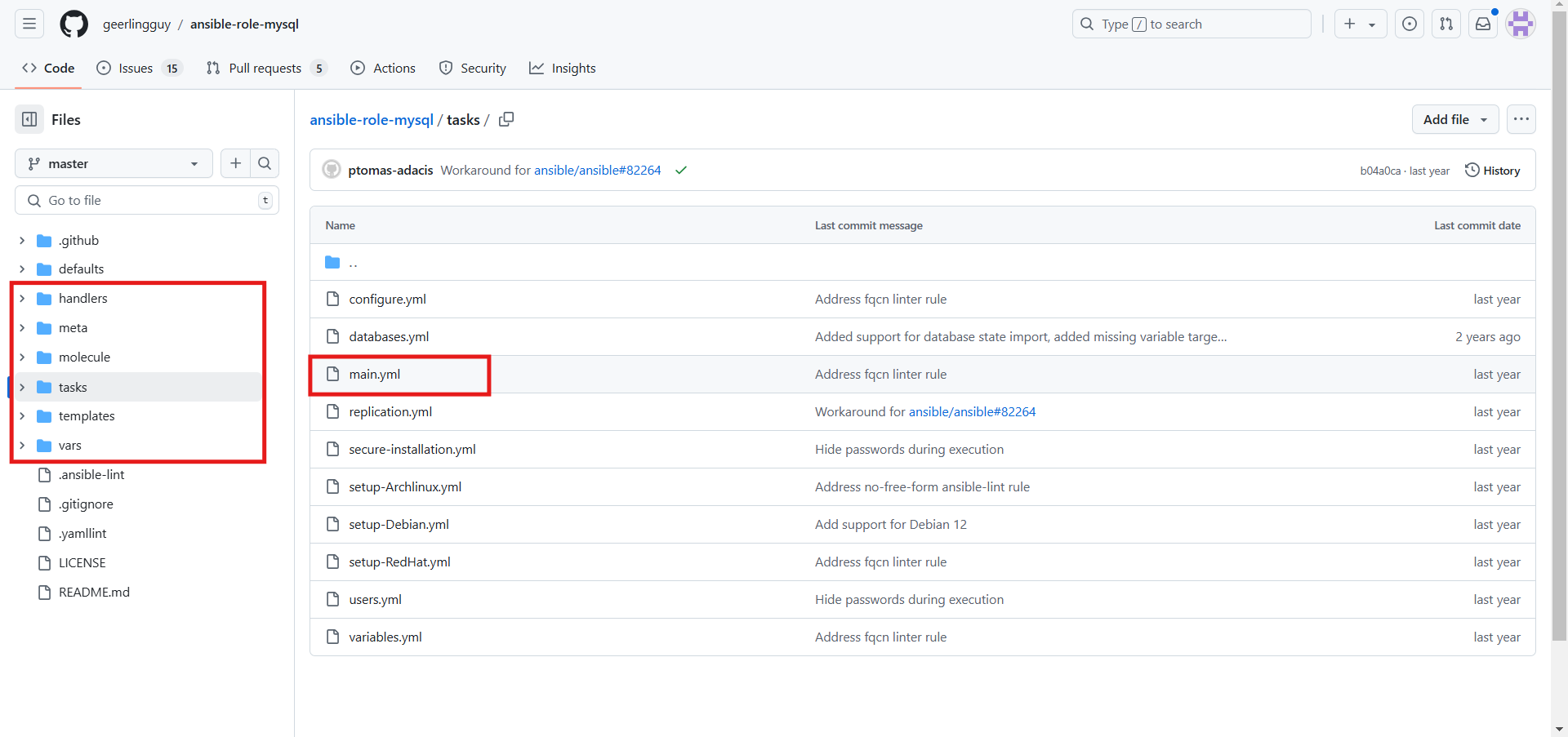
- 롤은 동일한 디렉토리 구조를 가진다.
- templates/
- tasks/
- handlers/
- vars/
- defaults/
- meta
- 디렉토리에 main.yml 파일을 만들어서 필요한 내용을 정의
- mysql의 경우: https://github.com/geerlingguy/ansible-role-mysql
8)Ansible Galaxy
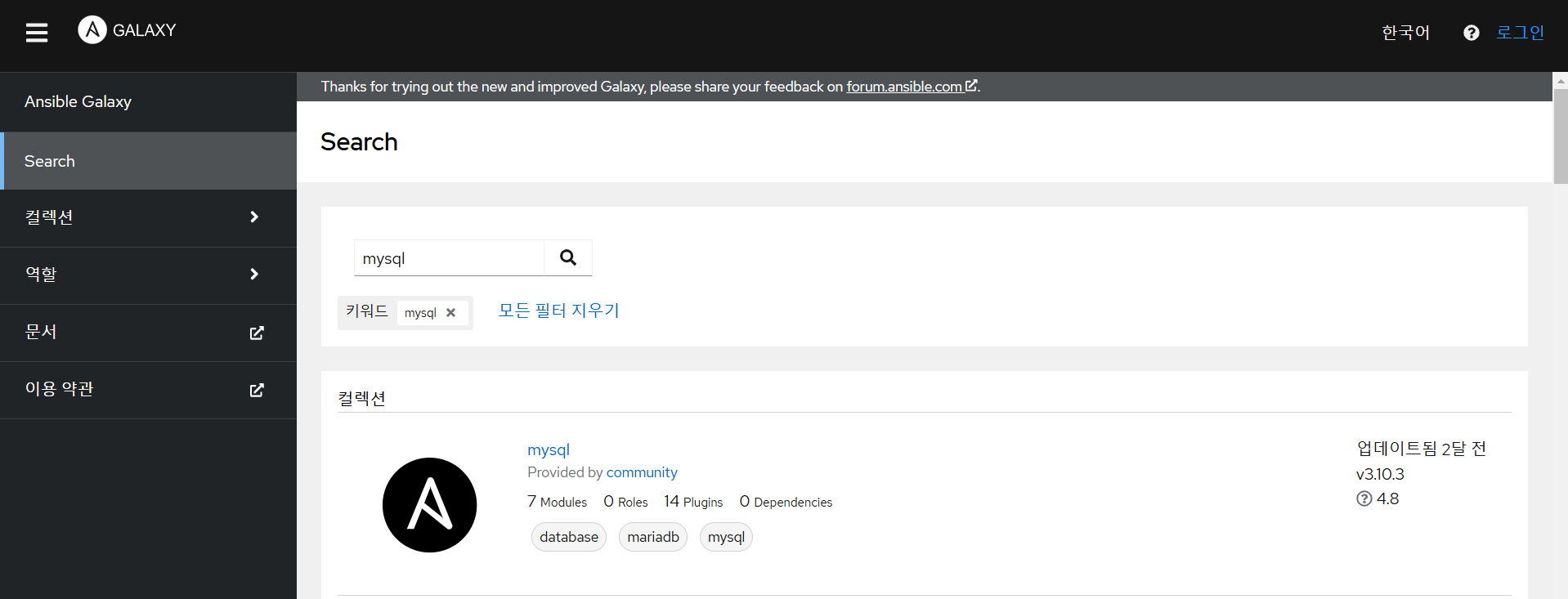
- 공통적으로 사용할 수 있는 롤 요소를 저장하고 다른 사람과 공유할 수 있도록 해주는 도커 허브와 유사한 사이트
- 사용할 수 있는 롤의 목록은 https://galaxy.ansible.com 에 존재
갤럭시를 이용한 설치
- geerlingguy.mysql role을 설치
ansible-galaxy install geerlingguy.mysql
- mysql-playbook.yaml 을 작성
- hosts: localhost
  become: yes
  become_method: sudo
  roles:
  - role: geerlingguy.mysql
- 설치
ansible-playbook mysql-playbook.yaml
- mysql 설치 확인
systemctl status mysql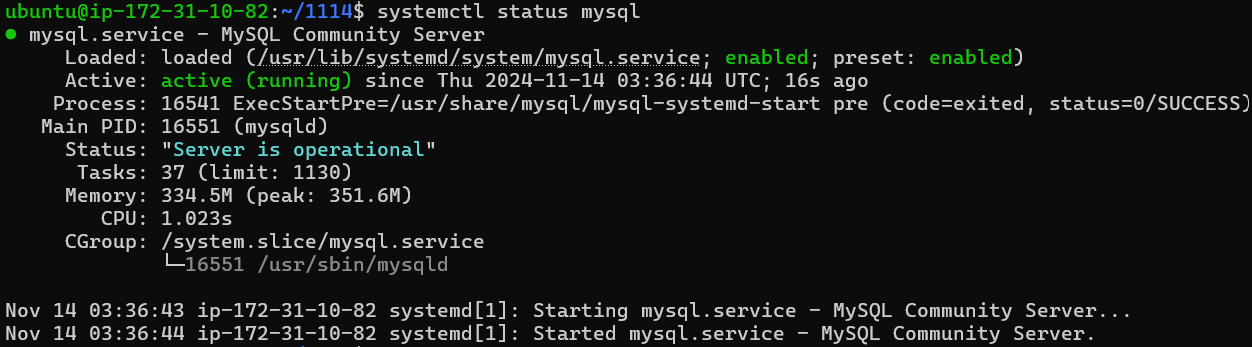
9)도커 및 쿠버네티스와 앤서블
- 유사한 점
- 환경 구성 방법을 제공
- 앤서블은 스크립트를 사용하는데 도커는 전체 환경을 컨테이너에 캡슐화
- 의존성
- 여러 서비스들을 같은 또는 다른 호스트로 배포하는 방법을 제공
- 확장성
- 앤서블은 인벤토리와 호스트 그룹을 통해서 서비스를 확장하고 쿠버네티스는 컨네이너 수를 늘리거나 줄이는 방식을 선택
- 구성 파일을 사용한 자동화
- 도커는 Dockerfile 에 쿠버네티스는 Deployment.yaml 파일 같은 야믈 파일에 ansible은 playbook.yaml 파일을 이용
- 환경 구성 방법을 제공
- 앤서블의 장점
- 도커/쿠버네티스를 운영하는 경우 호스트 머신에 대한 설정과 관리가 필요
- 이미지화 할 수 없는 애플리케이션 이용
- 이미지화하지 않는 애플리케이션으로는 성능이나 보안 또는 특정 하드웨어 요구 사항 이나 레거시와의 연동 문제입니다.
- 인벤토리
- 앤서블은 모든 서버에 대한 정보를 저장하는 인벤토리를 사용해서 물리적 인프라를 관리하는 방식을 제공
- 클라우드 프로비저닝
- 쿠버네티스 클러스터의 프로비저닝이나 클라우드에 쿠버네티스 설치 할수 있음
도커 이미지를 사용
- yaml 파일을 생성 docker-playbook.yaml
- hosts: localhost
  become: yes
  become_method: sudo
  tasks:
  - name: Nginx Container
    community.docker.docker_container:
      name: nginx-container
      image: nginx
      state: started
      published_ports:
      - "80:80"  # 호스트의 80번 포트를 컨테이너의 80번 포트와 연결
- 실행, docker가 설치되어 있어야 한다.
ansible-playbook docker-playbook.yaml
- container 실행 확인
docker ps
- 브라우저에서 접속 확인