1)준비
하나의 디렉토리를 생성하고 git hub repository 와 연결
- 디렉토리를 생성하고 파일을 하나 만든 후 저장
- 로컬 디렉토리 이름 : git-pratice
- 파일 생성 : test.txt

- 작업 디렉토리 와 git 연결
- git init
git init
.git디렉토리 생성 확인ls -al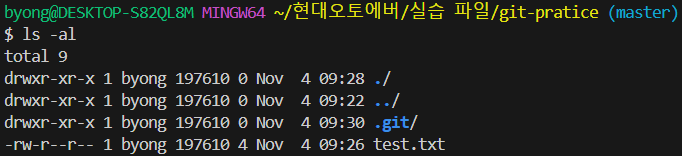
- git init
- Staging Area에 모든 파일을 추가
git add .
- Local Repository에 변경 내역 반영
git commit -m "git team init"
- 원격 레포지토리 생성 : https://github.com/yachae1101/git-practice.git
- 원격 레포지토리 등록
처음 연결할 때는 관례적으로 저장소 이름을 origin 으로 사용git remote add 저장소이름 githubURLgit remote add origin https://github.com/yachae1101/git-practice.git
- 저장소 확인
git remote -v
- 연결 해제
git remote remove 저장소이름git remote remove origin
- 변경된 내용을 원격 레포지토리에 반영
git push 저장소이름 브랜치이름git push origin main
로컬의 브랜치가 master 이고, GitHub의 default 브랜치는 main 이기 때문에 오류
- 현재 브랜치 확인
git branch
- 원격 저장소의 브랜치와 로컬 저장소의 브랜치가 다를 때 원격 저장소에 강제로 브랜치를 생성해서 push 하는 것도 가능
(--set-upstream 대신에 -u 옵션을 사용해도 가능)git push --set-upstream origin master
- 로컬 저장소의 브랜치를 main으로 변경하여 push
git -M main
git push origin main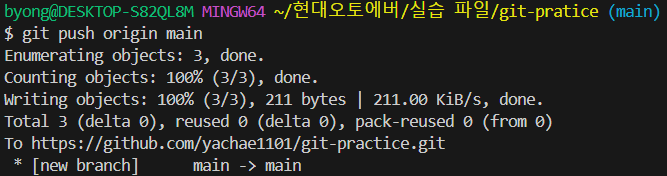
2)저장소 복제(계정에 상관없이 수행)
- git clone 원격저장소URL
git clone https://github.com/yachae1101/git-practice.git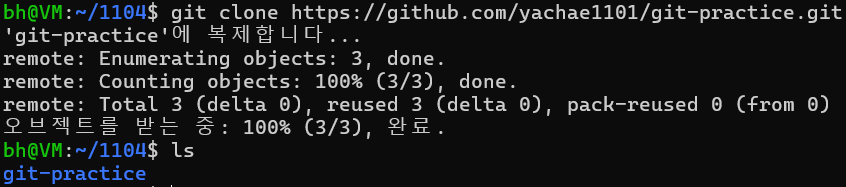
3)다른 계정에서 push
- 새로운 파일 추가
touch new.txt - git add 와 commit
git add .git commit -m "new.txt 파일 추가"
- 다른 계정으로 원격 저장소에 push
git push origin main 에러 발생: 다른 계정의 저장소에는 기본적으로 접근이 안됩니다.
- 다른 계정에서 원격 저장소를 공유하고자 하는 경우에는 Collaborator로 추가를 해주어야 합니다.
원격 저장소 공유
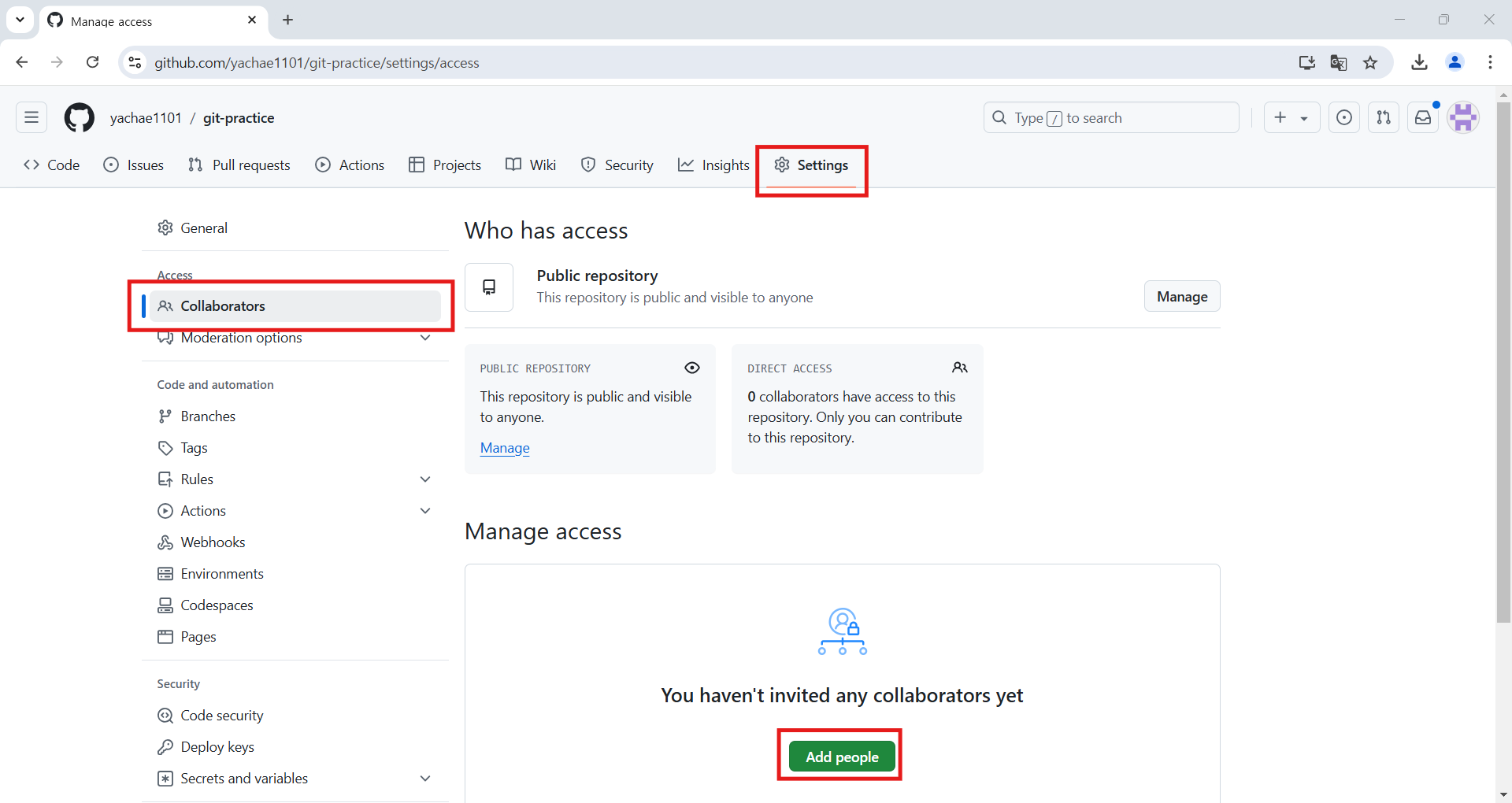
- 저장소를 만든 계정에서 [Settings]로 가서 [Collaborators]를 선택하고 [Add People]을 누르고 공유할 계정을 검색해서 추가
- 공유할 계정을 검색해서 추가를 누르면 계정의 유저에게 이메일이 전송됨
-> 협업을 할 계정에서 승인을 해주면 저장소 공유가 가능
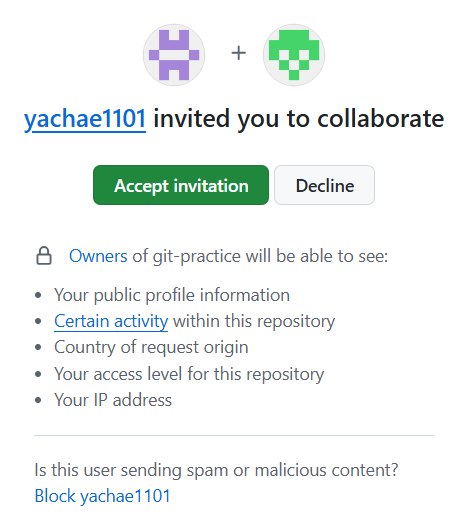
- Collaborator로 등록이 되면 저장소를 공유해서 push 나 pull 이 가능
- 다른 계정에서 다시 push 시도
git push origin main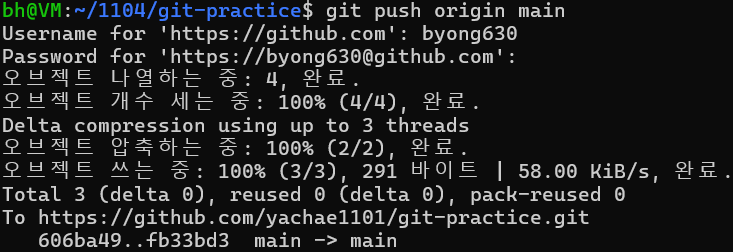
4)충돌 해결
- git pull
: 원격 저장소의 내용을 가져오는 기능(fetch)과 이를 병합하는 과정(merge)를 한꺼번에 진행git pull origin main
- 병합을 하는 과정에서 에러가 발생하면 개발자가 직접 이를 처리해야 합니다.
- 어느 한쪽에서 내용을 수정하고 push 한 후 다른 쪽에서 내용을 수정하고 push를 하면 에러가 발생
- 한쪽에서 test.txt 파일의 내용을 수정하고 push
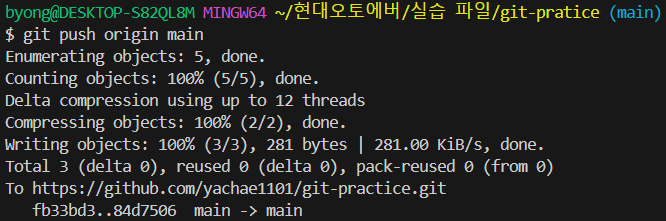
- 다른 한쪽에서 test.txt 파일의 내용을 수정하고 push

다른 한쪽이 참조하고 있어서 에러 발생
- 한쪽에서 test.txt 파일의 내용을 수정하고 push
- git pull을 하고 수정을 하고자 함
git pull을 하면 자동 merge에 성공하는 경우도 있지만 동일한 파일의 내용을 수정한 경우는 fetch는 가능하지만 자동 merge 실패
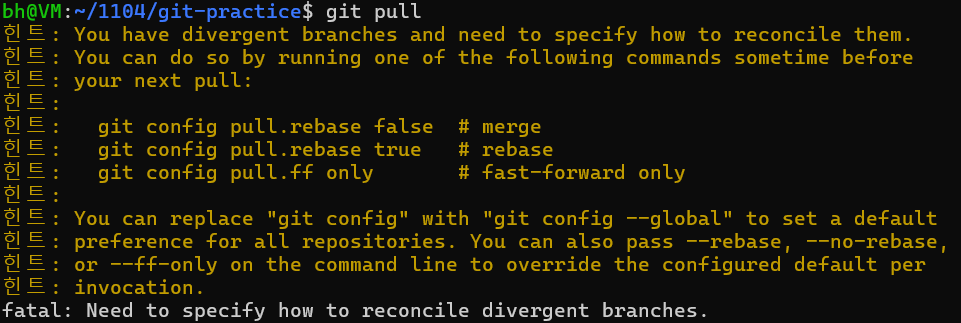
- 이 경우 해결책은 git reset --hard 를 이용해서 pull 하기 전의 상태로 돌아가서 해결을 할 수 있고 다른 방법은 충돌이 발생한 지점을 찾아서 수정하고 커밋을 다시 해서 해결할 수 있습니다.
- git reset --hard 를 이용해서 이전 상태로 돌아간 후, pull
git log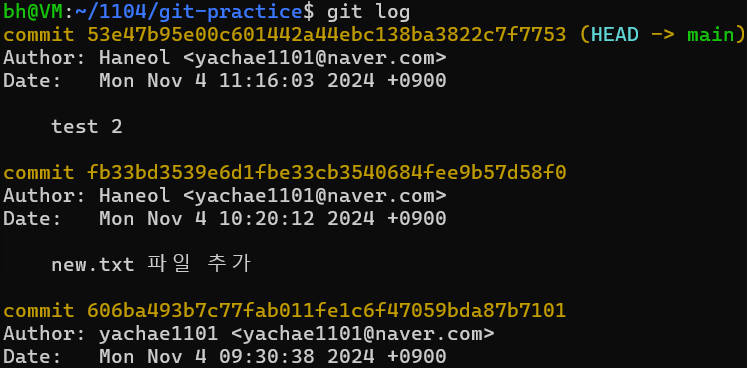
git reset --hard fb33bd3539e6d1fbe33cb3540684fee9
git pull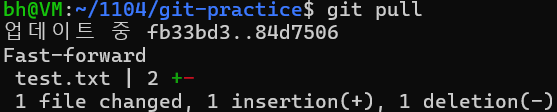
- git reset --hard 를 이용해서 이전 상태로 돌아간 후, pull
4)fetch 와 merge
- pull 은 fetch(가져오는 작업) 와 merge(병합하는 작업)를 한꺼번에 수행하는데 이를 나누어서 작업하는 것도 가능
- 한쪽에서 수정을 하고 push를 한 후 다른쪽에서 fetch를 하게되면 git log --all --oneline 로 출력해보면 원격 저장소와 로컬의 commit이 다름
- 한쪽에서 test.txt 를 수정 후 push
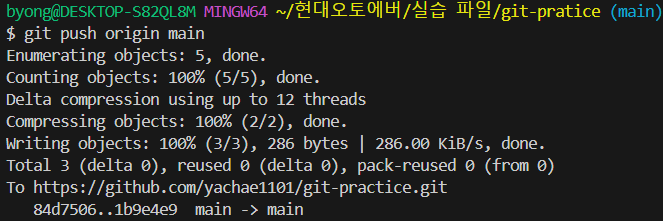
- 다른쪽에서 fetch를 하고 log 확인
git fetch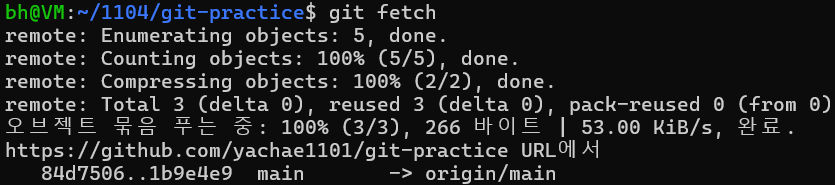
git log --all --oneline
원격 저장소(origin/main)와 로컬(main)의 commit이 다름
- 한쪽에서 test.txt 를 수정 후 push
- 변경 내역을 확인하고자 하면 diff 를 사용
git diff main origin/main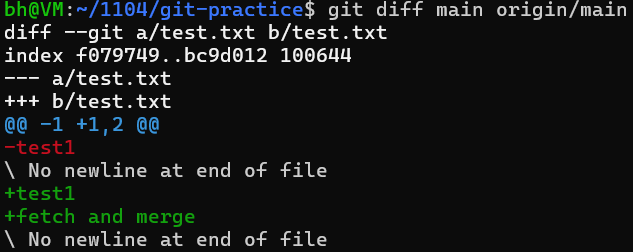
- 변경된 내역을 현재 프로젝트에 반영
git merge origin/main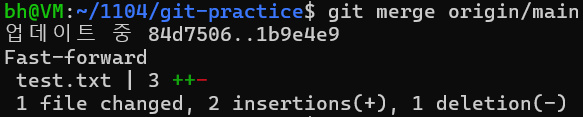
- pull: fetch + merge
fetch를 한 후 diff 명령으로 수정된 내용이 있는지 확인하고 내용을 반영하는 merge를 사용하는 것을 권장
5)blame
- 코드의 수정 내역을 확인하는 명령
- diff를 이용하면 변경된 내역을 확인할 수 있는데 blame은 특정 파일의 수정 내역을 라인 단위로 설명
- test.txt의 변경 내역을 확인
git blame test.txt
-
특정 commit의 변경 내역을 확인
git blame 커밋해시 파일경로 -
특정 범위의 변경 내역만 확인
- git blame -L 시작라인, 끝라인 파일경로
git blame -L 2,3 test.txt
- git blame -L 시작라인, 파일경로
- git blame -L , 끝라인 파일경로
- git blame -L 시작라인, 끝라인 파일경로
-
커밋 해시만 표현
git blame -s 파일경로git blame -s test.txt
6)stash
- 작업 중인 내역을 임시 저장하고자 할 때 사용하는 명령
- Git에는 임시 영역을 만들 수 있는 기능이 제공됨
Working Directory <-> Staging Area <-> Local Repository <-> Remote Repository - Staging Area 와 작업이 가능한 명령이 stash
Stash 실습
- 임시 저장을 하고자 하는 경우: git stash
- test.txt 파일을 변경한 후, 임시 저장
git stash
git status
git status 를 호출하면 변경 내역이 없다고 나오며 변경 내역은 사라짐
-
save 다음에 저장하는 이름을 설정할 수 있습니다.
-m 다음에 메시지를 추가할 수 있습니다.git stash save -m "stash massage" -
새로운 파일을 하나 추가하고, git stash
-
untracked 파일은 임시 저장 대상이 아닙니다.
-
untracked 파일도 임시 저장을 하고자 하는 경우에는 -u 옵션을 이용
git stash -u

- stash 목록 확인
git stash list
- 다른 쪽에서 변경한 내용 pull
git pull origin main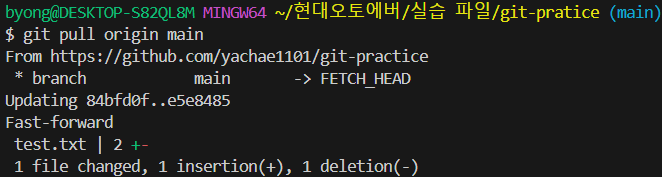
- 이후에 stash에 임시 저장한 내역 가져오기
git stash apply stash@{인덱스}git stash apply stash@{2}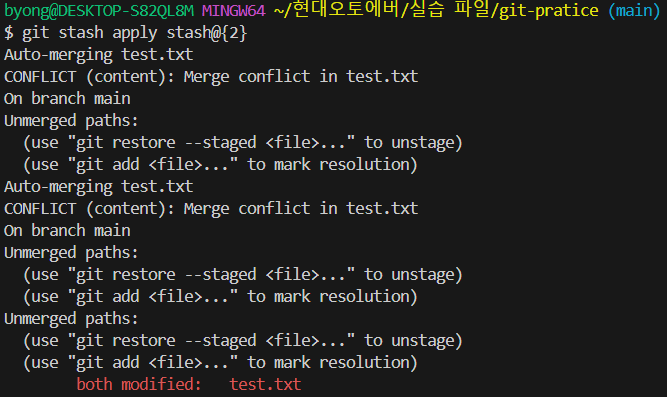
- Merge conflict 이 발생한다면 해결
- git stash drop을 이용해서 하나씩 삭제
git stash drop stash@{0}
