❇️ 요약
- Git Remote
- set-url
- rename
- remove
- -v
- show
- pull
- push
📖 Remote Repository
🔆 Remote 저장소
- Local Repository에서 Push, Pull(Fetch)하여 동기화 할 수 있다.
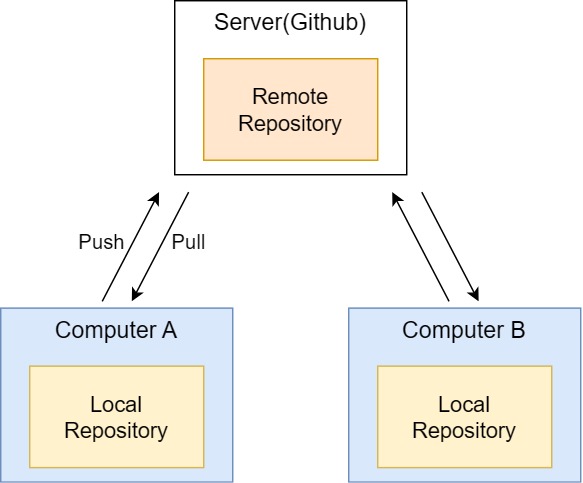
🔆 Remote 저장소 추가
- Local Repository에 Remote Repository를 add하여 두 개를 연결
- Git Clone으로 등록한 Remote Repository는
Remote repo name이origin이라고 설정
git romote add <remote_repo_name> <remote_repo_url>

# 가장 중요한 Remote Repository는 반드시 Orgin이라는 이름 설정
git remote add origin <remote_repo_url>
🔆 Set-url - Remote 저장소 주소 수정
- 토근 설정 안하여 주소를 수정해야하는 경우 등등
git remote set-url <remote_repo_name> <remote_repo_new_url>
gir remote set-url origin <remote_repo_new_url>
🔆 Rename - Remote 저장소 이름 수정
git remote rename <old_name> <new_name>🔆 Remove - Remote 저장소 삭제
git remote remove <remote_repo_name>
git remote remove origin
🔆 -v - Remote 저장소 정보확인
- 등록한 정보와 Url 확인 가능
- 토큰 정보를 같이 저장한 경우 토큰 정보도 확인 가능
- ❗ 개인컴퓨터가 아닌 공용 컴퓨터에서 작업시, 토큰정보를 저장하면 토큰 유출될 수 있으니 주의!
git remote -v🔆 Show - Remote 저장소 상세보기
- 등록한 정보와 Url뿐 아니라 Branch정보등 상세 정보까지 확인 가능
git remote show <remote_repo_name>
git remote show origin
🔆 Pull
- Remote Repository의 작업 내용을 Local Repository에 동기화
- 사실은
Fetch와Merge의 과정Fetch : Remote Repository의 변경사항을 Local Repository에 다운만 하는 과정, 갱신 X
Merge : 기존의 것과 합치는 과정
git pull만 적으면 기본으로 Remote에 있는 main과 연동되어git pull origin main과 동일
git pull <remote_repo_name> <branch_name>
git pull origin main
git pull
🔆 Push
- Local Repository에서 작업한 내용을 Remote Repository에 배포하고 싶을 때
git push <remote_repo_name> <branch_name>
git push origin main
git push
📖 Local Repository 먼저 만들어서 연습
☁️ Local 만들기
mkdir local_project
cd local_project
git init 
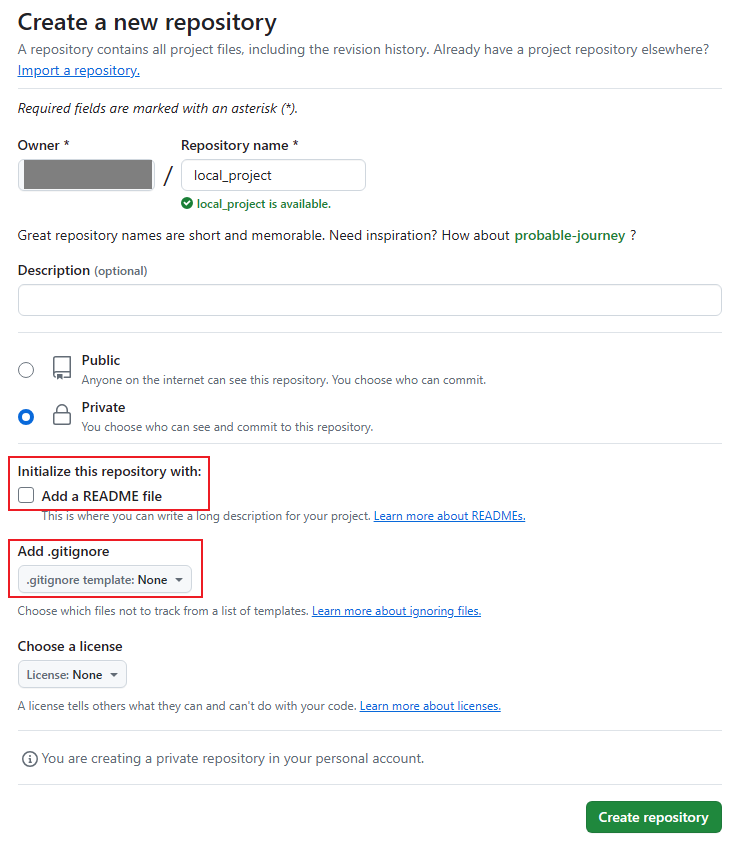
☁️ 비어 있는 Remote 저장소 만들기
- Local Repository와 연결할 Remote Repository 생성
- Add a README file 과 Add .gitignore 파일 생성 X
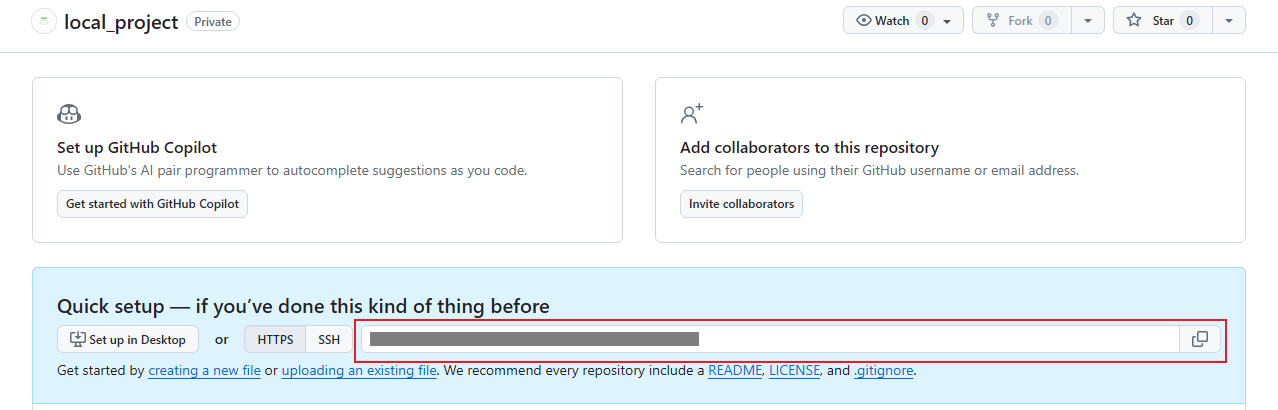
☁️ Remote 저장소 주소 + Token 복사
- 기록해둔 토큰, 또는 잊어버렸다면 토큰 새로 발급
- 나는 저번 시간에 발급한 Token 사용
☁️ Local저장소에 Remote 저장소 추가
- 이름과 주소 수정 실습을 위해 일단 설정
git romote add <remote_repo_name> <remote_repo_url>
git remote -v
☁️ Rename - 저장소 이름은 항상 origin으로
git remote rename noma origin
git remote -v 
☁️ set-url - 주소 수정하기
- 주소에 Token 추가
git remote set-url origin <remote_repo_new_url>
git remote -v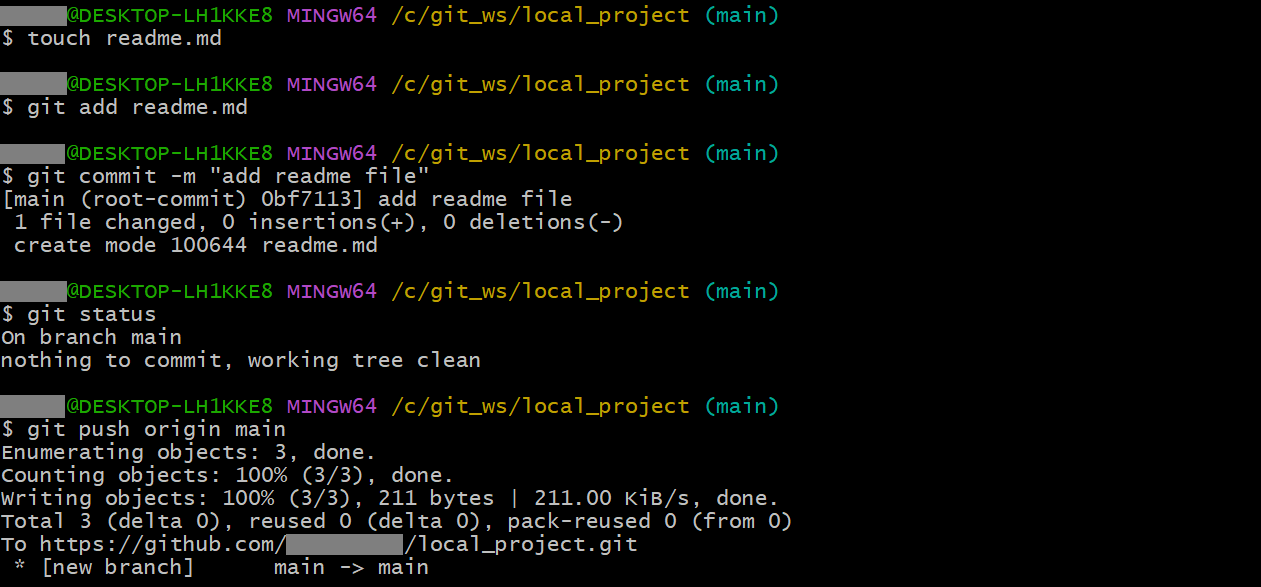
☁️ Push - Local Repository 작업내용을 Remote Repository에 Push
touch readme.md말고 다른 방법으로 README 파일 생성하는 법- GitHub에 설명 해줌 :
echo “# local_project" >> README.mdReadme file에“local_project”내용 바로 넣어줌
- GitHub에 설명 해줌 :
touch readme.md
git add readme.md
git commit -m "add readme file"
git status
git push origin main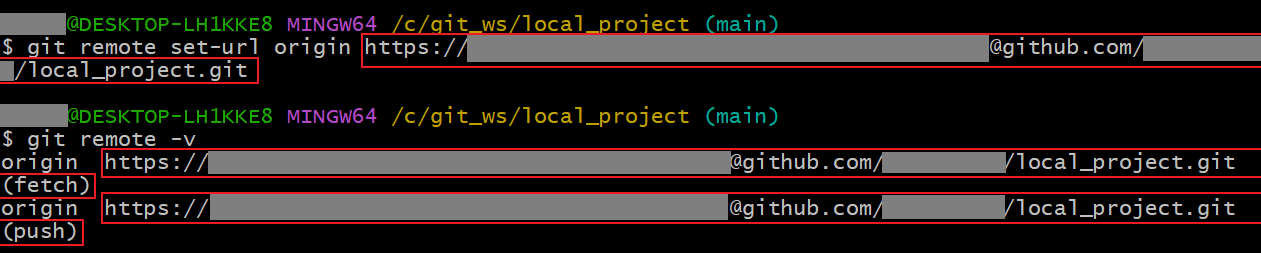
- Remote Repository에서도 확인
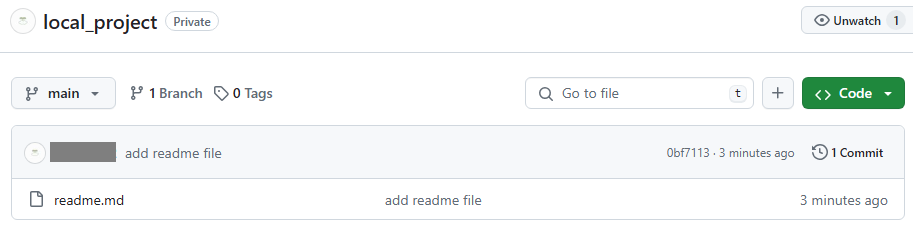
Remote Repository 먼저 만들어서 연습실습 중 실수로 local_project의 readme file 삭제 이슈, 다시 재생성함
☁️ Commit 상태가 아니면 Push가 안된다
- Readme file 수정
cat >> readme.md
this is push test

cat readme.md

git status
git push origin main

git add readme.md
git status
git push origin main

git commit -m "push test"
git status
git log --oneline
git push origin main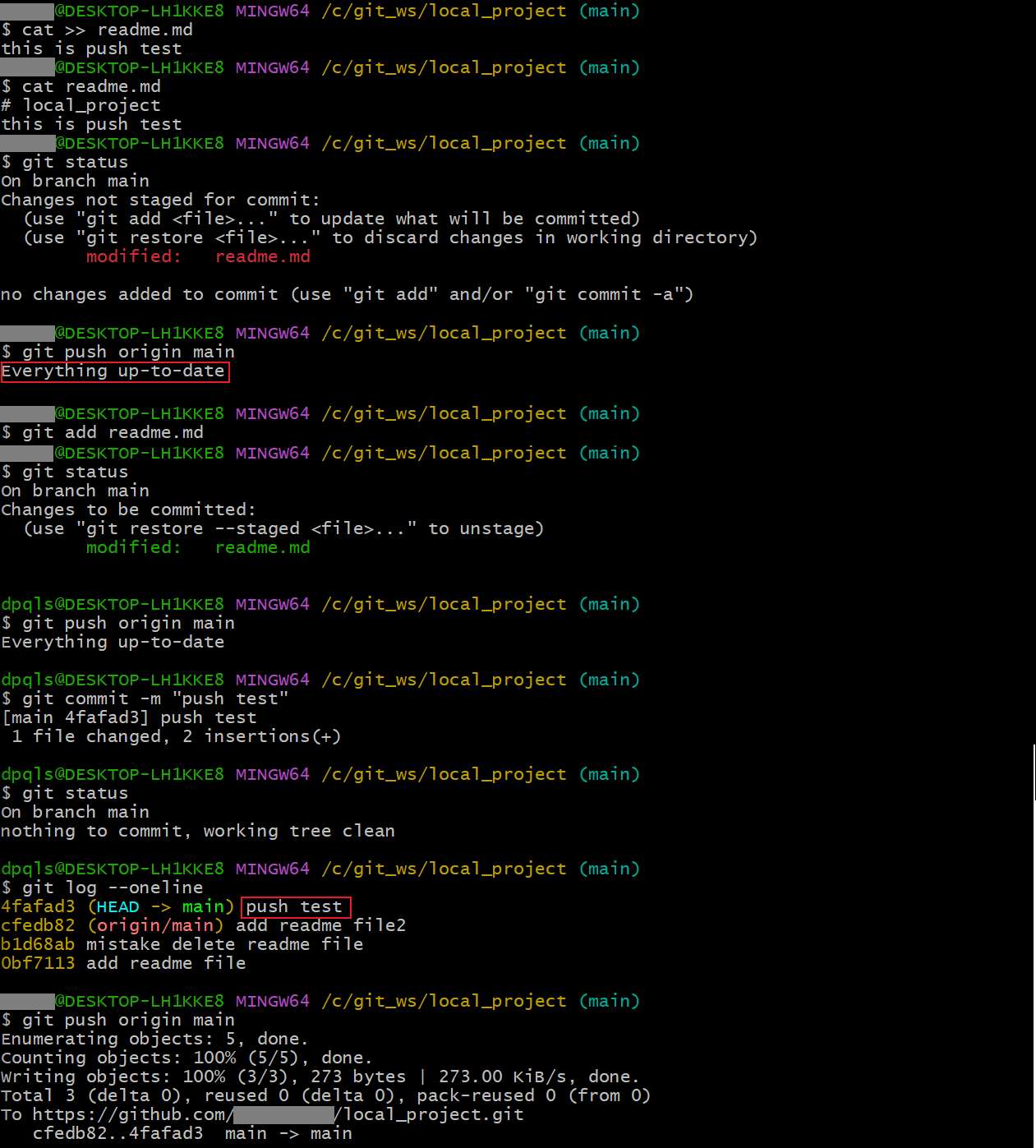
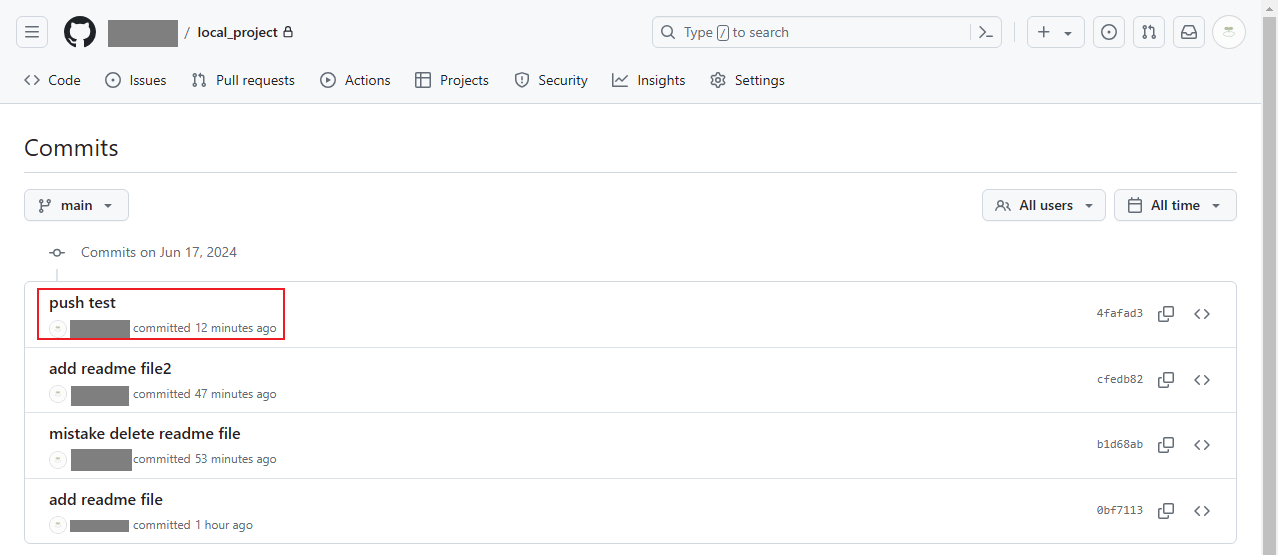
📖 Remote Repository 먼저 만들어서 연습
☁️ Remote Repository 만들기
- README 파일 추가
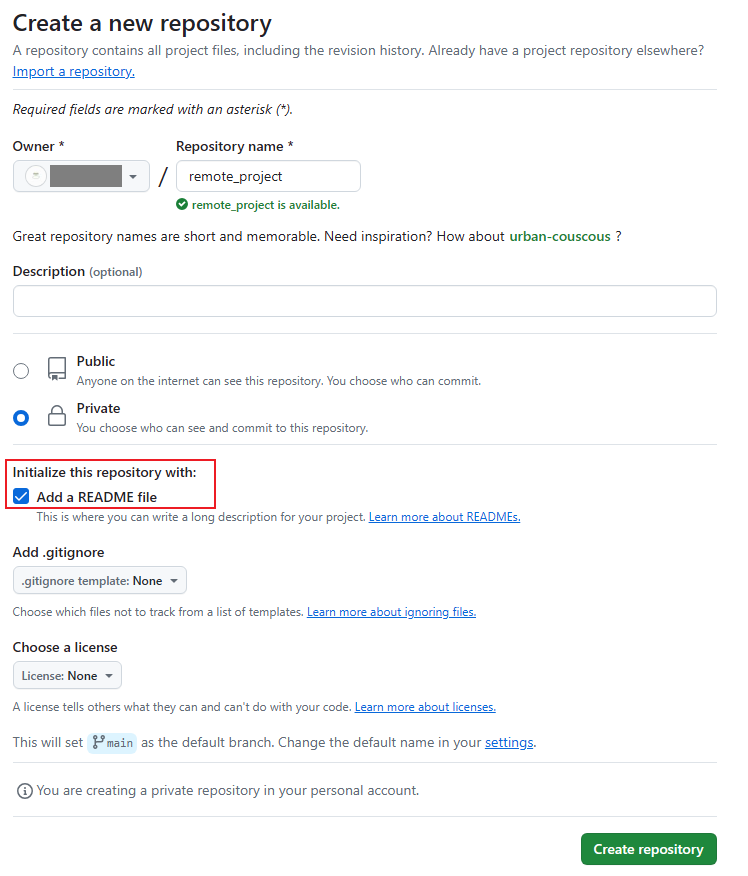
☁️ Local 저장소에 Clone
- Remote Repository주소에 Token 포함시키기
- Git Clone은
mkdir>Git init>Git Remote add>Git Pull해줌
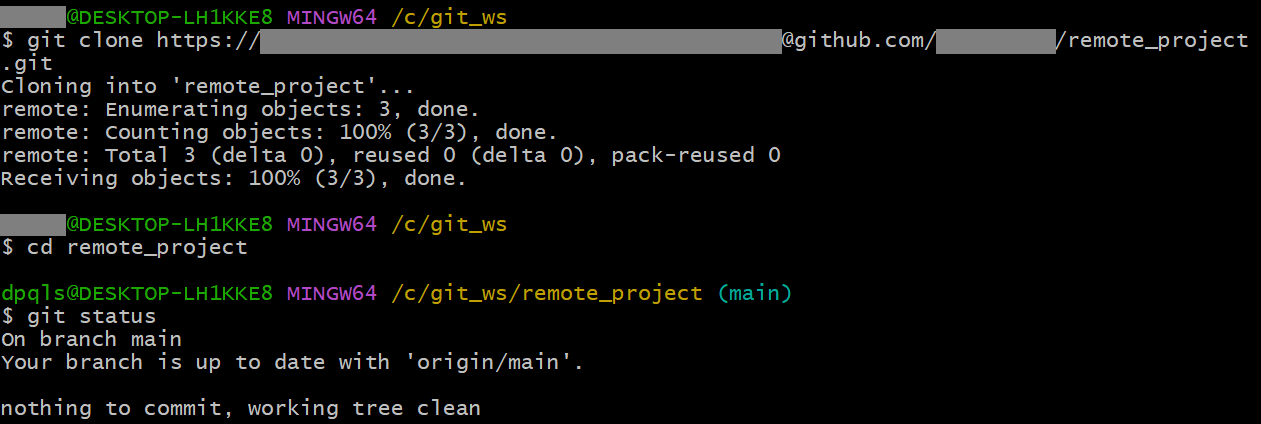
☁️ Remote 저장소 정보 확인
git remote show origin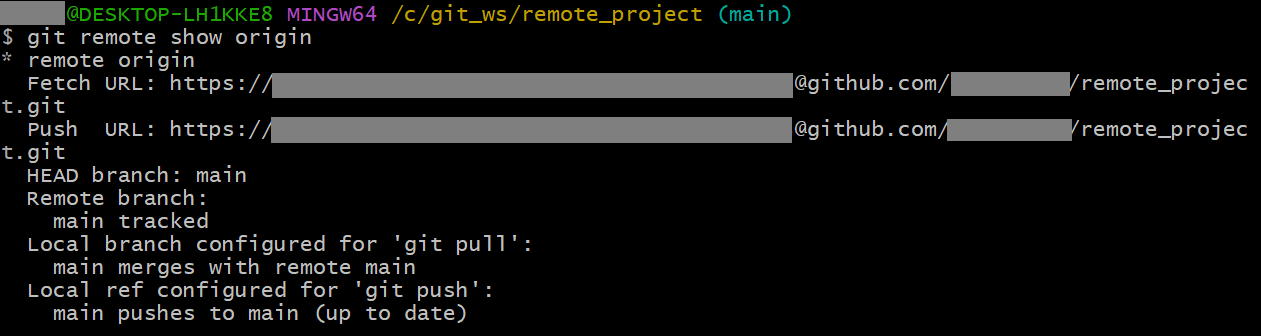
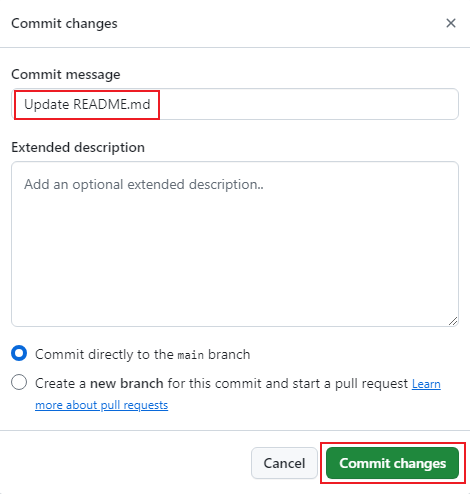
☁️ GitHub에서 README.md 수정
- 프로젝트 화면 중 README 파일 우측에 연필 표시 선택하면 수정 가능

- 마크다운 문법 사용

- GitHub에서 수정내용을 Commit 가능
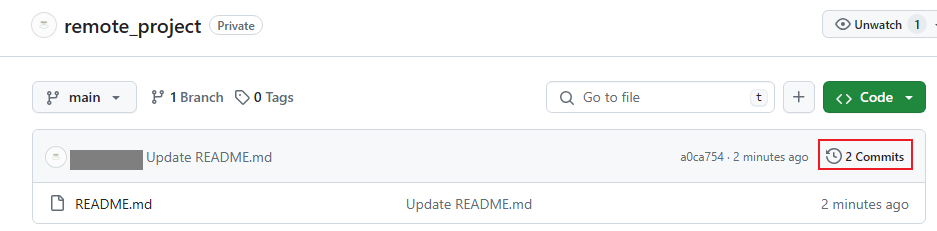
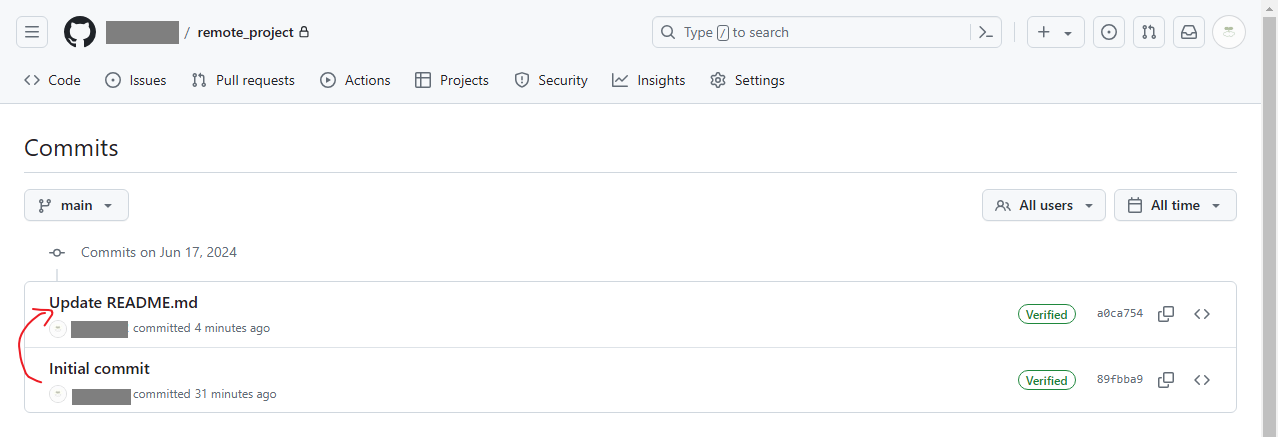
☁️ GitHub에서 변경이력 확인
- 우측에 Commit 누르면 Commit한 이력 확인 가능
☁️ Pull - Local 저장소에서 Pull
git pull origin main 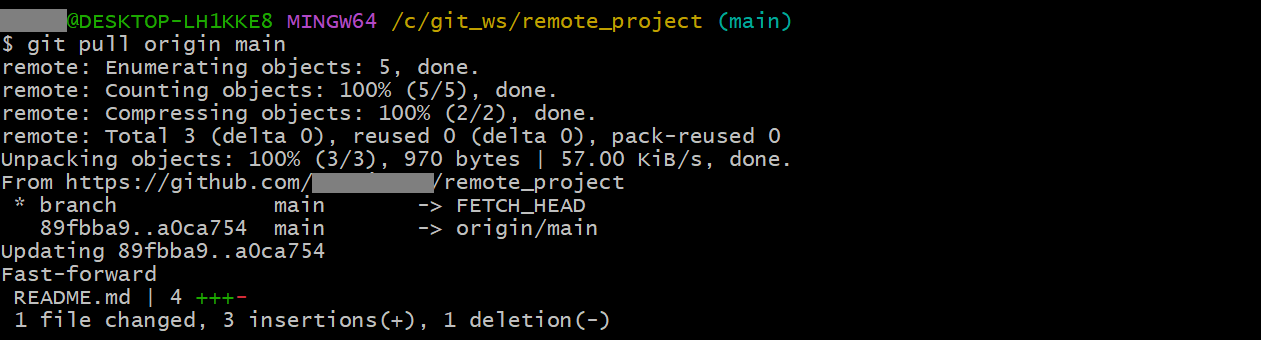
☁️ Local Repository에 GitHub의 수정사항이 반영