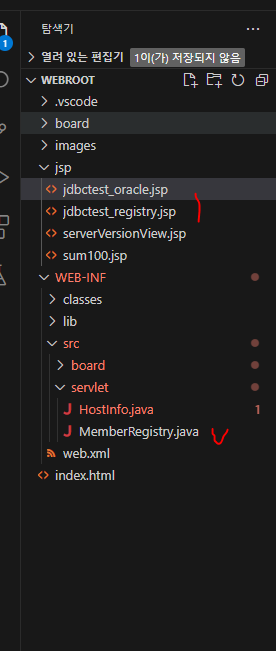
webroot 폴더 구조
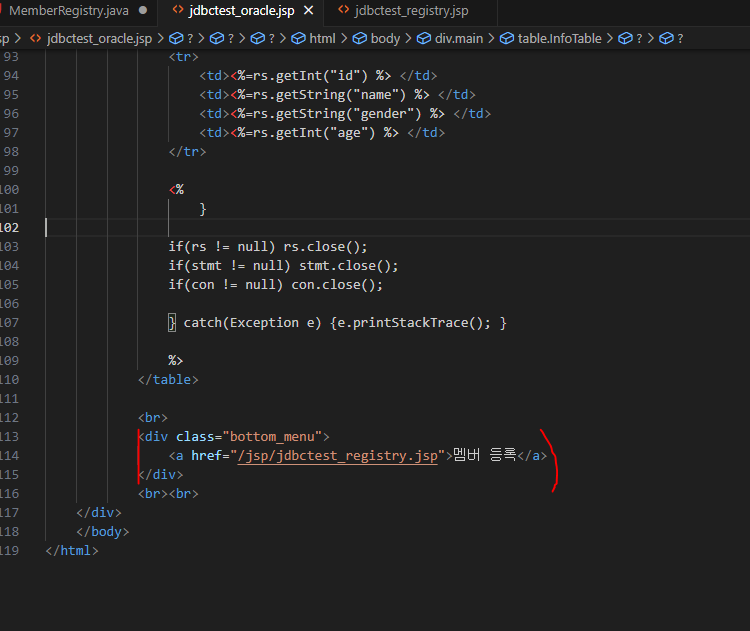
<jdbctest_oracle.jsp>
기존 코드에서 멤버 등록 버튼을 넣어준다.
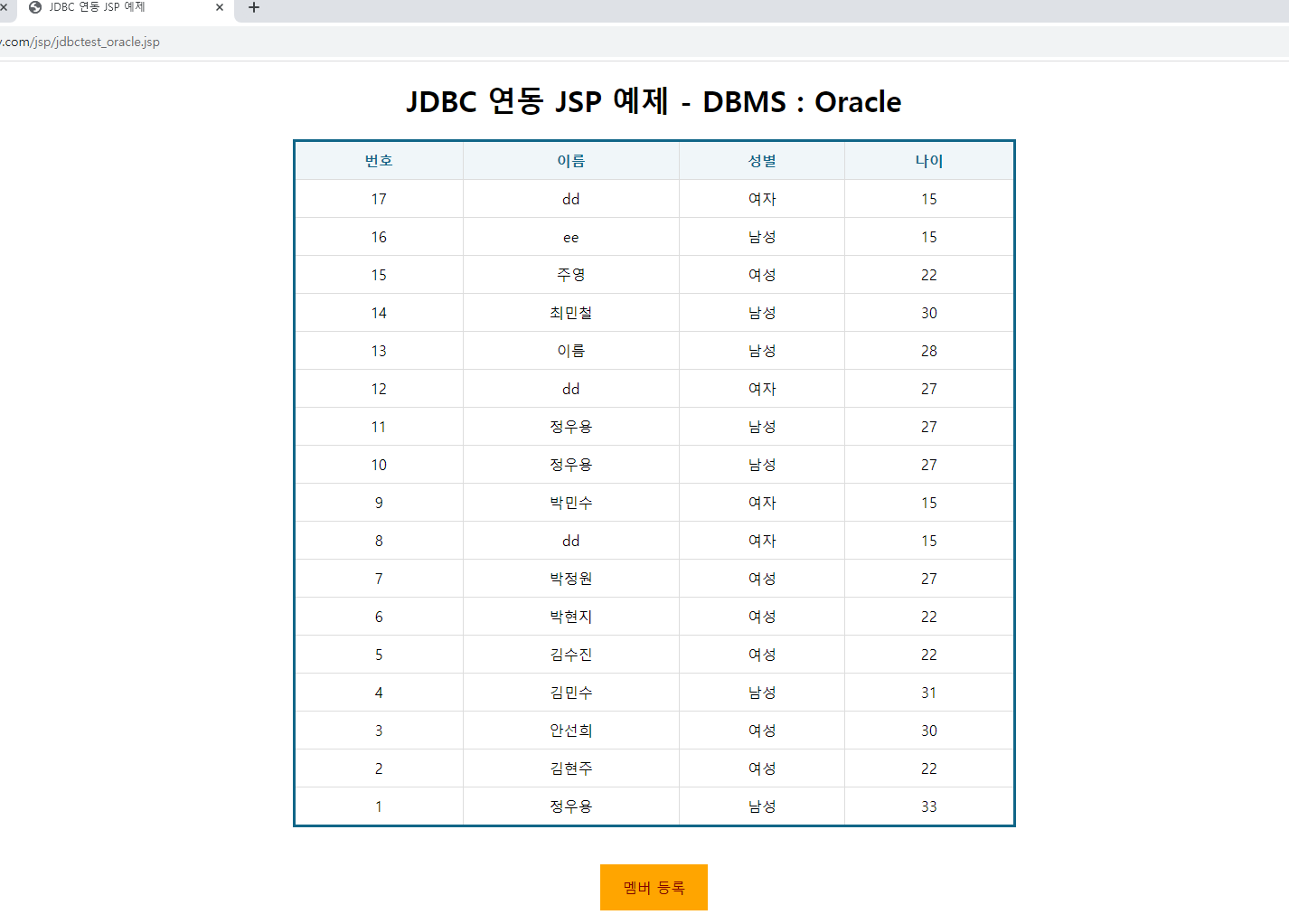
멤버 등록 페이지
<jdbctest_registry.jsp>
기존 write.jsp와 비슷하여 코드 복사 후 고쳐주기만 하였음.
<%@ page language="java" contentType="text/html; charset=UTF-8" pageEncoding="UTF-8"%>

<!DOCTYPE html>
<html>
    <head>
        <meta charset="UTF-8">
        <title> 멤버 등록 </title>
        <style>
            body {font-family: "나눔고딕" , "맑은고딕";}
            h1 {font-family: "HY견고딕";}
            a:link {color: black;}
            a:visited {color: black;}
            a:hover {color: red;}
            a {text-decoration: none; cursor: hand;}
            .main {
                text-align: center;
            }
            .topBanner {
                margin-top: 10px;
                margin-bottom: 10px;
                max-width: 500px;
                height: auto;
                display: block;
                margin: auto;
            }
            .WriteForm {
                width: 60%;
                height: auto;
                margin: auto;  /*자동으로 중앙배치*/
                padding: 20px;
                background-color: #FFFFFF;
                text-align: center;
                border: 4px solid gray;
                border-radius: 30px;
            }
            .items {
                width: 80%;
                border: none;
                border-bottom: 2px solid #adadad;
                padding: 10px 10px;
                outline: none;
                color: #636e72;
                height: 25px;
                background: none;
            }
            #content {
                width: 80%;
                height: 300px;
                box-sizing: border-box;
                border: solid gray;
                font-size: 16px;
                resize: both;
            }
            .btn_write {
                position: relative;
                margin-top: 20px;
                margin-bottom: 10px;
                width: 40%;
                height: 40px;
                background-color: red;
                color: white;
                font-weight: bold;
                border: none;
                cursor: pointer;
                display: inline;
            }
            .btn_cancel {
                position: relative;
                margin-top: 20px;
                margin-bottom: 10px;
                width: 40%;
                height: 40px;
                background-color: pink;
                background-size: 200%;
                color: white;
                font-weight: bold;
                border: none;
                cursor: pointer;
                display: inline;
            }
        </style>

        <script>
            function registerForm(){
                let rname = document.querySelector('#rname');
                let gender = document.querySelector('#gender');
                let age = document.querySelector('#age');

                //필수값 등록시 값 입력 여부 확인
                if(rname.value === '') { //window.document.WriteForm.writer.value --> DOM : Document Object Manegement와 같음(예전방식)
                    alert('이름을 입력하세요!!');
                    rname.focus(); //커서가 해당 창에 생김
                    return false;
                }
                if(gender.value === '') {
                    alert('성별을 입력하세요!!');
                    gender.focus();
                    return false;
                }
                if(age.value === '') {
                    alert('나이를 입력하세요!!');
                    age.focus();
                    return false;
                }

                document.WriteForm.action = '/servlet/jdbctest_registry';
                document.WriteForm.submit();
            }
        </script>
    </head>
    <body>
        <div class="main">
            <h1>멤버 등록</h1>
            <br>
            <div id="formZone">
                <form class="WriteForm" name="WriteForm" method="post">
                    <input type="text" id="rname" class="items" name="rname" placeholder="멤버 이름을 입력하세요">
                    <input type="text" id="gender" class="items" name="gender" placeholder="성별을 입력하세요">
                    <input type="text" id="age" class="items" name="age" placeholder="나이를 입력하세요">
                    <input type="button" class="btn_write" value="등록" onclick="registerForm()">
                    <input type="button" class="btn_cancel" value="취소" onclick="history.back()">
                     <!-- /* history.back(): 이전화면이동 */ -->
                </form>
            </div>
        </div>
    </body>
</html>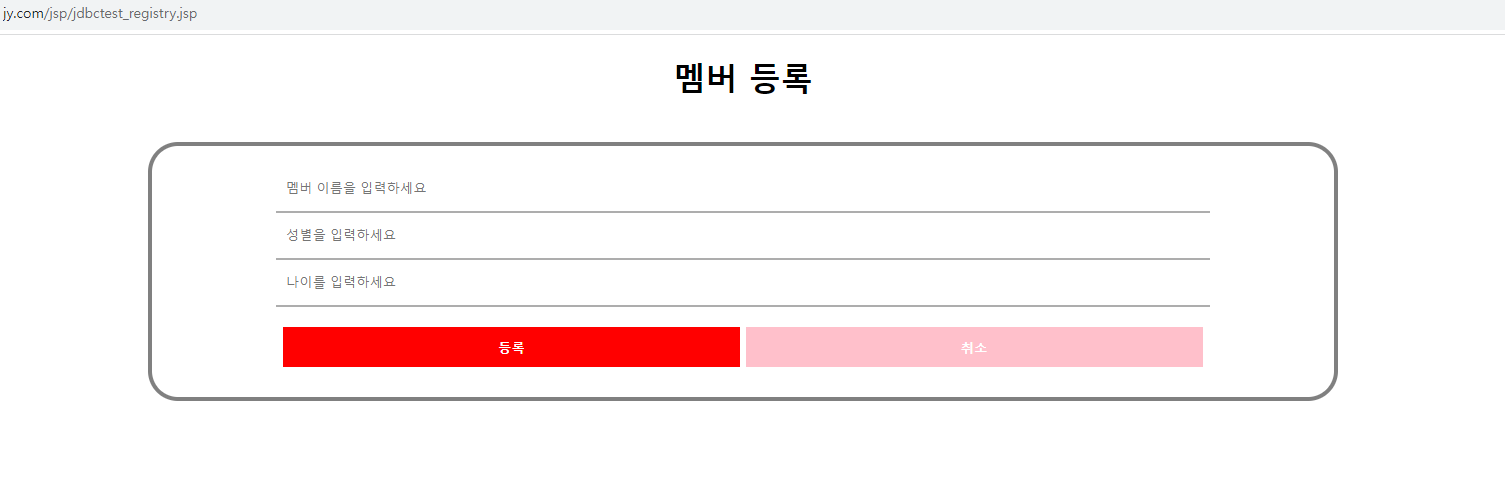
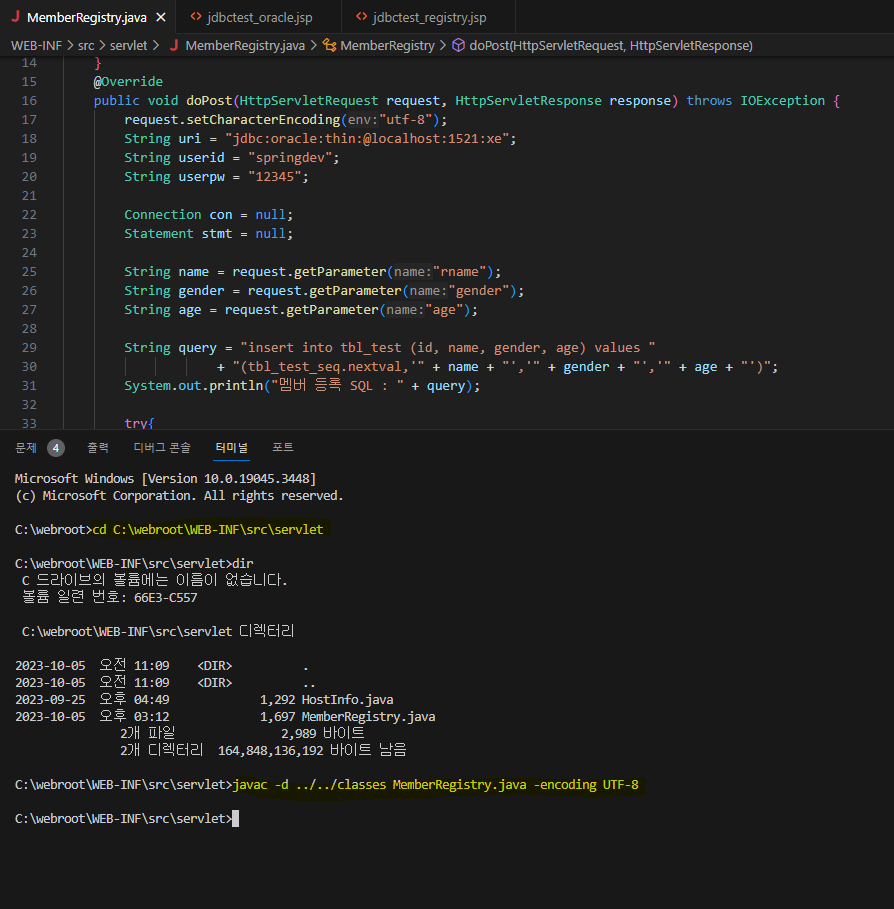
<MemberRegistry.java>
package servlet;

import java.sql.*;
//C:\apache-tomcat-10.1.7\lib\jsp-api.jar에서 가져옴
import jakarta.servlet.http.*;
import jakarta.servlet.annotation.*;
import java.io.IOException;

@WebServlet("/servlet/jdbctest_registry")
public class MemberRegistry extends HttpServlet {
    @Override
    public void doGet(HttpServletRequest request, HttpServletResponse response) throws IOException {
        doPost(request, response);
    }
    @Override
    public void doPost(HttpServletRequest request, HttpServletResponse response) throws IOException {
        request.setCharacterEncoding("utf-8");
        String uri = "jdbc:oracle:thin:@localhost:1521:xe";
        String userid = "springdev";
        String userpw = "12345";

        Connection con = null;
        Statement stmt = null;

        String name = request.getParameter("rname");
        String gender = request.getParameter("gender");
        String age = request.getParameter("age");

        String query = "insert into tbl_test (id, name, gender, age) values "
                    + "(tbl_test_seq.nextval,'" + name + "','" + gender + "','" + age + "')";
        System.out.println("멤버 등록 SQL : " + query);

        try{
            Class.forName("oracle.jdbc.driver.OracleDriver");
            con = DriverManager.getConnection(uri,userid,userpw);
            stmt = con.createStatement();
            stmt.executeUpdate(query);

            if(stmt != null) stmt.close();
            if(con != null) con.close();

            response.sendRedirect("/jsp/jdbctest_oracle.jsp");

        } catch(Exception e) {
            e.printStackTrace();
        }
    }
}
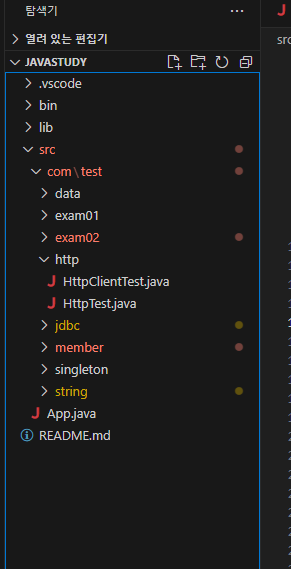
javastudy 폴더구조
<HttpTest.java>
package com.test.http;

import java.io.BufferedReader;
import java.io.DataOutputStream;
import java.io.InputStreamReader;
import java.net.HttpURLConnection;
import java.net.URL;

public class HttpTest {
    public static void main(String[] args) {
        String targetURL = "http://127.0.0.1/jsp/jdbctest_registry";
        String parameters = "rname=최민철&gender=남성&age=30";
        TestHttpRequest.testHttpRequest(targetURL, parameters);
    }
}

class TestHttpRequest {
    public static void testHttpRequest(String targetURL, String parameters){

        HttpURLConnection connection = null;

        //connection 생성
        try {
            URL url = new URL(targetURL);
            connection = (HttpURLConnection)url.openConnection();
            connection.setRequestMethod("POST");
            connection.setRequestProperty("Content-Type", "application/x-www-form-urlencoded");
            connection.setRequestProperty("Content-Language", "ko-KR");
            connection.setUseCaches(false);
            connection.setDoOutput(true); //OutputStream으로 POST데이터를 넘겨주겠다는 옵션

            //Request 처리
            DataOutputStream wr = new DataOutputStream(connection.getOutputStream());
            wr.write(parameters.getBytes("utf-8"));
            wr.flush();
            wr.close();

            //Response 처리
            int responseCode = connection.getResponseCode();
            BufferedReader rd = new BufferedReader(new InputStreamReader(connection.getInputStream(),"UTF-8"));

            StringBuilder response = new StringBuilder();
            String line;
            while((line = rd.readLine()) != null){
                response.append(line).toString();
                response.append("\r\n"); //엔터
            } rd.close();

            System.out.println("HTTP 응답 코드 : " + responseCode);
            System.out.println("HTTP 응답 헤더 : " + connection.getHeaderFields());
            System.out.println("HTTP BODY : " + response.toString());

        } catch (Exception e) {
            e.printStackTrace();
        } finally {
            if(connection != null)
                connection.disconnect();
        }
    }
}
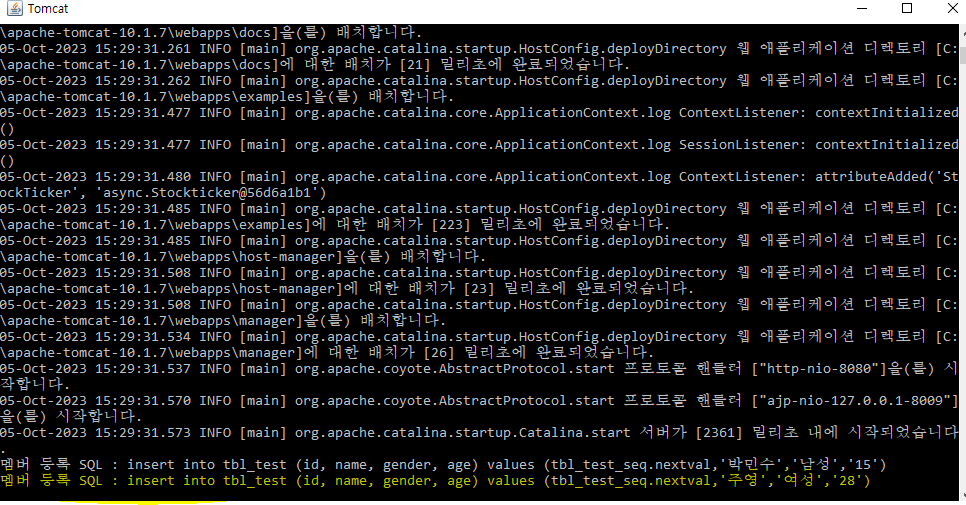
런 자바 해주면 tomcat에 표출된다.
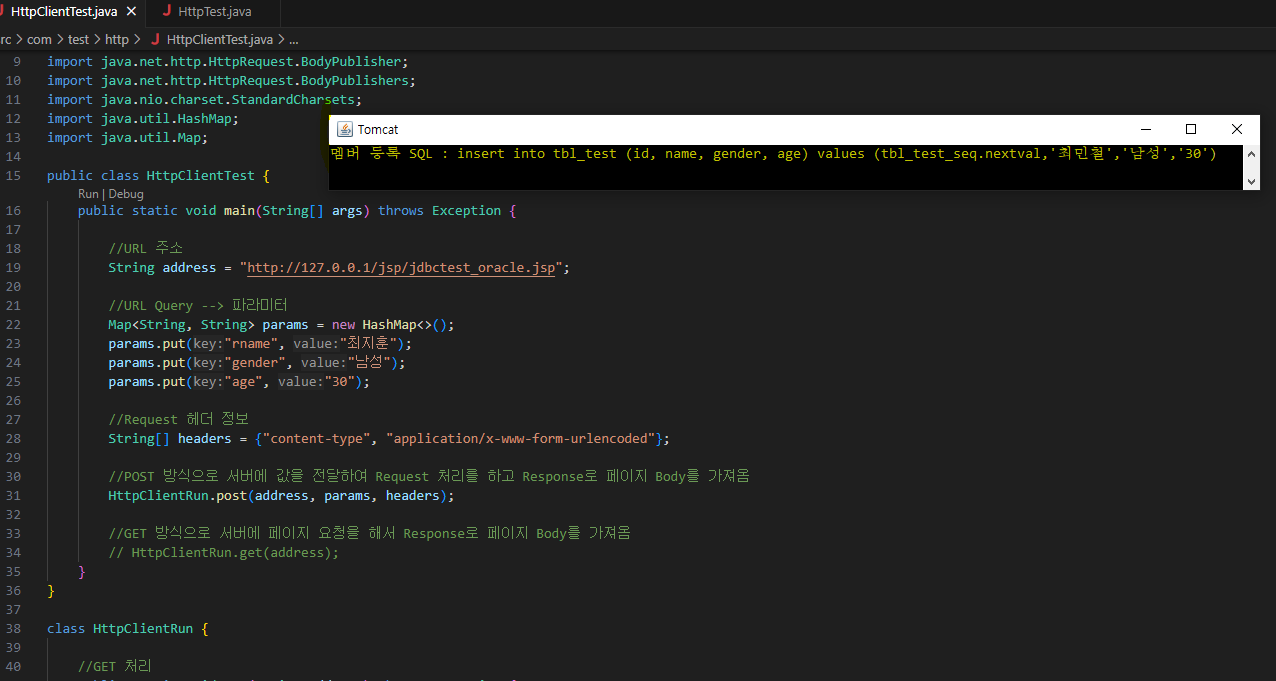
<HttpClientTest.java>
package com.test.http;

import java.net.URI;
import java.net.URLEncoder;
import java.net.http.HttpClient;
import java.net.http.HttpRequest;
import java.net.http.HttpResponse;
import java.net.http.HttpClient.Version;
import java.net.http.HttpRequest.BodyPublisher;
import java.net.http.HttpRequest.BodyPublishers;
import java.nio.charset.StandardCharsets;
import java.util.HashMap;
import java.util.Map;

public class HttpClientTest {
    public static void main(String[] args) throws Exception {

        //URL 주소
        String address_get = "http://127.0.0.1/jsp/jdbctest_oracle.jsp";
        String address_post = "http://127.0.0.1/servlet/jdbctest_registry";

        //URL Query --> 파라미터
        Map<String, String> params = new HashMap<>();
        params.put("rname", "최지훈");
        params.put("gender", "남성");
        params.put("age", "30");

        //Request 헤더 정보
        String[] headers = {"content-type", "application/x-www-form-urlencoded"};

        //POST 방식으로 서버에 값을 전달하여 Request 처리를 하고 Response로 페이지 Body를 가져옴
        HttpClientRun.post(address_post, params, headers);

        //GET 방식으로 서버에 페이지 요청을 해서 Response로 페이지 Body를 가져옴
        HttpClientRun.get(address_get);
    }
}

class HttpClientRun {

    //GET 처리
    public static void get(String address) throws Exception {
        String[] headers = {"content-type", "text/html"};
        HttpClient client = HttpClient.newBuilder().version(Version.HTTP_1_1).build();

        String result = client.sendAsync(
            HttpRequest.newBuilder(new URI(address)) //빌드 패턴으로 설정값 받음
            .GET().headers(headers).build(), //GET 방식으로 Request
            HttpResponse.BodyHandlers.ofString() //Response를 문자열로 받겠다
        ).thenApply(HttpResponse::body) //thenApply 메소드로 Response의 Body를 받음
        .get().toString(); //get 메소드로 body의 내용을 받아서 문자열 타입으로 변환
        System.out.println("HTTP 본문 : " + result);
    }

    //POST 처리
    public static void post(String address, Map<String, String> params, String[] headers) throws Exception {
        BodyPublisher body = BodyPublishers.ofString(getFormDataAsString(params));
        HttpClient client = HttpClient.newBuilder().version(Version.HTTP_1_1).build();

        HttpResponse<String> result = client.send(
            HttpRequest.newBuilder(new URI(address)) //빌드 패턴으로 설정값 받음
            .POST(body).headers(headers).build(), //POST 방식 요철
            HttpResponse.BodyHandlers.ofString() //Response
        );

        System.out.println("HTTP 처리 결과 : " + result);
    }

    public static String getFormDataAsString(Map<String, String> formData) {
        StringBuilder formBodyBuilder = new StringBuilder();
        //formData.entrySet() --> {{"name","김철수"}, {"gender","남성"},{"age","30"}...}
        for(Map.Entry<String,String> singleEntry : formData.entrySet()){

            if(formBodyBuilder.length() > 0) {
                formBodyBuilder.append("&"); //name=김철수&gender=남성&age=30
            }
            formBodyBuilder.append(URLEncoder.encode(singleEntry.getKey(), StandardCharsets.UTF_8));
            formBodyBuilder.append("=");
            formBodyBuilder.append(URLEncoder.encode(singleEntry.getValue(), StandardCharsets.UTF_8));
        }
        return formBodyBuilder.toString();
    }
}


<결과>
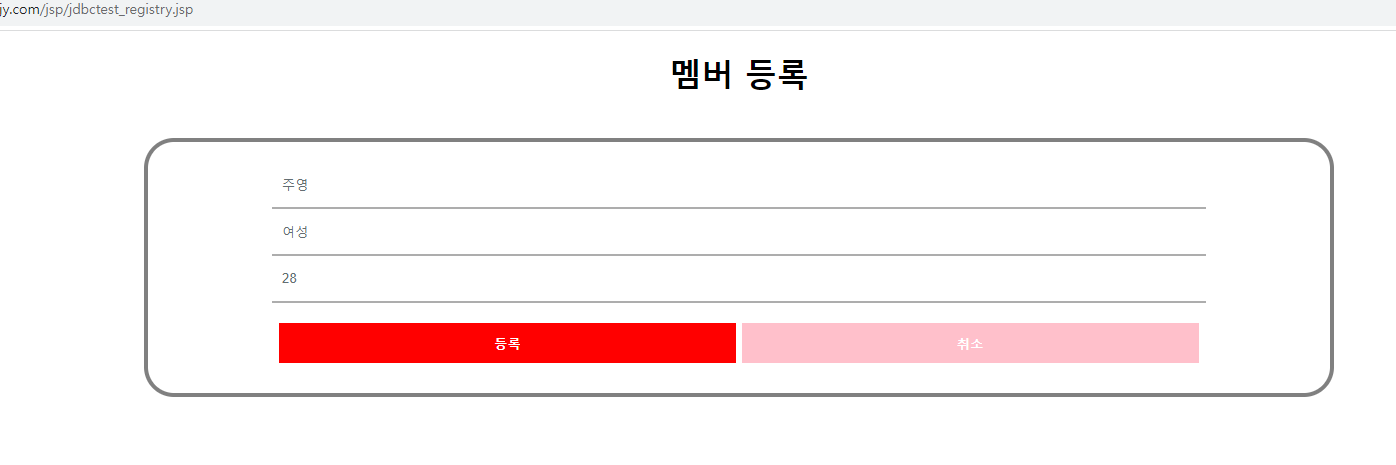


주영