Simple Shell Example
Problem
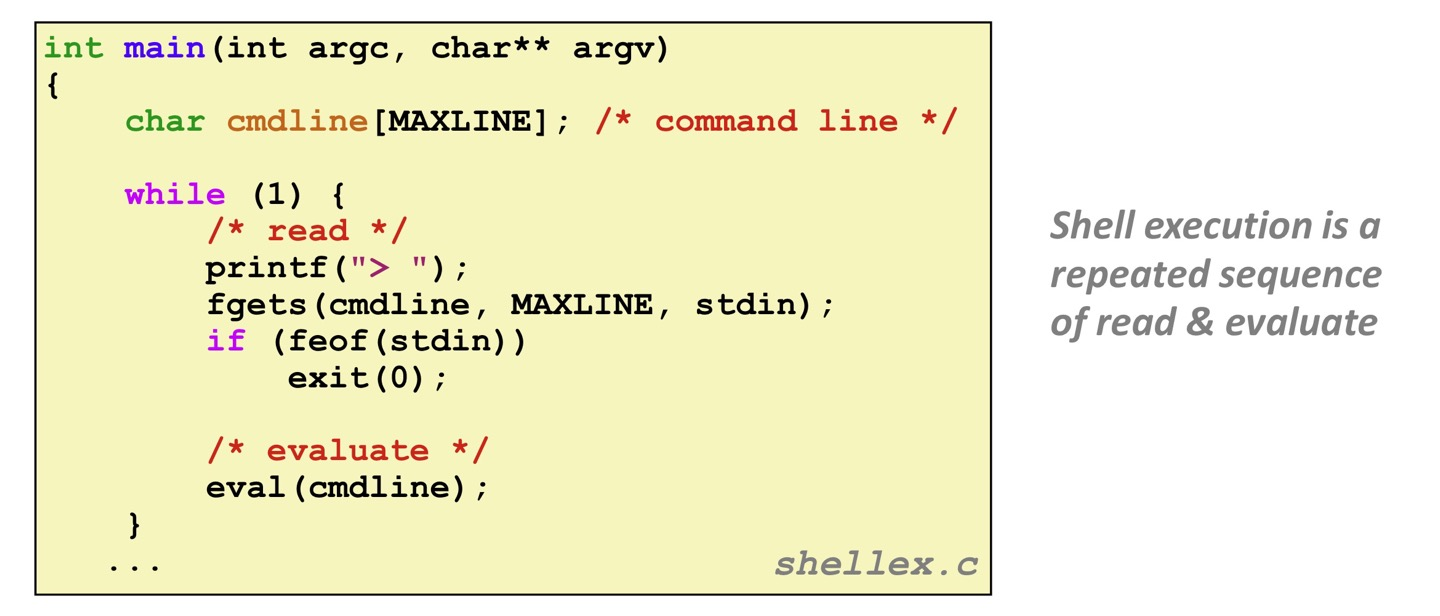
Shell must be designed to run indefinitely and should not accumulate unneeded resources (memory, child processes, ...)
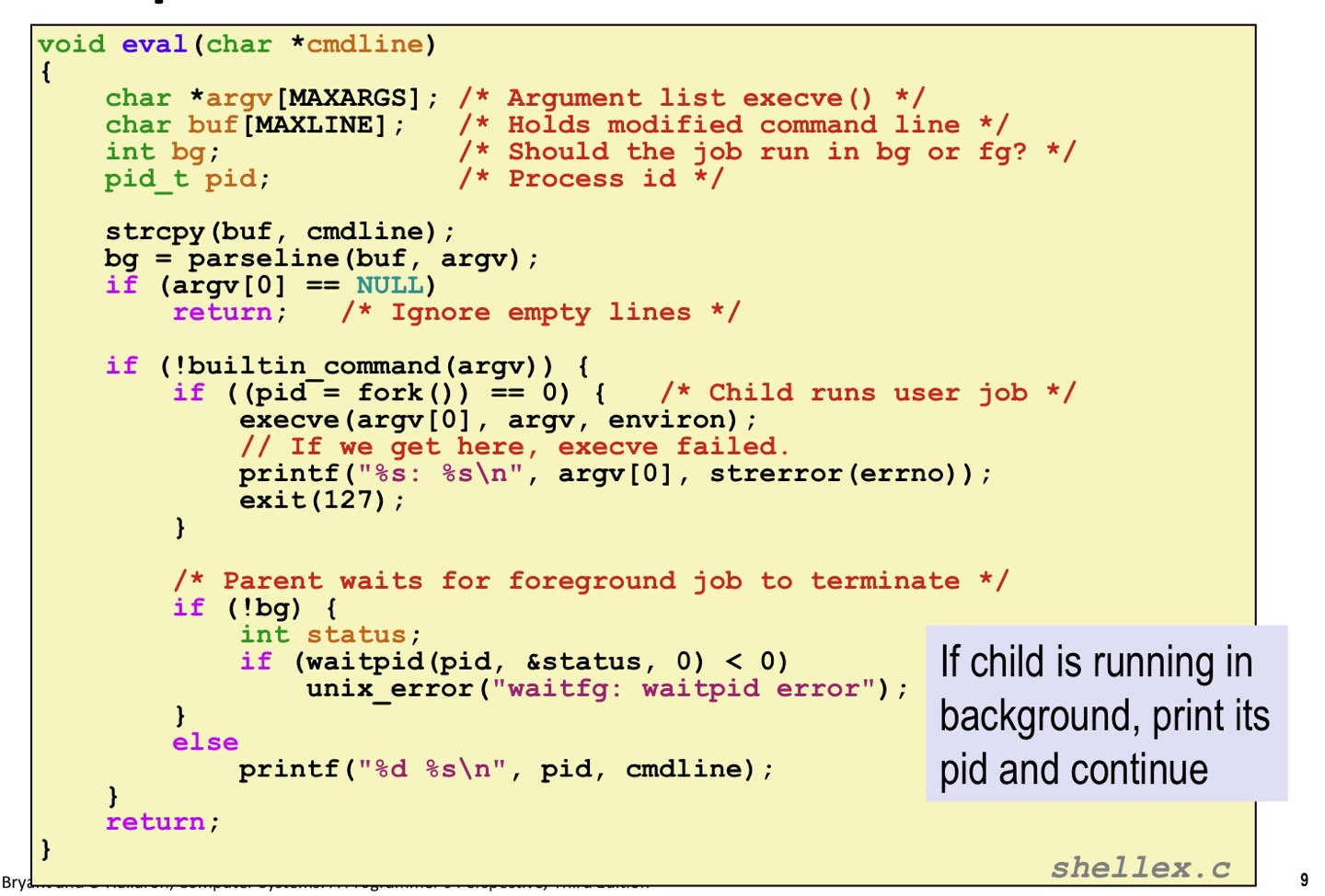
Example shell correctly waits for and reaps foreground jobs.
But what about background jobs?
-Will become zombies when they terminate
-Will never be reaped unless the shell terminates
-Will create a memory leak that could run the kernel out of memory
Solution: Exceptional control flow
The kernel will interrupt regular processing to alert us when a background process completes -> Signal
Signals
A signal is a small message that notifies a process that an event of some type has occurred in the system. 유저 코드에서 인식가능한 ecf.
Sent from the kernel (sometimes at the request of another process) to a process
Signal type is identified by small integer ID's (1-30)
Only information in a signal is its ID and the fact that it arrived
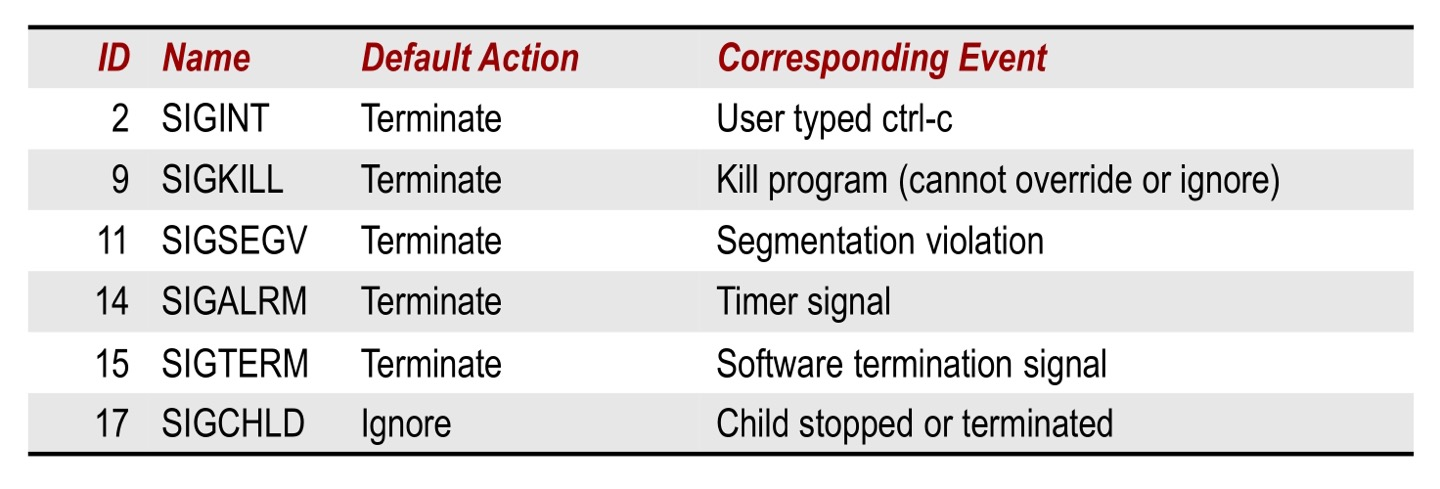
sigint: interrupt 처음에 con+c를 누르면 ecf가 발생한다고 했는데, 제일 먼저 일어나는 건 외부 인터럽트. 그걸 핸들링하기 위해 커널에서 유저프로세스에게 sigint라는 시그널을 보냄. 유저프로세스가 그걸 받고 거기에 대응하는 과정에서 프로그램이 종료된다. 그래서 우리가 보기에 ctrl+c를 누르면 종료가 되는 것처럼 보인다.
sigsegv: 완전히 생뚱맞은 메모리 주소를 접근하려고 하면 abort된다. 그걸 깊게 들여다 보면 커널코드에서 recover 불가능하다고 판단하면 sigsegv를 유저코드에게 보내고 거기에 react함으로써 그 오류가 있는 프로세스가 종료된다. 필요하다면 디버깅에 필요한 정보를 출력하고 나서 종료하기도 한다.
sigterm: 말 그대로 terminate하라는 신호. 좀비 프로세스가 발생하는 과정에서 parent 프로세스를 종료시키기 위해 kill 명령어를 썼는데 그 과정에서 sigterm을 전달한다. sigint와 sigsegv는 커널이 자체적으로 판단하지만 sigterm은 유저프로세스에서 요청하고 커널을 배달부 삼아 destination process에 전달된다.
sigkill: sigkill도 sigterm과 거의 같은 맥락의 시그널. 그러나 좀 더 강제적이고 과격함 sigterm은 디폴트로 바로 종료하게 되어있지만 종료에 필요한 준비를 하고 나서 종료하는 것도 가능하다. filepointer도 다듬고 리소스도 해제하고 종료 가능. 그러나 sigkill은 ‘당장 죽으세요’라는 시그널. 정리 좀 하고 죽는 게 불가능. 애초에 용도가 좀 다르다. 당장 죽지 않으면 문제갸 생길 때 sigkill을 보낼 수 있다.
Sending a Signal
Kernel sends a signal to a destination process by updating some state in the context of the destination process.
Kernel sends a signal for one of the following reasons:
-Kernel has detected a system event such as divede-by-zero (SIGFPE) or the termination of a child process (SIGCHILD)
-Another proces has invoked the kill system call to explicitly request the kernel to send a signal to the destination process.
Receiving a Signal
A destination process receives a signal when it is forced by the kernel to react in some way to the signal.
Some possible ways to react:
-Ignore the signal (대응하지 않고 panding되어 있던 시그널을 버리고 panding bit를 0으로 세팅)
-Terminate the process
-Catch the signal by executing a user-level function called signal handler
Panding and Blocking Signals
A signal is pending if sent but not yet received
*Important: Signals are not queued. If a process already has a pending signal of type k, then subsequent signals of type k sent to the process are discarded.
A process can block the receipt of certain signals.
Blocked signals can be sent, but will not be received until the signal is unblocked.
Some signals cannot be blocked(SIGKILL, SIGSTOP) or can only be blocked when sent by other processes(SIGSEGV, SIGILL)
This does not mean that you can send SIGKILL, SIGSTOP, ... to any process (permission check is another thing)

글이 많은 도움이 되었습니다, 감사합니다.