[Flutter] 구글 폰트 설치 및 등록하기
1. 구글 폰트 사이트 접속
- 링크: https://fonts.google.com
- 원하는 폰트의 이름을 검색한다.
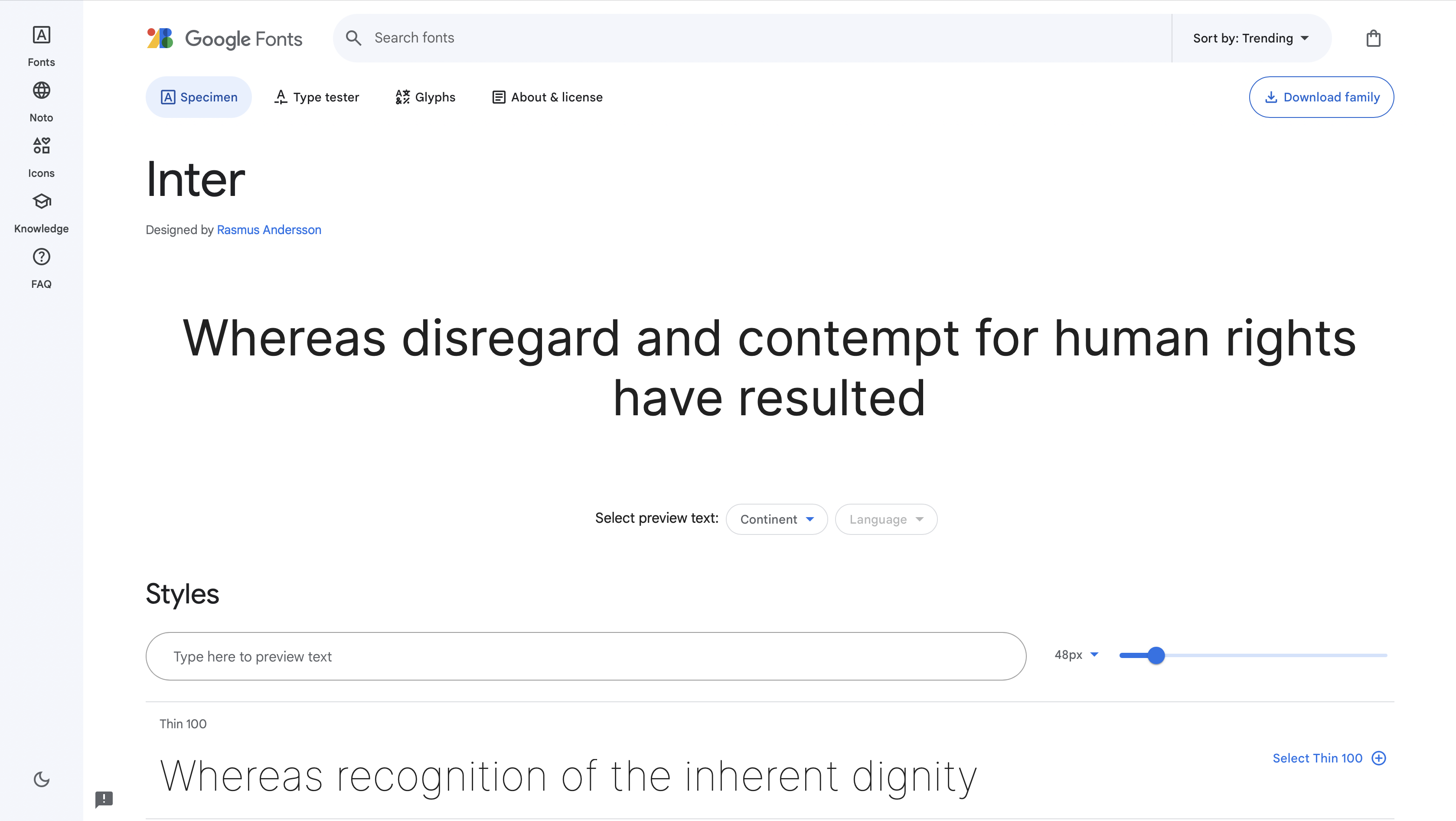
- 우측 상단의 DownloadFamily 클릭
2. 다운 폴더에서 폰트 파일 확인 하기
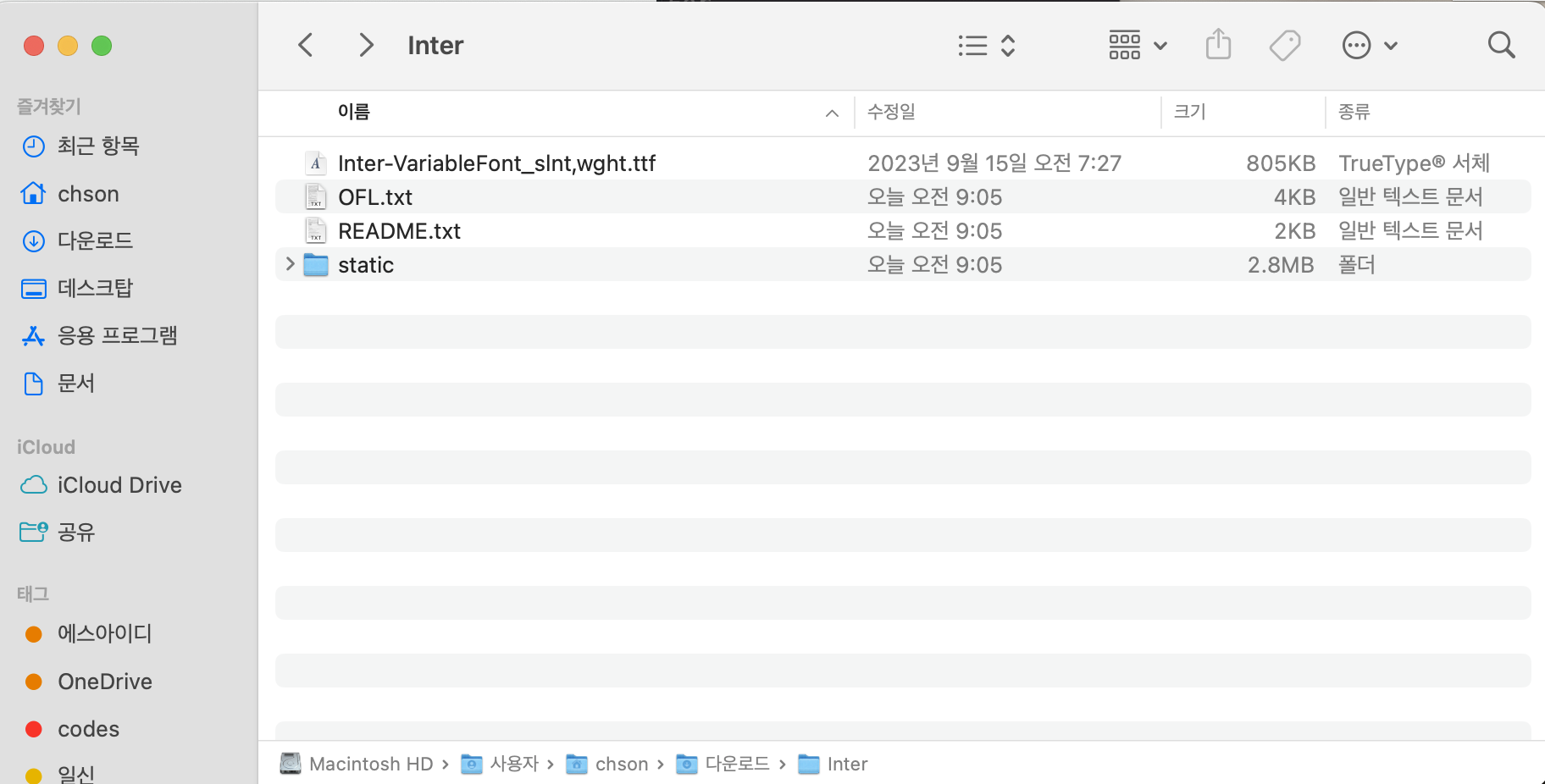
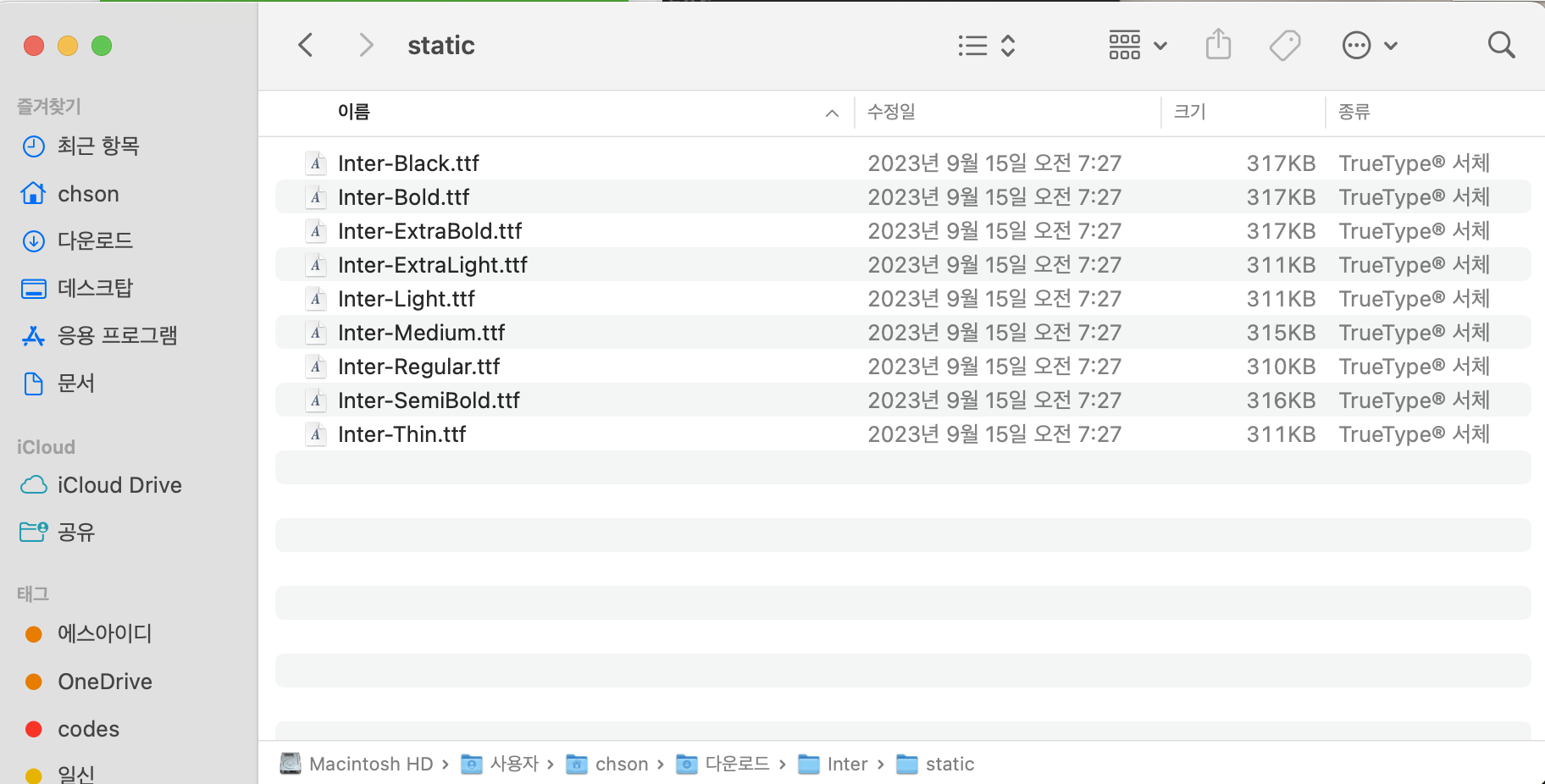
- 폰트 파일 > static > 폰트 파일 확인
3. assets 폴더에 폰트파일 등록
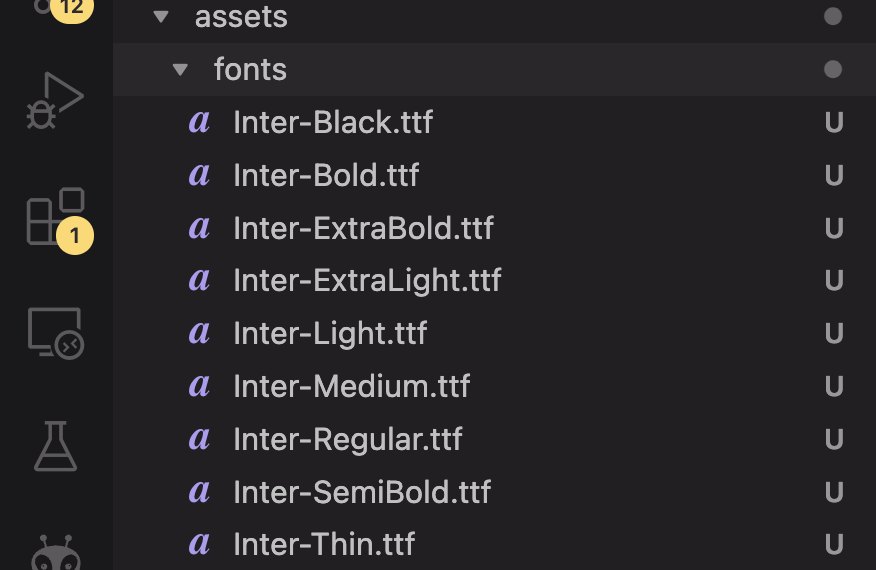
4. pubspec.yaml에 등록
  fonts:
    - family: Inter
      fonts:
       - asset: assets/fonts/Inter-Black.ttf
       - asset: assets/fonts/Inter-Bold.ttf
       - asset: assets/fonts/Inter-ExtraBold.ttf
       - asset: assets/fonts/Inter-ExtraLight.ttf
       - asset: assets/fonts/Inter-Light.ttf
       - asset: assets/fonts/Inter-Medium.ttf
       - asset: assets/fonts/Inter-Regular.ttf
       - asset: assets/fonts/Inter-SemiBold.ttf
       - asset: assets/fonts/Inter-Thin.ttf
5. static 사용하면 굿 아주 편안함!
- 예시
import 'package:flutter/material.dart';

class AppTextStyles {
  static const bold = TextStyle(
    fontFamily: 'Pretendard',
    fontWeight: FontWeight.w700,
  );
  static const medium = TextStyle(
    fontFamily: 'Pretendard',
    fontWeight: FontWeight.w500,
  );
  static const regular = TextStyle(
    fontFamily: 'Pretendard',
    fontWeight: FontWeight.w400,
  );

  static TextStyle header40({
    Color color = Colors.black,
  }) =>
      bold.copyWith(fontSize: 40, color: color);
  static TextStyle header32({
    Color color = Colors.black,
  }) =>
      bold.copyWith(fontSize: 32, color: color);

  static TextStyle header28({
    Color color = Colors.black,
    Color? backgroundColor,
  }) =>
      bold.copyWith(
          fontSize: 28,
          color: color,
          backgroundColor: backgroundColor ?? Colors.transparent);

  static TextStyle header24({
    Color color = Colors.black,
    Color? backgroundColor,
  }) =>
      bold.copyWith(fontSize: 24, color: color);
  static TextStyle header20({Color color = Colors.black}) =>
      bold.copyWith(fontSize: 20, color: color);

  static TextStyle body20B({Color color = Colors.black}) =>
      bold.copyWith(fontSize: 20, color: color);

  static TextStyle body18B({Color color = Colors.black}) =>
      bold.copyWith(fontSize: 18, color: color);

  static TextStyle body16B({Color color = Colors.black}) =>
      bold.copyWith(fontSize: 16, color: color);

  static TextStyle body14B({Color color = Colors.black}) =>
      bold.copyWith(fontSize: 13, color: color);

  static TextStyle body12B({Color color = Colors.black}) =>
      bold.copyWith(fontSize: 12, color: color);

  static TextStyle body20M({Color color = Colors.black}) =>
      medium.copyWith(fontSize: 20, color: color);

  static TextStyle body18M({Color color = Colors.black}) =>
      medium.copyWith(fontSize: 18, color: color);

  static TextStyle body16M({Color color = Colors.black}) =>
      medium.copyWith(fontSize: 16, color: color);

  static TextStyle body14M({Color color = Colors.black}) =>
      medium.copyWith(fontSize: 14, color: color);

  static TextStyle body12M({Color color = Colors.black}) =>
      medium.copyWith(fontSize: 12, color: color);

  static TextStyle body20R({Color color = Colors.black}) =>
      regular.copyWith(fontSize: 20, color: color);

  static TextStyle body18R({Color color = Colors.black}) =>
      regular.copyWith(fontSize: 18, color: color);

  static TextStyle body16R({Color color = Colors.black}) =>
      regular.copyWith(fontSize: 16, color: color);

  static TextStyle body14R({Color color = Colors.black}) =>
      regular.copyWith(fontSize: 14, color: color);

  static TextStyle body12R({Color color = Colors.black}) =>
      regular.copyWith(fontSize: 12, color: color);

  static TextStyle body9R({Color color = Colors.black}) =>
      regular.copyWith(fontSize: 9, color: color);

  static TextStyle body8R({Color color = Colors.black}) =>
      regular.copyWith(fontSize: 8, color: color);
}
힙스터 개발자가 될래요