
문제
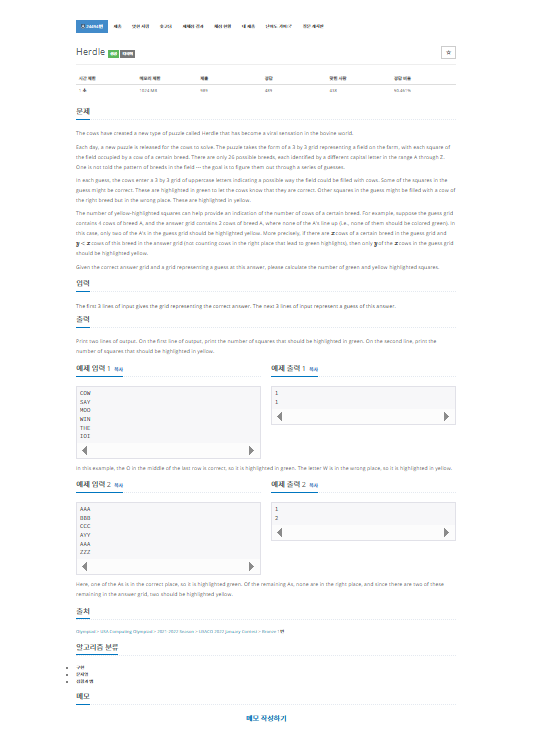
내가 생각했을때 문제에서 원하는부분
The first 3 lines of input gives the grid representing the correct answer.
The next 3 lines of input represent a guess of this answer.

Print two lines of output.
On the first line of output, print the number of squares that should be highlighted in green.
On the second line, print the number of squares that should be highlighted in yellow.
내가 이 문제를 보고 생각해본 부분
먼저 BufferedReader를 사용해 입력받는다.
입력을 3 x 3 문자 배열로 받고 각각 답안과 추측을 저장한다.
greenMark 배열을 사용해 녹색으로 확정된 위치를 표시한다.
같은 위치에 같은 문자가 있다면 greenCount 증가 및 greenMark[i][j] = true.
녹색 위치가 아닌 곳만 따져서 답안과 추측에서 품종별 빈도를 센다.
품종별 빈도수 배열은 알파벳 대문자 A를 0번 인덱스로 하는 크기 26 배열을 사용한다.
빈도수를 비교해 두 배열에서 최소값을 합친 것이 노란색 개수가 된다.
이유는 한쪽에서 더 많은 품종이 있어도 실제 맞는 개수는 적은 쪽 만큼만 색칠할 수 있기 때문이다.
마지막으로 녹색 개수와 노란색 개수를 출력한다.
코드로 구현
package baekjoon.baekjoon_32;

import java.io.BufferedReader;
import java.io.IOException;
import java.io.InputStreamReader;

// 백준 24494번 문제
public class Main1298 {
    public static void main(String[] args) throws IOException {
        BufferedReader br = new BufferedReader(new InputStreamReader(System.in));
        char[][] answer = new char[3][3];
        char[][] guess = new char[3][3];

        // 정답 입력
        for (int i = 0; i < 3; i++) {
            answer[i] = br.readLine().toCharArray();
        }
        // 추측 입력
        for (int i = 0; i < 3; i++) {
            guess[i] = br.readLine().toCharArray();
        }

        boolean[][] greenMark = new boolean[3][3]; // 녹색 체크용
        int greenCount = 0;

        // 1. 녹색 개수 계산 및 녹색 위치 표시
        for (int i = 0; i < 3; i++) {
            for (int j = 0; j < 3; j++) {
                if (answer[i][j] == guess[i][j]) {
                    greenCount++;
                    greenMark[i][j] = true;
                }
            }
        }

        // 2. 남은 문자 빈도수 배열 (A=0..Z=25)
        int[] answerFreq = new int[26];
        int[] guessFreq = new int[26];

        for (int i = 0; i < 3; i++) {
            for (int j = 0; j < 3; j++) {
                if (!greenMark[i][j]) {
                    answerFreq[answer[i][j] - 'A']++;
                    guessFreq[guess[i][j] - 'A']++;
                }
            }
        }

        // 3. 노란색 개수 계산 - 겹치는 최소 개수 합
        int yellowCount = 0;
        for (int k = 0; k < 26; k++) {
            yellowCount += Math.min(answerFreq[k], guessFreq[k]);
        }

        // 출력
        System.out.println(greenCount);
        System.out.println(yellowCount);
        br.close();
    }
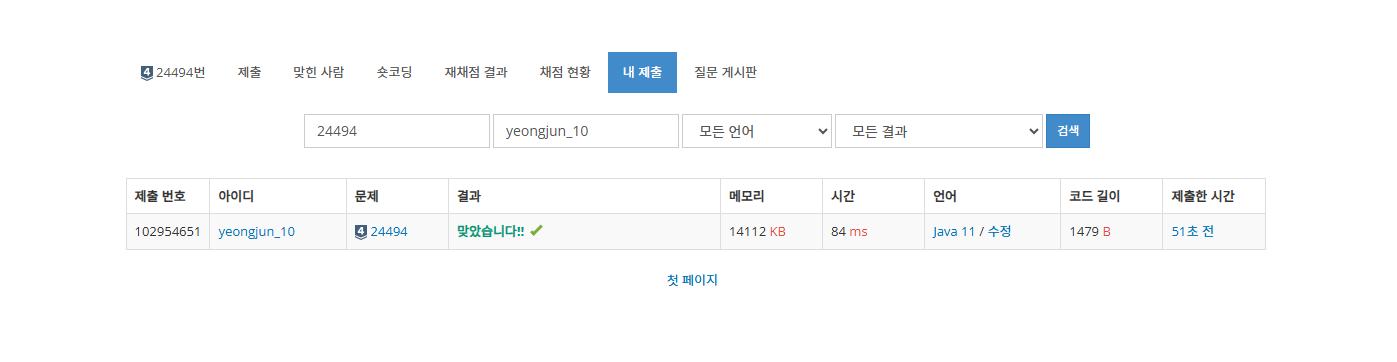
}
마무리
코드와 설명이 부족할수 있습니다. 코드를 보시고 문제가 있거나 코드 개선이 필요한 부분이 있다면 댓글로 말해주시면 감사한 마음으로 참고해 코드를 수정 하겠습니다.
Junior backend developer