요약
푸시 알림 시스템을 서버·클라이언트·시크릿 전부 연결해 완료했다. 4가지 알림 타입(new_post, follow, sale, announcement)이 DB 트리거로 자동 생성되고, send-push Edge Function이 FCM을 통해 Android/iOS로 발송한다. iOS APNs 키만 Apple Developer 가입 병목으로 대기 중이지만, Android는 이론상 작동 준비가 끝났다.
1. 알림 타입 4종 확정 및 트리거 구현
기존 타입
new_post: 구독 작가가 신작 게시 (기존notify_new_post트리거)
신규 추가 타입 (마이그레이션: 20260817090000_notify_follow_and_sale.sql)
-
follow: 다른 유저가 나를 구독on_follow_created트리거 신규 생성- 구독자 닉네임을 payload에 스냅샷 (나중에 구독자가 닉네임을 바꿔도 알림 문구는 원래 시점 이름 유지)
- 부수 발견:
notifFollow의 en/ko 등 l10n 문구에 데모 작가명 "하늘바람"이 하드코딩돼 있었다
→ new_post와 같은 "{닉네임}+접미사" 패턴으로 15개 언어 전부 재작성
-
sale: 내 유료 작품이 팔렸을 때 판매자에게 알림- 기존
purchased타입은 구매자에게 "샀어요" sale은 판매자에게 "내 작품이 팔렸어요"notify_purchase트리거 하나에서 조건부(price_paid > 0, 자기 자신 구매 제외)로 타입 2개를 함께 생성
- 기존
-
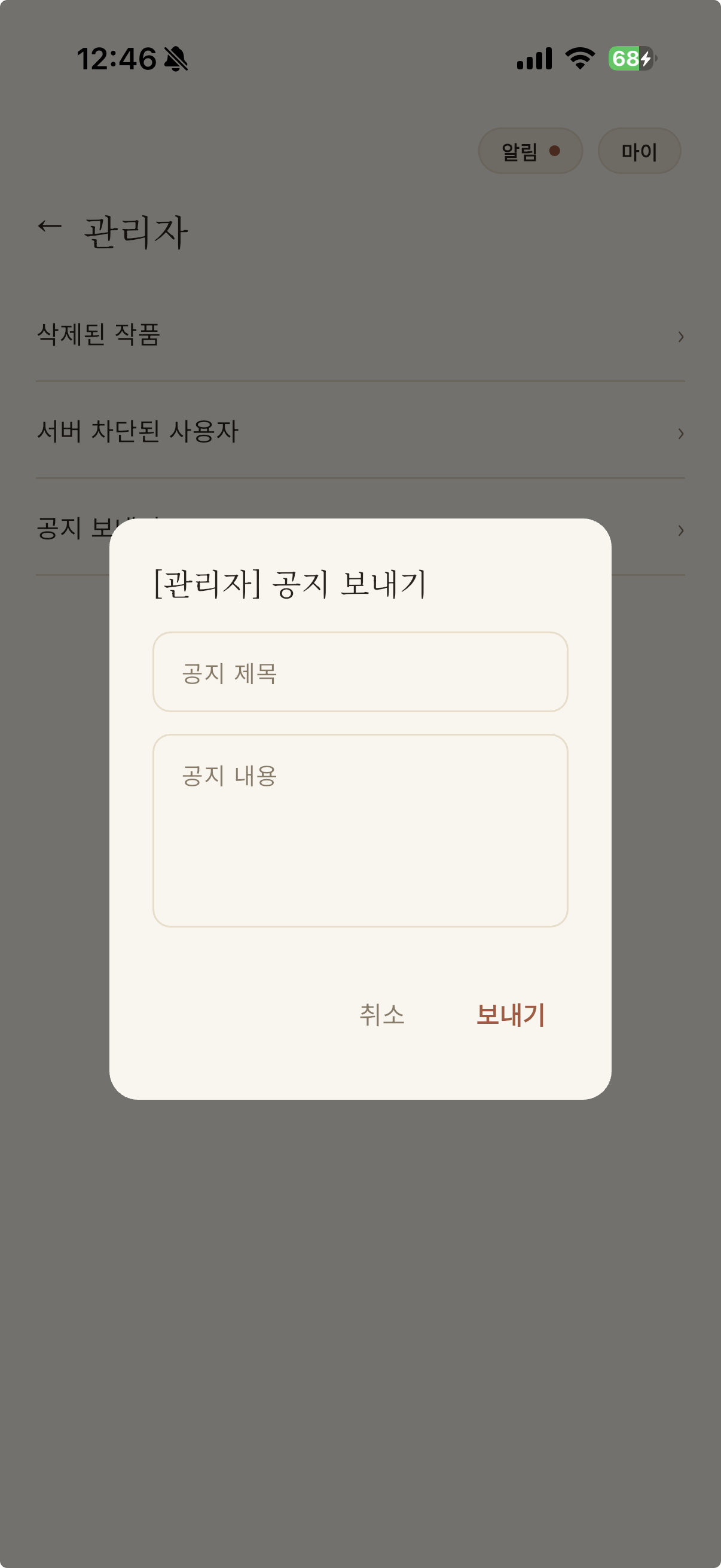
announcement: 전체 공지 (관리자 → 전체 유저)notificationsinsert 정책은 "본인 것만"이라 관리자도 남의user_id로 직접 insert 불가admin_broadcast_announcement(title, body)RPC(security definer,is_admin()체크)로 우회- 마이 > 관리자에 "공지 보내기" 다이얼로그 추가
2. 발송 인프라 구축
마이그레이션: 20260817094500_push_notifications.sql
- 트리거
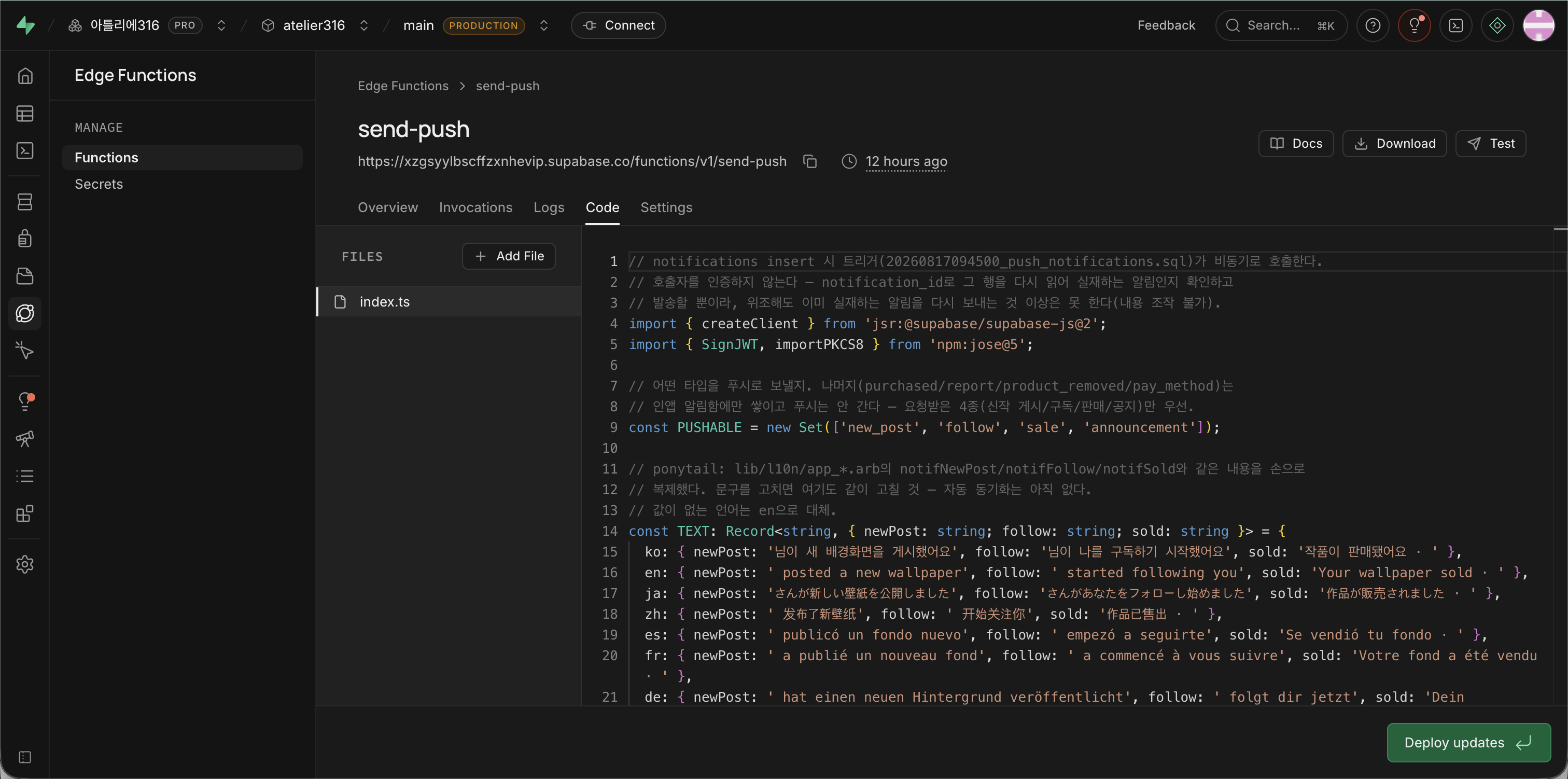
on_notification_created:notificationsinsert 시점에pg_net.http_post로send-pushEdge Function 비동기 호출 - 책임 분리: 알림 생성(DB 트리거) / 발송(Edge Function)
- 보안: 호출자 인증 없이도 안전 —
send-push가notification_id로 실재 여부를 확인하므로 위조해도 이미 있는 알림을 다시 보내는 것 이상은 불가 (내용 조작 불가)ponytail:Supabase Vault 기반 웹훉 서명으로 더 막을 수 있지만 지금 위험 수준엔 과함
Edge Function: send-push
위치: supabase/functions/send-push/index.ts
동작:
1. verify-purchase의 Google 서비스 계정 JWT 서명 패턴 재사용 (scope만 firebase.messaging으로 교체)
2. FCM HTTP v1 API (fcm.googleapis.com/v1/projects/{id}/messages:send)로 발송
3. 타입 4종만 푸시 대상(PUSHABLE): new_post, follow, sale, announcement
- 나머지(
purchased,report,product_removed,pay_method)는 인앱 알림함에만 쌓임
- 문구(title/body)는 서버가 직접 굽는다 — 앱이 꺼져 있어도 배너가 떠야 하므로
lib/l10n/app_*.arb의notifNewPost/notifFollow/notifSold와 같은 문구를 Deno 쪽에 상수로 복제ponytail:자동 동기화 없음, 문구 고치면 양쪽 다 고칠 것
- FCM이
UNREGISTERED(404)를 주면users.fcm_token을 지움 (죽은 토큰 재사용 방지)
배포: supabase functions deploy send-push --use-api 완료
검증 (2026-08-17):
- 인증 없이 405(잘못된 메서드) / 400(빈 요청) / 404(존재하지 않는 notification_id) 정확히 응답
verify_jwt=false정상 적용 (401로 막히지 않음)
3. 알림 설정 기능
마이그레이션: 20260817100000_notification_preferences.sql
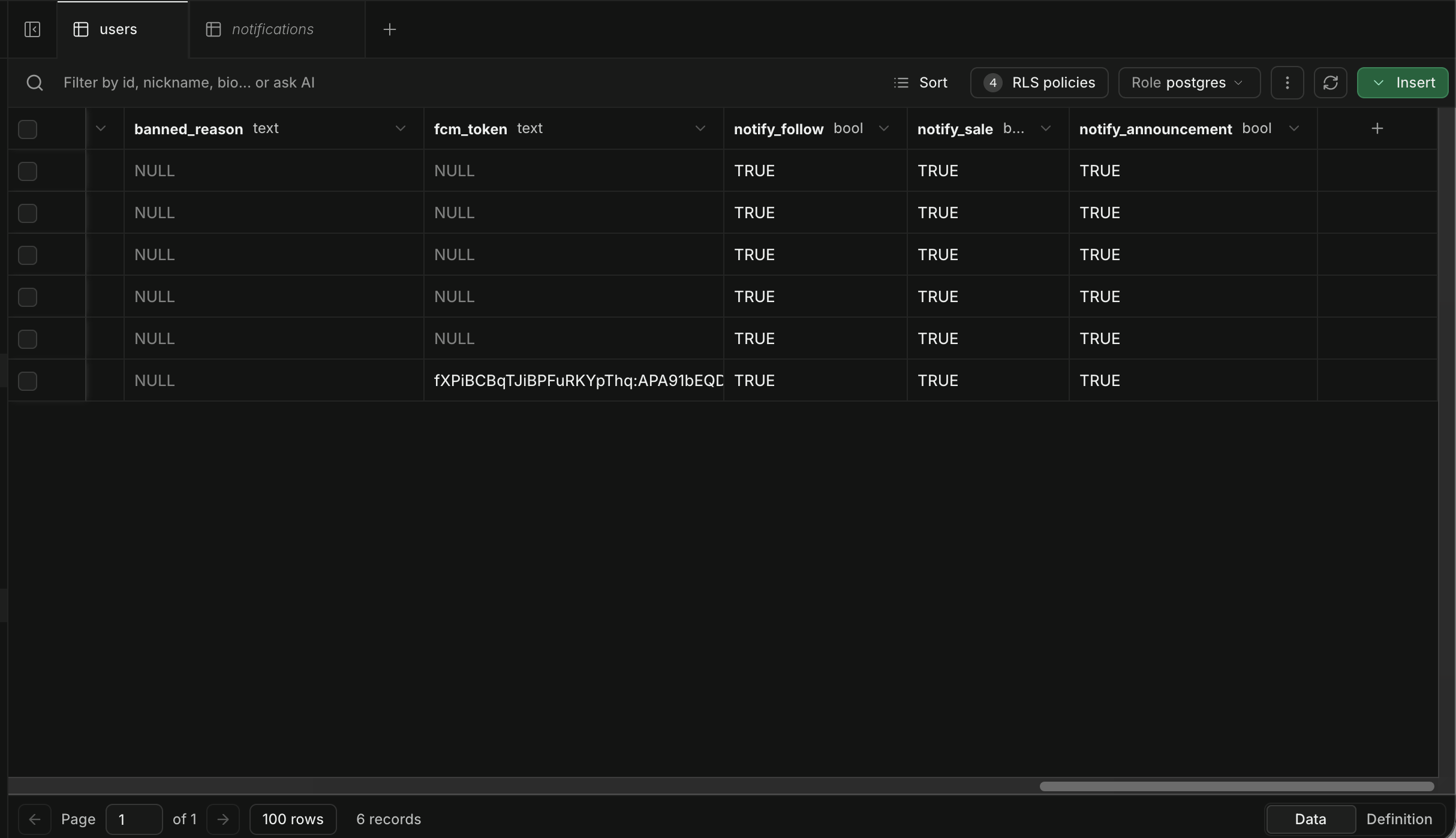
DB 컬럼 추가:
users.notify_follow(기본값 true)users.notify_sale(기본값 true)users.notify_announcement(기본값 true)- 기존
users.notify_new_post와 같은 방식
동작:
- 끄면 인앱 알림함에도 안 쌓인다 — 트리거 단계에서 애초에 행을 안 만듦
admin_broadcast_announcement도notify_announcement = true인 사용자만 대상으로 필터링
화면
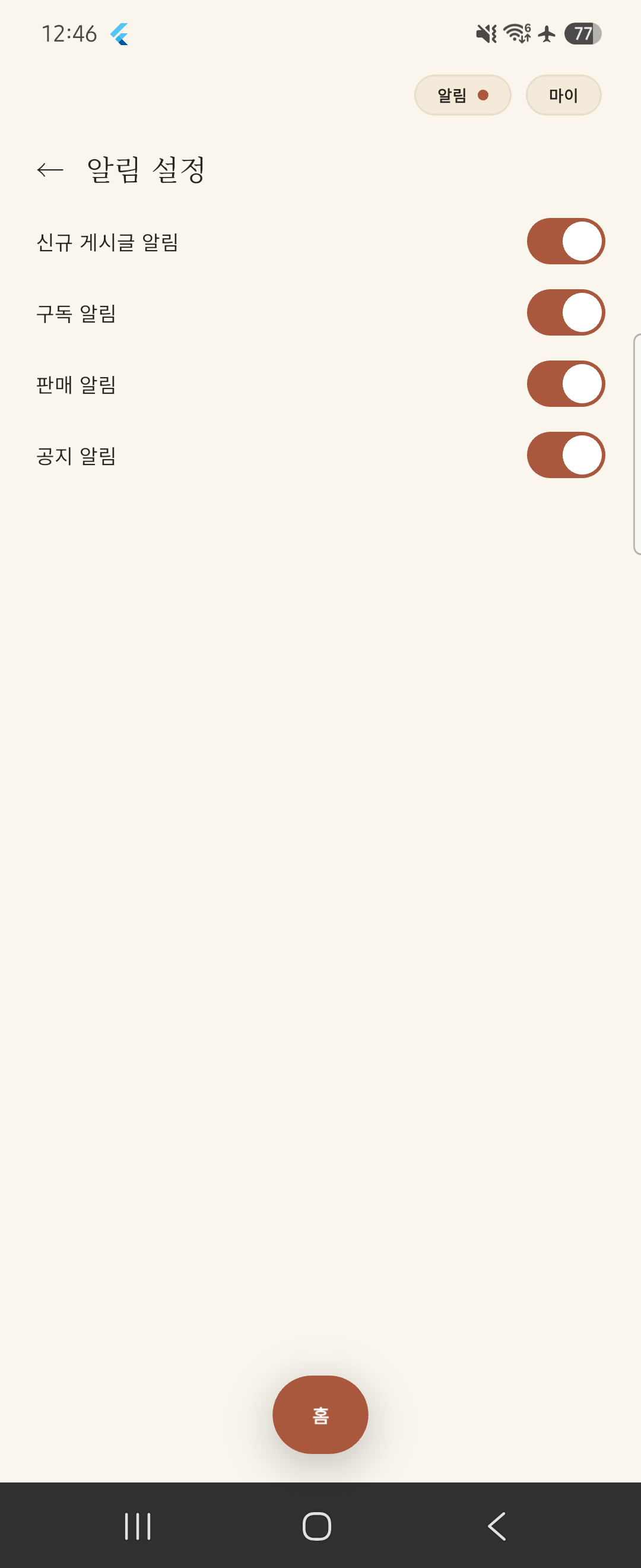
새 화면: NotificationSettingsScreen (/me/notifications-settings)
- 4개 스위치로 노출: 신규 게시글 / 팔로우 / 판매 / 공지사항
- 기존에 마이 화면에 있던 단일 "신규 게시글 알림" 인라인 스위치를 없애고 이 화면 하나로 통합
수정된 코드:
SessionViewModel: 4가지 알림 설정 로드·토글 메서드 추가- l10n:
notificationSettings,notifToggleNewPosts,notifToggleFollows,notifToggleSales,notifToggleAnnouncements등 15개 언어 × 6개 키 추가
4. Firebase & FCM 클라이언트 연결
Firebase 프로젝트 설정
프로젝트 ID: atelier316-7a3ce
구성 파일:
- Android:
google-services.json→android/app/ - iOS:
GoogleService-Info.plist→ios/Runner/
패키지 추가
flutter pub add firebase_core firebase_messaging버전:
firebase_core ^4.13.0firebase_messaging ^16.5.0
Android 설정
google-services.json추가- Gradle 플러그인 추가:
settings.gradle.kts:com.google.gms.google-services버전 선언 (apply false)app/build.gradle.kts: 플러그인 적용
- 빌드 확인:
flutter build apk --debug성공
iOS 설정
Xcode 없이 CLI로만 작업 — project.pbxproj 직접 편집
수정 사항:
1. GoogleService-Info.plist 추가 (4곳 편집):
- PBXBuildFile
- PBXFileReference
- Runner 그룹
- Resources 빌드 페이즈
AppFrameworkInfo.plist패턴을 그대로 복제- 편집 후 매번
plutil -lint로 문법 검증
-
iOS 배포 타깃 14.0 → 15.0 상향:
firebase_core가 iOS 15.0 이상 요구Podfile:platform :ios, '15.0'project.pbxproj3곳:IPHONEOS_DEPLOYMENT_TARGET = 15.0- iOS 14 기기는 지금 시점엔 사실상 없어 실사용 영향 미미
-
UIBackgroundModes에remote-notification추가 (Info.plist)- 앱이 백그라운드일 때도 원격 알림 수신 가능
-
Push Notifications capability(entitlements)는 아직 안 붙임
- Apple Developer 가입이 막혀 있는 동안 서명 관련 설정을 건드리는 건 위험
- 실제 필요해질 때(APNs 키 발급 시점)로 미룸
-
빌드 확인:
flutter build ios --debug --simulator성공- 시뮬레이터 대상이라 코드 서명 불필요
앱 코드 수정
main.dart:
Firebase.initializeApp()+ 백그라운드 메시지 핸들러 등록- 탭 시 라우팅:
onMessageOpenedApp/getInitialMessage→product_id/seller_id이동 (notifications.dart와 같은 규칙) - Android + iOS 둘 다 가드 켬 — iOS는
Firebase.initializeApp()자체는 config 파일만 있으면 되고 APNs와 무관
SessionViewModel._registerPushToken():
- 로그인 후 권한 요청 +
getToken()→fcm_token저장 onTokenRefresh구독- 전부 try/catch로 감싸서 실패해도 로그인 자체는 안 막음 (iOS는 APNs 키가 없어 지금 당연히 실패)
부수 수정:
logout()이fcm_token을 지우도록 추가- 안 지우면 기기를 공유하는 경우(로그아웃 후 다른 계정 로그인) 이전 계정 몫 푸시가 새 사용자 기기로 계속 감
5. Firebase 서비스 계정 시크릿 등록
시크릿: FIREBASE_SERVICE_ACCOUNT_JSON
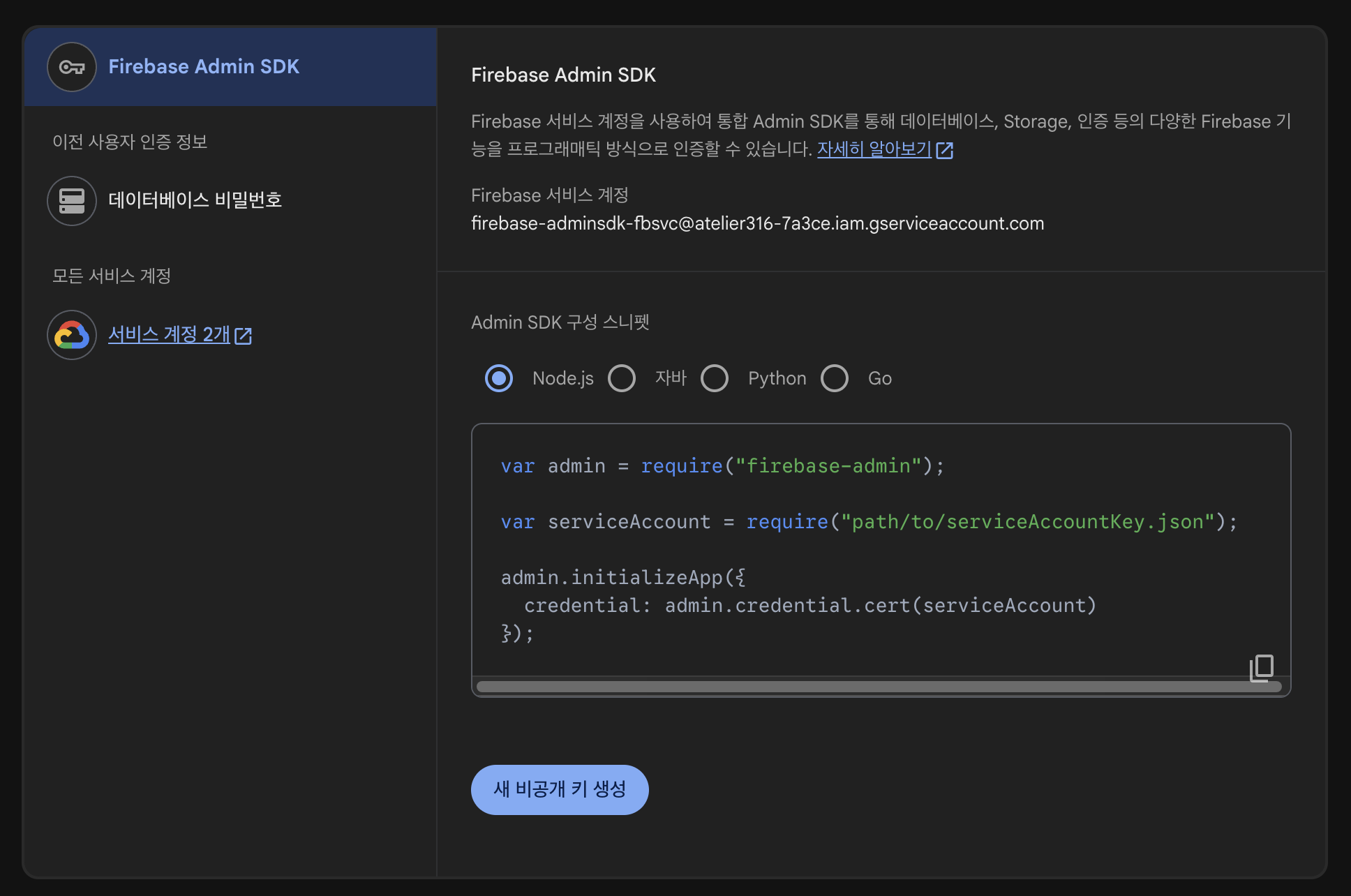
등록 방법:
supabase secrets set --env-file .env.firebase파일 처리:
- 임시
.env.firebase파일은 등록 직후 삭제 - 원본 JSON 파일도 세션 중 사라짐 → 디스크에 남지 않음
확인:
supabase secrets list- 해시값만 확인 (값 자체는 노출 안 됨)
검증:
send-push→ FCM 경로가 이론상 전부 연결됨- 실제 FCM 왕복(OAuth 토큰 교환 성공 여부)까지는 검증 안 함 — 실 디바이스 토큰이 있어야 의미 있는 테스트
verify-purchase에서 이미 검증된 것과 같은 JWT 서명 패턴을 재사용 (코드 구조상 동일한 실패 지점 없음)
6. 마이그레이션 적용 확인
로컬 → 원격 동기화
supabase db push확인:
supabase migration list: local = remoteusers테이블 스키마 curl로 확인:notify_follownotify_salenotify_announcement
남은 작업
iOS (Apple Developer 병목)
- Apple Developer 가입 완료
- Push Notifications capability 추가 (Xcode)
- APNs 인증 키(.p8) 발급
- Firebase Console에 APNs 키 등록
Android (사용자 몫)
- 실기기로 로그인 →
fcm_token채워지는지 확인
- 실기기로 로그인 →
- follow/sale 이벤트 만들어서 실제 배너가 뜨는지 확인
- 이게 되면 이 항목의 남은 할 일은 iOS(Apple 병목)뿐
기타
pg_net확장이 로컬 CLI 스택에도 있는지 확인 (원격은 이미create extension성공)
설계 결정
FCM 하나로 iOS/Android 커버
- APNs를 직접 붙이지 않고 FCM이 브릿지
firebase_messaging패키지 하나로 양쪽 다 됨- 별도 APNs HTTP/2 클라이언트를 만들 이유 없음
기기 토큰 관리
users.fcm_token컬럼 하나 (기기 1대 기준)ponytail:여러 기기 동시 로그인 지원이 필요해지면device_tokens테이블로 승격
알림 생성은 서버가 한다
- DB 트리거가 모든 알림 행을 생성
- 클라이언트가 만들면 남의 알림을 위조할 수 있음
- 이 원칙은 푸시 발송 인프라 추가 후에도 그대로 유지
파일 변경 이력
마이그레이션
supabase/migrations/20260817090000_notify_follow_and_sale.sql(신규)supabase/migrations/20260817094500_push_notifications.sql(신규)supabase/migrations/20260817100000_notification_preferences.sql(신규)
Edge Function
supabase/functions/send-push/index.ts(신규)
Flutter 클라이언트
lib/main.dart(수정: Firebase 초기화, 백그라운드 메시지 핸들러, 탭 시 라우팅)lib/presentation/viewmodels/session_viewmodel.dart(수정: 4가지 알림 설정 로드·토글, FCM 토큰 등록·해제)lib/presentation/screens/me/notification_settings_screen.dart(신규)lib/presentation/screens/me/mypage.dart(수정: 기존 인라인 알림 스위치 제거, 알림 설정 화면 진입점 추가)lib/presentation/router.dart(수정:/me/notifications-settings라우트 추가)lib/l10n/app_*.arb(15개 언어 × 7개 키 추가/수정)
Android 설정
android/app/google-services.json(신규)android/settings.gradle.kts(수정: Google Services 플러그인 버전 선언)android/app/build.gradle.kts(수정: 플러그인 적용)
iOS 설정
ios/Runner/GoogleService-Info.plist(신규)ios/Runner.xcodeproj/project.pbxproj(수정: plist 파일 참조 4곳 추가, iOS 타깃 15.0)ios/Podfile(수정:platform :ios, '15.0')ios/Runner/Info.plist(수정:UIBackgroundModes추가)
문서
backend-design.md(갱신: §4-5 푸시 알림 항목 전체 재작성)
검증 결과
DB 마이그레이션
supabase db push성공migration list: local = remoteusers테이블 스키마 curl 확인: 200, 새 컬럼 존재
Edge Function
send-push배포 완료- 인증 없이 405 / 400 / 404 정확히 응답
verify_jwt=false정상 적용
빌드
- Android:
flutter build apk --debug성공 - iOS:
flutter build ios --debug --simulator성공
정적 분석 & 테스트
dart analyze: 이슈 없음flutter test: 43개 테스트 전부 통과
7. Foreground 알림 표시
배경
- 백그라운드/앱 꺼짐 상태: OS가 자동으로 FCM 메시지를 배너로 표시
- Foreground(앱 켜짐) 상태: OS가 배너를 자동으로 띄워주지 않음 — 앱이 직접 처리해야 함
패키지 추가
flutter pub add flutter_local_notifications버전: flutter_local_notifications ^22.3.0
구현
파일: lib/main.dart
1. 로컬 알림 플러그인 초기화
final _localNotifications = FlutterLocalNotificationsPlugin();
const _androidChannel = AndroidNotificationChannel(
  'default', '일반 알림',
  description: '신작 게시·구독·판매·공지 알림',
  importance: Importance.high,
);

Future<void> _initLocalNotifications() async {
  await _localNotifications.initialize(
    settings: const InitializationSettings(
      android: AndroidInitializationSettings('@mipmap/ic_launcher'),
      iOS: DarwinInitializationSettings(
        requestAlertPermission: false,  // FCM이 이미 처리
        requestBadgePermission: false,
        requestSoundPermission: false,
      ),
    ),
    onDidReceiveNotificationResponse: (response) =>
        _handlePushTapPayload(response.payload),
  );
  await _localNotifications
      .resolvePlatformSpecificImplementation<
          AndroidFlutterLocalNotificationsPlugin>()
      ?.createNotificationChannel(_androidChannel);
}
핵심 포인트:
- iOS 권한 요청 비활성화:
firebase_messaging이 이미 처리했으므로 중복 방지 - Android 알림 채널 생성: 중요도
high로 설정하여 배너 표시 보장 - 알림 탭 콜백 연결:
onDidReceiveNotificationResponse
2. Foreground 메시지 리스너 연결
FirebaseMessaging.onMessage.listen(_showForegroundNotification);앱 부트스트랩 시 onMessage 스트림을 구독하여 foreground 메시지를 처리.
3. 알림 표시 함수
void _showForegroundNotification(RemoteMessage message) {
  final n = message.notification;
  if (n == null) return;
  final productId = message.data['product_id'];
  final sellerId = message.data['seller_id'];
  final payload = productId != null
      ? 'p:$productId'
      : (sellerId != null ? 's:$sellerId' : null);
  _localNotifications.show(
    id: n.hashCode,
    title: n.title,
    body: n.body,
    notificationDetails: NotificationDetails(
      android: AndroidNotificationDetails(
        _androidChannel.id, _androidChannel.name,
        channelDescription: _androidChannel.description,
        importance: Importance.high,
        priority: Priority.high,
      ),
      iOS: const DarwinNotificationDetails(),
    ),
    payload: payload,
  );
}
핵심 로직:
- FCM 메시지의
notification필드에서 제목/본문 추출 data필드에서 딥링크 정보(product_id,seller_id) 추출- Payload 문자열로 직렬화:
p:<product_id>또는s:<seller_id> - 로컬 알림으로 배너 표시
4. 딥링크 라우팅
void _handlePushTapPayload(String? payload) {
  if (payload == null) {
    _cached?.push('/me');
  } else if (payload.startsWith('p:')) {
    _cached?.push('/detail/${payload.substring(2)}');
  } else if (payload.startsWith('s:')) {
    _cached?.push('/seller/${payload.substring(2)}');
  }
}
라우팅 규칙:
p:<id>→ 상품 상세 화면 (/detail/:id)s:<id>→ 작가 페이지 (/seller/:id)null→ 마이 페이지 (/me)
아키텍처 결정
로컬 알림을 선택한 이유:
1. 플랫폼 제약: FCM foreground 메시지는 OS가 자동 배너를 띄워주지 않음
2. 일관된 UX: 백그라운드/foreground 모두 같은 스타일의 알림 제공
3. 딥링크 지원: 알림 탭 시 payload를 통해 정확한 화면으로 라우팅
검증
$ dart analyze
No issues found!

$ flutter test
00:03 +43: All tests passed!
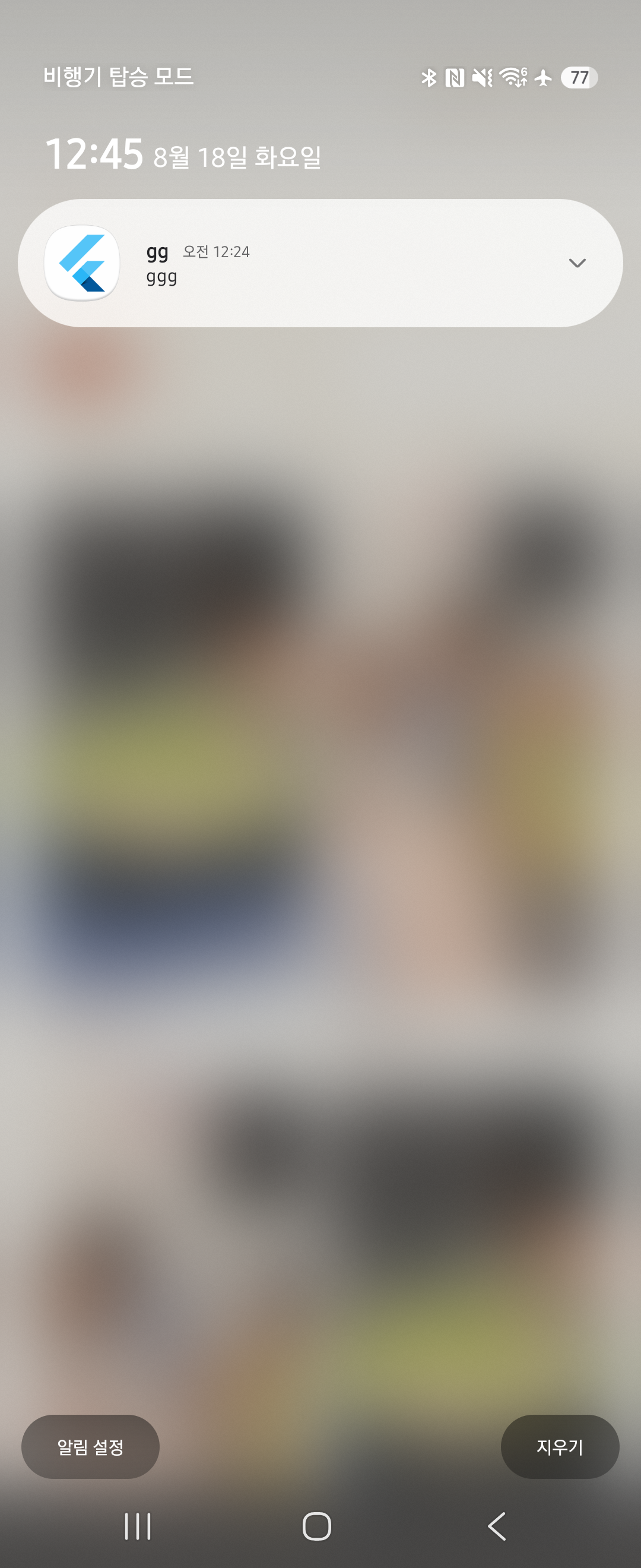
실기기 테스트 방법
- 앱을 foreground에 띄워둔 상태에서
- 다른 계정으로 관리자 공지 전송 또는 신작 게시
- 알림 배너가 상단에 표시되는지 확인
- 배너 탭 시 해당 화면으로 이동하는지 확인
관련 세션
- S140: 4가지 알림 타입 서버 인프라 구현 (트리거·마이그레이션)
- S141: DB 마이그레이션 3개 푸시 (follow/sale 트리거, push 인프라, 알림 설정)
- S142:
send-pushEdge Function 배포 및 에러 처리 검증 - S143: 알림 설정 화면 완성 (4종 토글)
- S145: Firebase 프로젝트 연결 (Android + iOS)
- S169: FCM 토큰 등록 디버깅 (async 오류 처리)
- S170: Android 실기기 푸시 알림 end-to-end 검증
- S171: Foreground 알림 표시 구현 (
flutter_local_notifications)