https://repo.anaconda.com/archive/
해당 링크에서 자신이 원하는 버전의 conda파일을 wget 명령어로 다운받는다
wget https://repo.anaconda.com/archive/Anaconda3-2024.02-1-Linux-x86_64.shbash 명령어를 통해 해당 파일을 설치해준다
뒤에 파일은 자신이 다운받은 버전의 파일을 사용하면 된다
bash Anaconda3-2024.02-1-Linux-x86_64.sh

설치하겠냐고 물어보면 yes입력
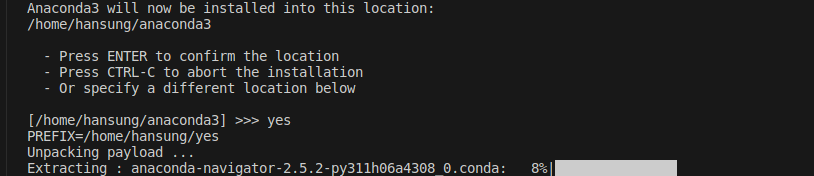
정상설치완료

그래도 conda command not found 라고 뜨는 경우
export PATH=~/anaconda3/bin:$PATH환경변수를 추가해주면 정상적으로 사용할 수 있다.