baby-linux
문제 링크
https://dreamhack.io/wargame/challenges/837
문제 설명
리눅스 명령어를 실행하는 웹 서비스에서 flag.txt 파일을 찾아 출력하여 플래그를 획득하는 문제입니다.
풀이과정
- bash에서
flag.txt에 접근하기 위해cd flag.txt에 이동을 시도하였지만.No!라는 창이 뜨며 막혔습니다.
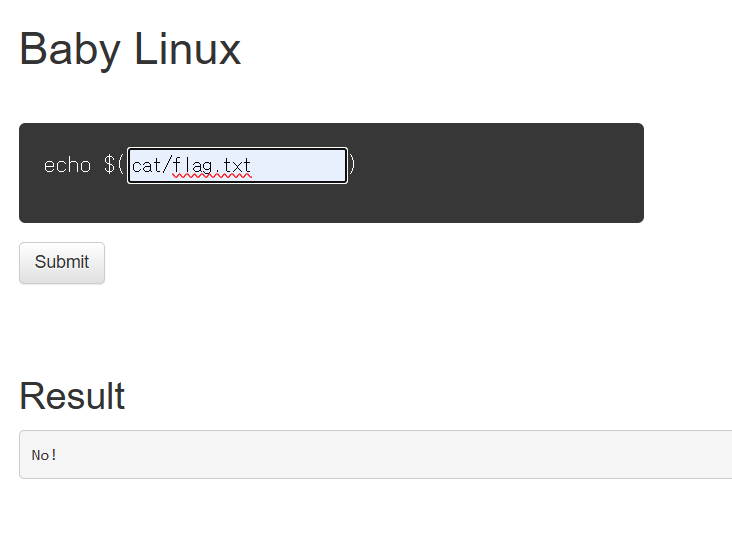
파이썬 코드를 확인해 보니
if 'flag' in cmd:
            return render_template('index.html', result='No!')
이란 코드가 있었고, 명령어에 flag란 단어가 들어가면 안된다는 걸 알게 되었습니다.
- 어떤 폴더가 있는지 확인해보기 위해
ls를 입력하였습니다.
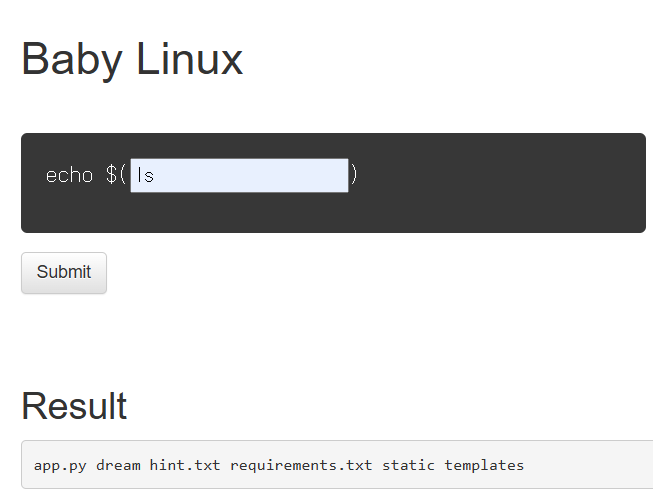
그 중hint.txt란 파일이 있는걸 알게 되었습니다.
cat hint.txt를 통해 파일 내용을 볼 수 있었고,./dream/hack/hello/라는 경로를 알려주었습니다.
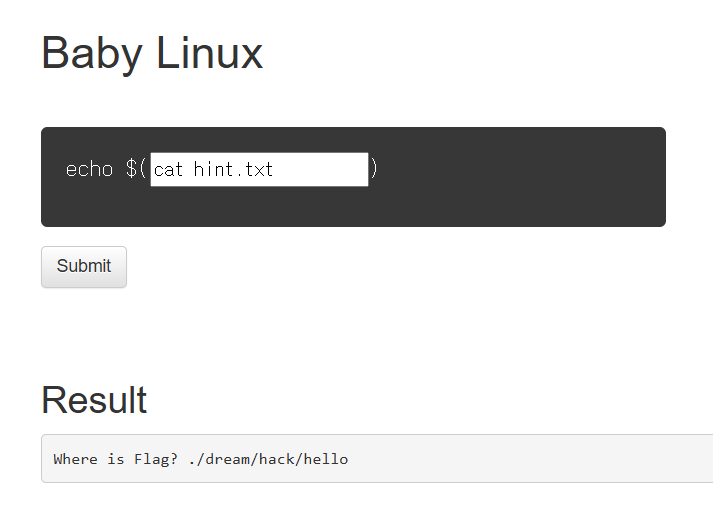
ls ./dream/hack/hello/을 통해 폴더 내역을 확인할 수 있었습니다. 경로 안에는 우리가 찾는flag.txt파일만 존재함을 알게 되었습니다.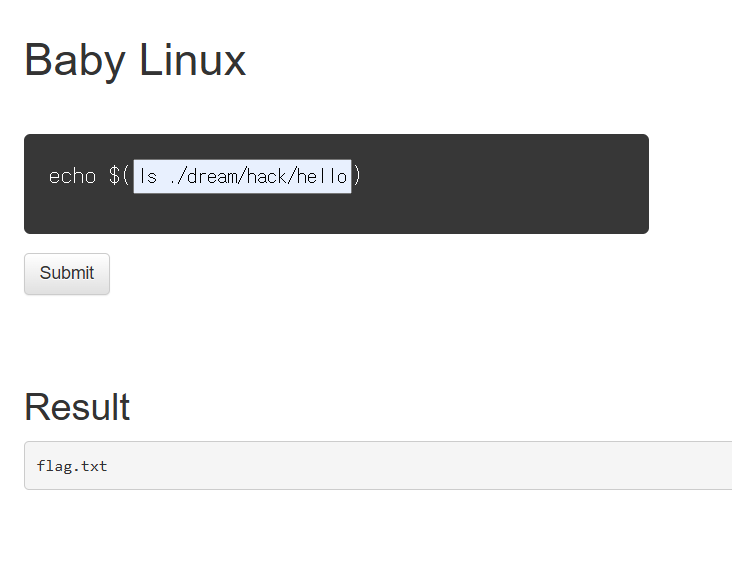
flag.txt에 접근하기 위해cat ./dream/hack/hello/*을 입력하였고, 플래그 값을 획득할 수 있었습니다.
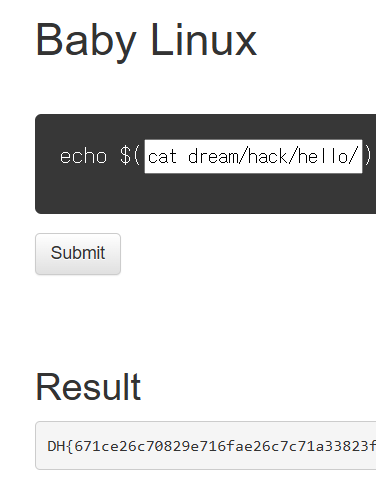
이때 *은 쉘에서 사용하는 글로브(glob) 패턴 으로, ./dream/hack/hello/ 안에 있는 모든 파일(디렉토리 제외)에 대해 접근 가능합니다. hello 안에 파일은 flag.txt 뿐임으로 결국 우리가 접근하고 싶은 ./dream/hack/hello/flag.txt과 같아지는 것입니다.
배운점
- 리눅스와 bash에 대한 기본적인 이해를 할 수 있었습니다.
- 우회하기 위한 클로브 패턴을 배웠습니다.
- bash에서 사용되는 기초 명령어들을 익히며 리눅스 환경에 익숙해 수 있었습니다.
Summary (English)
- The web service let me run Linux commands, but it blocked anything with flag in it, so I couldn’t just
cat flag.txtlike I normally would. - I tried
lsto see what was around, and found ahint.txtfile — always worth checking. - The hint pointed me to a deeper path:
./dream/hack/hello/.Looked promising. - I listed that directory and, sure enough, there was
flag.txt. But since I couldn’t type flag, I needed another way. - I used a simple trick:
cat ./dream/hack/hello/*— the*matches anything in that folder, so it printed out the flag without me having to type the filename. - Overall, I got some hands-on practice with basic bash commands, directory navigation, and a neat little way to bypass command filters using glob patterns.

CTF 풀이 및 실습 중심 학습을 기록합니다.