proxy-1
문제 링크
https://dreamhack.io/wargame/challenges/13
문제 설명
Raw Socket Sender가 구현된 서비스입니다.
요구하는 조건을 맞춰 플래그를 획득하는 문제입니다. 플래그는 flag.txt, FLAG 변수에 있습니다.
풀이과정
-
주어진 사이트를 접속해보니
/sockat에서host,port,data입력을 받고있습니다. 이를 이용 플래그를 얻는 문제임을 유추할수 있습니다.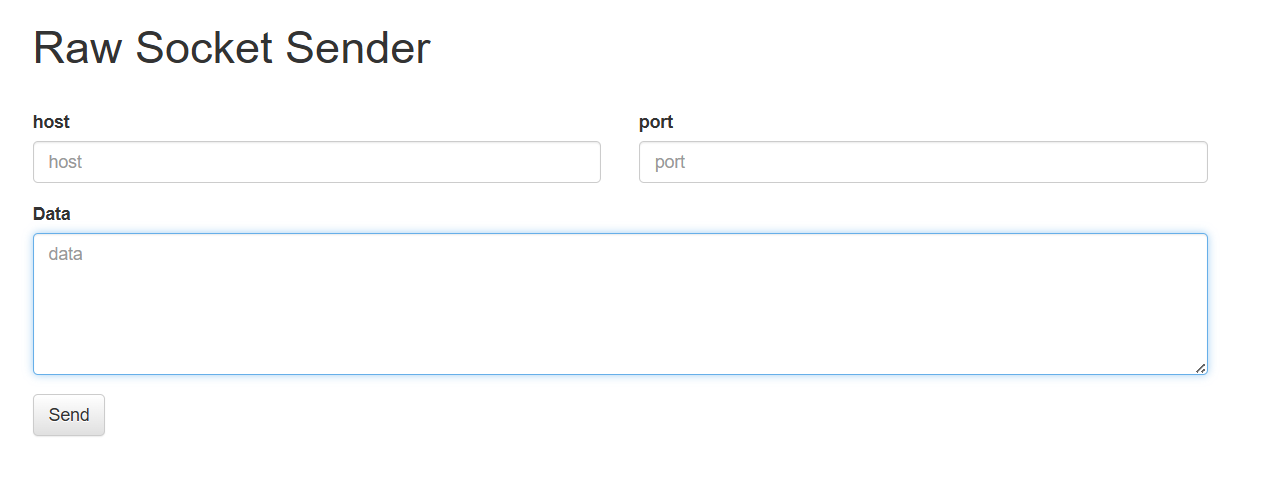
-
app.py의admin함수에서flag를 얻을 수 있는 조건을 확인할 수 있습니다. 코드를 한 줄씩 해석하면 다음과 같습니다.@app.route('/admin', methods=['POST']) def admin()::
/admin경로에 POST 방식으로 요청이 들어왔을때 admin 함수가 실행됩니다.if request.remote_addr != '127.0.0.1': return 'Only localhost': 요청한 사용자
IP가127.0.0.1이 아니면 차단합니다. 즉, 외부에서의 접근은 차단합니다.if request.headers.get('User-Agent') != 'Admin Browser': return 'Only Admin Browser': 요청의
User-Agent 헤더가Admin Browser가 아니면 차단합니다.if request.headers.get('DreamhackUser') != 'admin': return 'Only Admin': 요청의
DreamhackUser헤더가admin이 아니면 차단합니다.if request.cookies.get('admin') != 'true': return 'Admin Cookie': 쿠키 중
admin값이true여야 합니다.if request.form.get('userid') != 'admin': return 'Admin id': POST 요청의 form 데이터 중
userid가admin이어야 합니다.return FLAG: 위 조건을 모두 만족하면 FLAG 값을 반환합니다
-
2번에서 알아낸 조건을 적용하기 위해 HTTP POST를 보냅니다.
app.run(host='0.0.0.0', port=8000)을 통해
host는0.0.0.0,port는8000임을 확인할 수 있습니다. -
Data에 위에서 확인한 조건을 토대로POST /admin HTTP/1.1 Host: host1.dreamhack.games User-Agent:Admin Browser DreamhackUser:admin Cookie:admin=true userid=admin를 입력해줍니다.
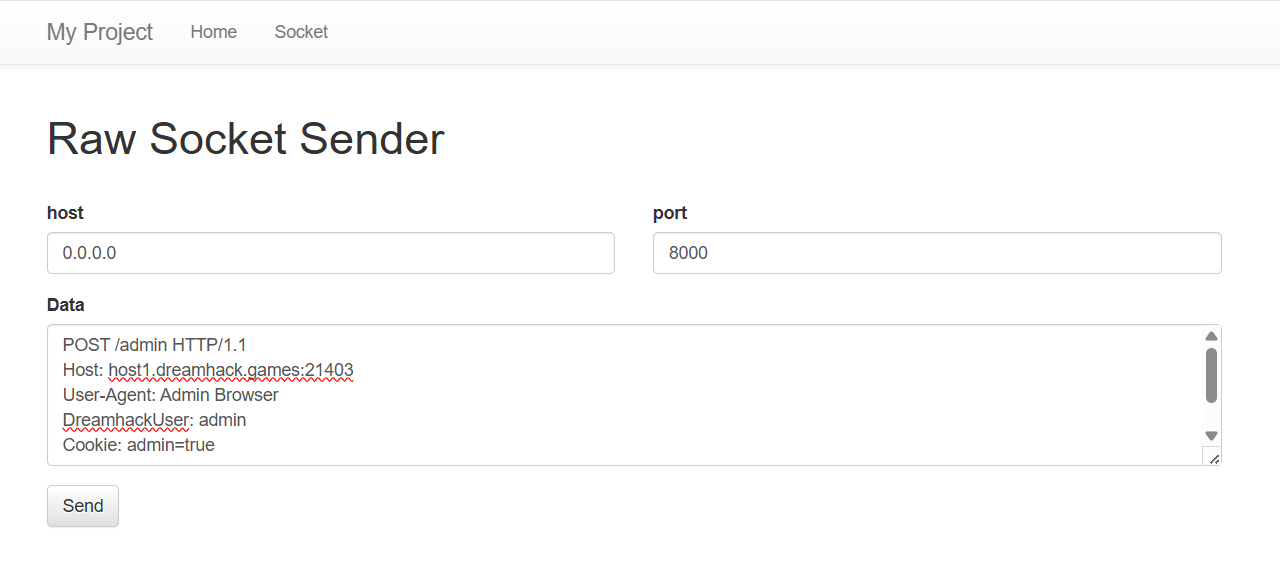
POST /admin HTTP/1.1: HTTP 요청 라인 입니다./admin경로에 요청을 보내겠단 뜻입니다. HTTP 요청은 무조건 요청 라인으로 시작해야 합니다.Host: host1.dreamhack.games: HTTP/1.1부터는 Host 헤더가 필수입니다. 문제의 웹 URL이https://host1.dreamhack.games:xxxx/...형태이기에, HOST 헤더는 그 도메인의 이름인host1.dreamhack.games임을 유추할 수 있습니다.User-Agent: Admin Browser:User-Agent헤더에Admin Browser를 넣어줍니다.DreamhackUser: admin:DreamhackUser헤더를admin으로 설정합니다.Cookie: admin=true:Cookie:헤더에admin쿠키를ture로 설정합니다.- 빈 줄 : HTTP에서 헤더와 바디를 구별하는 유일한 방법입니다! 빈 줄을 생략하면 서버는 바디가 없다고 생각합니다.
userid=admin(body 내용) :userid=admin조건을 만족합니다.
-
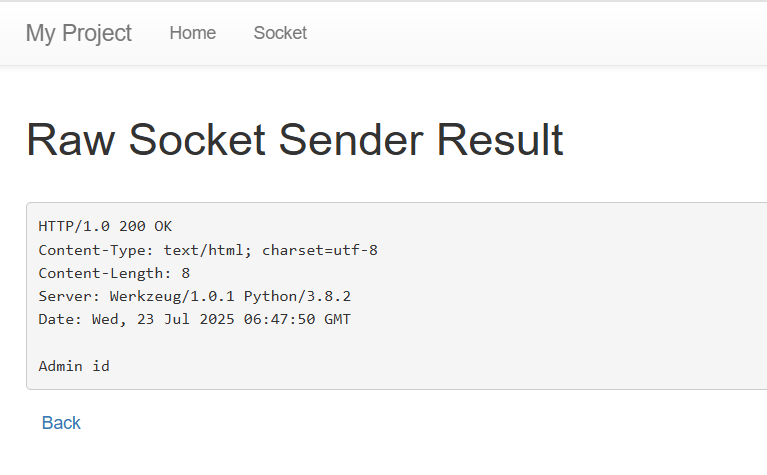
하지만,
Admin id라는 에러메시지가 응답되며 플래그를 얻어내는 데에 실패했습니다. 추가적인 조건이 필요함을 알 수 있습니다.
-
추가적으로 필요한 헤더는
Content-Type: application/x-www-form-urlencoded
Content-Length: 12
입니다.
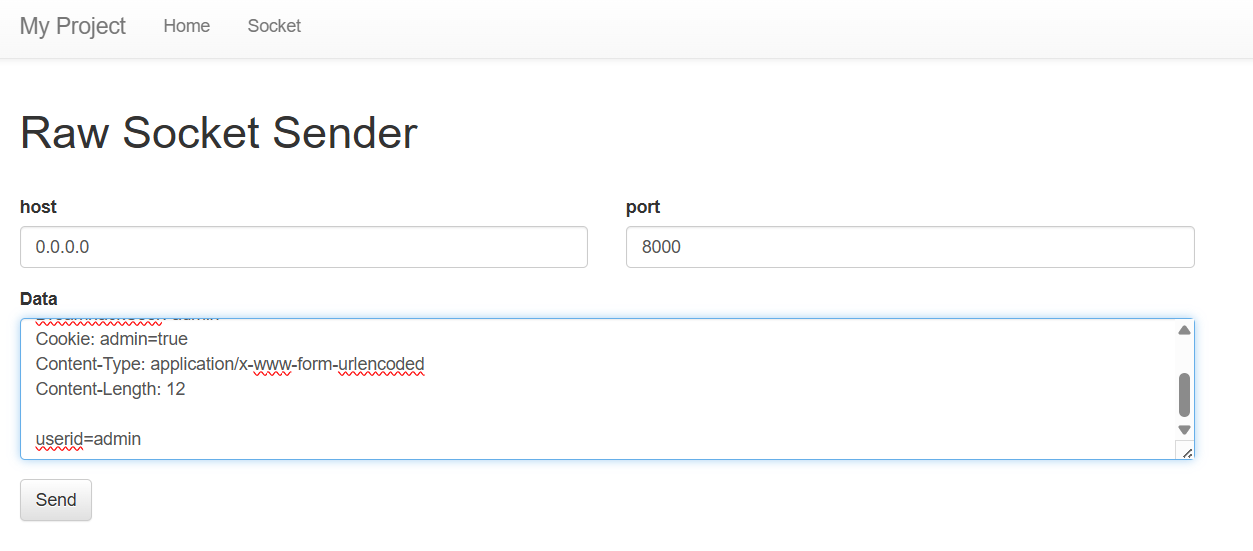
Content-Type: application/x-www-form-urlencoded: 전송하는 POST body가userid=admin같은 폼 데이터 형식이기 때문입니다.
코드에서 확인할 수 있듯,if request.form.get('userid') != 'admin': return 'Admin id'.form.get(), 폼 데이터 형식을 이용하고 있습니다. Flask는 이 헤더가 있어야.form.get()에서 값을 읽어들일 수 있기에 꼭 필요한 조건입니다.Content-Length: 12: HTTP 프로토콜에서 바디가 존재할 경우, 서버가 얼마만큼 읽을지 알려줘야 합니다.userid=admin는 12글자이기에12를 입력해줍니다.
-
post에
POST /admin HTTP/1.1
Host: host1.dreamhack.games
User-Agent:Admin Browser
DreamhackUser:admin
Cookie:admin=true
Content-Type: application/x-www-form-urlencoded
Content-Length: 12

userid=admin
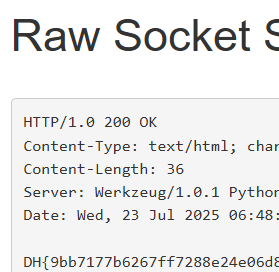
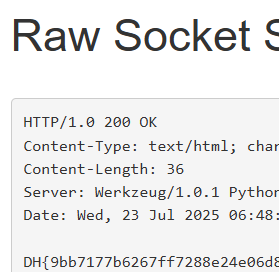
를 입력하였더니 성공적으로 플래그를 획득할 수 있었습니다.
배운점
- HHTP에서 POST 요청을 보내는 법을 배울 수 있었습니다.
- 실제 HTTP 요청의 전체 구조(요청라인, 헤더, 바디)를 수동으로 작성하면서 HTTP 프로토콜에 대한 이해가 깊어졌습니다.
Content-Type, Content-Length, Host, User-Agent, Cookie등 각 헤더가 왜 필요한지, 언제 누락되면 안 되는지를 실습으로 체득하였습니다.- 특히
Content-Type: application/x-www-form-urlencoded가 없으면.form.get()이 작동하지 않는다는 걸 알게 되었습니다. - FLASK 코드에서 주어진 조건을 보고 특정 경로에 접근하는 법을 배울 수 있었습니다.
Summary (English)
- The challenge involves accessing the admin page by crafting a specific HTTP request.
- You must send a POST request to
/adminwith certain custom headers:User-Agent: Admin BrowserDreamhackUser: adminCookie: admin=true
- The body of the request uses form data format:
userid=admin. - The server checks the headers and body to determine if the request is from an "admin".
- You need to reconstruct the exact request to bypass the server's check and reveal the flag.