[TIL] Supabase를 활용한 커뮤니티 포스트의 무한 스크롤(useInfiniteQuery)구현
useInfiniteQeruy
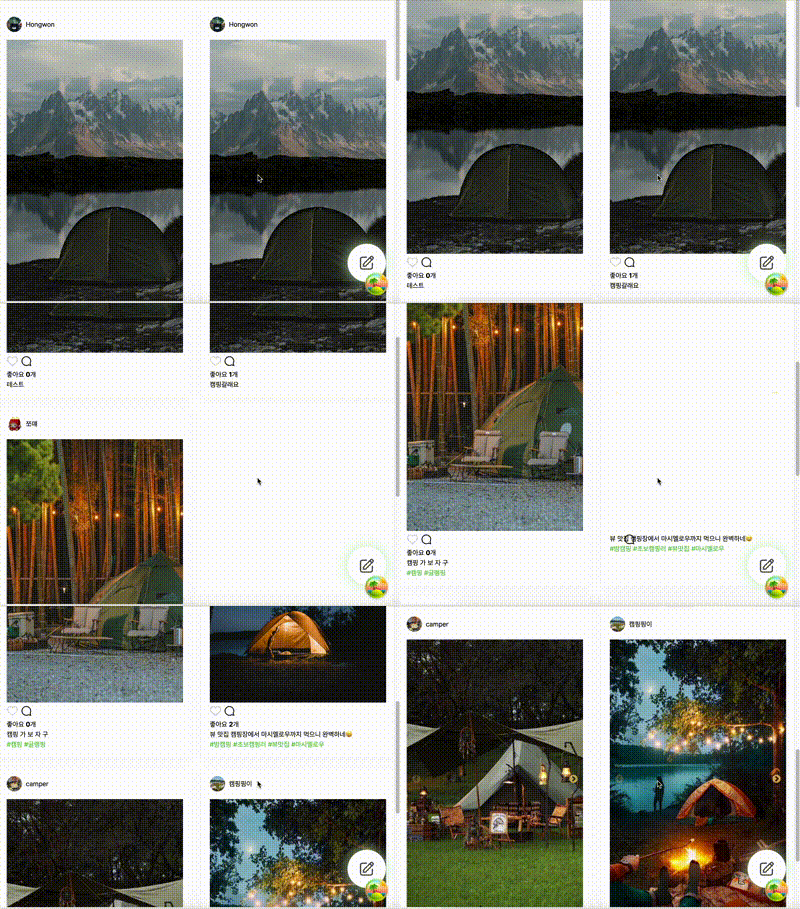
스크롤을 내리면 새로운 커뮤니티 포스트들이 하단에 그려지는 구조로 이뤄져 있어요. 이러한 구조에 맞춰 무한 스크롤을 구현하기 위해 react-qeruy에서 제공하는 useInfiniteQeruy훅을 사용했어요
/* useInfiniteQuery 기본 구조 */
const {
  fetchNextPage,
  fetchPreviousPage,
  hasNextPage,
  hasPreviousPage,
  isFetchingNextPage,
  isFetchingPreviousPage,
  ...result
} = useInfiniteQuery({
  queryKey,
  queryFn: ({ pageParam = 1 }) => fetchPage(pageParam),
  ...options,
  getNextPageParam: (lastPage, allPages) => lastPage.nextCursor,
  getPreviousPageParam: (firstPage, allPages) => firstPage.prevCursor,
})
반환값
fetchNextPage
다음 페이지를 요청할 때 사용되는 메서드
hasNextPage
다음 페이지가 있는지 판별하는 boolean값
isFetchingNextPage
다음 페이지를 불러오는 중인지 판별하는 boolean값
옵션
getNextPageParam
lastPage와 allPages는 콜백함수에서 리턴된 값으로 lastPage는 직전에 반환된 리턴값, allPages는 이제까지 받아온 전체 페이지로 흔히 마지막 페이지일 경우 undefined를 리턴하여 hasNextPage값을 false로 설정해요
getNextPageParam: (lastPage, allPages) => unknown | undefined페이지별 데이터 요청
함수의 매개변수 pageParam을 기반으로 from과 to를 계산하여 페이지별로 데이터를 요청해각 페이지는 3개의 포스트를 가져오도록 설계했어요
const fetchPage = async (pageParam: number) => {
  const from = pageParam * 3;
  const to = from + 2;

  try {
    const { data: post, error } = await supabase
      .from('post')
      .select(
        // supabase에 필요한 데이터 가져오면 되요
      )
      .range(from, to)
      .order('created_at', { ascending: false });

    if (error) {
      throw error;
    }

    return post;
  } catch (error) {
    console.error(error);
    throw error;
  }
};
Intersection Observer를 사용
entries[0].isIntersecting이 true이고, 추가 데이터를 가져올 수 있으며(hasNextPage), 현재 데이터를 가져오는 중이 아닌 경우(!isFetchingNextPage), fetchNextPage 함수를 호출하여 추가 데이터를 가져와요
const anchorRef_main = useRef<HTMLDivElement | null>(null);
  useEffect(() => {
    const observer_main = new IntersectionObserver( // 교차로 관찰자 API
      (entries) => {
        if (entries[0].isIntersecting && hasNextPage && !isFetchingNextPage) {
          fetchNextPage();
        }
      },
      { threshold: 0.5 },
    );
    if (anchorRef_main.current) {
      observer_main.observe(anchorRef_main.current);
    }
    return () => observer_main.disconnect();
  }, [hasNextPage, isFetchingNextPage, fetchNextPage, anchorRef_main]);
Threshold 설정
{ threshold: 0.5 }는 교차 여부를 판단하는 기준으로 사용되고 있어 0.5는 뷰포트에 50%가 들어왔을 때 호출되도록 설정해두었어요.
useRef
무한 스크롤을 구현하려는 컴포넌트 내에서 사용되며, 이 요소의 위치가 Intersection Observer에 의해 감지되면 추가 데이터를 가져올 수 있어요
<div ref={anchorRef_main}></div>완성코드
const fetchPage = async (pageParam: number) => {
  const from = pageParam * 3;
  const to = from + 2;
  try {
    const { data: post, error } = await supabase
      .from('post')
      .select(
       // supabase에 필요한 데이터 가져오면 되요
      )
      .range(from, to)
      .order('created_at', { ascending: false });

    if (error) {
      throw error;
    }

    return post;
  } catch (error) {
    console.error(error);
    throw error;
  }
};

export default function CommuPostList({ userId }: Props) {
  const {
    data,
    fetchNextPage,
    hasNextPage,
    isFetchingNextPage,
    isLoading,
    isError,
  } = useInfiniteQuery({
    queryKey: ['posts'],
    queryFn: ({ pageParam = 1 }) => fetchPage(pageParam),
    getNextPageParam: (lastPage, allpages) =>
      lastPage.length ? allpages.length : undefined,
    initialPageParam: 0,
  });

  const anchorRef_main = useRef<HTMLDivElement | null>(null);
  useEffect(() => {
    const observer_main = new IntersectionObserver( // 교차로 관찰자 API
      (entries) => {
        if (entries[0].isIntersecting && hasNextPage && !isFetchingNextPage) {
          fetchNextPage();
        }
      },
      { threshold: 0.5 },
    );
    if (anchorRef_main.current) {
      observer_main.observe(anchorRef_main.current);
    }
    return () => observer_main.disconnect();
  }, [hasNextPage, isFetchingNextPage, fetchNextPage, anchorRef_main]);

  if (isLoading) {
    return <Loading />;
  }

  if (isError) {
    return <div>에러 발생</div>;
  }

  return (
    <>
      {data && data.pages.length === 0 && (
        <div className={styles.noPosts}>
          <Image
            className={styles.img}
            src={CampingImg}
            alt='image'
            width={700}
            height={550}
          />
          <p>등록된 글이 없습니다.</p>
        </div>
      )}
      <ul>
        {data?.pages.map((page) =>
          page.map((item) => (
            <li className={styles.card} key={item.id}>
              <CommuUsers user={item.user} data={item} />
              <CommuPhotos photo={item.post_pic} />
              <CommuBtns data={item} userId={userId} />
              <p className={styles.content}>{item.content}</p>
              <CommuHashTags hashTag={item.post_hashtag} />
            </li>
          )),
        )}
      </ul>
      <div ref={anchorRef_main}></div>
    </>
  );
}