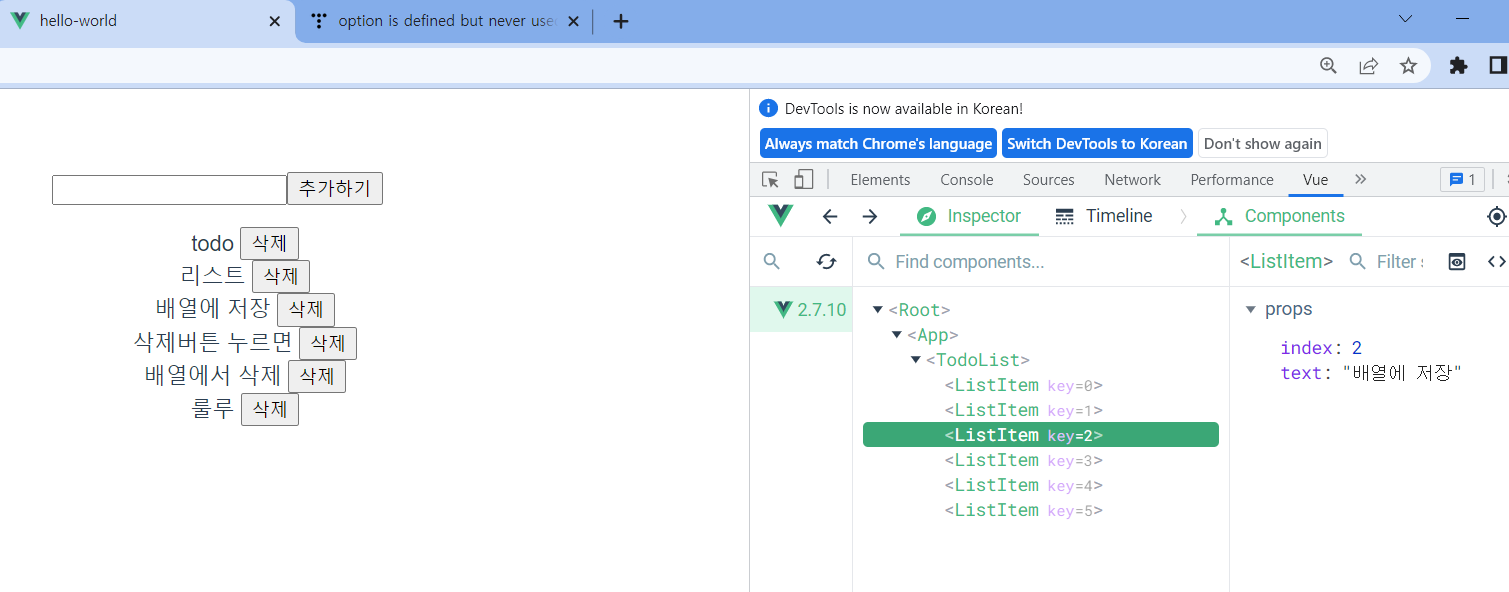
✔ App.vue
<template>
  <div id="app">
    <TodoList/>
  </div>
</template>

<script>
import TodoList from './components/TodoList.vue'

export default {
  name: 'App',
  components: {
    TodoList
  }
}
</script>

<style>
#app {
  font-family: Avenir, Helvetica, Arial, sans-serif;
  -webkit-font-smoothing: antialiased;
  -moz-osx-font-smoothing: grayscale;
  text-align: center;
  color: #2c3e50;
  margin-top: 60px;
}
</style>
✔ components/TodoList.vue
<template lang="">
<div>
<div>
<input type="text" v-model="inputValue" />
<button @click="addItem">추가하기</button>
</div>
<ul>
<ListItem v-for="(value, index) in listarray"
:key="index"
:index="index"
:text="value === '' ? undefined : value"
@delete="catchDeleteItem"/>
</ul>
</div>
</template>
<script>
import ListItem from './ListItem.vue';
export default {
data(){
return {
inputValue: "",
listarray: []
}
},
components:{
ListItem
},
methods: {
addItem(){
this.listarray.push(this.inputValue);
this.inputValue = ""
},
catchDeleteItem(index){
this.listarray.splice(index, 1)
}
}
}
</script>
<style lang="">
</style>
✔ components/ListItem.vue
<template>
<li>
{{text}}
<button @click="itemDelete">삭제</button>
</li>
</template>
<script>
export default {
props:{
index: {
type: Number
},
text: {
type: String,
required: true,
default: "안녕"
}
},
methods:{
itemDelete(){
this.$emit('delete', this.index);
}
}
}
</script>
<style lang="">
</style>