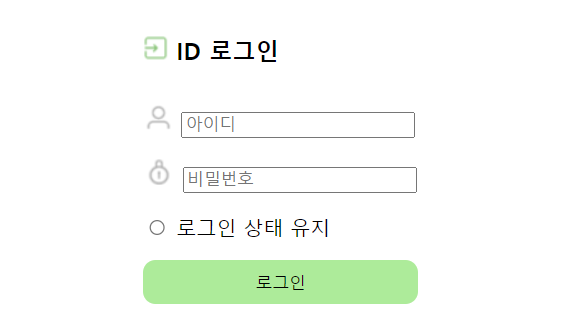
1. 로그인 페이지 실행 화면
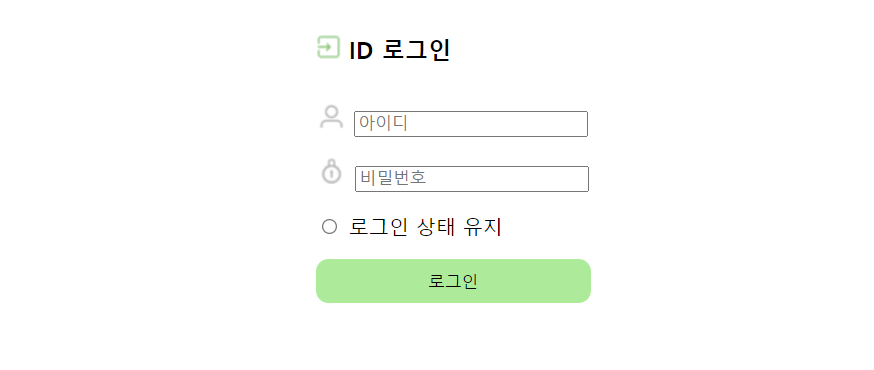
1-1. 로그인 페이지 코드
<!DOCTYPE html>
<html lang="ko">
<head>
    <meta charset="UTF-8">
    <meta name="viewport" content="width=device-width, initial-scale=1.0">
    <title>로그인</title>
    <style>
        table {
            margin-left: auto;
            margin-right: auto;
            text-align: left;
        }
        td {
            height: 40px;
        }
        .info {
            width: 180px;
        }
        .button {
            background: lightgreen;
            border: none;
            text-align: center;
            border-radius: 10px;
            height: 35px;
            width: 220px;
        }
    </style>
</head>
<body>
    <table>
        <tr>
            <th>
                <h3><input type="image" src="image/login1.png"> ID 로그인</h3>
            </th>
        </tr>
        <tr>
            <td>
                <input type="image" src="image/login2.png">
                <input type="text" class="info" name="id" placeholder="아이디">
            </td>
        </tr>
        <tr>
            <td>
                <input type="image" src="image/login3.png">
                <input type="password" class="info" name="pw" placeholder="비밀번호">
            </td>
        </tr>
        <tr>
            <td>
                <input type="radio"> 로그인 상태 유지
            </td>
        </tr>
        <tr>
            <td>
                <input type="submit" class="button" value="로그인" onclick="alert('로그인 성공')">
            </td>
        </tr>
    </table>
</body>
</html>
2. 회원가입 페이지 실행 화면
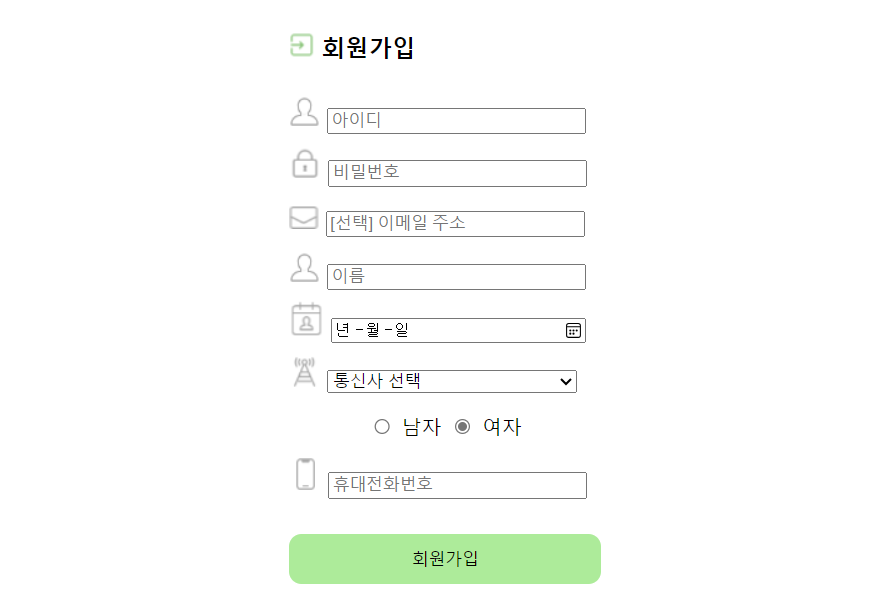
2-1. 회원가입 페이지 코드
<!DOCTYPE html>
<html lang="ko">
<head>
    <meta charset="UTF-8">
    <meta name="viewport" content="width=device-width, initial-scale=1.0">
    <title>회원가입</title>
    <style>
        table {
            margin-left: auto;
            margin-right: auto;
            text-align: left;
        }
        tr {
            height: 40px;
        }
        .info {
            width: 200px;
        }
        .gen {
            text-align: center;
        }
        .button {
            background: lightgreen;
            border: none;
            text-align: center;
            border-radius: 10px;
            height: 40px;
            width: 250px;
        }
    </style>
</head>
<body>
    <form>
        <table>
            <tr>
                <th>
                    <h3><input type="image" src="image/login1.png"> 회원가입</h3>
                </th>
            </tr>
            <tr>
                <td>
                    <input type="image" src="image/member1.png">
                    <input type="text" class="info" placeholder="아이디" required>
                </td>
            </tr>
            <tr>
                <td>
                    <input type="image" src="image/member2.png">
                    <input type="password" class="info" placeholder="비밀번호" required>
                </td>
            </tr>
            <tr>
                <td>
                    <input type="image" src="image/member3.png">
                    <input type="email" class="info" placeholder="[선택] 이메일 주소">
                </td>
            </tr>
            <tr>
                <td>
                    <input type="image" src="image/member1.png">
                    <input type="text" class="info" placeholder="이름">
                </td>
            </tr>
            <tr>
                <td>
                    <input type="image" src="image/member4.png">
                    <input type="date" class="info" placeholder="생년월일 8자리">
                </td>
            </tr>
            <tr>
                <td>
                    <input type="image" src="image/member5.png">
                    <select class="info">
                        <option value="" selected disabled hidden>통신사 선택</option>
                        <option value="1">SKT</option>
                        <option value="2">KT</option>
                        <option value="3">KG U+</option>
                    </select>
                </td>
            </tr>
            <tr>
                <td class="gen">
                    <input type="radio" name="gen" value="0"> 남자
                    <input type="radio" name="gen" value="1" checked> 여자
                </td>
            </tr>
            <tr>
                <td>
                    <input type="image" src="image/member6.png">
                    <input type="tel" class="info" placeholder="휴대전화번호">
                </td>
            </tr>
            <tr>
                <td>
                    <br><input type="submit" value="회원가입" class="button" onclick="alert('회원가입 성공')">
                </td>
            </tr>
        </table>
    </form>
</body>
</html>