1.merge 함수 사용법: pandas의 merge 함수를 사용해 employee_df와 survey_df를 id 컬럼을 기준으로 Inner Join으로 병합한다.
2.Inner Join, Left Outer Join, Right Outer Join, Full Outer Join을 pandas에서 how 옵션을 사용해 이를 설정.
3.suffixes 옵션- Join 연산 시 공통 이름의 컬럼 뒤에 붙는 _x, _y 외에 다른 문자열로 변경
4.키 값의 유연성 - 두 데이터프레임에서 사용되는 키 값이 다를 때, left_on, right_on 옵션으로 각각의 키 값을 지정하여 병합할 수 있다.
import pandas as pd

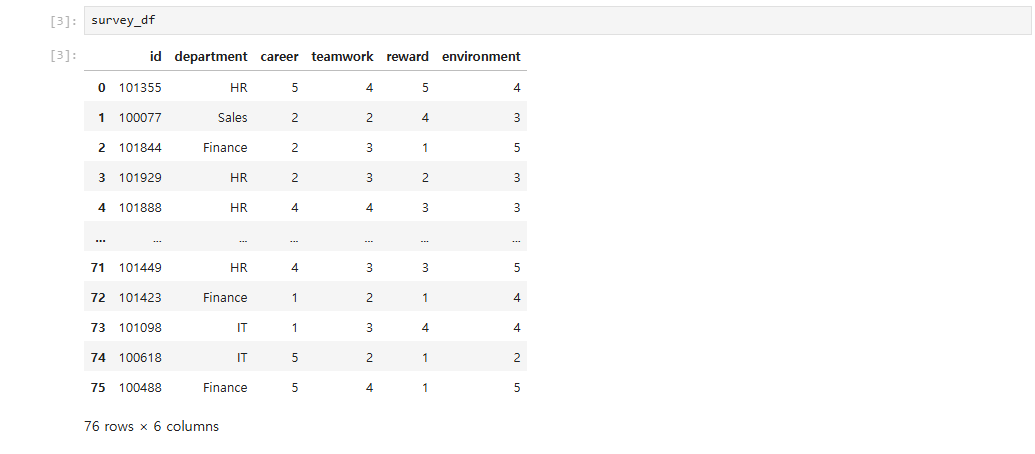
employee_df = pd.read_csv('data/employee.csv')
survey_df = pd.read_csv('data/survey.csv')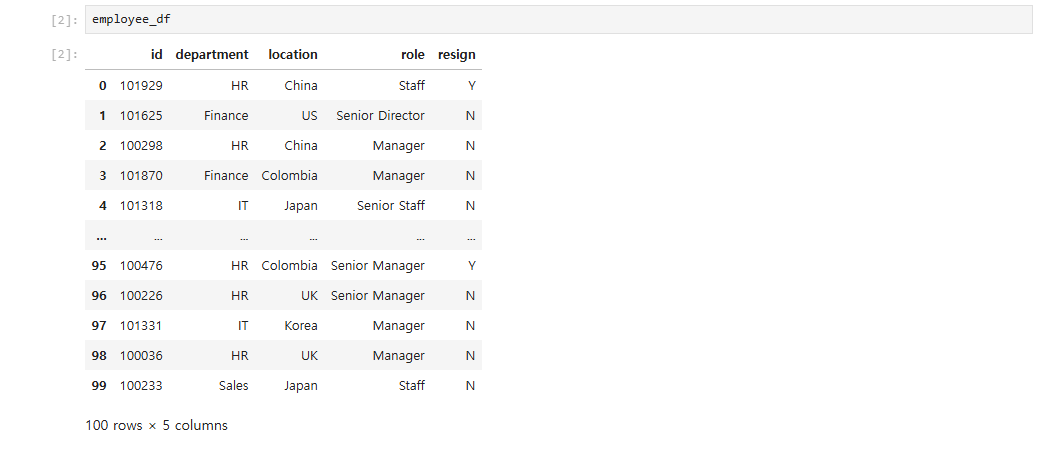
pd.merge(employee_df, survey_df, on='id') #on='id'는 key how 가 생략되어있는데 기본이 inner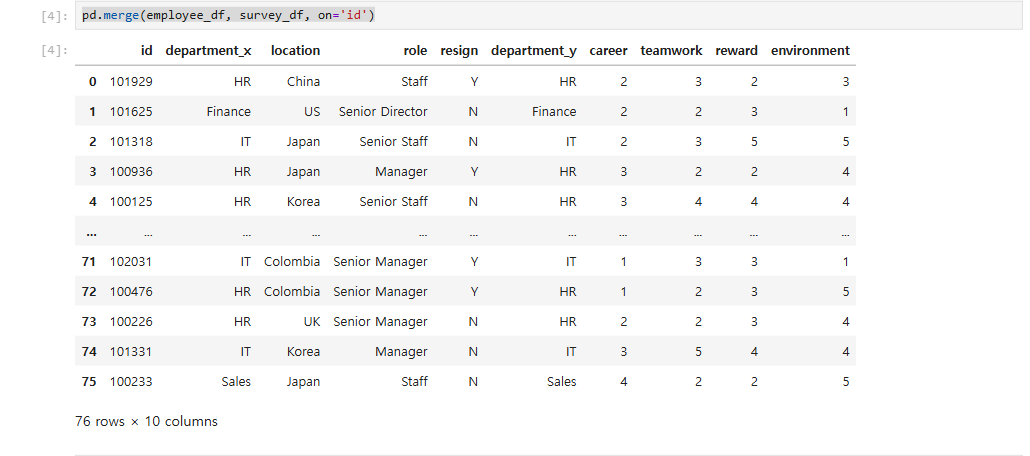
- left outer join
pd.merge(employee_df, survey_df, on='id', how='left')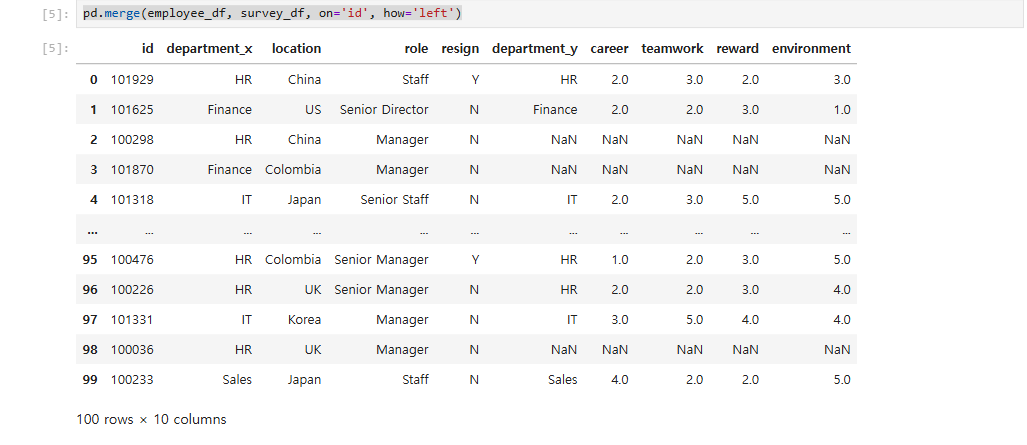
- right outer join
pd.merge(employee_df, survey_df, on='id', how='right')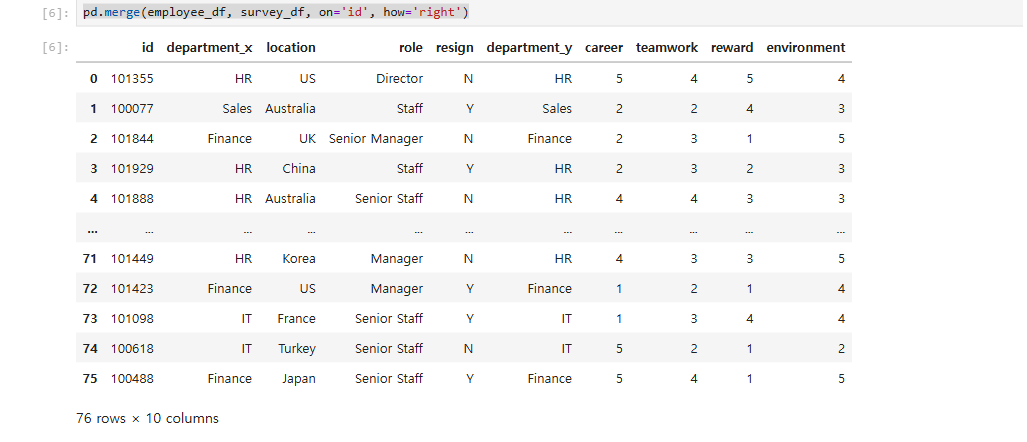
- full outer join
pd.merge(employee_df, survey_df, on='id', how='outer')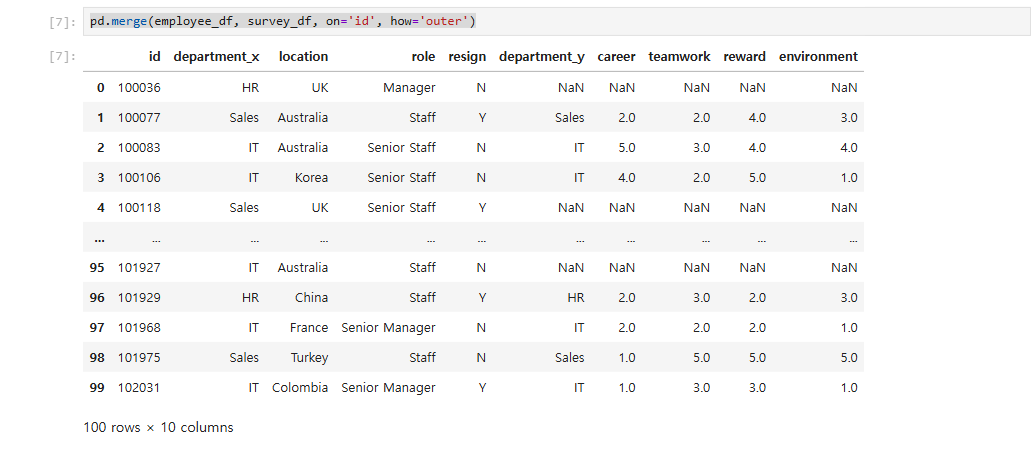
- 병합시 같은 name의 column에는 name뒤에 _x, _y가 붙는다. 이를 변경하려면 suffixes 옵션을 사용한다.
pd.merge(employee_df, survey_df, on='id', how='left', suffixes=('_left','_right'))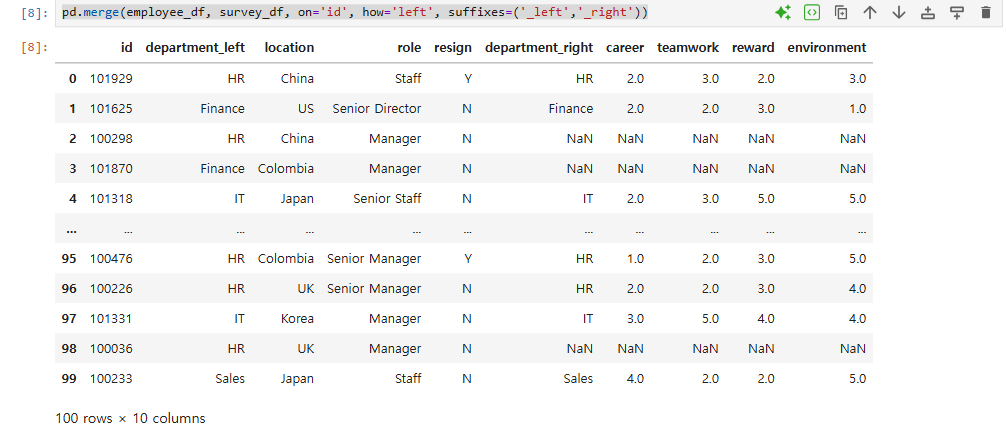
pd.merge(employee_df, survey_df, on='id', how='left', suffixes=('','_x'))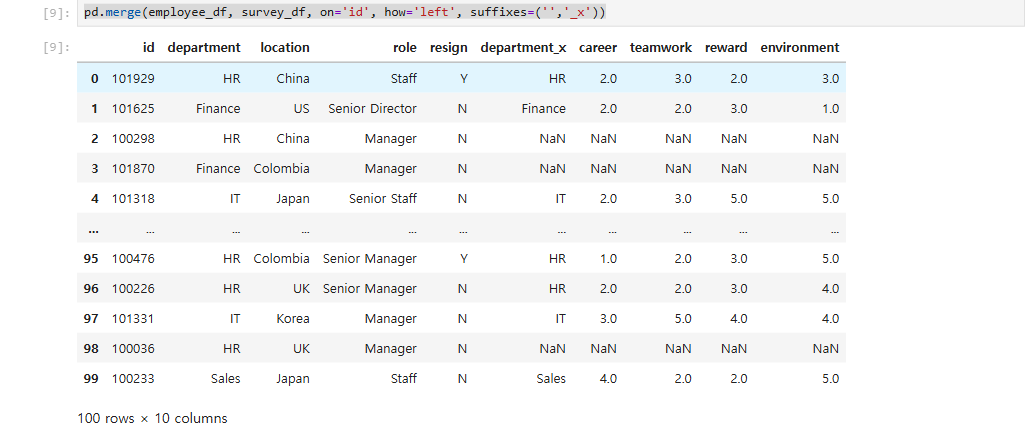
- join할 key를 양쪽을 다른 key로 설정
#테스트를 위해 키인 column name 을 변경
servey_df=survey_df.rename(columns={'id':'employee_id'})
servey_df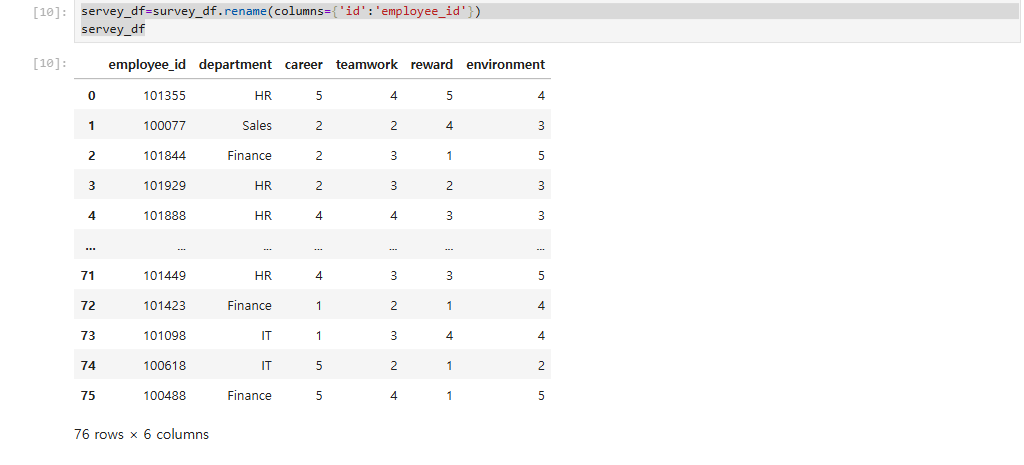
company_df = pd.merge(employee_df, servey_df, left_on='id', right_on='employee_id')
company_df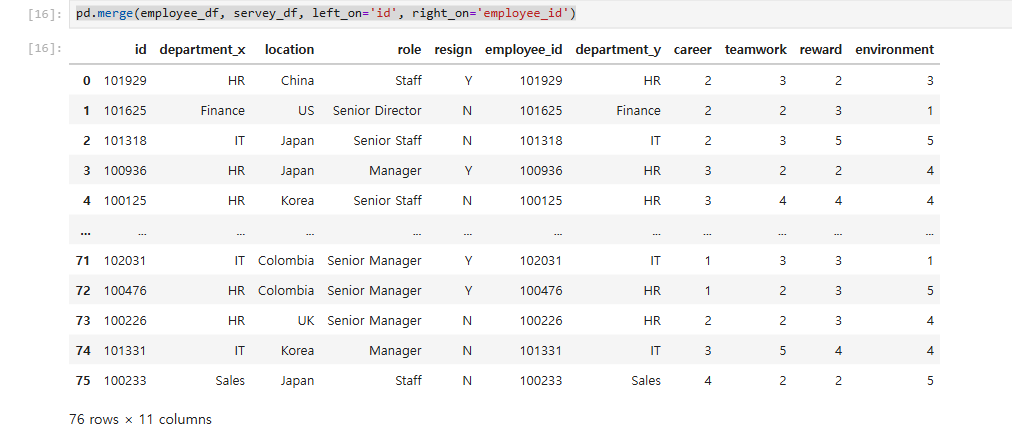
- merge()에서는 아래와 같이 left_index라는 값을 True로 설정하면 왼쪽 데이터에 있는 인덱스를 키 값으로 사용하고, right_index라는 값을 True로 설정하면 오른쪽 데이터에 있는 인덱스를 키 값으로 사용.
참고로 둘 중 하나만 True로 설정하는 것도 가능. 예를 들어 left_index만 True로 설정하면 왼쪽 데이터만 인덱스를 키 값으로 사용하고, 오른쪽 데이터는 특정 컬럼을 키 값으로 사용하게 되는데 이때, 반드시 right_on 옵션을 함께 사용해서 어떤 컬럼을 키 값으로 할 건지 정해 줘야 한다. 반대로 right_index만 True로 설정할 땐, left_on 옵션을 함께 사용해야 함.
import pandas as pd

employee_df = pd.read_csv('data/employee.csv', index_col='id')
survey_df = pd.read_csv('data/survey.csv', index_col='id')
pd.merge(employee_df, survey_df, left_index=True, right_index=True)
개발자