
모든 강의 이미지 출처는 [인프런] 쿠버네티스 어나더 클래스(지상편) - Spring 1,2 입니다.
Section 5. 실무에서 느껴 본 쿠버네티스가 정말 편한 이유
쿠버네티스 표준 생태계로 편해진 IT 인프라 구축
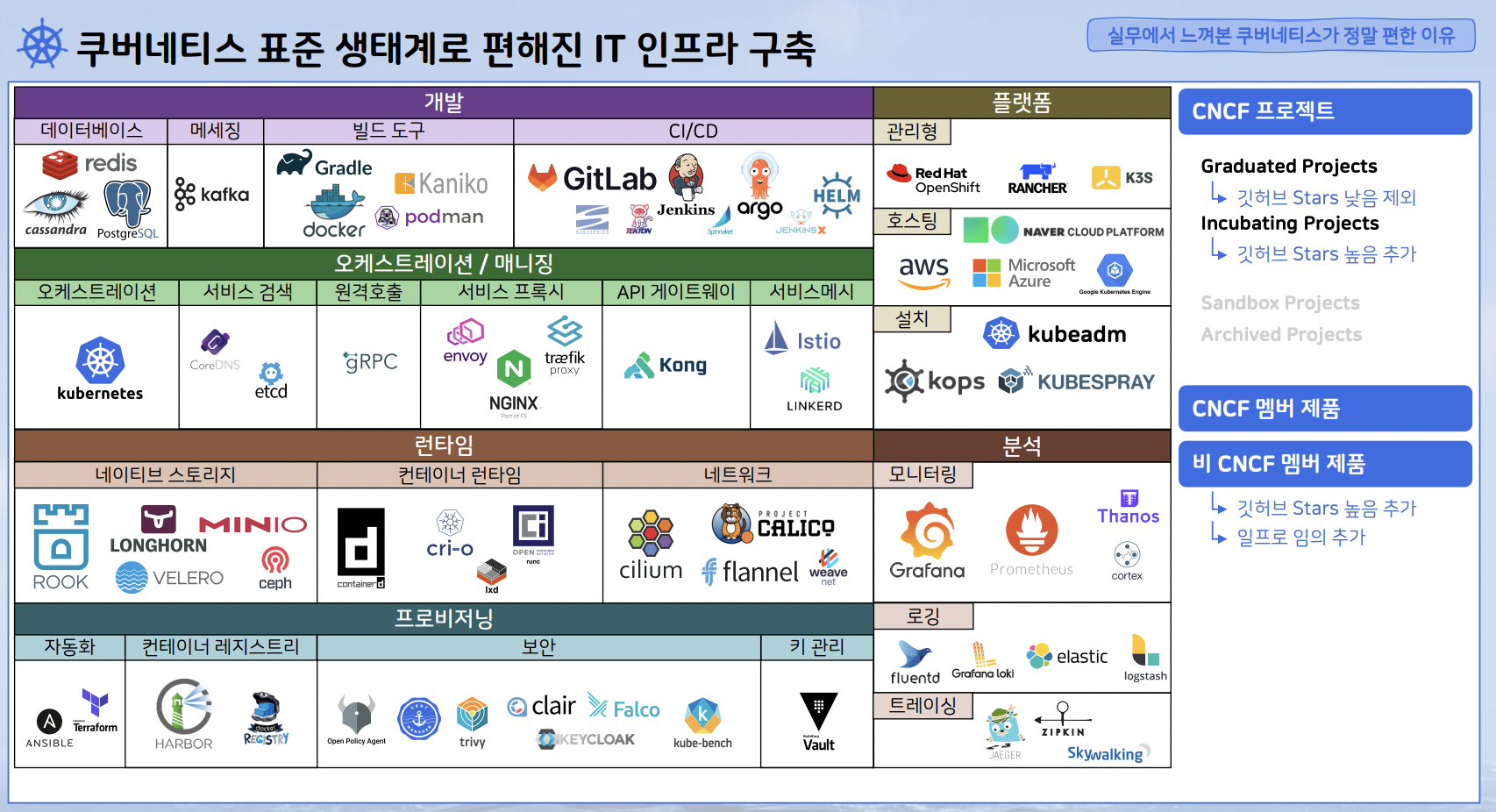
쿠버네티스 생태계에는 다양한 도구들이 있지만 처음에는 위 도구들만 인지하도록 하자.
CNCF 프로젝트
- Graduated Projects : 가장 성숙하고 안정적인 단계의 프로젝트로 대규모 프로덕션 환경에서 널리 사용되고 있으며, 강력한 커뮤니티 지원과 거버넌스를 갖추고 있다.
- Incubating Projects : 커뮤니티의 지원과 기여를 받으며 성장하고 있는 프로젝트로 프로덕션 환경에서 사용될 수 있으나, Graduated Projects만큼의 성숙도를 갖추고 있지는 않다.
- Sandbox Projects : 실험적인 초기 단계에 있는 프로젝트로 아직 프로덕션 환경에서 사용하기 이르다.
- Archived Projects : 더 이상 개발되지 않거나 CNCF의 지원이 중단된 프로젝트.
실패 프로젝트를 할 때 구조적인 문제 - 모니터링/로깅
[ 쿠버네티스 적용 전 ]
- 개발과 모니터링 시스템이 서로 엮일 수 밖에 없는 구조
- 개발에서는 한번도 써보지 않은 모니터링 시스템을 만드는 구조
- 오픈 시 개발 프로젝트와 서로 다른 범위의 APP들을 모니터링 하게되는 구조
[ 쿠버네티스 적용 후 ]
- 개발과 모니터링 시스템이 서로 엮이지 않는 구조
- 개발 초기부터 바로 쓸 수 있는 모니터링 시스템을 만드는 구조
- 오픈 시 개발 프로젝트와 자동으로 같아지는 범위의 APP들을 모니터링 하게되는 구조
모니터링 설치 방법
Github에서 Prometheus, Loki-Stack 다운로드
▶ 일프로 (https://github.com/k8s-1pro/install.git) github에서 다운로드
[root@k8s-master ~] yum -y install git

# 로컬 저장소 생성
git init monitoring
git config --global init.defaultBranch main
cd monitoring

# remote 추가
git remote add -f origin https://github.com/k8s-1pro/install.git

# sparse checkout 설정
git config core.sparseCheckout true
echo "ground/k8s-1.27/prometheus-2.44.0" >> .git/info/sparse-checkout
echo "ground/k8s-1.27/loki-stack-2.6.1" >> .git/info/sparse-checkout

# 다운로드
git pull origin main
Prometheus (with Grafana 설치)
# 설치
kubectl apply --server-side -f ground/k8s-1.27/prometheus-2.44.0/manifests/setup
kubectl wait --for condition=Established --all CustomResourceDefinition --namespace=monitoring
kubectl apply -f ground/k8s-1.27/prometheus-2.44.0/manifests

# 설치 확인 ([root@k8s-master]#)
kubectl get pods -n monitoring
Loki-Stack 설치
# 설치
kubectl apply -f ground/k8s-1.27/loki-stack-2.6.1

# 설치 확인
kubectl get pods -n loki-stack
Grafana 접속
접속 URL : http://192.168.56.30:30001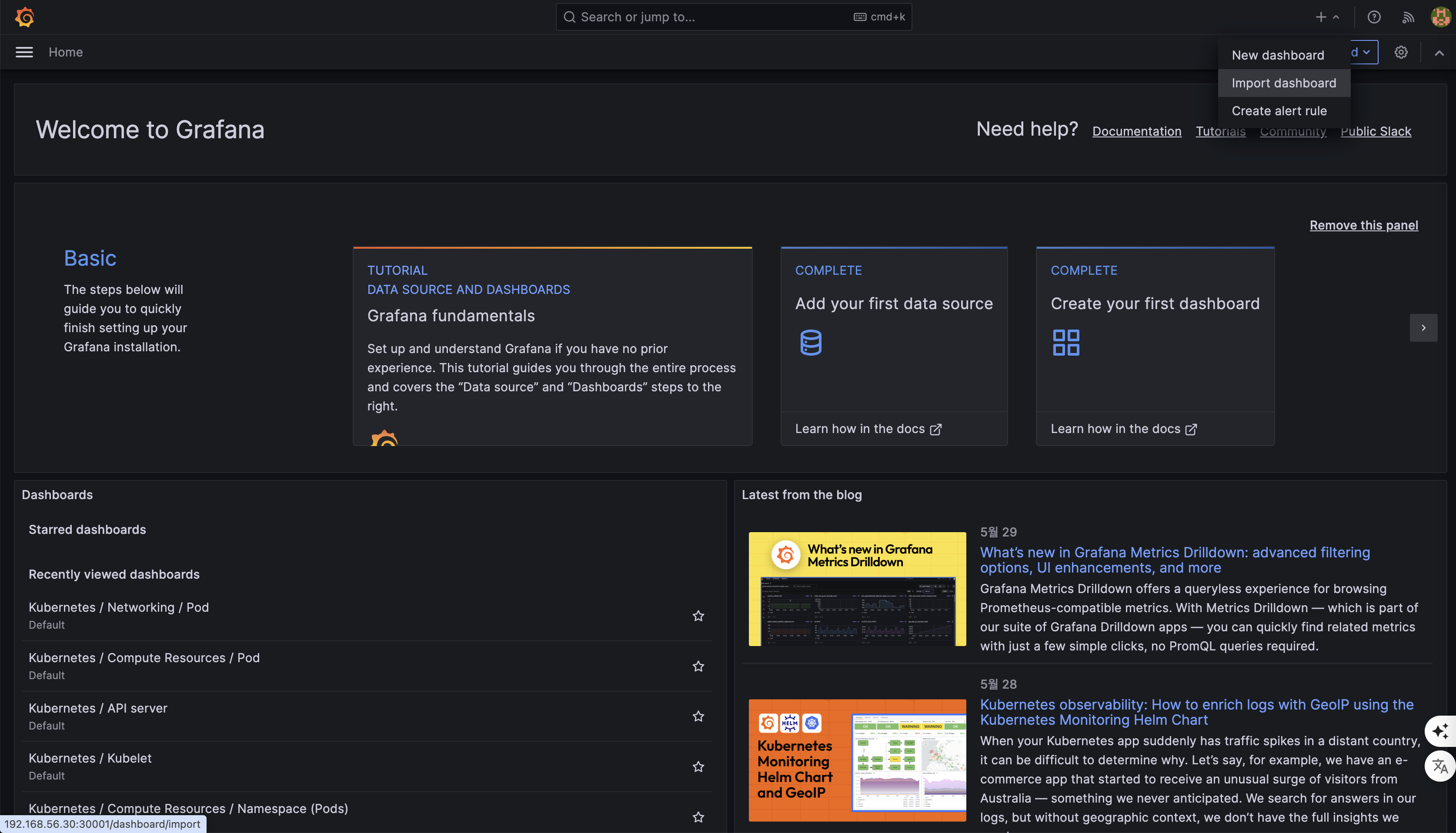
Grafana에서 Loki-Stack 연결
Home > Connections > Connect data > Loki 선택
URL에 내용 입력 : http://loki-stack.loki-stack:3100
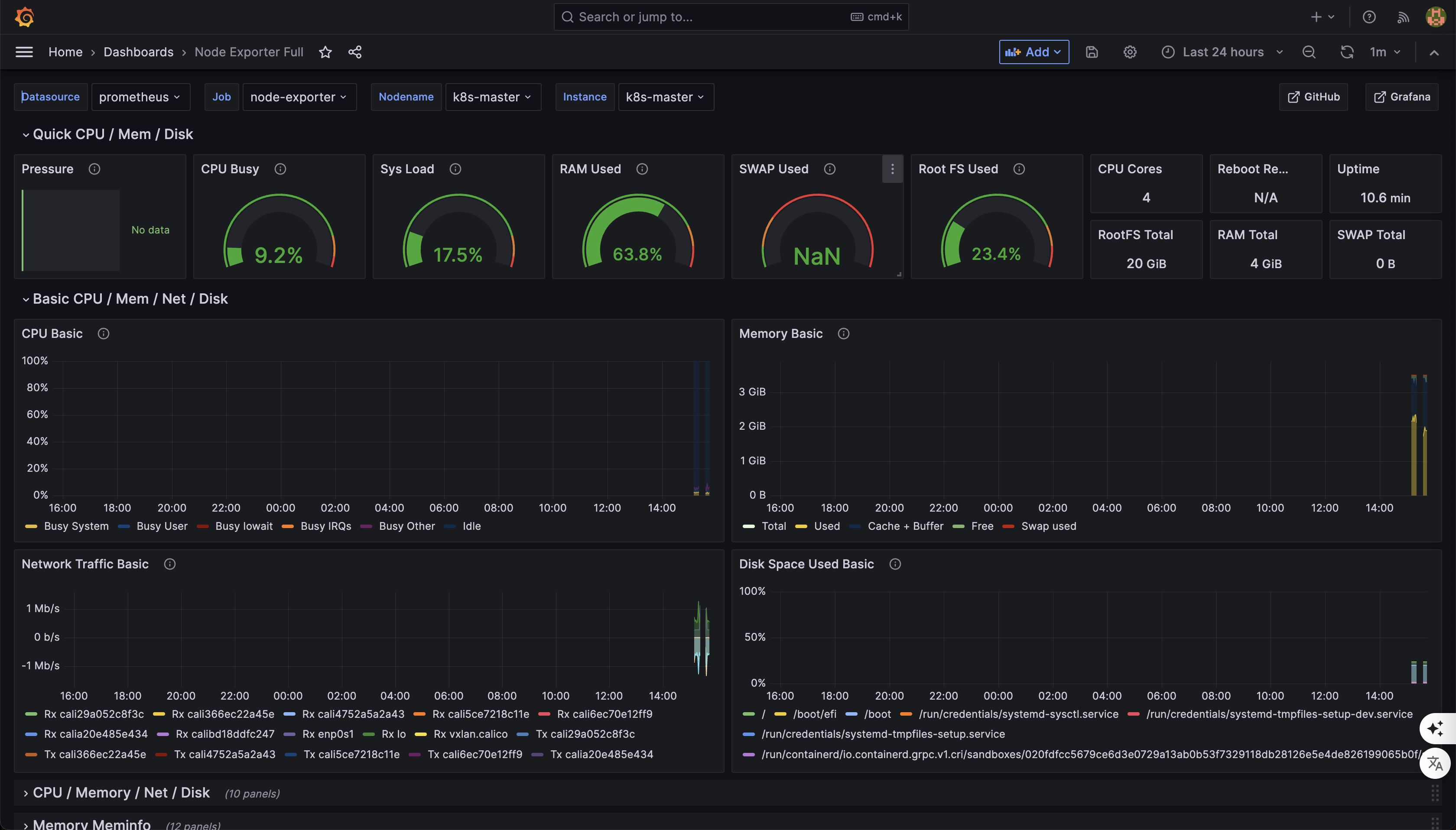
Grafana Dashboard import
예제로 아래 대시보드를 사용 > 왼쪽 하단 Copy ID 클릭
https://grafana.com/grafana/dashboards/1860-node-exporter-full/
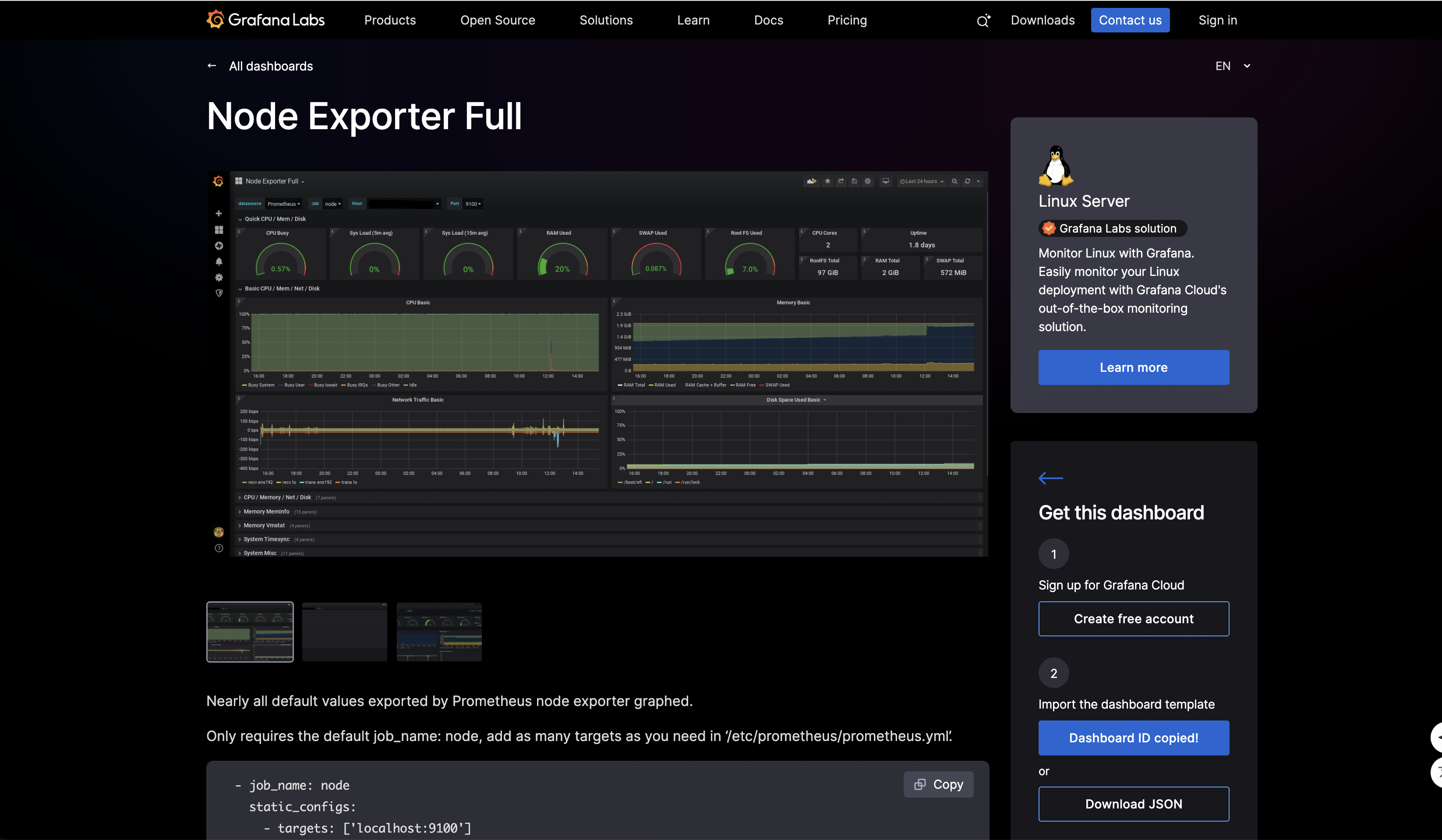
Home > Dashboards > Import dashboard > 복사된 ID 입력 후 Load
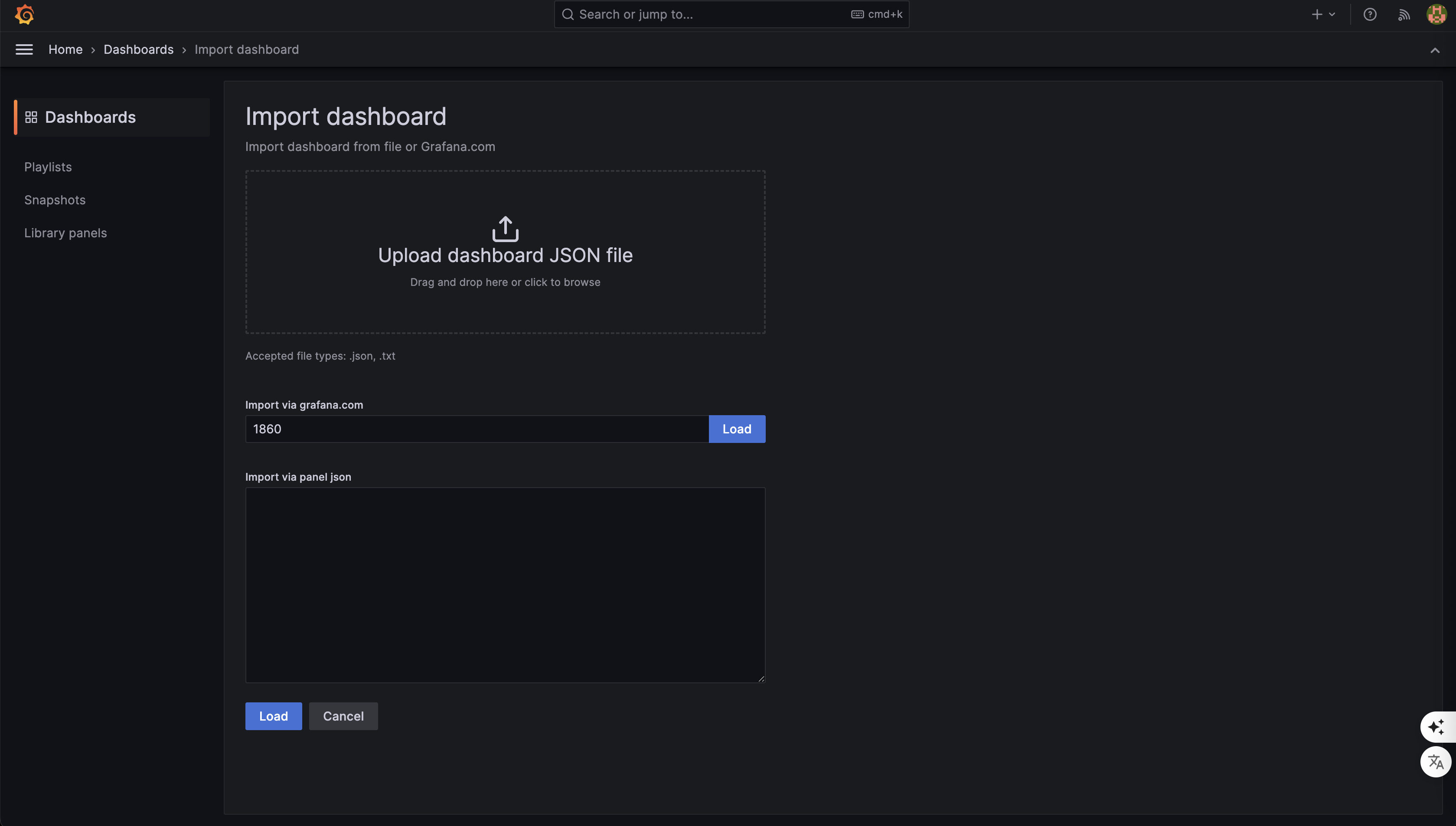
import 된 Dashboard 확인

안하는 건 있어도, 못하는 건 없다