셀레니움 접근_가장 싼 주유소 찾기
from selenium import webdriver
from selenium.webdriver.common.by import By

# 페이지 접근
url = 'https://www.opinet.co.kr/searRgSelect.do'
driver = webdriver.Chrome()
driver.get(url)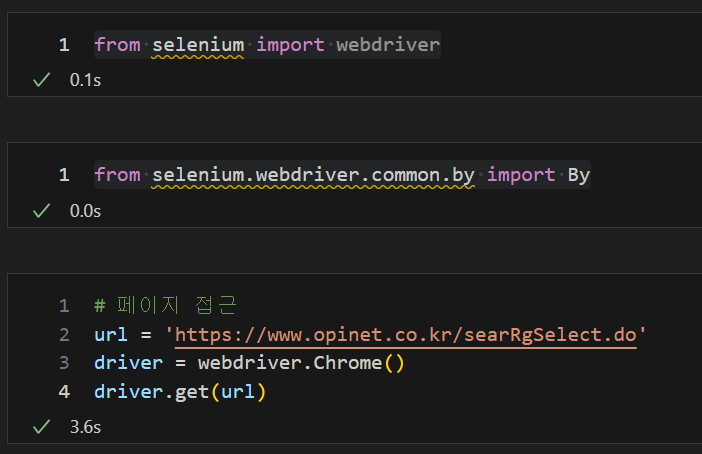
find_elements(By) : Selenium의 WebDriver 객체에서 사용되며, 웹 요소를 찾는 데 사용
가장 많이 사용하는 선택자 : By.ID, By.CLASS_NAME, By.NAME, By.TAG_NAME, By.XPATH
- By.ID: 요소의 id 속성을 사용하여 요소를 찾습니다.
- By.CLASS_NAME: 요소의 클래스 이름을 사용하여 요소를 찾습니다.
- By.NAME: 요소의 name 속성을 사용하여 요소를 찾습니다.
- By.TAG_NAME: 요소의 태그 이름을 사용하여 요소를 찾습니다.
- By.LINK_TEXT: a 태그의 텍스트 링크를 사용하여 요소를 찾습니다.
- By.PARTIAL_LINK_TEXT: 링크 텍스트의 부분 일치를 사용하여 요소를 찾습니다.
- By.XPATH : XPath 표현식을 사용하여 요소를 찾습니다.
- By.CSS_SELECTOR: CSS 선택자를 사용하여 요소를 찾습니다.
ID, TAG_NAME으로 시/도를 찾고 for문으로 리스트 생성 및 슬라이싱 후 서울특별시 지정하기
send_keys : 이 메서드를 사용하면 텍스트 입력 필드에 문자열을 입력하거나 특수 키를 보내거나 파일을 업로드할 수 있습니다.
sido_list_raw = driver.find_element(By.ID, 'SIDO_NM0') #부모 태그
sido_list_raw.text

sido_list = sido_list_raw.find_elements(By.TAG_NAME, 'option')
# element에서 복수(s) 형태로 바꿔야 다수의 데이터 출력 가능
len(sido_list), sido_list[17].text

sido_list[1].get_attribute('value')
# get_attribute = 태그의 속성값을 가져오는 메써드
# <option value="서울특별시">서울</option> 중 value 의 속성값인 "서울특별시" 데이터 가져오기

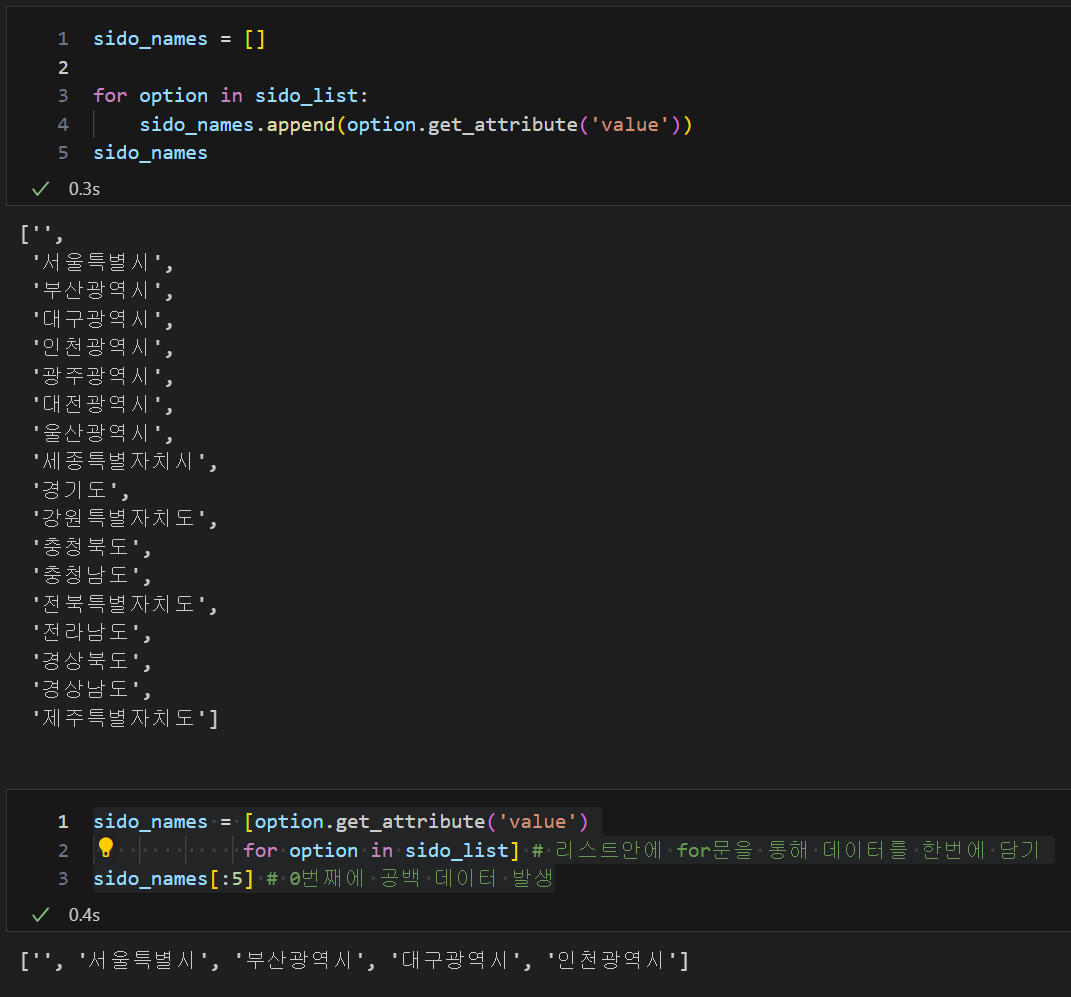
sido_names = [option.get_attribute('value')
             for option in sido_list] # 리스트안에 for문을 통해 데이터를 한번에 담기
sido_names[:5] # 0번째에 공백 데이터 발생

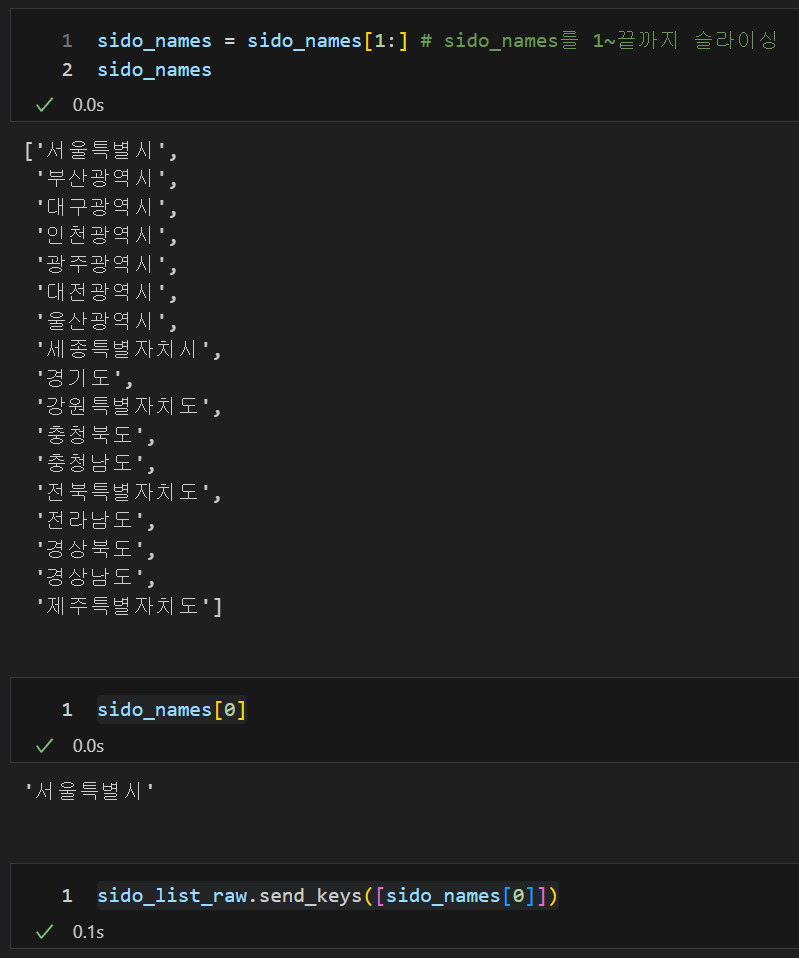
sido_names = sido_names[1:] # sido_names를 1~끝까지 슬라이싱
sido_names

sido_names[0]

sido_list_raw.send_keys([sido_names[0]])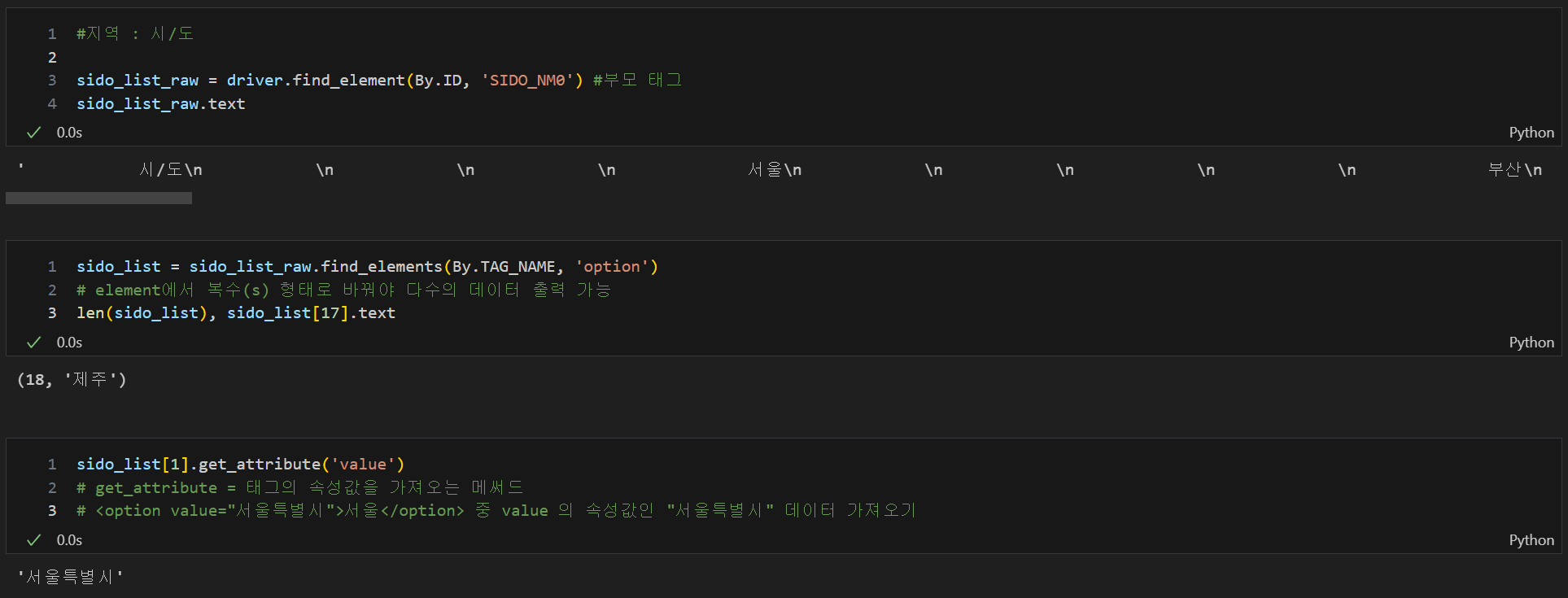
시/군/구 한번에 찾고 for문으로 확인하기
# 지역 : 시/군/구
gu_list_raw= driver.find_element(By.ID, 'SIGUNGU_NM0') # 부모 태그
gu_list = gu_list_raw.find_elements(By.TAG_NAME, 'option') # 자식 태그
gu_names = [option.get_attribute('value')
           for option in gu_list] # 리스트안에 for문을 통해 데이터를 한번에 담기
gu_names = gu_names[1:]
gu_names[:5], len(gu_names)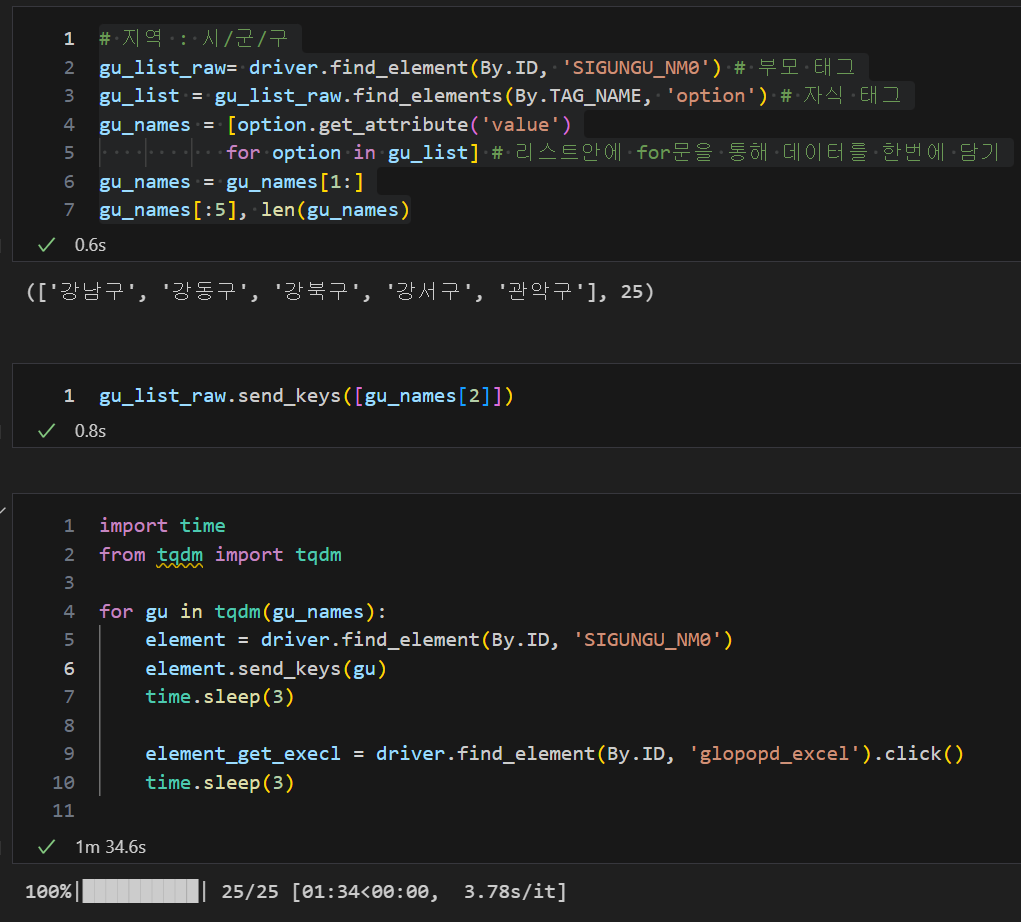
클릭하고자 하는 위치(여기서는 부가정보)의 ID, XPATH 지정 후 click 메써드 테스트
driver.find_element(By.XPATH, '//*[@id="CWSH_YN"]').click(),
driver.find_element(By.XPATH, '//*[@id="MAINT_YN"]').click(),
driver.find_element(By.XPATH, '//*[@id="CVS_YN"]').click(),
driver.find_element(By.XPATH, '//*[@id="SEL24_YN"]').click()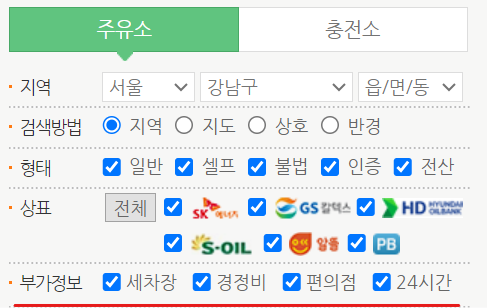
driver = webdriver.Chrome()의 page_source를 이용하여 접근 주소를 만든 후 BeautifulSoup find로 정보 얻어오기 테스트
driver = webdriver.Chrome()
req = driver.page_source
soup = BeautifulSoup(req, 'html.parser')

name = soup.find('label', {'id' : 'os_nm'}).text
name, type(name)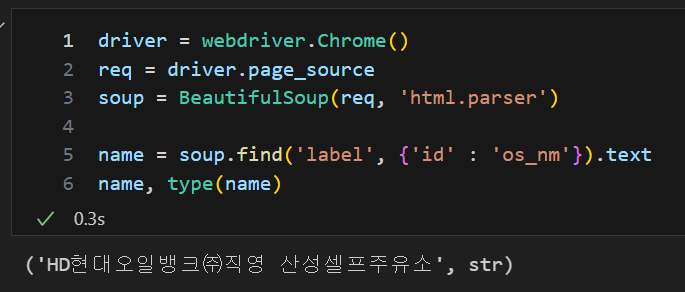
수집할 정보의 빈 리스트를 만들고 for문을 통하여 Selenium과 BeautifulSoup을 이용하여 정보 수집
- 조회할 각 주유소 클릭버튼 X_path 조회 후 패턴 확인(tr[n] 구간이 1씩 증가) 후 절대 경로로 클릭
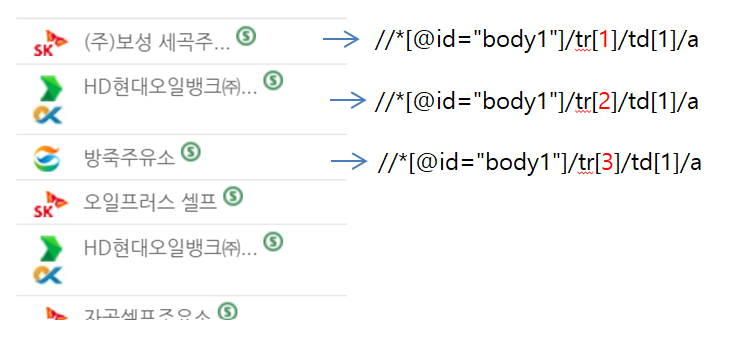
- 검색 결과를 통하여 range를 cnt로 설정

gas_station = []
address = []
brand = []
gasoline_price = []
disel_price = []
self = []
car_awsh = []
charging_station =  []
light_maintenance = []
convenience_store = []
sel24 = []
district = []

from tqdm import tqdm_notebook


for i in tqdm_notebook(range(len(gu_names))):
    gu = driver.find_element(By.ID, 'SIGUNGU_NM0')
    gu.send_keys(gu_names[i])

    # 검색 결과를 통하여 range를 cnt로 설정
    cnt = driver.find_element(By.XPATH, '//*[@id="totCnt"]').text

    for j in range(1, int(cnt)+1):

        # 조회할 각 주유소 클릭버튼 X_path 조회 후 패턴 확인 : tr[n] 구간이 1씩 증가
        # //*[@id="body1"]/tr[1]/td[1]/a
        # //*[@id="body1"]/tr[2]/td[1]/a
        # //*[@id="body1"]/tr[3]/td[1]/a

        # search_tag : 절대 경로 사용
        search_tag = driver.find_element(By.XPATH, """//*[@id="body1"]/tr[""" + str(j) + """]/td[1]/a""").click()

        req = driver.page_source
        soup = BeautifulSoup(req, 'html.parser')

         # 주유소이름, 주소, 상표, 휘발유가격, 경유가격
        gas_station.append(soup.find('label', {'id' : 'os_nm'}).text)
        address.append(soup.find('label', {'id' : 'rd_addr'}).text)
        brand.append(soup.find('label', {'id' : 'poll_div_nm'}).text)
        gasoline_price.append(soup.find('label', {'id' : 'b027_p'}).text)
        disel_price.append(soup.find('label', {'id' : 'd047_p'}).text)

        # 셀프여부
        check1 = str(soup.find('span', {'id' : 'SPAN_SELF_VLT_YN_ID'}))
        self.append('N') if check1.find('self_icon') == -1 else self.append('Y')

        #세차장, 충전소, 경정비, 편의점, 24시간 여부, 구
        #find 함수는 찾는 값이 없다면 -1 출력

        check2 = str(soup.find('img', {'id' : 'cwsh_yn'}))
        car_awsh.append('Y') if check2.find('off') == -1 else car_awsh.append('N')

        check3 = str(soup.find('img', {'id' : 'lpg_yn'}))
        charging_station.append('Y') if check3.find('off') == -1 else charging_station.append('N')

        check4 = str(soup.find('img', {'id' : 'maint_yn'}))
        light_maintenance.append('Y') if check4.find('off') == -1 else light_maintenance.append('N')

        check5 = str(soup.find('img', {'id' : 'cvs_yn'}))
        convenience_store.append('Y') if check5.find('off') == -1 else convenience_store.append('N')

        check6 = str(soup.find('img', {'id' : 'sel24_yn'}))
        sel24.append('Y') if check6.find('off') == -1 else sel24.append('N')

        district.append((soup.find('label', {'id' : 'rd_addr'}).text).split()[1])
append한 리스트를 통하여 데이터프레임 생성
import pandas as pd

oil_df = pd.DataFrame({
    'gas_station' : gas_station,
    'address' : address,
    'brand' : brand,
    'gasoline_price' : gasoline_price,
    'disel_price' : disel_price,
    'self' : self,
    'car_awsh' : car_awsh,
    'charging_station' : charging_station,
    'light_maintenance' : light_maintenance,
    'convenience_store' : convenience_store,
    'sel24' : sel24,
    'district' : district
})
oil_df.tail()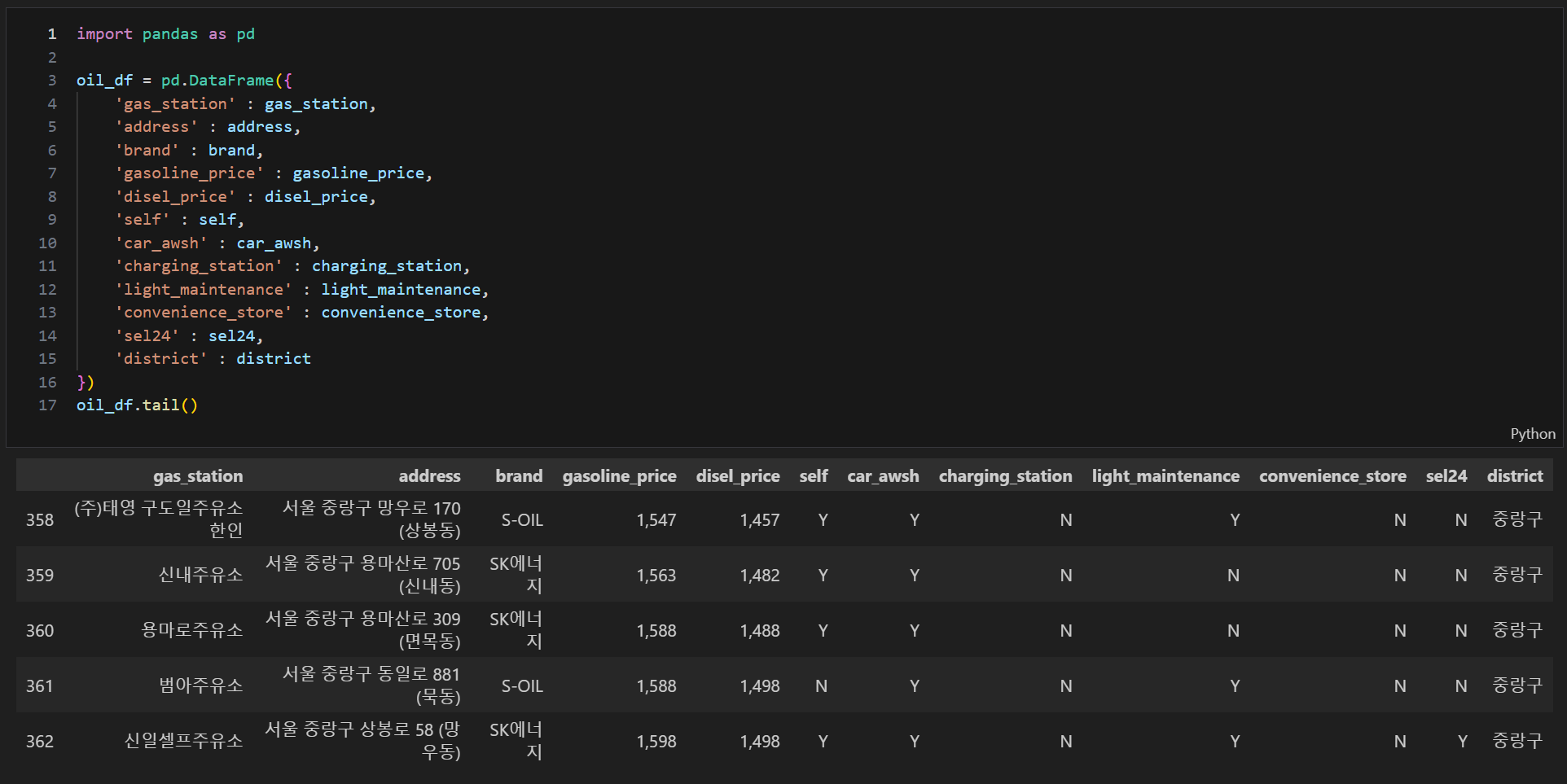
계산을 위한 gasoline_price, disel_price 천단위 삭제 및 float 타입 변경
# 천단위 삭제
for i in range(len(oil_df)):
    oil_df['gasoline_price'][i] = float(oil_df['gasoline_price'][i].replace(',',''))
    oil_df['disel_price'][i] = float(oil_df['disel_price'][i].replace(',',''))

oil_df.tail(3)
oil_df.info()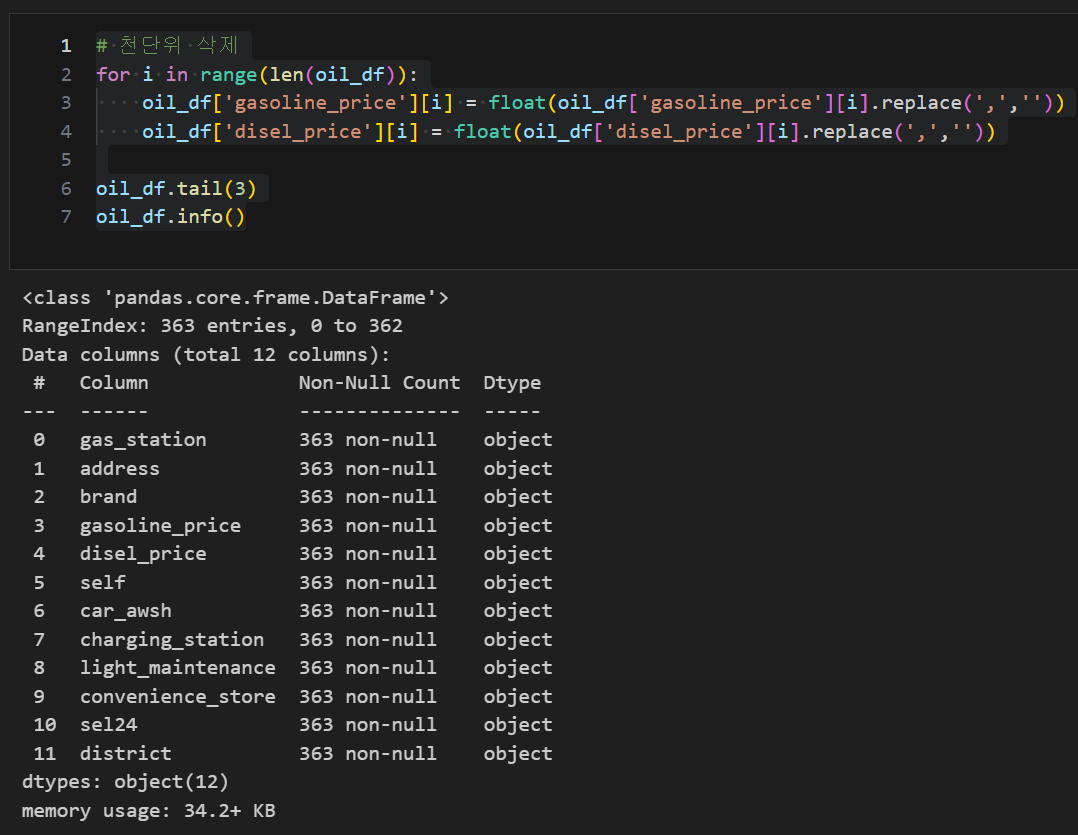
# 휘발유 가격, 경유 가격을 float로 변환_웹크롤링 시 문자열로 가져오므로 데이터타입 변경 필요
oil_df['gasoline_price'] = oil_df['gasoline_price'].astype('float')
oil_df['disel_price'] = oil_df['disel_price'].astype('float')

oil_df.info()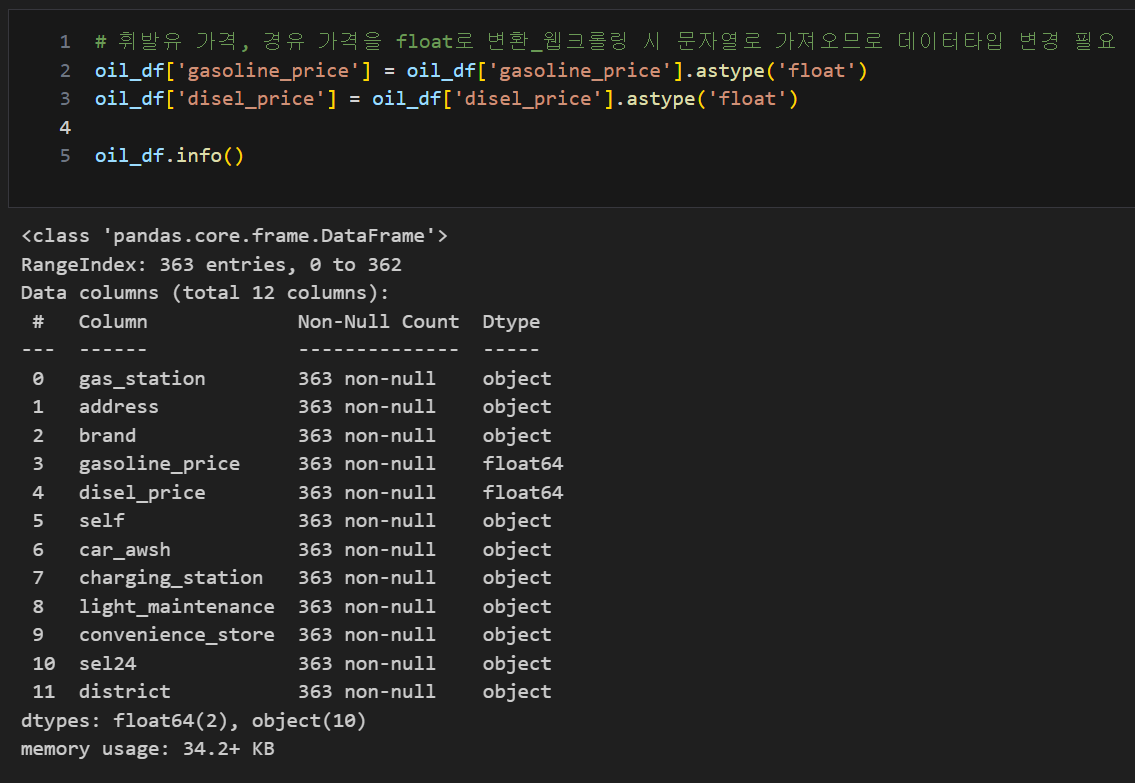
위도, 경도 가져오기
#위도 경도
import googlemaps
import numpy as np

gmaps_key = 'AIzaSyDHbtPw9GEryHxMnBOyQQHqEr1POHeGCQI'
gmaps = googlemaps.Client(key = gmaps_key)


oil_df['lat'] = np.nan
oil_df['lng'] = np.nan

for idx, rows in tqdm(oil_df.iterrows()):
    tmp = gmaps.geocode(rows['address'], language = 'ko')

    if tmp:
        lat = tmp[0].get('geometry')['location']['lat']
        lng = tmp[0].get('geometry')['location']['lng']

        oil_df.loc[idx, 'lat'] = lat
        oil_df.loc[idx, 'lng'] = lng
    else:
        print(idx, rows['address'])

oil_df.tail(3)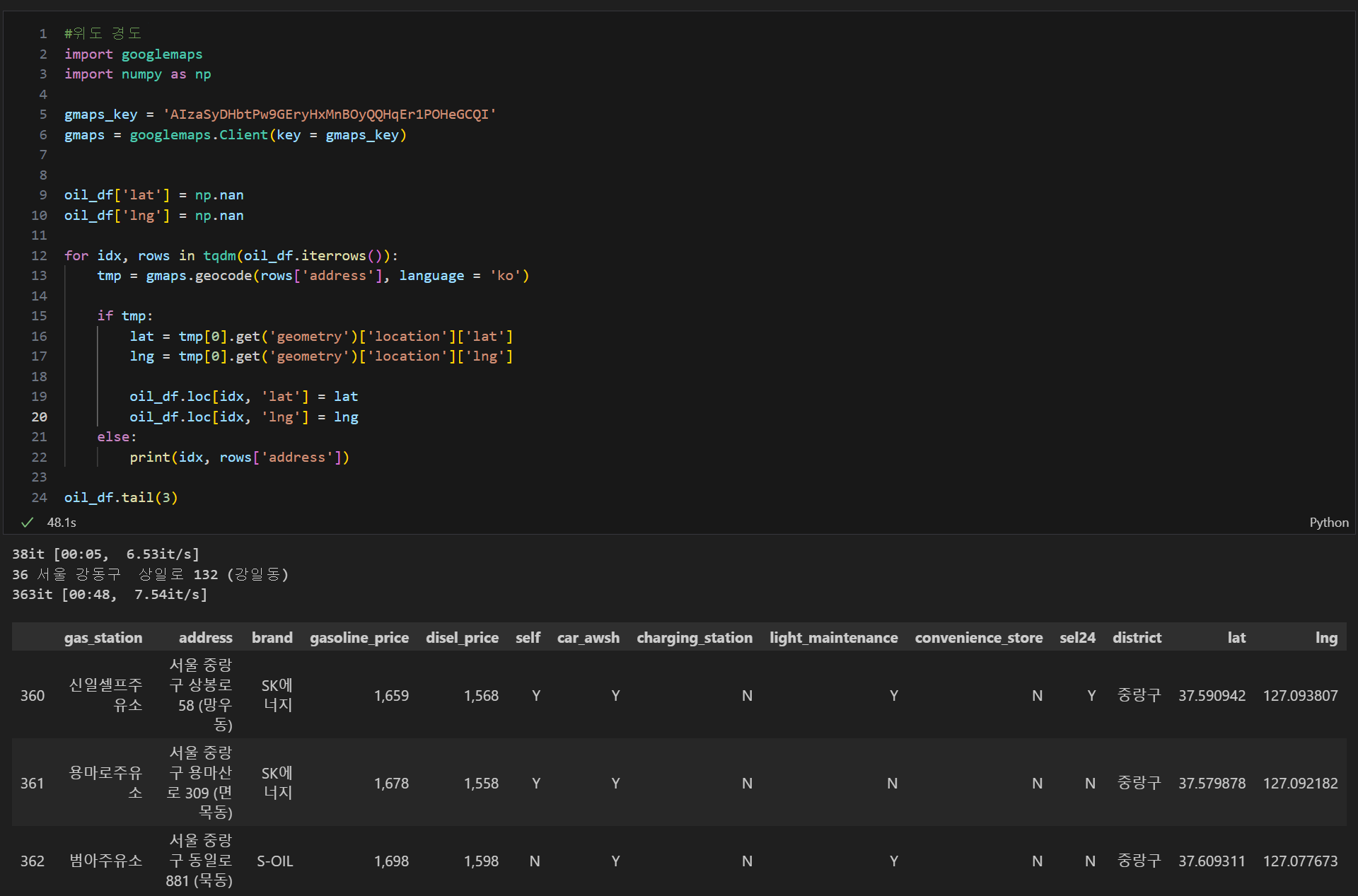

비전공 데이터 분석가 도전