오늘 배운 내용
- UGUI
UGUI
- 단순히 게임 내에서 돌아다니는 플레이어, 몬스터 등의 위치나 모션에 대한 정보 뿐만 아니라 간단한 도형과 텍스트를 통해 플레이어가 선택해야 할 선택지와 인지해야 할 정보를 전달하기 위해서 UI는 필수이다.
 using UnityEngine;
 Using TMPro;  // TMPro를 사용함으로써 UGUI에 텍스트를 띄우는것이 가능히다.
하이어라키에 TMP text를 추가하고 원하는 문자를 입력하면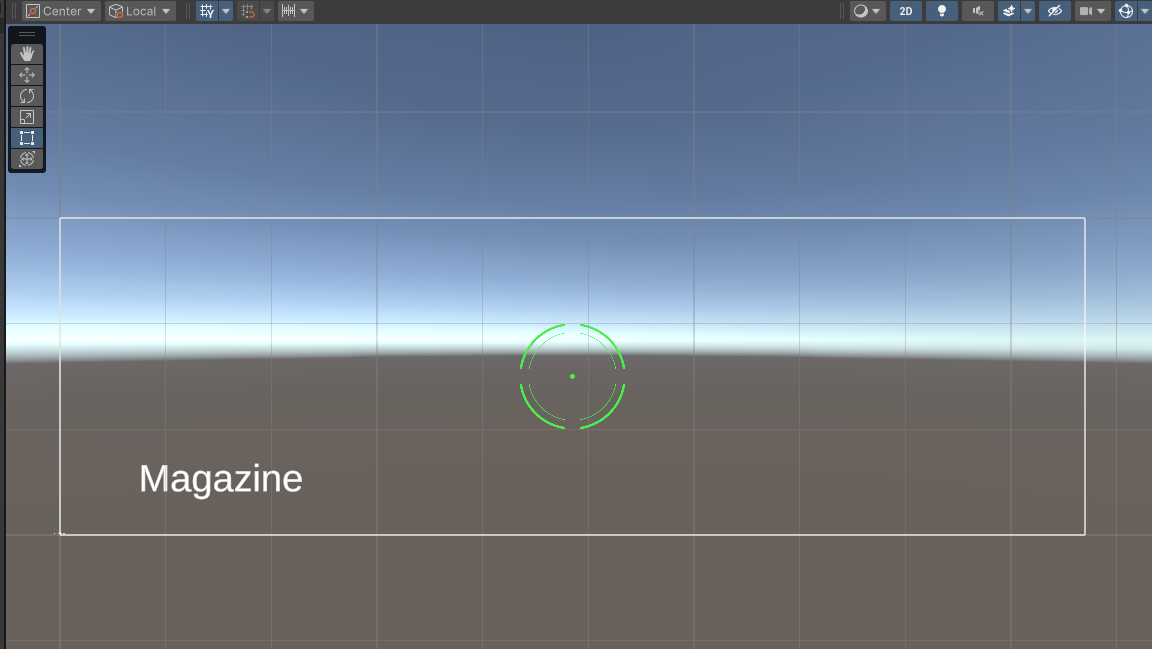
이런식으로 잔탄을 나타내는 UI를 띄울 수 있다.
(해당 방법으로 UGUI를 이용해 크로스헤어도 추가할 수 있다.)
using System;
using System.Collections;
using System.Collections.Generic;
using Unity.IO.LowLevel.Unsafe;
using UnityEngine;
using TMPro;		// TMPro를 사용하고

public class PlayerController : MonoBehaviour
{
    [SerializeField] private int _attackDamage;

    private Transform _targetTransform;

    [SerializeField] private int _maxMagazine; // 탄창 Max
    private int _currentMagazine; // 현재 남은 수
    [SerializeField] private TextMeshProUGUI _magazineText;

    private void Awake()
    {
        Init();
    }

    private void Update()
    {
        if (Input.GetMouseButtonDown(0)) Fire();

        RefreshMagazineUI();	// 잔탄수를 업데이트
    }

    private void Init()
    {
        _currentMagazine = _maxMagazine;
    }

    private void RefreshMagazineUI()
    {
        // TextMeshPro(UI)의 텍스트 변경
        _magazineText.text = $"{_currentMagazine} /  {_maxMagazine}";
    }

    private void Fire()
    {
        if (_targetDamagable == null) return;

        _targetDamagable.TakeDamage(_attackDamage);
        _currentMagazine--;
    }
}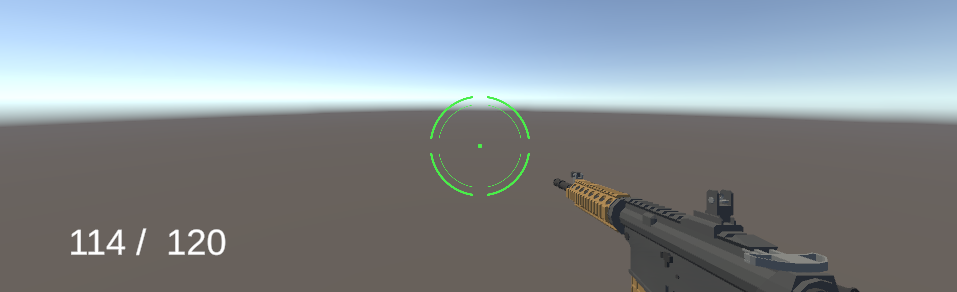
이런식으로 남은 탄의 수가 업데이트되어 적용되는걸 볼수있다.

.