[Mini] DBeaver / Intelli J / Nexacro 설정
요약
1. DBeaver 연결
2. Intelli J 연결
- 터미널에서 데이터 베이스 사용자 추가 및 권한 부여
create user film_user identified by 'film_user';
create user film_cmn_user identified by 'film_cmn_user';
grant connect to film_user;
grant connect to film_cmn_user;
grant resource to film_user;
grant resource to film_cmn_user;
1. DBeaver 설정
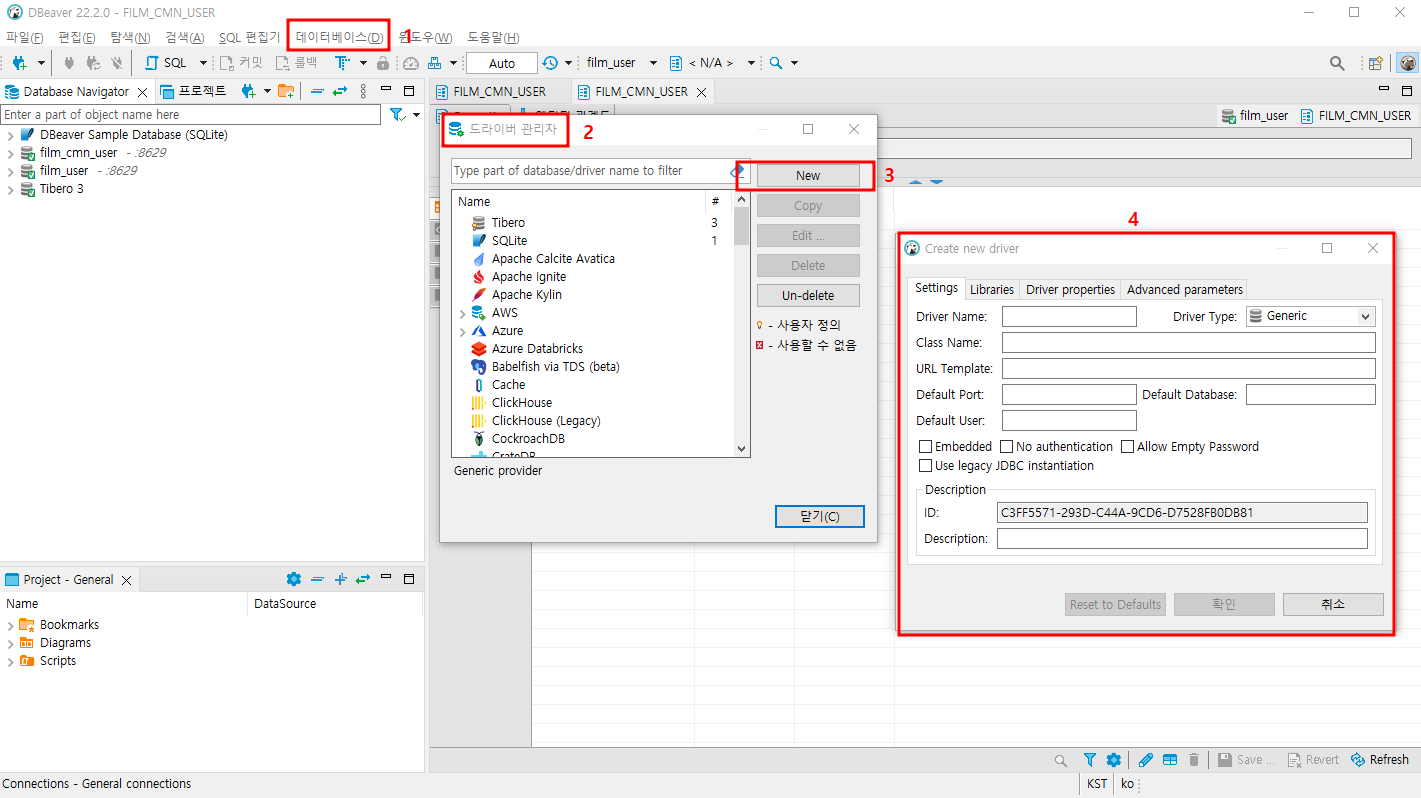
- Settings
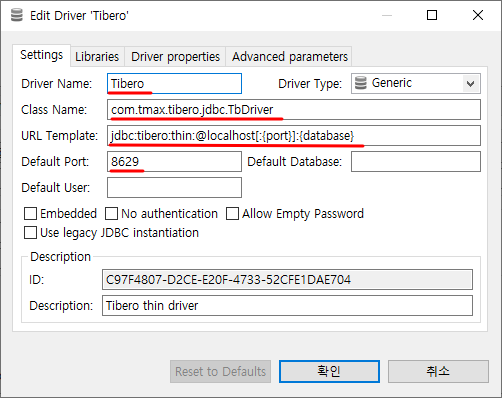
Driver Name : Tibero
Class Name : com.tmax.tibero.jdbc.TbDriver
URL Template : jdbc:tibero:thin:@{host}[:{port}]:{database}
example : jdbc:tibero:thin:@127.0.0.1:8629:tibero_sid
Default Port : 8629
- Libraies
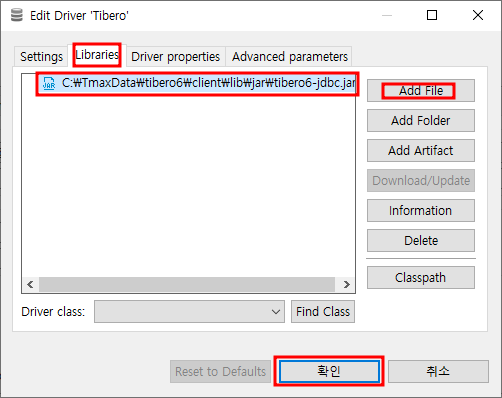
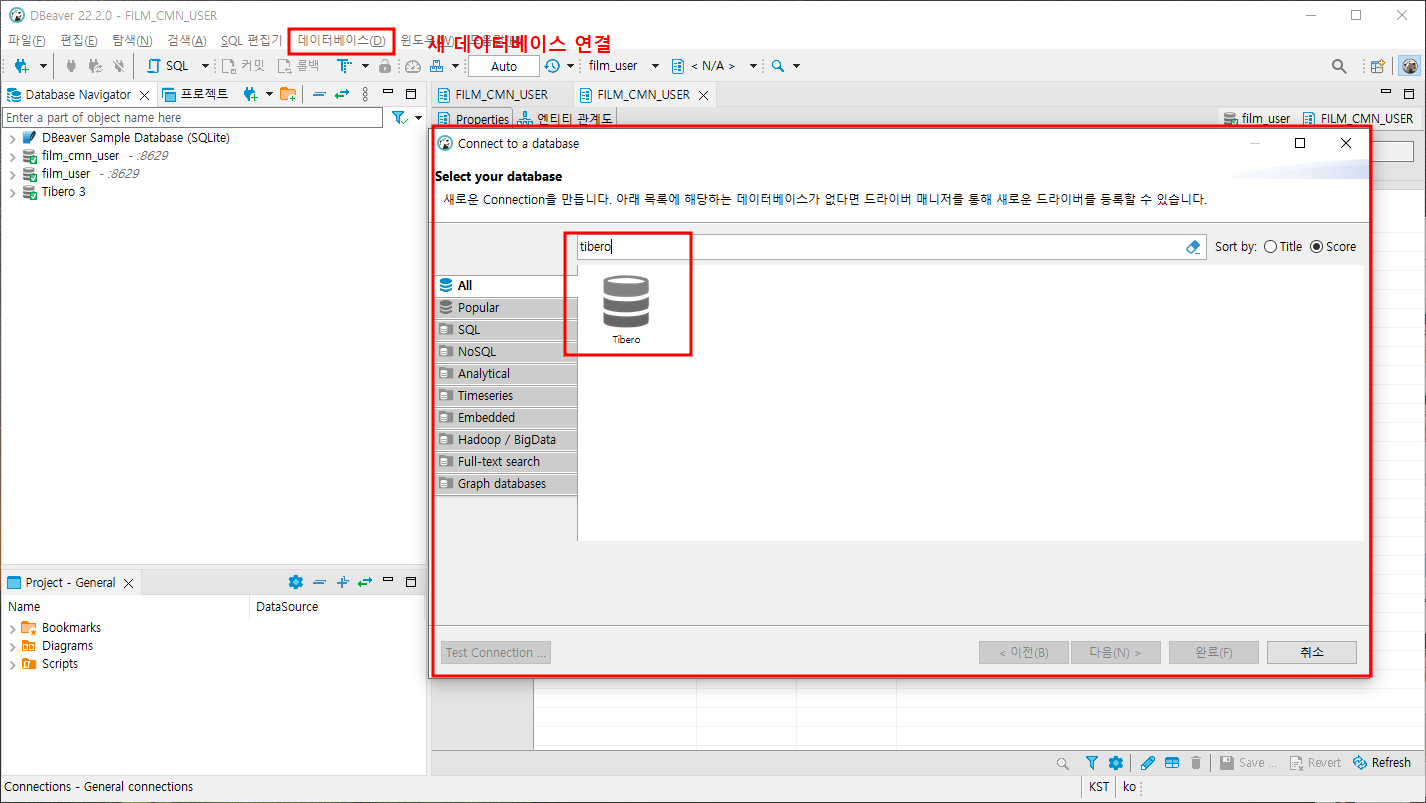
아래 단계를 할 때 주의할 점 - Test Connection 이 success 되면 넘어가자
= 만약 테스트 실패했는데 '완료'를 눌러버리면 Intelli J 에 연결할 때 문제가 생기기 때문에 조심하자!
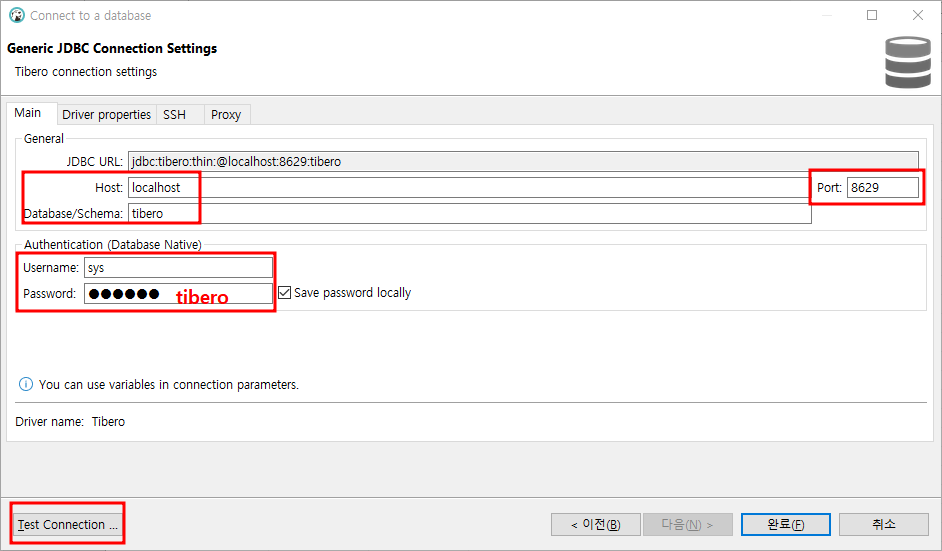
DB가 만들어 지는걸 확인 했으니 본격적으로 만들어 보자!
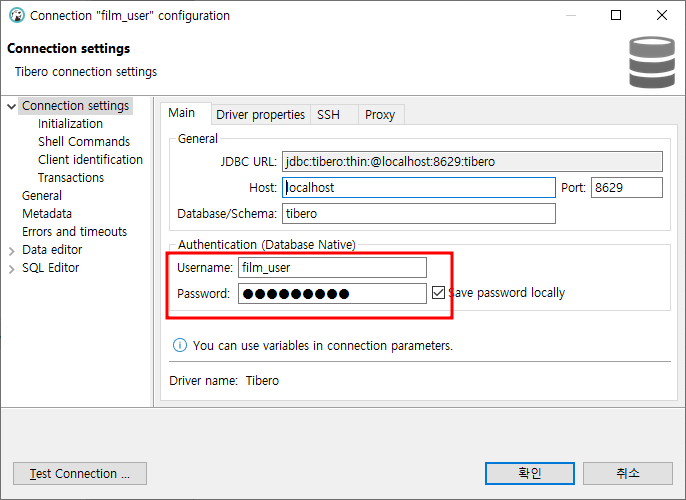
아래의 아이디와 pw 로 접속해보자! pw 는 메모장에 있음
질문 : DBeaver 로 film_user 랑 film_cmn_user 랑 둘 다 생성 후 인텔리J 로 넘어가서 사용자
2. Intelli J 와 Nexacro 설정
2-1. 실행환경 설정
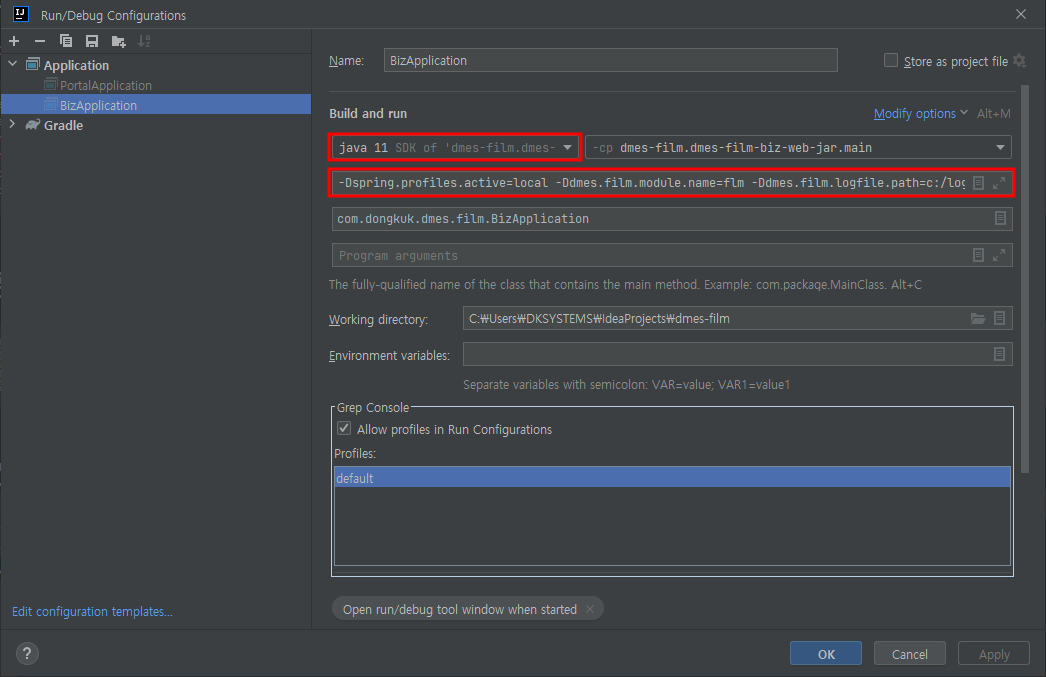
-Dspring.profiles.active=local
-Ddmes.film.module.name=flm
-Ddmes.film.logfile.path=[Logfile path]
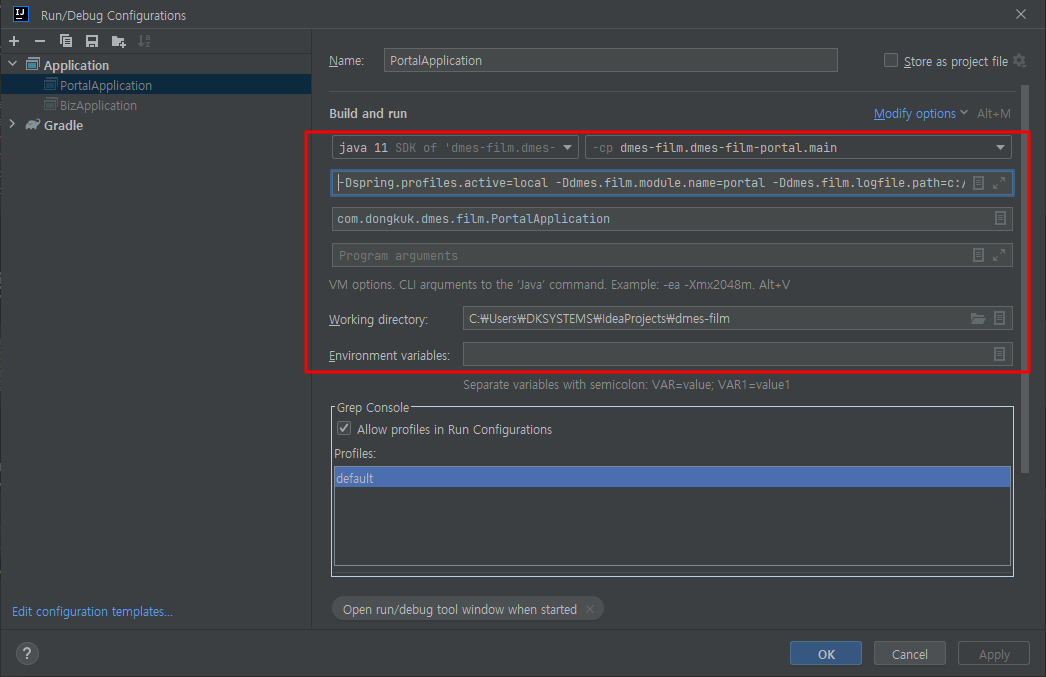
Edit Configuations
-Dspring.profiles.active=local
-Ddmes.film.module.name=portal
-Ddmes.film.logfile.path=c:/logs
-Dspring.profiles.active=local
-Ddmes.film.module.name=flm
-Ddmes.film.logfile.path=c:/logs
-Ddmes.film.db.frm.service.path=C:/Users/DKSYSTEMS/IdeaProjects/dmes-film/dmes-film-biz/src/main/resources
2-2. 프로젝트 빌드하기
- dmes-film-portal
- dmes-film-biz
- 빌드 성공했으면 @SpringBootApplication 붙은 'BizApplication.java' 'PortalApplication.java' 실행하기 위해 (서버역할) 화면 상단 오른쪽을 다음과 같이 Run 해주기 - 빌드도 로딩도 상당한 시간이 걸림
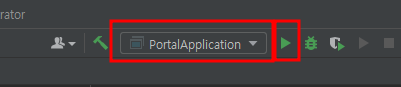

- potal 이 켜졌으면 localhost:8888 접속이 가능함!
- biz 가 켜졌으면 DBeaver 에서 데이터 조회 가능!!!
= biz 에서는 기존 데이터를 drop 하고 insert 를 새로하는 구문이 실행 됩니다. (내 로컬)
2-2. 서비스 로더 설정 - 지금은 패스
- 파일 패스
-Ddmes.film.db.frm.service.pathex) -Ddmes.film.db.frm.service.path=C:/dmes-film/dmes-film-biz/src/main/resources
- 원격서비스 url
-Ddmes.film.db.frm.service.loader.url2-3. Intelli J 의 넥사크로 프로젝트 실행하기
- 넥사크로 프로젝트 실행시 화면에 바로 뜨게 하기 위해 File Type 에서 설정을 해줘야함
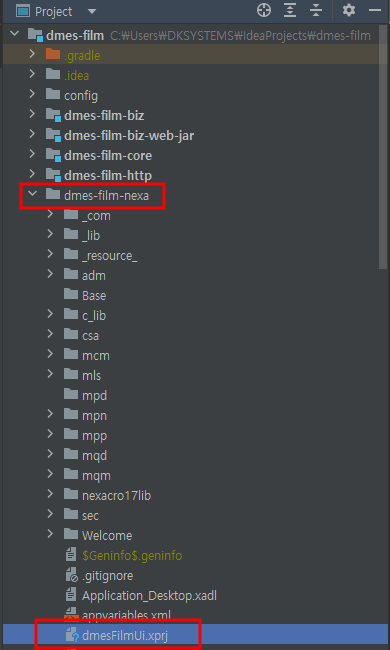
- File -> Setting 에 접속 후 다음과 같이 설정
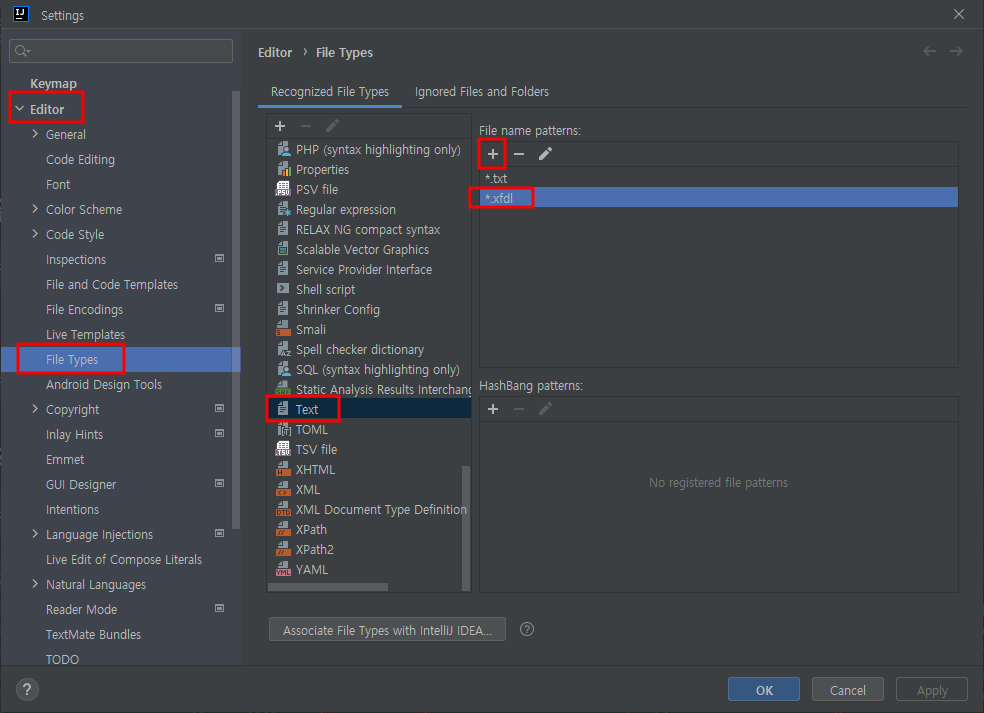
그러면 파일 실행시 Nexacro Studio 실행됨
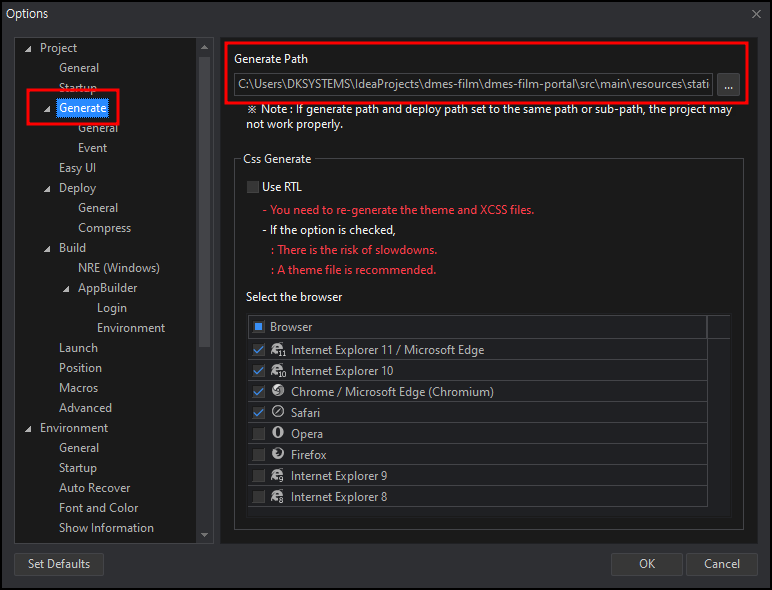
2-4. Nexacro 경로 설정
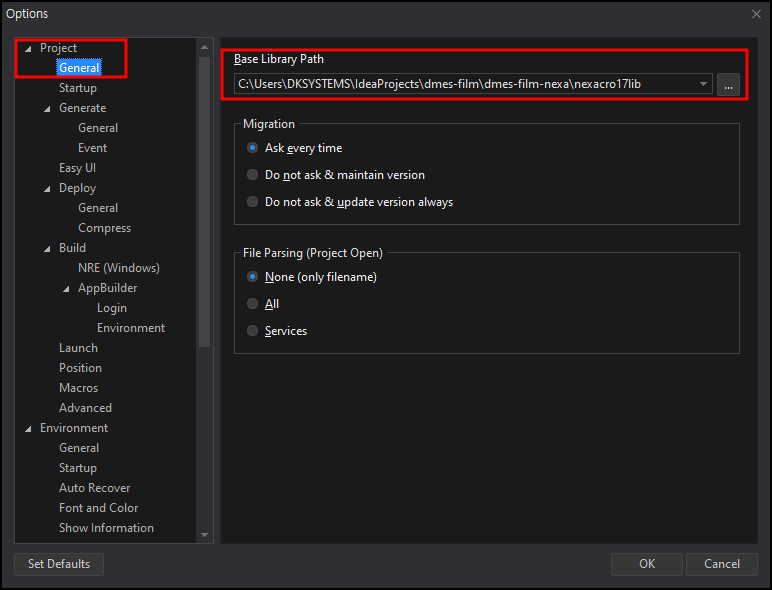
끝