Pandas참조 후 titanic 데이터를 가져오기
- name열이 index로 설정
import pandas as pd

titanic = pd.read_excel('titanic3.xls')
titanic.set_index('name',inplace=True)
titanic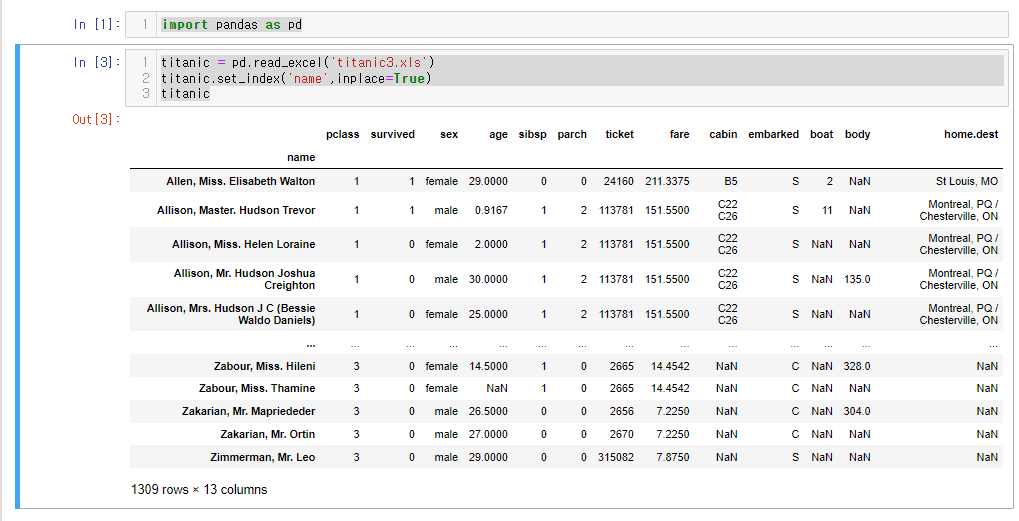
데이터프레임의 columns만 조회
titanic.columns
.drop()을 이용해서 3개의 열을 삭제
- home.dest
- embarked
- sibsp
- 원본에 반영
titanic.drop(columns=['home.dest','embarked','sibsp'], inplace=True)
titanic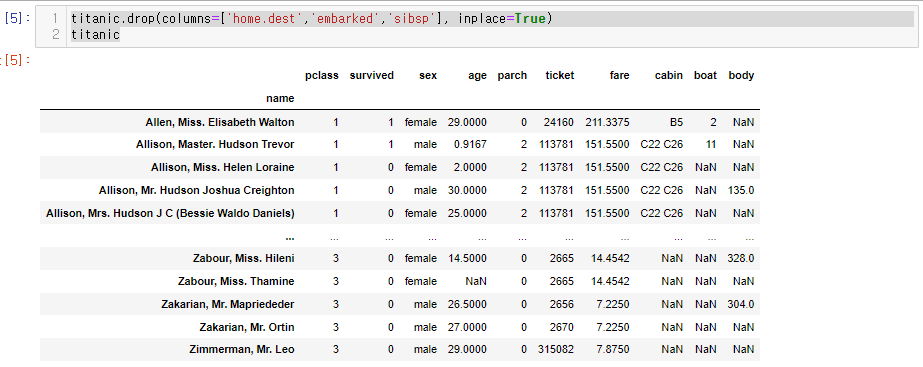
del을 이용한 열 삭제
- parch
del titanic['parch']사망자 명단 조회하기
death = titanic['survived'] == 0
titanic[death]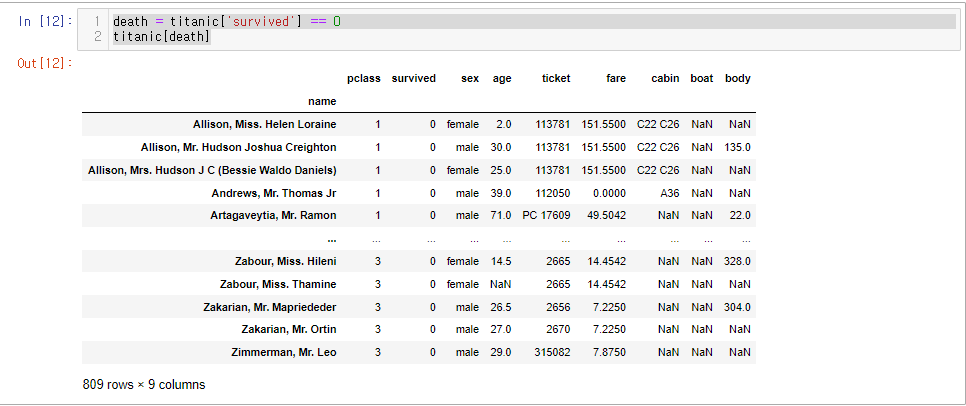
시신 식별번호(body)가 없는 데이터 조회하기
살아있는 사람은 시신 식별번호가 없는 것은 당연
body_null = titanic['body'].isnull()
titanic[body_null]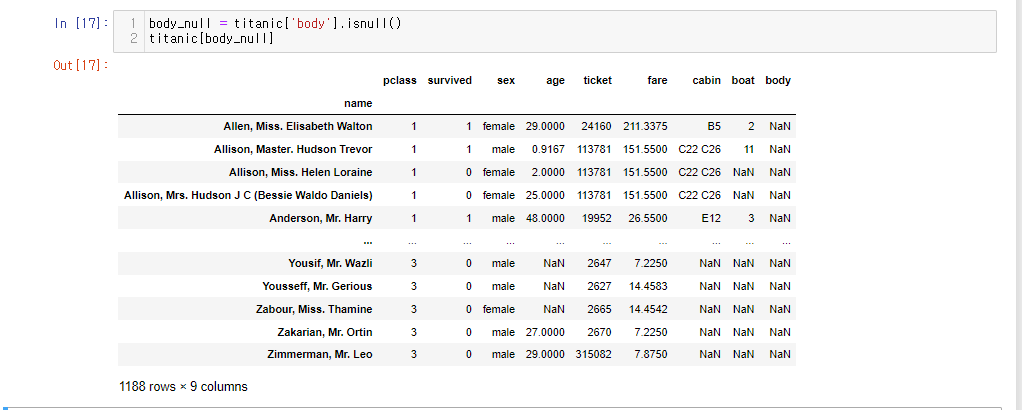
사망자이나 시신식별번호가 없는 명단 찾기
사망자가 809명인데, 식별번호가 없는 명단이 688명이나 된다.
body_null = titanic['body'].isnull()
titanic[death & body_null]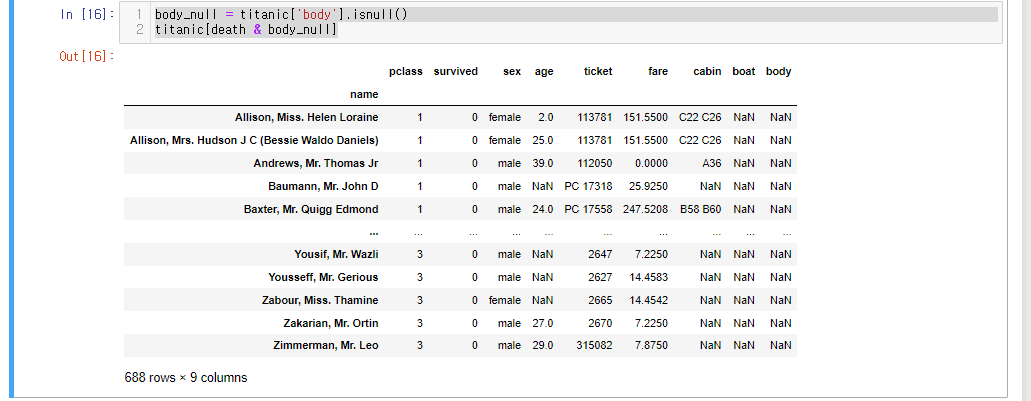
사망자이나 시신식별번호가 없는 명단으로 새로운 df 만들기
notfound_list
notfound_list = titanic[death & body_null]
notfound_list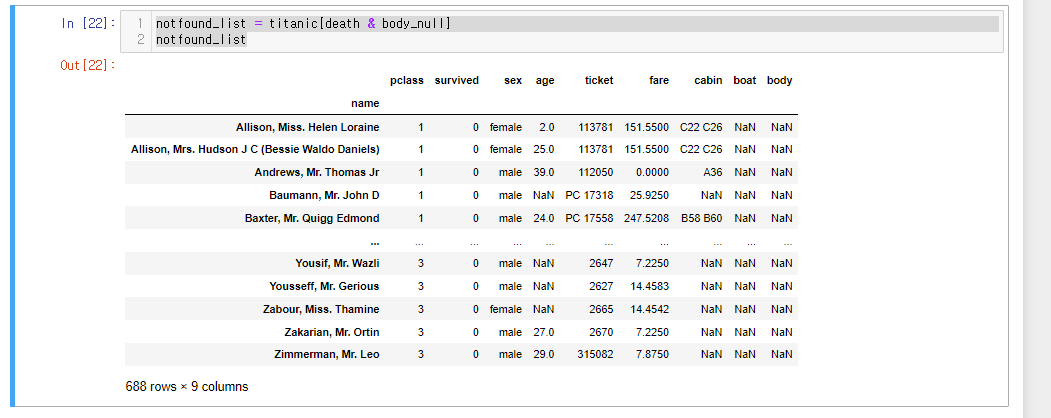
notfound_list의 승객 등급별 개수 확인
notfound_list['pclass'].value_counts()
3등급(하류층)이 많으나, 이건 당연할 수 있다. 비율을 구해보자.
전체 titanic 전체 승객 등급별 개수 확인
titanic['pclass'].value_counts()
승객 등급별 실종 비율 확인
notfound_list.value_counts('pclass')/titanic['pclass'].value_counts()
실제로 3등급 인원이 많이 죽었다.
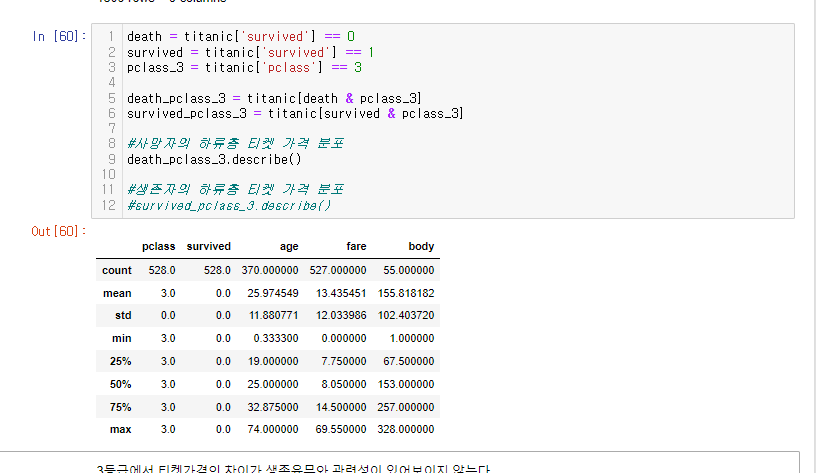
1. 사망자의 하류층 티겟 가격 분포와 2. 생존자의 하류층 티켓 가격 분포를 확인해보자.
death = titanic['survived'] == 0
survived = titanic['survived'] == 1
pclass_3 = titanic['pclass'] == 3

death_pclass_3 = titanic[death & pclass_3]
survived_pclass_3 = titanic[survived & pclass_3]

#사망자의 하류층 티켓 가격 분포
death_pclass_3.describe()

#생존자의 하류층 티켓 가격 분포
survived_pclass_3.describe()
사망자
생존자
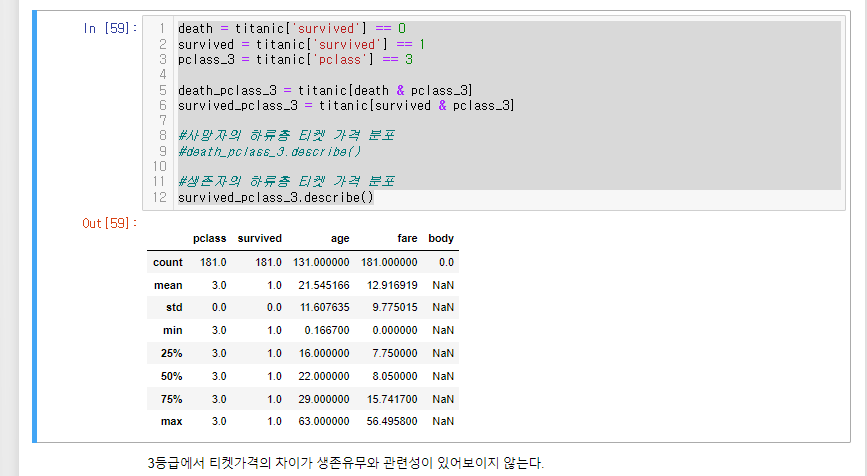
3등급에서 티켓가격의 차이가 생존유무와 관련성이 있어보이지 않는다.

LV. 1