AWS Security Groups and Ports

Security Groups

- Fundamental of network security in AWS
- Control how traffic is allowed into or out of EC2 instances
- Only have allow rules
- Security groups rule can reference by IP or security group

Regulate
-
Access to Ports
-
Authorised Ip ranges IPv4 and IPv6
-
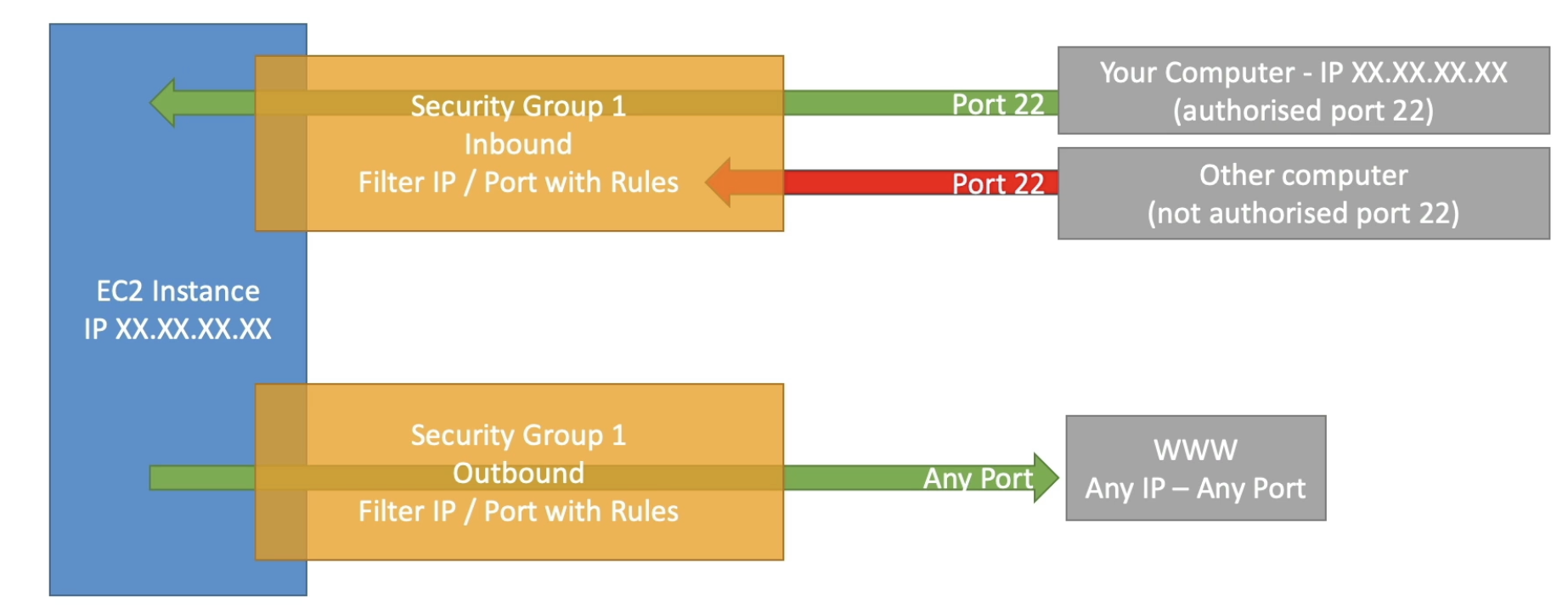
Control inbound network (other -> instance)
-
Control outbound network (instance -> other)
-
Only the authroised IP can go through the port 22
-
Other IPs will get blocked by the firewall
-
The instance can initiate connection through any ports and IPs
Characteristics
- Can be attached to multiple instances
- Locked down to a region and VPC
- Need to recreate security groups for other regions and VPCs - It is a firewall outside of the instance, so it won't see the traffic if it is blocked
- Good to maintain one seperate security group for SSH access to make sure it is configured correctly
- If application is not accessible / timeout, it's a security group issue
- If it is a 'connection refused' error, then it's an application error - All inbound is blocked and outbound is authorised by default
Reference
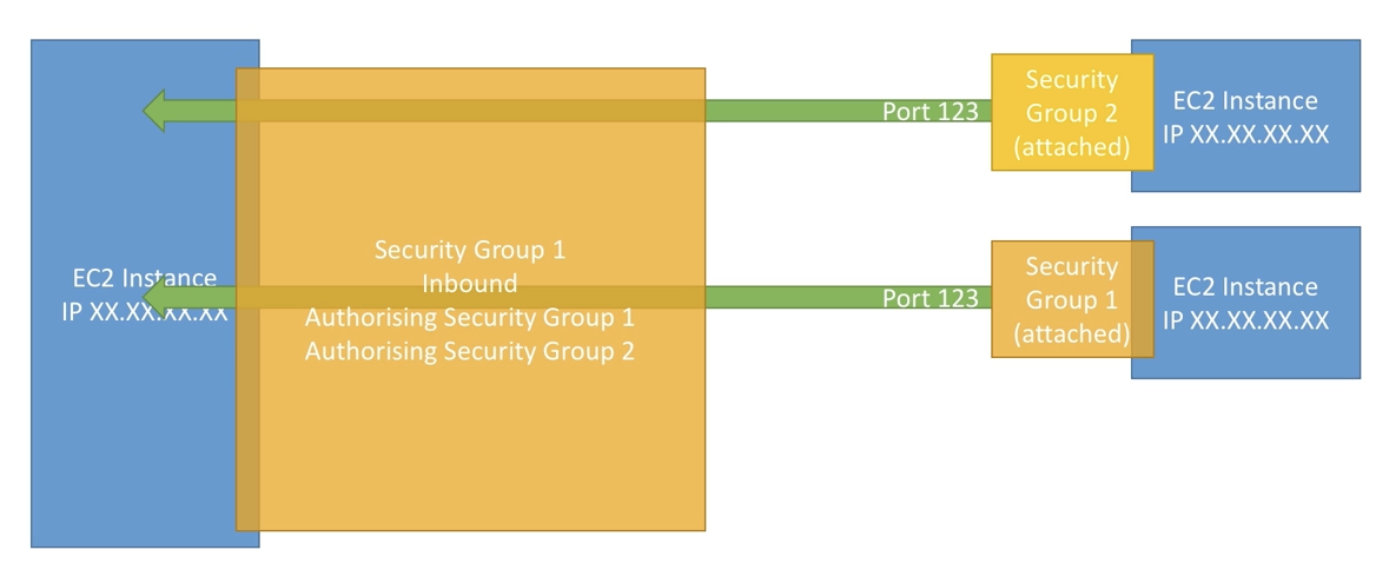
- Security groups can reference other security groups
- Group 1 and Group 2 are authroised by Group 1 so they are not blocked
- IPs are not considered in this case
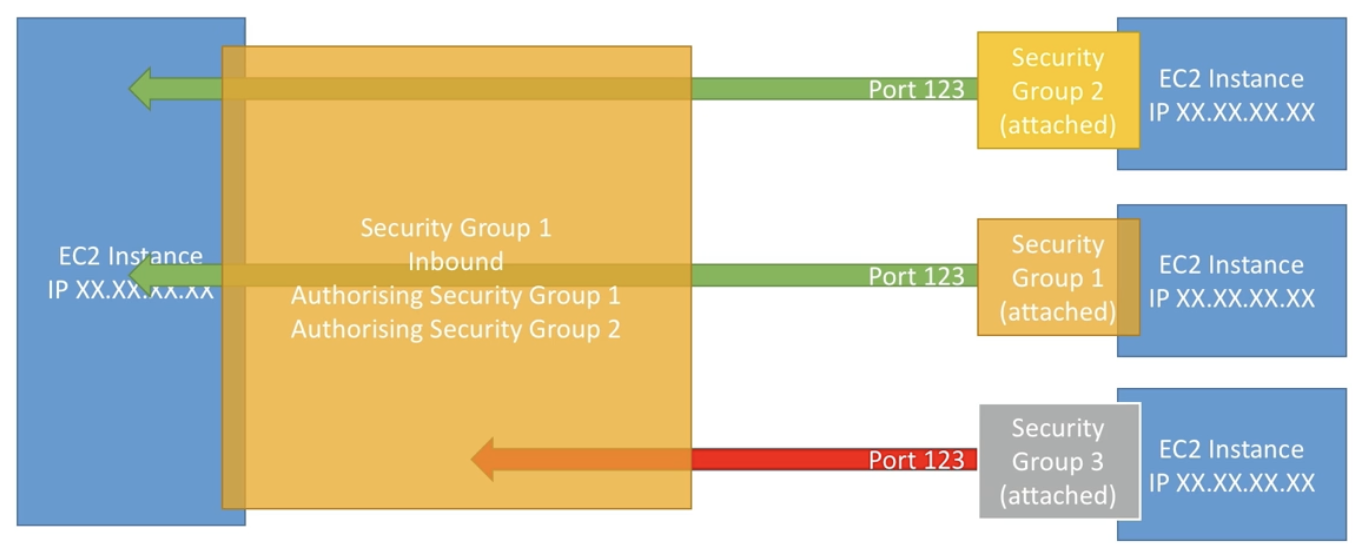
- Unauthorised Group 3 is blocked
Classic Ports
- 22: SSH (Secure Shell) login to a Linux instance
- 21: FTP (File Transfer Protocol) upload files into a file share
- 22: SFTP (Secure File Transfer Protocol) upload files using SSH
- 80: HTTP access unsecured websites
- 443: HTTPS access secured websites
- 3389: RDP (Remote Desktop Protocol) login to a Windows instance

2023.08.21~