Storage and Databases
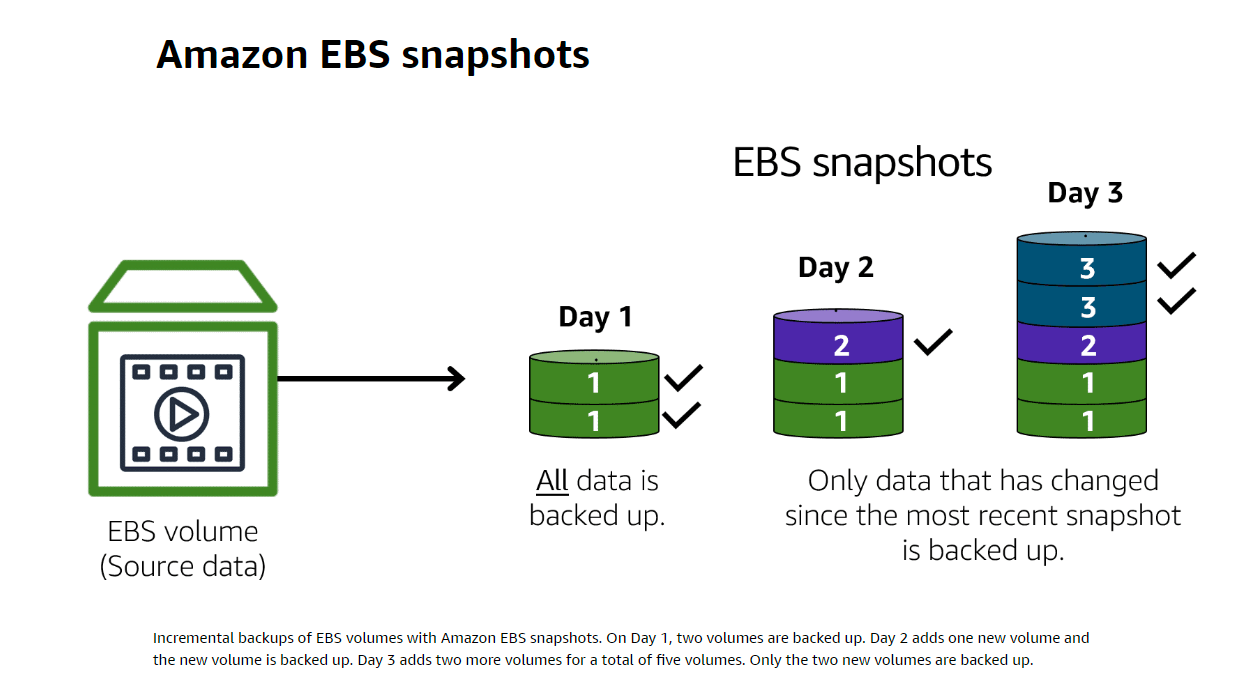
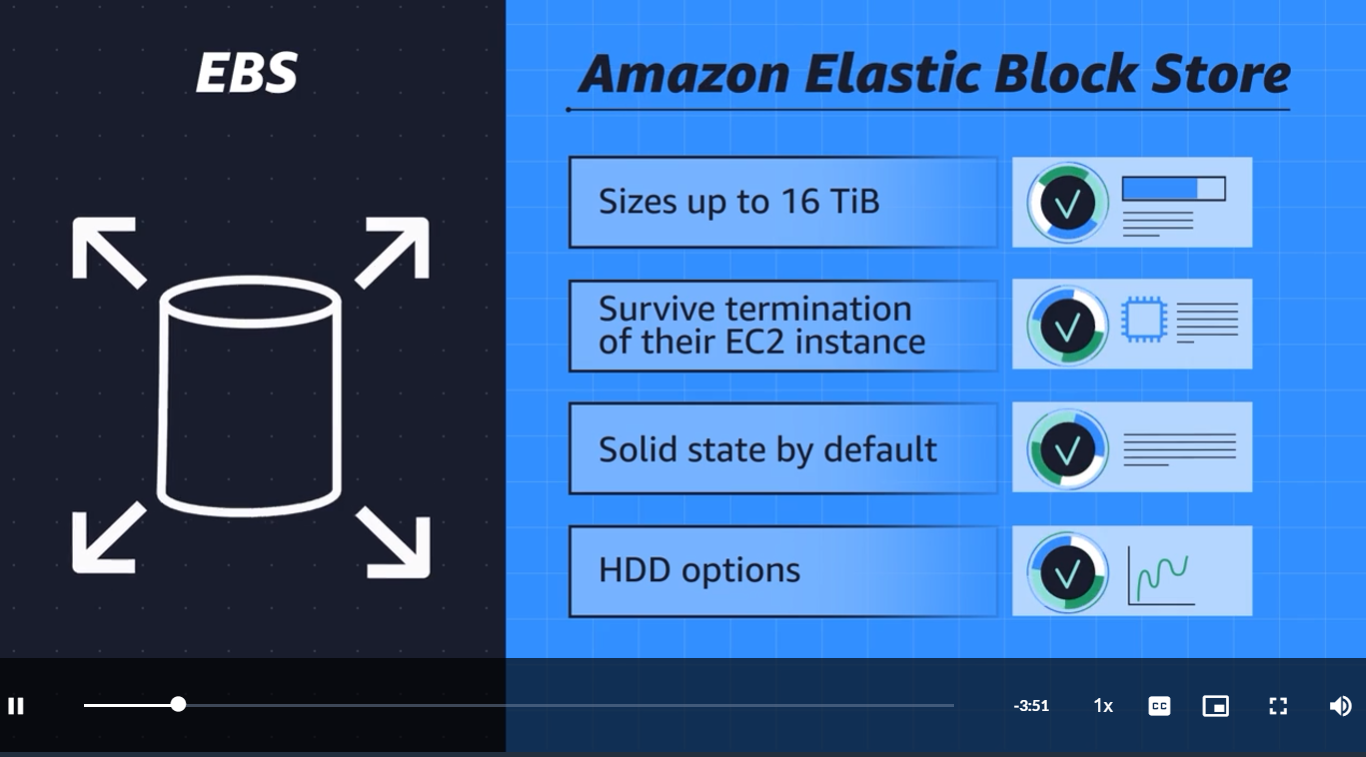
1. EBS(Elastic Block Store) -> Block Storage
Block-level storage volumes behave like physical hard drives.
An instance store(opens in a new tab) provides temporary block-level storage for an Amazon EC2 instance. An instance store is disk storage that is physically attached to the host computer for an EC2 instance, and therefore has the same lifespan as the instance. When the instance is terminated, you lose any data in the instance store.
Amazon EC2 instances are virtual servers. If you start an instance from a stopped state, the instance might start on another host, where the previously used instance store volume does not exist. Therefore, AWS recommends instance stores for use cases that involve temporary data that you do not need in the long term.
2. Amazon Simple Storage Service(S3) -> Regional Object Storage
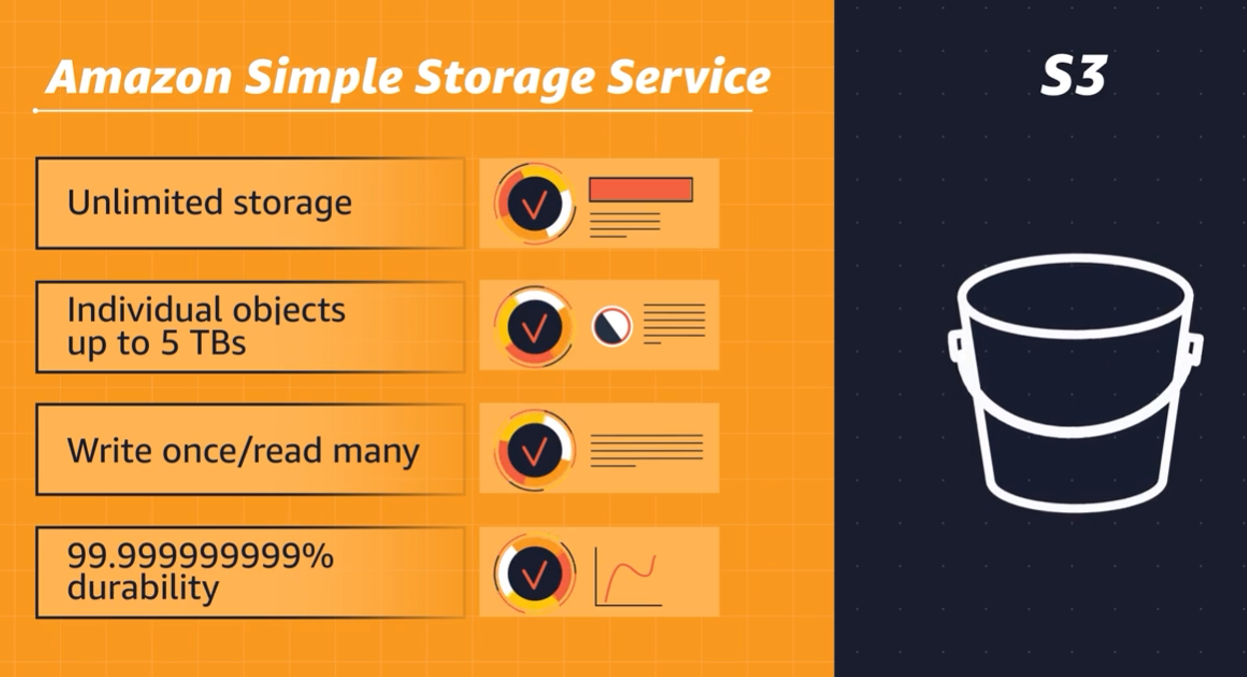
Amazon Simple Storage Service (Amazon S3)(opens in a new tab) is a service that provides object-level storage. Amazon S3 stores data as objects in buckets.
Amazon S3 offers unlimited storage space. The maximum file size for an object in Amazon S3 is 5 TB.
When you upload a file to Amazon S3, you can set permissions to control visibility and access to it. You can also use the Amazon S3 versioning feature to track changes to your objects over time.
Amazon S3 storage classes
With Amazon S3, you pay only for what you use. You can choose from a range of storage classes(opens in a new tab) to select a fit for your business and cost needs. When selecting an Amazon S3 storage class, consider these two factors:
- How often you plan to retrieve your data
- How available you need your data to be
1) S3 Standard
Designed for frequently accessed data
Stores data in a minimum of three Availability Zones
Websites, content distribution, and data analytics.
2) S3 Standard-Infrequent Access(S3 Standard-IA)
Ideal for infrequently accessed data
Similar to Amazon S3 Standard but has a lower storage price and higher retrieval price
Amazon S3 Standard-IA is ideal for data infrequently accessed but requires high availability when needed.
3) S3 One Zone-Infrequent Access(S3 One Zone-IA)
Stores data in a single Availability Zone
Has a lower storage price than Amazon S3 Standard-IA
You want to save costs on storage.
You can easily reproduce your data in the event of an Availability Zone failure.
4) S3 Intlligent-Tiering
Ideal for data with unknown or changing access patterns
Requires a small monthly monitoring and automation fee per object
In the S3 Intelligent-Tiering storage class, Amazon S3 monitors objects’ access patterns. If you haven’t accessed an object for 30 consecutive days, Amazon S3 automatically moves it to the infrequent access tier, S3 Standard-IA. If you access an object in the infrequent access tier, Amazon S3 automatically moves it to the frequent access tier, S3 Standard.
5) S3 Glacier Instant Retrieval
Works well for archived data that requires immediate access
Can retrieve objects within a few milliseconds
6) S3 Glacier Flexible Retrieval
Low-cost storage designed for data archiving
Able to retrieve objects within a few minutes to hours
you might use this storage class to store archived customer records or older photos and video files. You can retrieve your data from S3 Glacier Flexible Retrieval from 1 minute to 12 hours.
7) S3 Glacier Deep Archive
Lowest-cost object storage class ideal for archiving
Able to retrieve objects within 12 hours
S3 Deep Archive supports long-term retention and digital preservation for data that might be accessed once or twice in a year. This storage class is the lowest-cost storage in the AWS Cloud, with data retrieval from 12 to 48 hours. All objects from this storage class are replicated and stored across at least three geographically dispersed Availability Zones.
8) S3 Outposts
Creates S3 buckets on Amazon S3 Outposts
Makes it easier to retrieve, store, and access data on AWS Outposts
Amazon S3 Outposts delivers object storage to your on-premises AWS Outposts environment. Amazon S3 Outposts is designed to store data durably and redundantly across multiple devices and servers on your Outposts. It works well for workloads with local data residency requirements that must satisfy demanding performance needs by keeping data close to on-premises applications.
EBS VS S3
S3
-> Web enabled
-> Regionally distribute
-> Offers cost savings
-> Serverless(No need for another EC2)
-> Object storage treats any file as a complete, discreet object. Now this is great for documents, and images, and video files that get uploaded and consumed as entire objects, but every time there's a change to the object, you must re-upload the entire file.
-> No delta updates.
-> For complete objects or only occasional changes.
EBS
-> Block storage breaks those files down to small component parts or blocks. This means, for that 80-gigabyte file, when you make an edit to one scene in the film and save that change, the engine only updates the blocks where those bits live. If you're making a bunch of micro edits, using EBS, elastic block storage, is the perfect use case
-> doing complex read, write, change function
3. Amazon Elastic File System (EFS)
In file storage, multiple clients (such as users, applications, servers, and so on) can access data that is stored in shared file folders. In this approach, a storage server uses block storage with a local file system to organize files. Clients access data through file paths.
Compared to block storage and object storage, file storage is ideal for use cases in which a large number of services and resources need to access the same data at the same time.
Amazon Elastic File System (Amazon EFS) is a scalable file system used with AWS Cloud services and on-premises resources. As you add and remove files, Amazon EFS grows and shrinks automatically. It can scale on demand to petabytes without disrupting applications.
EBS VS EFS
EBS
-> Volumes attach to EC2 instances(Needs dedicated EC2 instance)
-> Availability Zone level reesource
-> Need to be in the same Availability Zone(AZ) to attach EC2 instances
-> Volumes do not automatically scale(When the volume is filled up, you need to provision more volumes manually)
EFS
-> Multiple instances reading and writing simultaeously
-> Linux file system
-> Regional resource(Any EC2 in the same region can write to EFS)
-> Automatiically scales
4. Amazon Relational Database Service (Amazon RDS)
Relational databases use structured query language (SQL) to store and query data. This approach allows data to be stored in an easily understandable, consistent, and scalable way. For example, the coffee shop owners can write a SQL query to identify all the customers whose most frequently purchased drink is a medium latte.
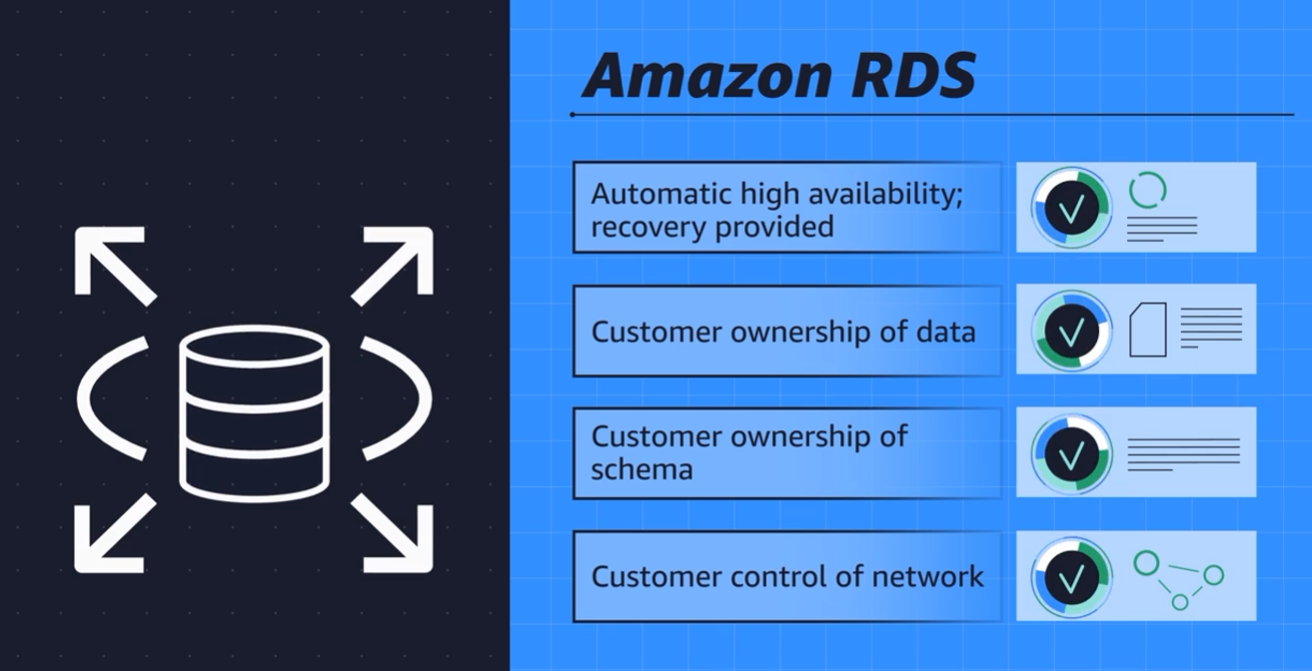
Amazon Relational Database Service (Amazon RDS)(opens in a new tab) is a service that enables you to run relational databases in the AWS Cloud.
Amazon RDS is a managed service that automates tasks such as hardware provisioning, database setup, patching, and backups. With these capabilities, you can spend less time completing administrative tasks and more time using data to innovate your applications. You can integrate Amazon RDS with other services to fulfill your business and operational needs, such as using AWS Lambda to query your database from a serverless application.
Amazon RDS provides a number of different security options. Many Amazon RDS database engines offer encryption at rest (protecting data while it is stored) and encryption in transit (protecting data while it is being sent and received).
it's built for business analytics
Supported database engines
Amazon Aurora
PostgreSQL
MySQL
MariaDB
Oracle Database
Microsoft SQL Server
Amazon Aurora
Amazon Aurora(opens in a new tab) is an enterprise-class relational database. It is compatible with MySQL and PostgreSQL relational databases. It is up to five times faster than standard MySQL databases and up to three times faster than standard PostgreSQL databases.
Amazon Aurora helps to reduce your database costs by reducing unnecessary input/output (I/O) operations, while ensuring that your database resources remain reliable and available.
Consider Amazon Aurora if your workloads require high availability. It replicates six copies of your data across three Availability Zones and continuously backs up your data to Amazon S3.
5. Amazon DynamoDB -> Serverless
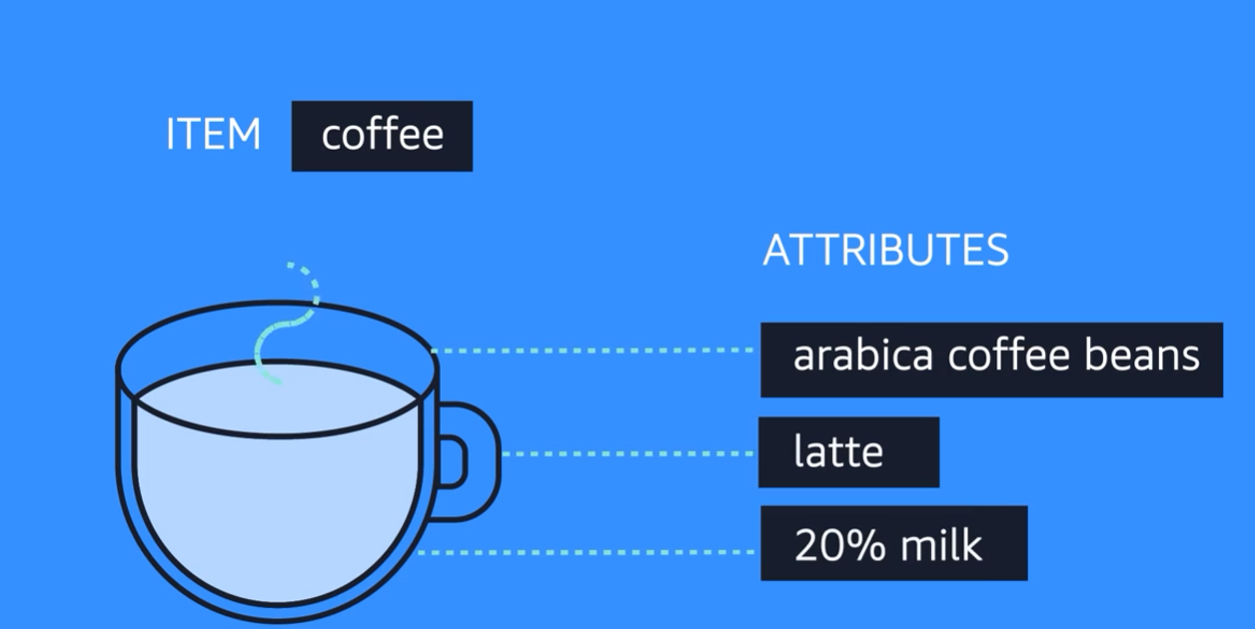
they use structures other than rows and columns to organize data. One type of structural approach for nonrelational databases is key-value pairs. With key-value pairs, data is organized into items (keys), and items have attributes (values). You can think of attributes as being different features of your data.
In a key-value database, you can add or remove attributes from items in the table at any time. Additionally, not every item in the table has to have the same attributes.
Amazon DynamoDB(opens in a new tab) is a key-value database service. It delivers single-digit millisecond performance at any scale.
-
Serverless :DynamoDB is serverless, which means that you do not have to provision, patch, or manage servers. You also do not have to install, maintain, or operate software.
-
Automatic Scaling: As the size of your database shrinks or grows, DynamoDB automatically scales to adjust for changes in capacity while maintaining consistent performance. This makes it a suitable choice for use cases that require high performance while scaling.
employee contact list
6. Amazon Redshift -> Data warehouse
Once data becomes too complex to handle with traditional relational databases, you've entered the world of data warehouses. Data warehouses are engineered specifically for this kind of big data, where you are looking at historical analytics as opposed to operational analysis.
Now, let's be clear. Historical may be as soon as: show me last hour's sales numbers across all the stores. The key thing is, the data is now set. We're not selling any more from the last hour because that is now in the past. Compare that question to, "How many bags of coffee do we still have in our inventory right now?" Which could be changing as we speak. As long as your business question is looking backwards at all, then a data warehouse is the right solution for that line of business intelligence.
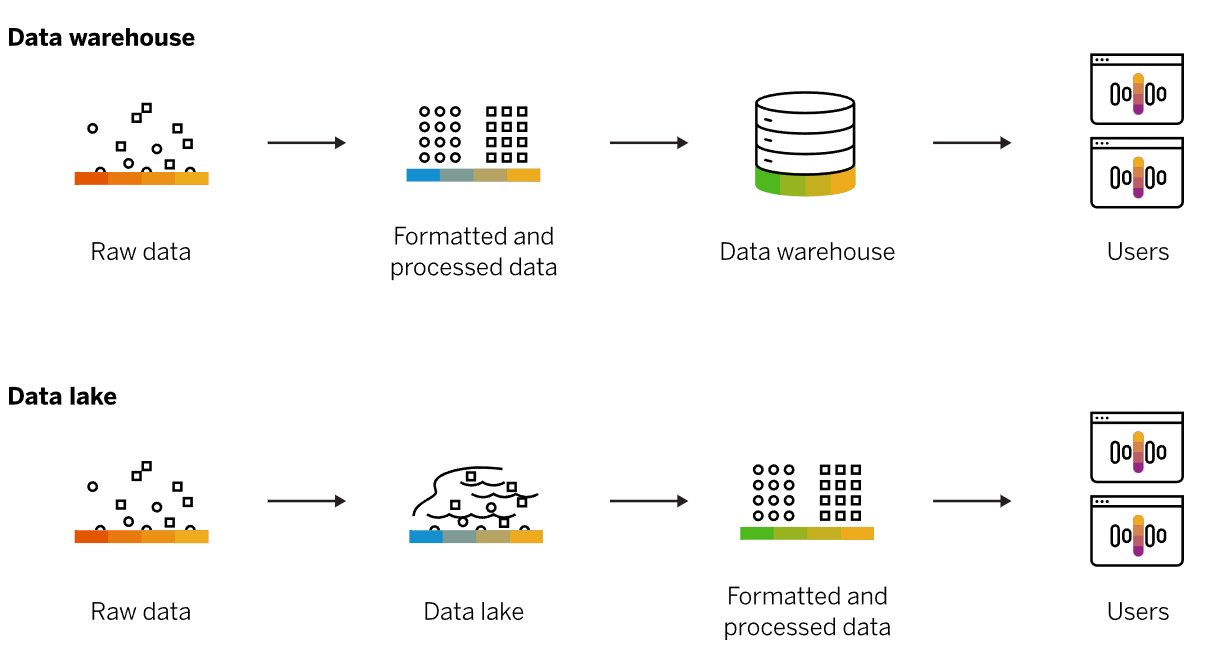
Amazon Redshift Spectrum, you can directly run a single SQL query against exabytes of unstructured data running in data lakes.
But it's more than just being able to handle massively larger data sets. Redshift uses a variety of innovations that allow you to achieve up to 10 times higher performance than traditional databases, when it comes to these kinds of business intelligence workloads.
The key for you is to understand that when you need big data BI solutions, Redshift allows you to get started with a single API call.
Amazon Redshift is a data warehousing service that you can use for big data analytics. Use Amazon Redshift to collect data from many sources and help you understand relationships and trends across your data.
7. AWS Database Migration Service(DMS)
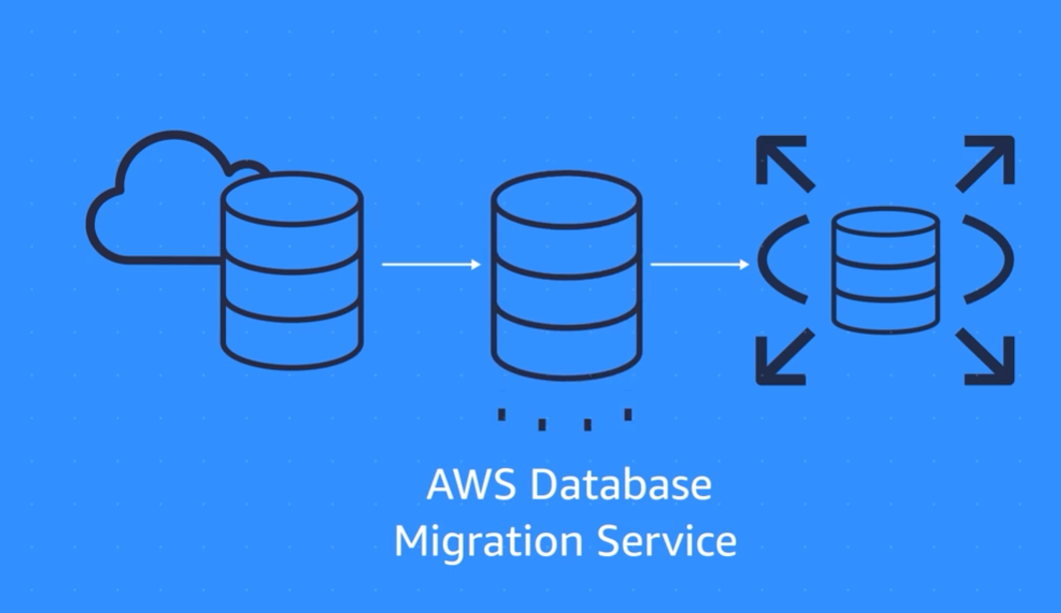
During the migration, your source database remains operational, reducing downtime for any applications that rely on the database.
For example, suppose that you have a MySQL database that is stored on premises in an Amazon EC2 instance or in Amazon RDS. Consider the MySQL database to be your source database. Using AWS DMS, you could migrate your data to a target database, such as an Amazon Aurora database.
1) Homogenous databases
Source(On-premises/Amazon EC2/Amazon RDS) -> Target(Amazon EC2/Amazon RDS)
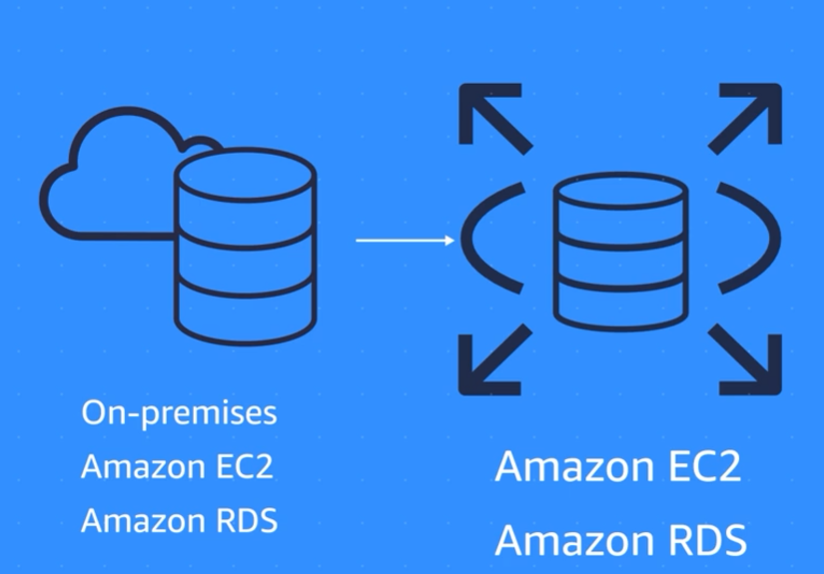
Source(On-premises/Amazon EC2/Amazon RDS) -> Target(Amazon EC2/Amazon RDS)
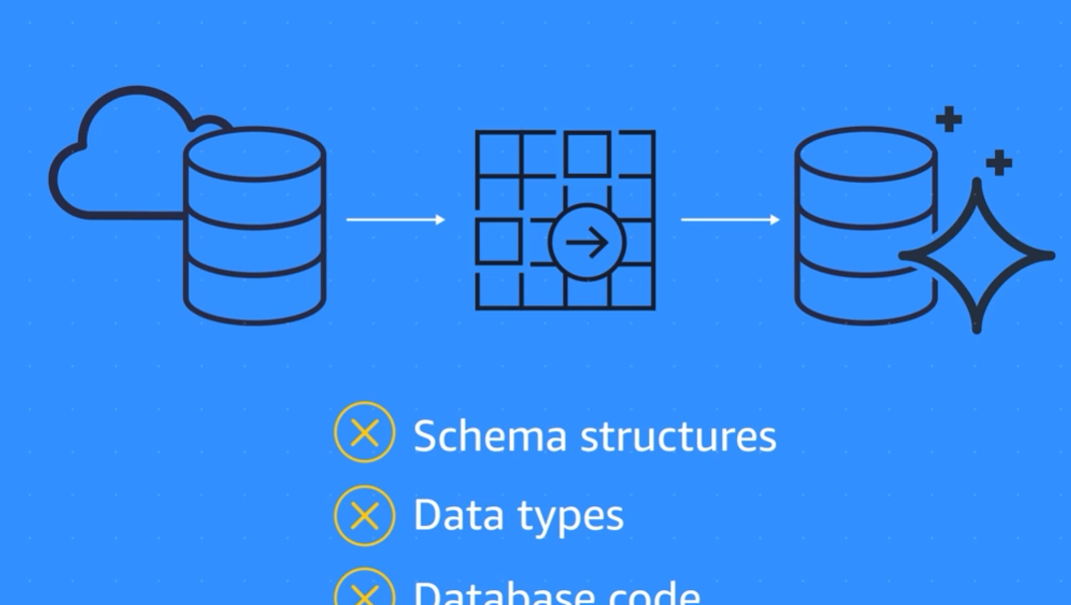
2) Heterogenous databses
First step: Covert Schema structures, Database Code with AWS Schema Conversion Tool
Second Step: Use DMS to migrate data from the source database to the target database.
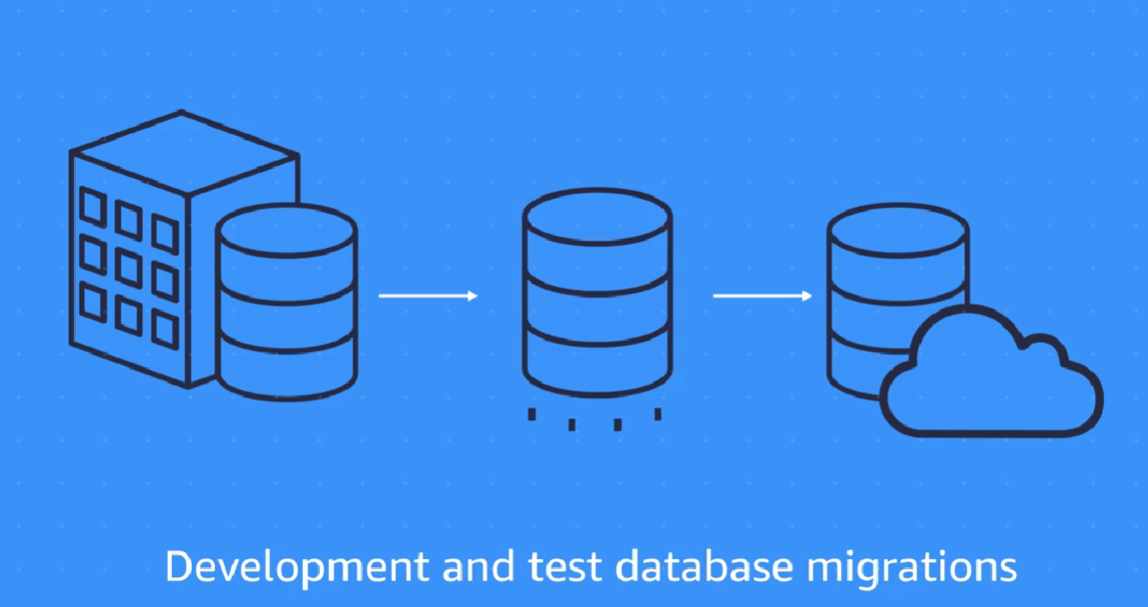
3) Development and test migration:
When you want to develop this to test against production data, but without affecting production users. In this case, you use DMS to migrate a copy of your production database to your dev or test environments, either once-off or continuously.
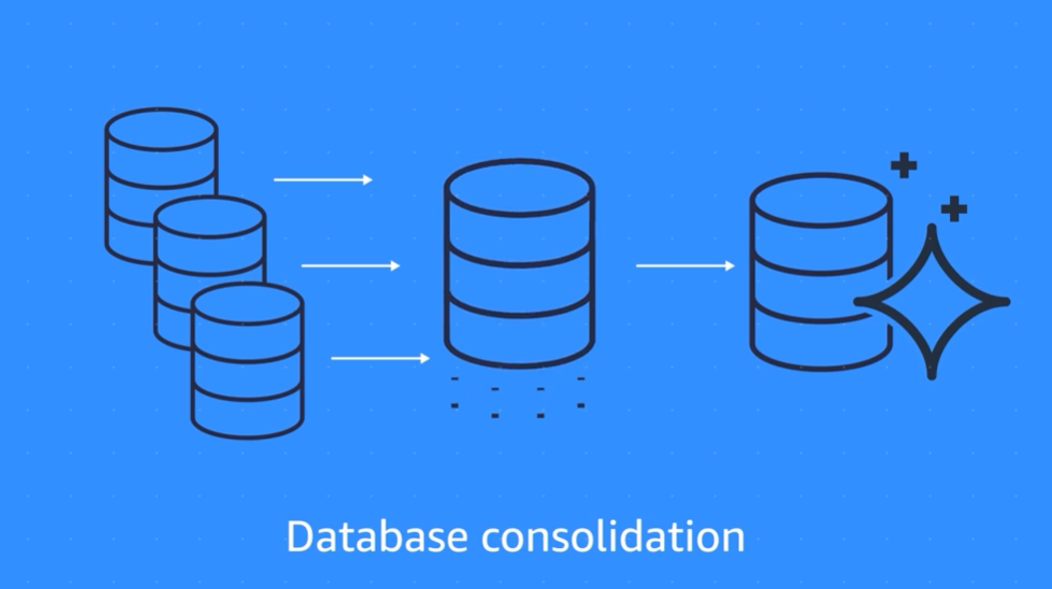
4) Database consolidation:
When you have several databases and want to consolidate them into one central database.
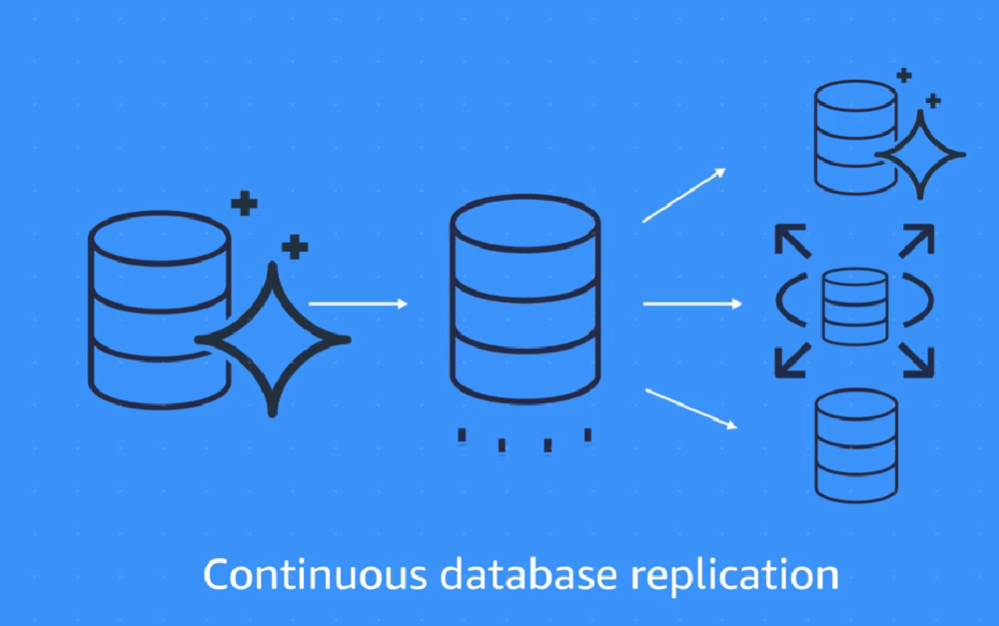
5) Continouse database replication:
When you use DMS to perform continuous data replication. This could be for disaster recovery or because of geographic separation.
8. Additional database services
1) Amazon DocumentDB
Amazon DocumentDB(opens in a new tab) is a document database service that supports MongoDB workloads. (MongoDB is a document database program.)
2) Amazon Neptune
Amazon Neptune(opens in a new tab) is a graph database service.
You can use Amazon Neptune to build and run applications that work with highly connected datasets, such as recommendation engines, fraud detection, and knowledge graphs.
3) Amazon Quantum Ledger Database (Amazon QLDB)
Amazon Quantum Ledger Database (Amazon QLDB) is a ledger database service.
You can use Amazon QLDB to review a complete history of all the changes that have been made to your application data.
4) Amazon Managed Blockchain
It's a service that you can use to create and manage blockchain networks with open-source frameworks.
Blockchain is a distributed ledger system that lets multiple parties run transactions and share data without a central authority.
5) Amazon ElastiCache
It's a service that adds caching layers on top of your databases to help improve the read times of common requests.
It supports two types of data stores: Redis and Memcached.
6) Amazon DynamoDB Accelerator (DAX)
It is an in-memory cache for DynamoDB.
It helps improve response times from single-digit milliseconds to microseconds.