✅ What I did today
- Udemy Course : Unity Shader
- Project CAVE
- Project Katana
🎞️ Udemy Course : Unity Shader
Raymarch Cloud Volume
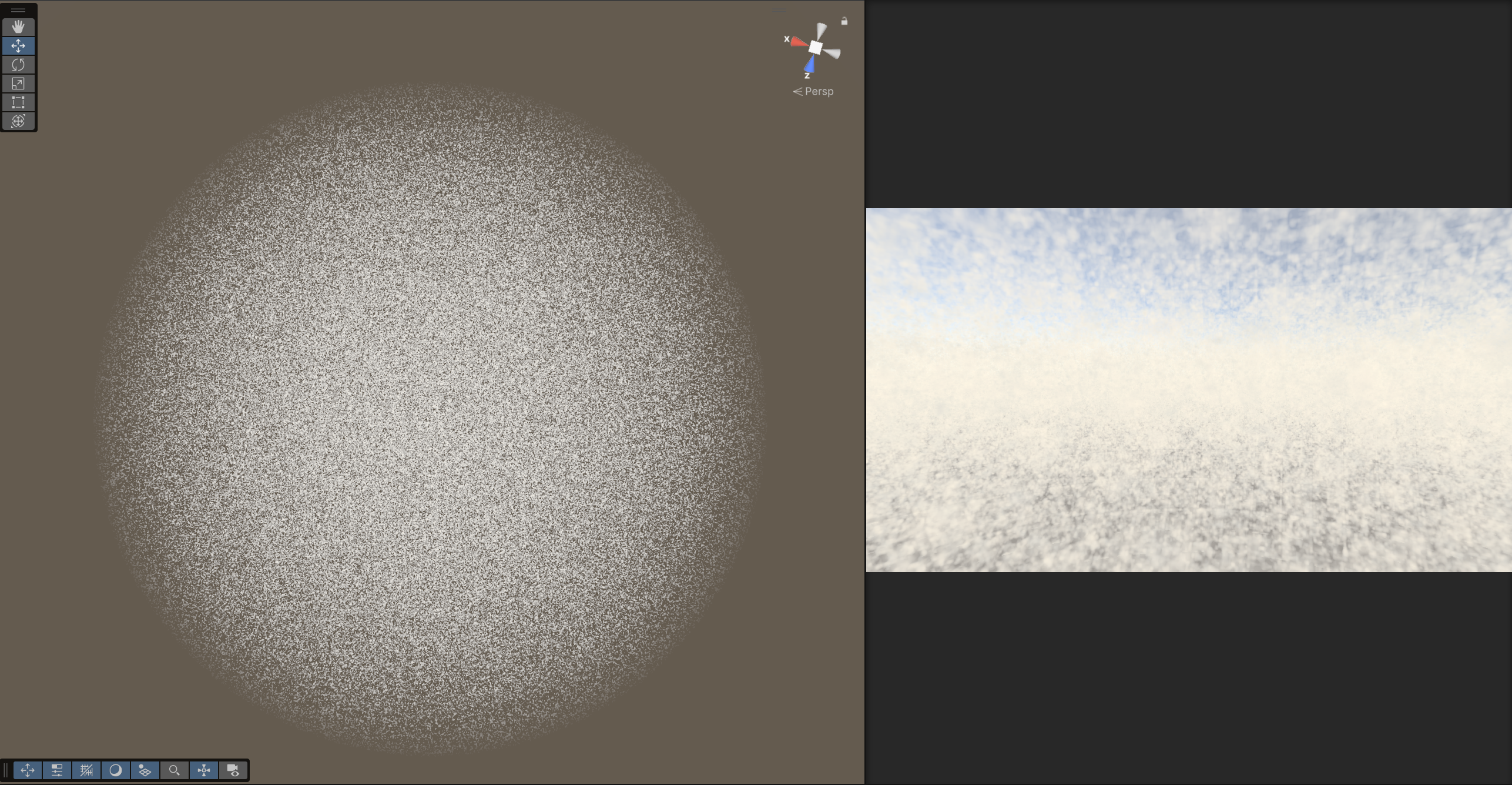
Shader "Holistic/RaymarchCloudsVolume"
{
    Properties
    {
        _Scale ("Scale", Range (0.1, 10.0)) = 2.0
        _StepScale ("Step Scale", Range (0.1, 100.0)) = 1
        _Steps ("Steps", Range(1,200)) = 60
        _MinHeight ("Min Height", Range (0.0, 5.0)) = 0
        _MaxHeight ("Max Height", Range (6.0, 10.0)) = 10
        _FadeDist ("Fade Distance", Range (0.0, 10.0)) = 0.5
        _SunDir ("Sun Direction", Vector) = (1,0,0,0)

    }
    SubShader
    {
        Tags { "Queue"="Transparent" }
        Blend SrcAlpha OneMinusSrcAlpha
        Cull Off Lighting Off ZWrite Off
        ZTest Always


        Pass
        {
            CGPROGRAM
            #pragma vertex vert
            #pragma fragment frag

            #include "UnityCG.cginc"

            struct appdata
            {
                float4 vertex : POSITION;
                float2 uv : TEXCOORD0;
            };

            struct v2f
            {
                float4 pos : SV_POSITION;
                float3 view : TEXCOORD0;
                float4 projPos : TEXCOORD1;
                float3 wpos : TEXCOORD2;
            };

            float _MinHeight;
            float _MaxHeight;
            float _FadeDist;
            float _Scale;
            float _StepScale;
            float _Steps;
            float4 _SunDir;
            sampler2D _CameraDepthTexture;

            // dot(sin(value), dotDir)을 통해 위치 기반의 슈도 랜덤 값 생성. dotDir은 해시 방향 벡터.
            float random(float3 value, float3 dotDir)
            {
                float3 smallV = sin(value);
                float random = dot(smallV, dotDir);
                random = frac(sin(random) * 123574.43212);
                return random;
            }

            float3 random3d(float3 value)
            {
                return float3 ( random(value, float3(12.898, 68.54, 37.7298)),
                                random(value, float3(39.898, 26.54, 85.7238)),
                                random(value, float3(76.898, 12.54, 8.6788)));
            }

            // (0,0,0), (1,0,0) ... (1,1,1) 까지 각 점의 랜덤 결과물을 8중 보간
            // for문을 통해 x → y → z 순서로 보간하여 최종값을 반환
            // noise : 범위 확장. -1.0 + 2.0 * [0~1] → [-1, 1]이다.
            float noise3d(float3 value)
            {
                value *= _Scale;
                float3 interp = frac(value);
                interp = smoothstep(0.0, 1.0, interp);

                float3 ZValues[2];
                for(int z = 0; z <= 1; z++)
                {
                    float3 YValues[2];
                    for(int y = 0; y <= 1; y++)
                    {
                         float3 XValues[2];
                         for(int x = 0; x <= 1; x++)
                         {
                            float3 cell = floor(value) + float3(x,y,z);
                            XValues[x] = random3d(cell);
                         }
                         YValues[y] = lerp(XValues[0], XValues[1], interp.x);
                    }
                    ZValues[z] = lerp(YValues[0], YValues[1], interp.y);
                }

                float noise = -1.0 + 2.0 * lerp(ZValues[0], ZValues[1], interp.z);
                return noise;
            }

            // 밀도(density)와 조명(diffuse)으로 구름 색상 계산 후 누적
            fixed4 integrate(fixed4 sum, float diffuse, float density, fixed4 bgcol, float t)
            {
                // lighting = ambient + diffuse 조명.
                // ambient: 푸르스름한 회색 기본광
                // diffuse: 태양 방향 광량에 따라 강조되는 따뜻한 색
                fixed3 lighting = fixed3(0.65, 0.68, 0.7) * 1.3 + 0.5 * fixed3(0.7, 0.5, 0.3) * diffuse;
                // density가 낮으면 밝고 투명, density가 높으면 어두운 회색
                fixed3 colrgb = lerp( fixed3(1.0, 0.95, 0.8), fixed3(0.65, 0.65, 0.65), density);
                // density를 alpha로 사용하여 구름 불투명도 표현
                fixed4 col = fixed4(colrgb.r, colrgb.g, colrgb.b, density);
                col.rgb *= lighting;
                // 깊이에 따라 지수적으로 감소하는 투과율에 의해 배경색과 blending
                col.rgb = lerp(col.rgb, bgcol, 1.0 - exp(-0.003*t*t));
                col.a *= 0.5;
                col.rgb *= col.a;
                return sum + col*(1.0 - sum.a);
            }

            // noiseMap(pos + 0.3 * _SunDir) : 태양 방향으로 약간 이동한 위치의 밀도
            // diffuse : 태양빛을 받은 정도를 의미
            #define MARCH(steps, noiseMap, cameraPos, viewDir, bgcol, sum, depth, t) { \
                for (int i = 0; i < steps + 1; i++) \
                { \
                    if(t > depth) \
                        break; \
                    float3 pos = cameraPos + t * viewDir; \
                    if (pos.y < _MinHeight || pos.y > _MaxHeight || sum.a > 0.99) \
                    {\
                        t += max(0.1, 0.02*t); \
                        continue; \
                    }\
                    \
                    float density = noiseMap(pos); \
                    if (density > 0.01) \
                    { \
                        float diffuse = clamp((density - noiseMap(pos + 0.3 * _SunDir)) / 0.6, 0.0, 1.0);\
                        sum = integrate(sum, diffuse, density, bgcol, t); \
                    } \
                    t += max(0.1, 0.02 * t); \
                } \
            }


            #define NOISEPROC(N, P) 1.75 * N * saturate((_MaxHeight - P.y)/_FadeDist)

            // 해당 위치에서의 구름 밀도 값
            float map1(float3 q)
            {
                float3 p = q;
                float f;
                f = 0.5 * noise3d(q);
                return NOISEPROC(f, p);
            }

            // 3. 매크로로 계산된 col을 clamp하여 반환 (매크로가 ct를 통해 누적하며 진행)
            fixed4 raymarch(float3 cameraPos, float3 viewDir, fixed4 bgcol, float depth)
            {
                fixed4 col = fixed4(0,0,0,0);
                float ct = 0;

                MARCH(_Steps, map1, cameraPos, viewDir, bgcol, col, depth, ct);

                return clamp(col, 0.0, 1.0);
            }

            // 1. 데이터 준비
            v2f vert (appdata v)
            {
                v2f o;
                o.wpos = mul(unity_ObjectToWorld, v.vertex).xyz;
                o.pos = UnityObjectToClipPos(v.vertex);
                o.view = o.wpos - _WorldSpaceCameraPos;
                o.projPos = ComputeScreenPos(o.pos);
                return o;
            }

            // 2. raymarch를 통해 구름 계산 시작
            fixed4 frag (v2f i) : SV_Target
            {
                float depth = 1;
                depth *= length(i.view);
                fixed4 col = fixed4(1,1,1,0);
                fixed4 clouds = raymarch( _WorldSpaceCameraPos, normalize(i.view) * _StepScale, col, depth);
                fixed3 mixedCol = col * (1.0 - clouds.a) + clouds.rgb;
                return fixed4(mixedCol, clouds.a);
            }
            ENDCG
        }
    }
}
🎮 Project CAVE
Outline Shader
https://www.youtube.com/watch?v=jlKNOirh66E
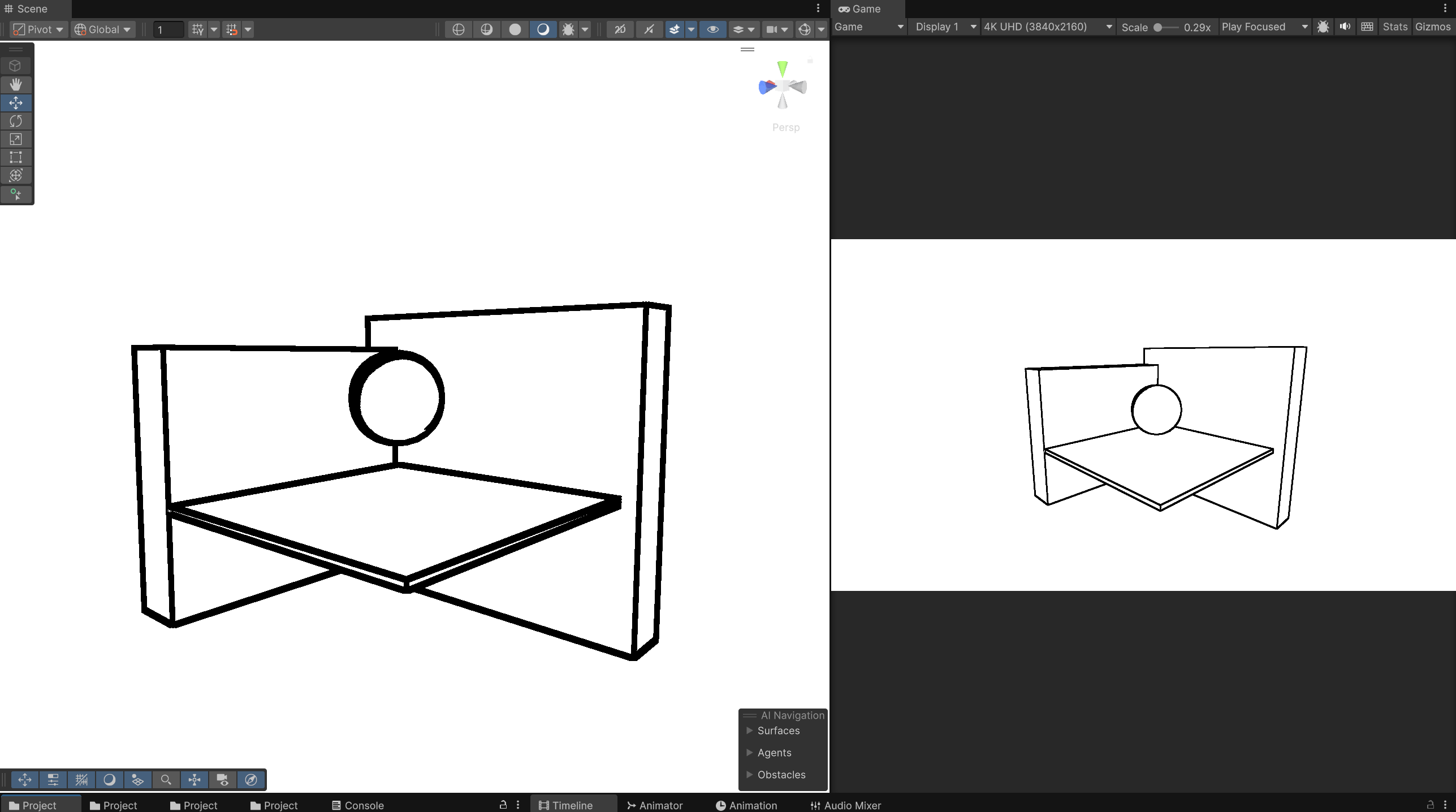
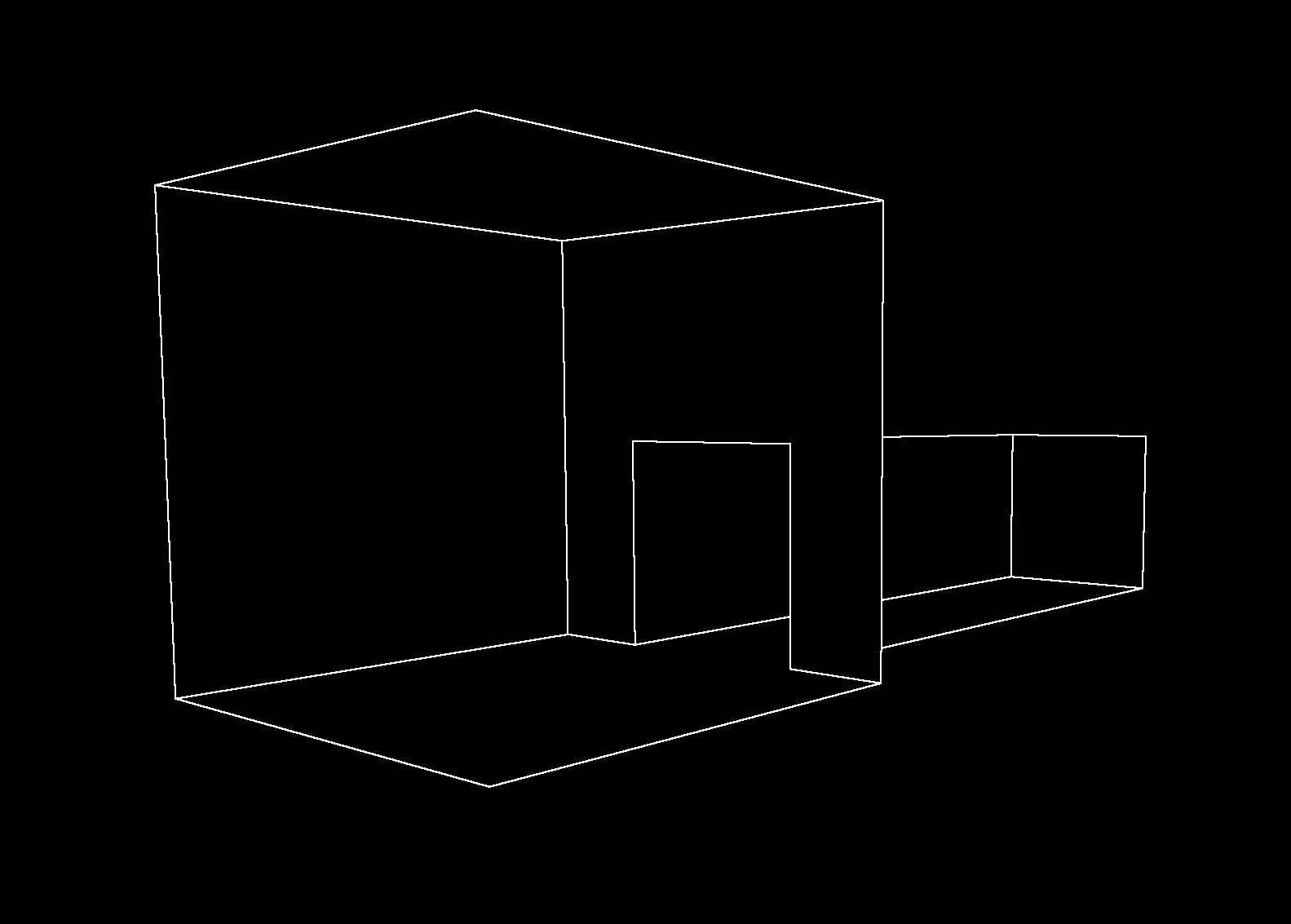
Shader "URP/FullscreenOutlineByDepthAndNormalsThickness"
{
    Properties
    {
        _MainTex ("Texture", 2D) = "white" {}
        _OutlineThickness ("Outline Thickness", Range(1, 10)) = 1
    }

    SubShader
    {
        Tags { "RenderPipeline" = "UniversalRenderPipeline" }

        Pass
        {
            Name "FullscreenPass"
            Tags { "LightMode" = "UniversalRenderer" }

            HLSLPROGRAM
            #pragma vertex FullscreenVert
            #pragma fragment frag

            #include "Packages/com.unity.render-pipelines.core/ShaderLibrary/Common.hlsl"
            #include "Packages/com.unity.render-pipelines.universal/ShaderLibrary/Core.hlsl"

            TEXTURE2D(_MainTex);
            SAMPLER(sampler_MainTex);

            TEXTURE2D(_CameraDepthTexture);
            SAMPLER(sampler_CameraDepthTexture);

            // 카메라 노말 텍스처. URP 설정에서 노말 텍스처 생성 활성화 필요.
            TEXTURE2D(_CameraNormalsTexture);
            SAMPLER(sampler_CameraNormalsTexture);

            // 외곽선 두께 조절 프로퍼티 (_OutlineThickness는 1일 때 기본 3×3 샘플링)
            float _OutlineThickness;

            struct Varyings
            {
                float4 positionCS : SV_POSITION;
            };

            Varyings FullscreenVert(uint vertexID : SV_VertexID)
            {
                Varyings o;
                o.positionCS = GetFullScreenTriangleVertexPosition(vertexID);
                return o;
            }

            float LinearEyeDepth(float rawDepth)
            {
                return Linear01Depth(rawDepth, _ZBufferParams);
            }

            float4 frag(Varyings i) : SV_Target
            {
                float2 screenUV = i.positionCS.xy / _ScreenParams.xy;
                float2 texelSize = 1.0 / _ScreenParams.xy;

                // 깊이(edgeDepth) 검출
                float depth[9];
                for (int y = -1; y <= 1; y++)
                {
                    for (int x = -1; x <= 1; x++)
                    {
                        int index = (y + 1) * 3 + (x + 1);
                        // _OutlineThickness 값을 곱해 샘플링 오프셋을 조절
                        float2 offset = float2(x, y) * texelSize * _OutlineThickness;
                        float d = SAMPLE_TEXTURE2D(_CameraDepthTexture, sampler_CameraDepthTexture, screenUV + offset).r;
                        depth[index] = LinearEyeDepth(d);
                    }
                }
                float sobelX = depth[0] + 2.0 * depth[3] + depth[6] - depth[2] - 2.0 * depth[5] - depth[8];
                float sobelY = depth[0] + 2.0 * depth[1] + depth[2] - depth[6] - 2.0 * depth[7] - depth[8];
                float edgeDepth = sqrt(sobelX * sobelX + sobelY * sobelY);

                // 노말(edgeNormal) 검출
                float3 normals[9];
                for (int y = -1; y <= 1; y++)
                {
                    for (int x = -1; x <= 1; x++)
                    {
                        int index = (y + 1) * 3 + (x + 1);
                        float2 offset = float2(x, y) * texelSize * _OutlineThickness;
                        // 카메라 노말 텍스처는 [0,1] 범위이므로 [-1,1]로 복원
                        float3 normSample = SAMPLE_TEXTURE2D(_CameraNormalsTexture, sampler_CameraNormalsTexture, screenUV + offset).rgb;
                        normSample = normSample * 2.0 - 1.0;
                        normals[index] = normalize(normSample);
                    }
                }
                float3 sobelN_x = normals[0] + 2.0 * normals[3] + normals[6] - normals[2] - 2.0 * normals[5] - normals[8];
                float3 sobelN_y = normals[0] + 2.0 * normals[1] + normals[2] - normals[6] - 2.0 * normals[7] - normals[8];
                float edgeNormal = sqrt(dot(sobelN_x, sobelN_x) + dot(sobelN_y, sobelN_y));

                // 깊이 또는 노말의 변화가 임계값을 초과하면 테두리 출력
                if (edgeDepth > 0.005 || edgeNormal > 1)
                    return float4(0, 0, 0, 1); // 테두리: 검정색
                else
                    return float4(1, 1, 1, 1); // 배경: 흰색
            }
            ENDHLSL
        }
    }
}
이 셰이더 적용한 머테리얼을 Full Screen Pass Renderer Feature에 넣기
FPS Player Controller
Package Export 종속성만 체크가 안됨
Include all 체크 해제
콜라이더가 분명 하나인데 더 달려있음
Character Controller에도 collider 달려있어서 그럼
굳이 콜라이더 추가할 필요 없음
Rigidbody 중력 작용 안 함
Character Controller 붙어있으면 Rigidbody 적용 안됨
Move()로 직접 구현해야 함
    private void AddGravity()
    {
        if (characterController.isGrounded)
        {
            if (Input.GetKeyDown(KeyCode.Space)) verticalVelocity = Mathf.Sqrt(-2f * gravity * jumpMult); // 점프
            else verticalVelocity = -2f;
        }
        else verticalVelocity += gravity * Time.deltaTime; // 땅에 붙어있는게 아니면 떨어져
    }
천장 부딪혔을 때 속도 제거
CollisionFlags flags = characterController.Move(direction * moveSpeed * Time.deltaTime);
if ((flags & CollisionFlags.Above) != 0 && verticalVelocity > 0)
    verticalVelocity = 0f; // 천장에 닿았으면 속도 제거
🎮 Project Katana


using UnityEngine;

public class Enemy : MonoBehaviour
{
    private Transform Front;
    private Transform Back;
    [SerializeField] float sliceSpeed = 10f;

    void Start()
    {
        Front = transform.GetChild(0);
        Back = transform.GetChild(1);
    }

    void OnTriggerEnter2D(Collider2D collider)
    {
        if (collider.CompareTag("Weapon"))
        {
            Rigidbody2D playerRigidBody = collider.transform.parent.GetComponent<Rigidbody2D>();
            if (playerRigidBody.linearVelocity.magnitude > sliceSpeed)
                Die();
        }
    }

    public void Die()
    {
        bool randomDir = Random.Range(0, 2) == 0;
        float randomForce = Random.Range(5f, 10f);
        Front.GetComponent<Corpse>().Throw(randomDir, randomForce);
        Back.GetComponent<Corpse>().Throw(!randomDir, randomForce);
        Destroy(gameObject);
    }
}
