Today's Lesson: Spawning A Projectile
Summary
1. How you can setup our character's first combat ability, spawning a projectile in the scene that will head off in the direction of the player's hand.
2. We go over creating the projectile blueprint class, playing the casting animation and timing it up along with adding the offset for the ability.
✅ Ability2 Animation
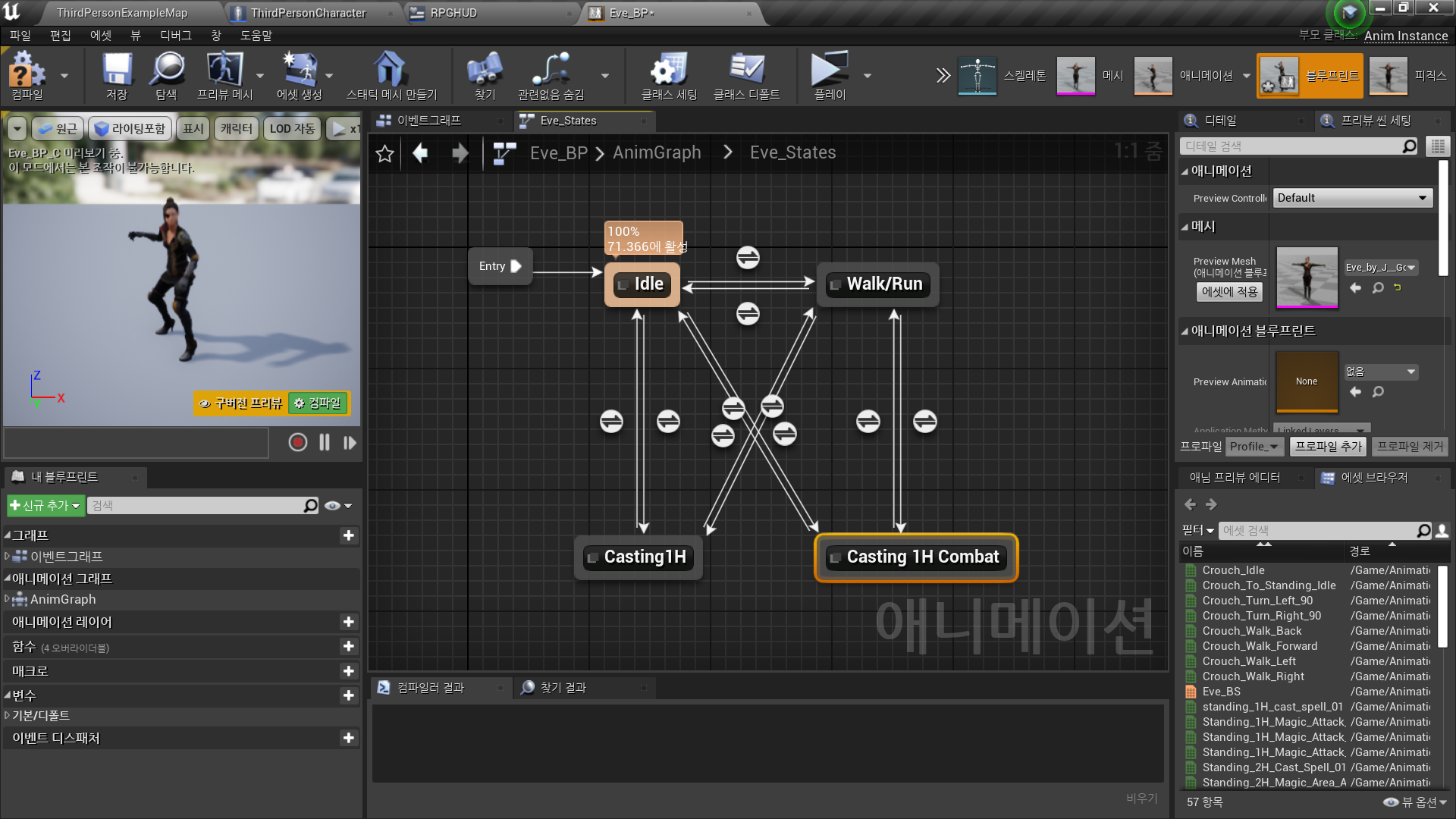
◼️ 애니메이션 재생에 필요한 상태 생성
In Animation Blueprint <Eve_BP> - AnimGraph
- In Eve_States
Create New State: Casting 1H Combat
◼️ 캐릭터의 애니메이션을 제어할 변수 생성
//캐릭터 블루프린트를 통해 입력된 데이터를, 애니메이션 블루프린트에서 받아온다
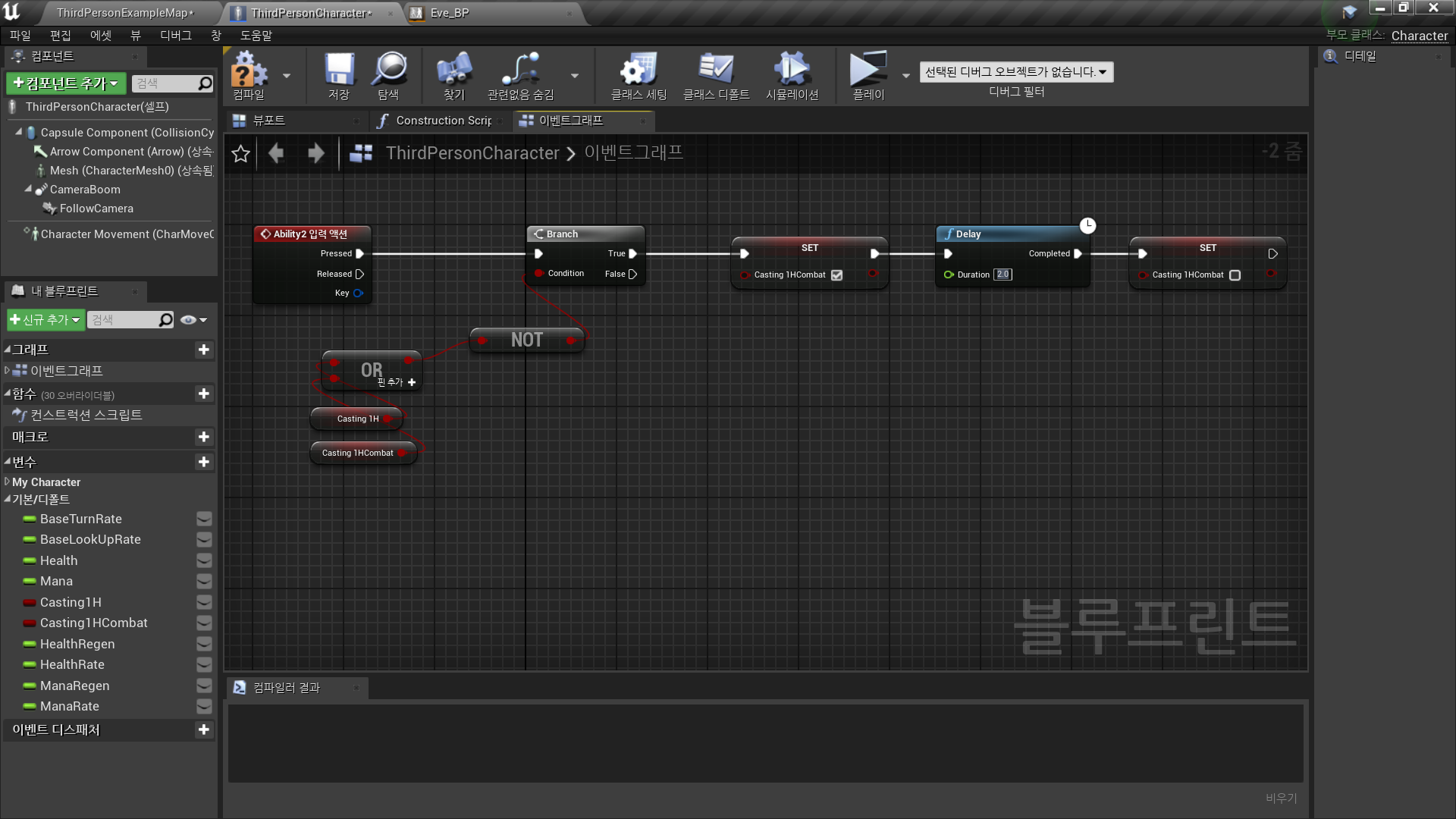
In Character Blueprint <ThirdPersonCharacter> - EventGraph
- New Variable: Casting1HCombat
- Ability2 입력 이벤트 발생 시
Casting1H, Casting1HCombat 변수가 모두 False인 경우
Casting1H 변수를 True로 설정하고
Delay 이후
Casting1HCombat 변수를 False로 설정
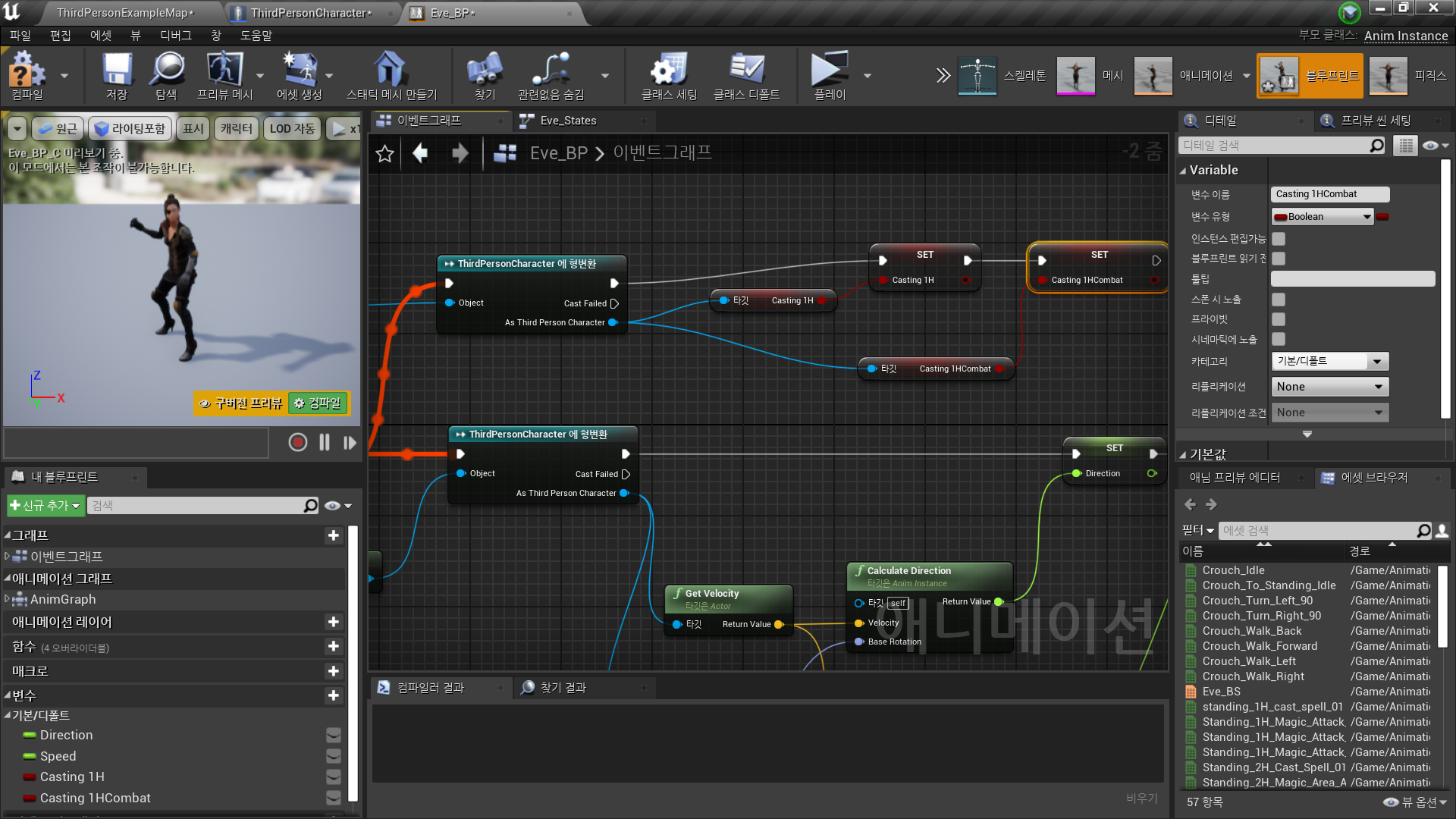
◼️ 애니메이션 제어 변수를 애니메이션 그래프에서 동기화
In Animation Blueprint <Eve_BP> - EventGraph
- As Third Person Character → Get Casting1HCombat → 변수로 승격
◼️ 상태 Transition Rule 설정
In Animation Blueprint <Eve_BP> - AnimGraph - Eve_States
- Casting 1H Combat → Idle, Walk/Run
Casting1HCombat == False - Idle, Walk/Run → Casting 1H Combat
Casting1HCombat == True
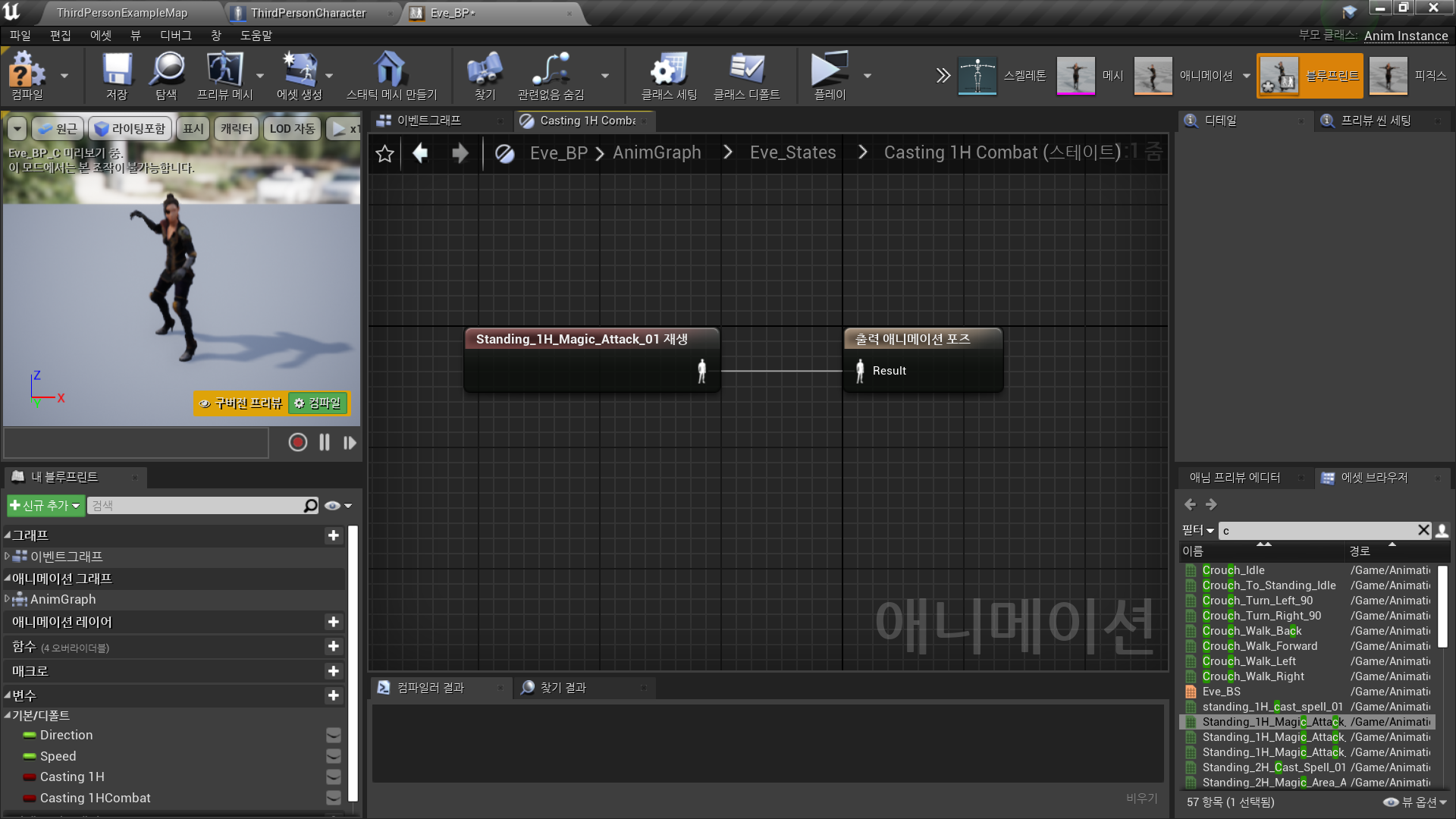
◼️ 출력 애니메이션 설정
In Animation Blueprint <Eve_BP> - AnimGraph - Eve_States -
Casting 1H Combat(State)
✅ Ability2 Logic,Blueprint
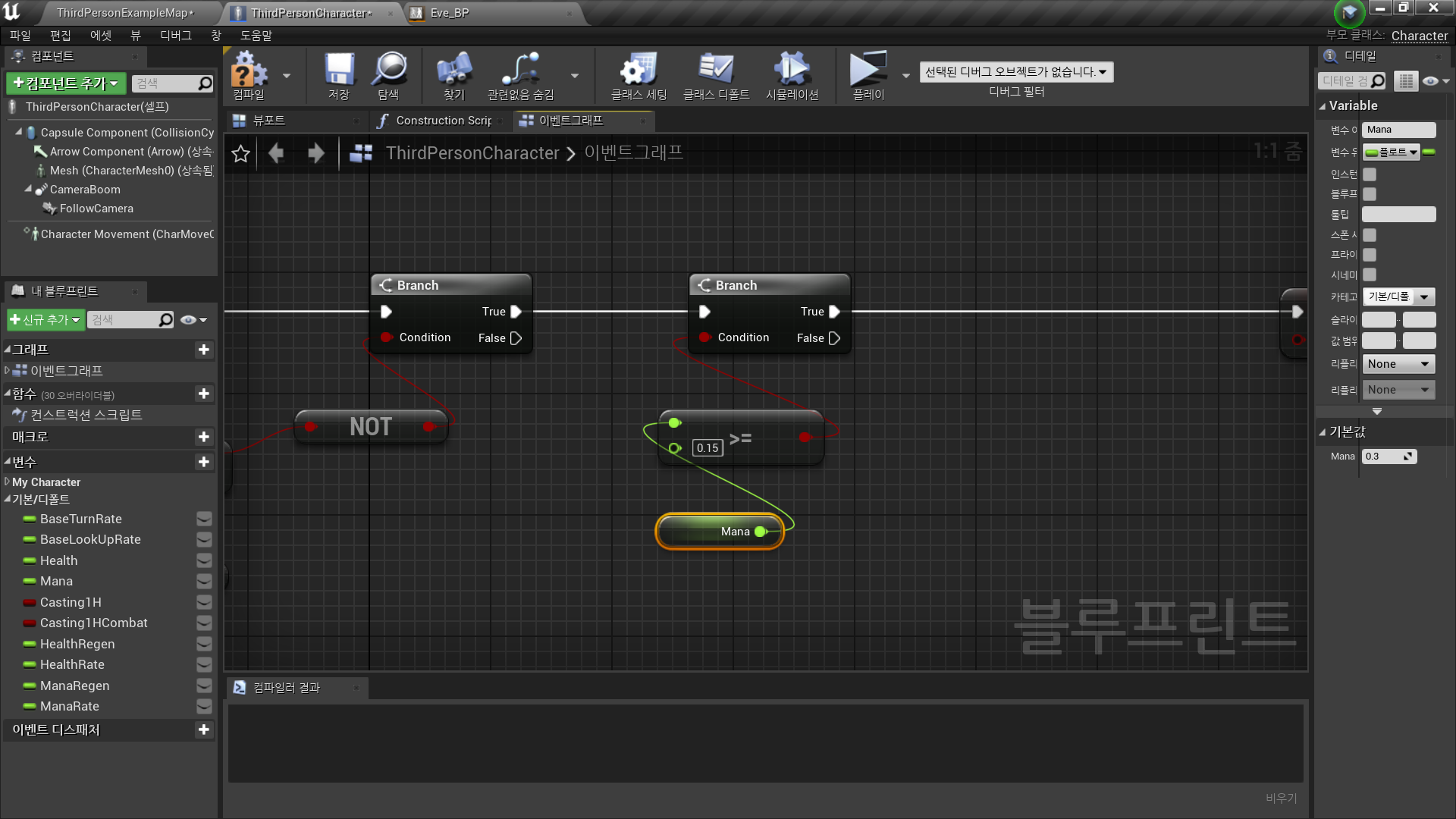
◼️ 마나 체크
- Branch
Mana >= 0.15
True인 경우만 실행
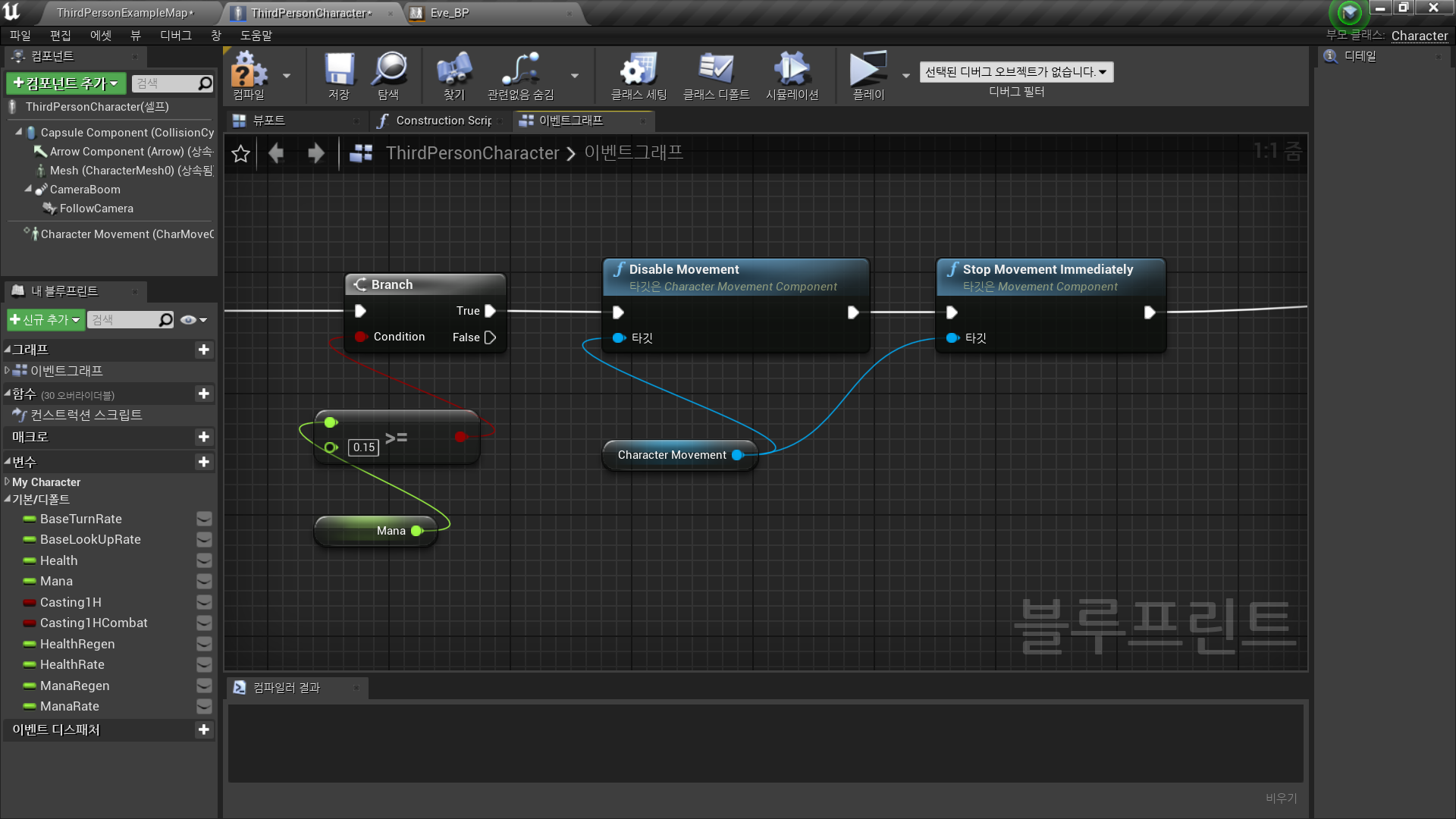
◼️ 움직임 멈춤
- Character Movement Component
→ Disable Movement, Stop MovementImmediately
Diable Movement: 이동 모드를 MOVE_None으로 설정
Stop MovementImmediately: 속도, 가속도 0으로 변경
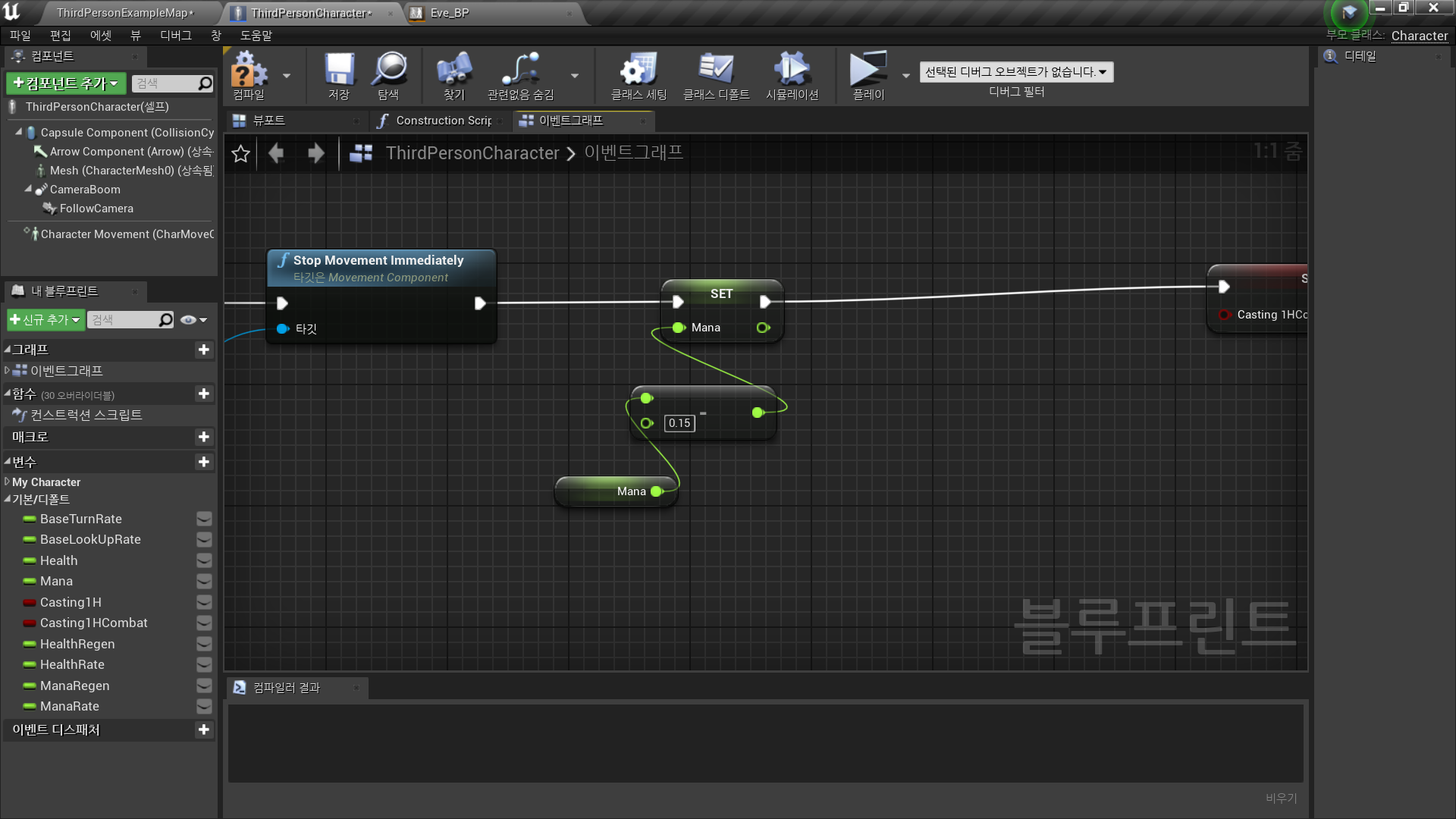
◼️ 마나 소모 처리
✅ Make a Projectile
◼️ 사용할 파티클 에셋
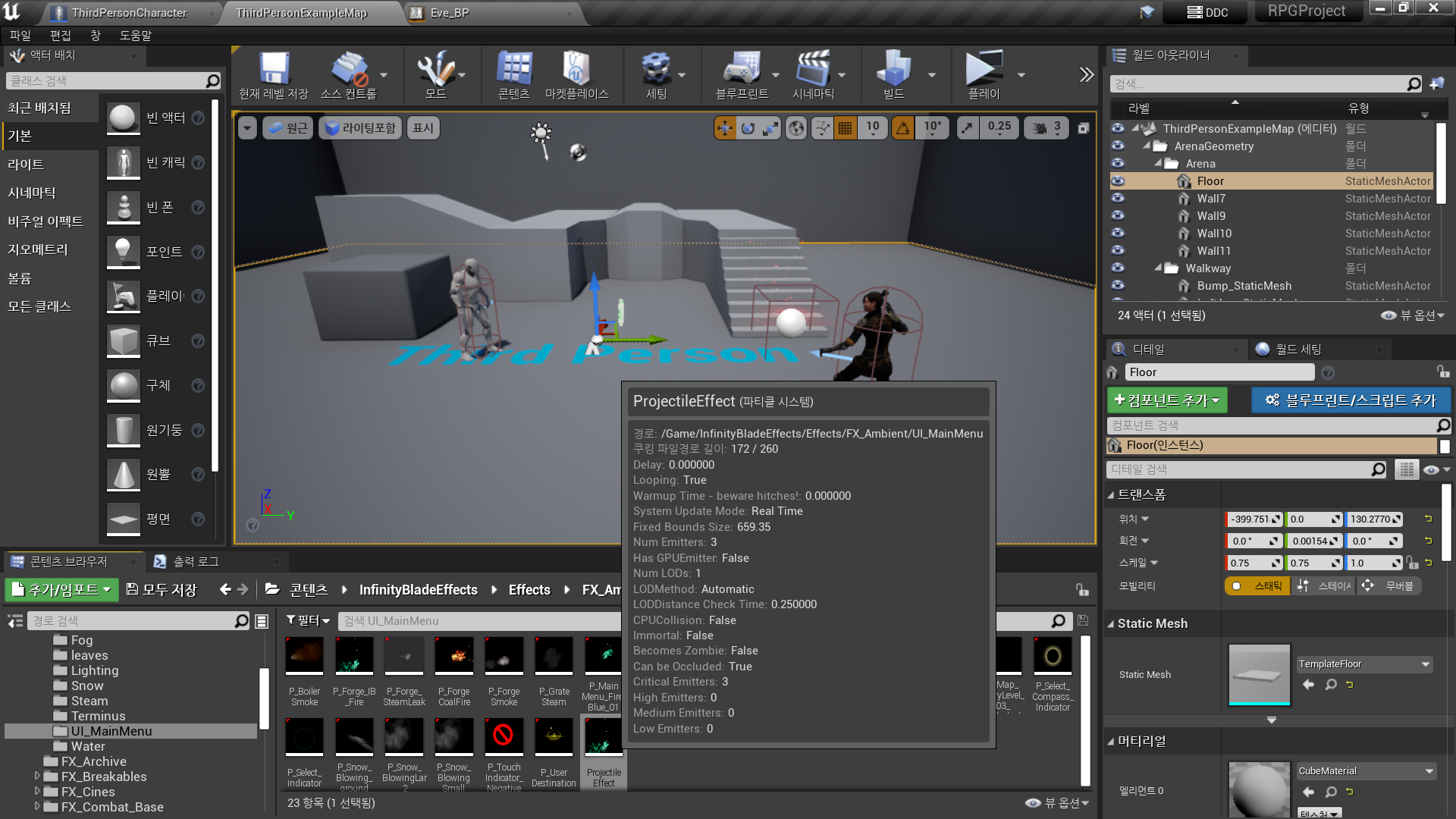
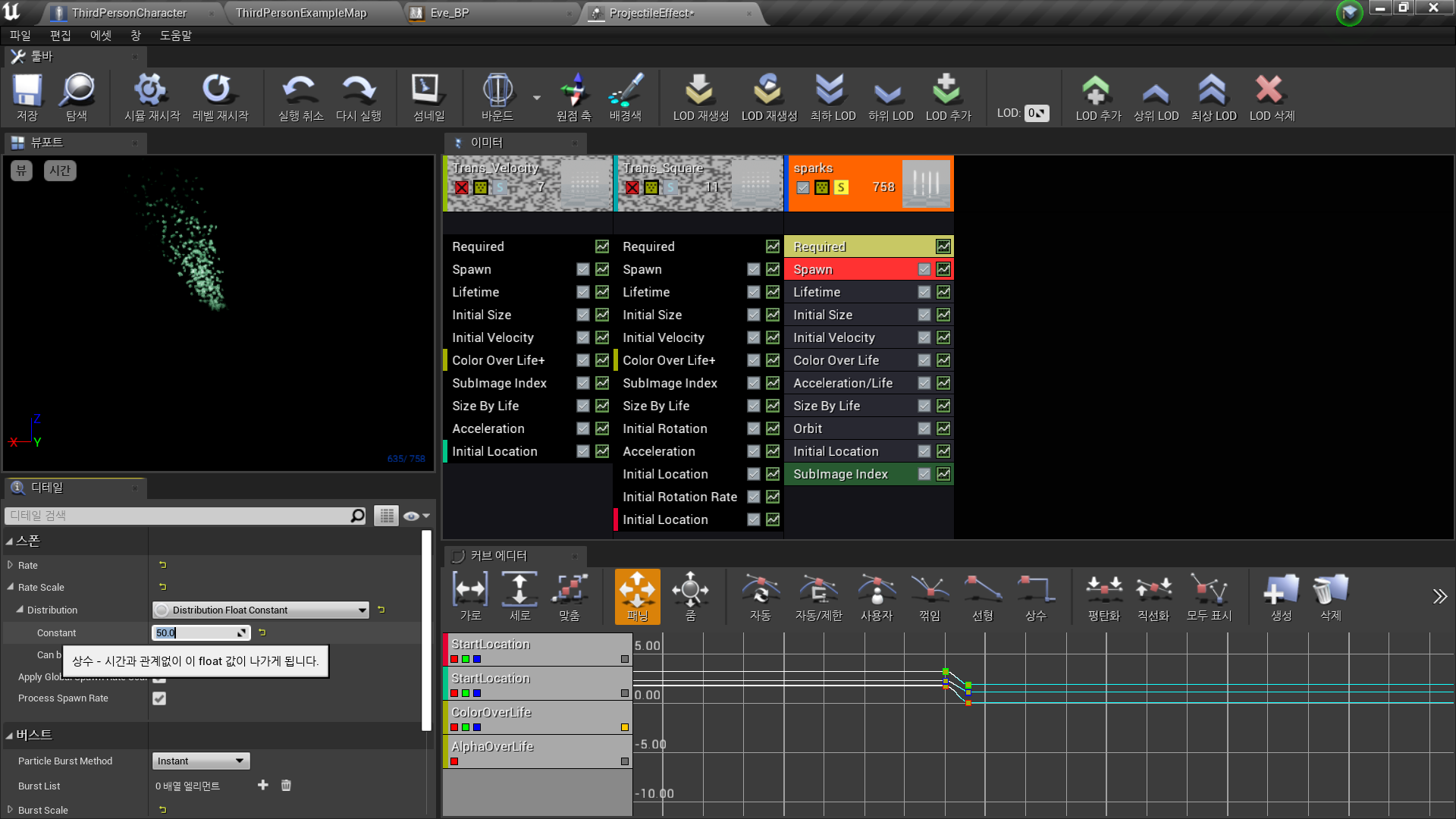
- Sparks - Spawn - Rate Scale - Distribution - Constant: 50
- Trans Square - Spawn - Rate Scale - Distribution - Constant: 100
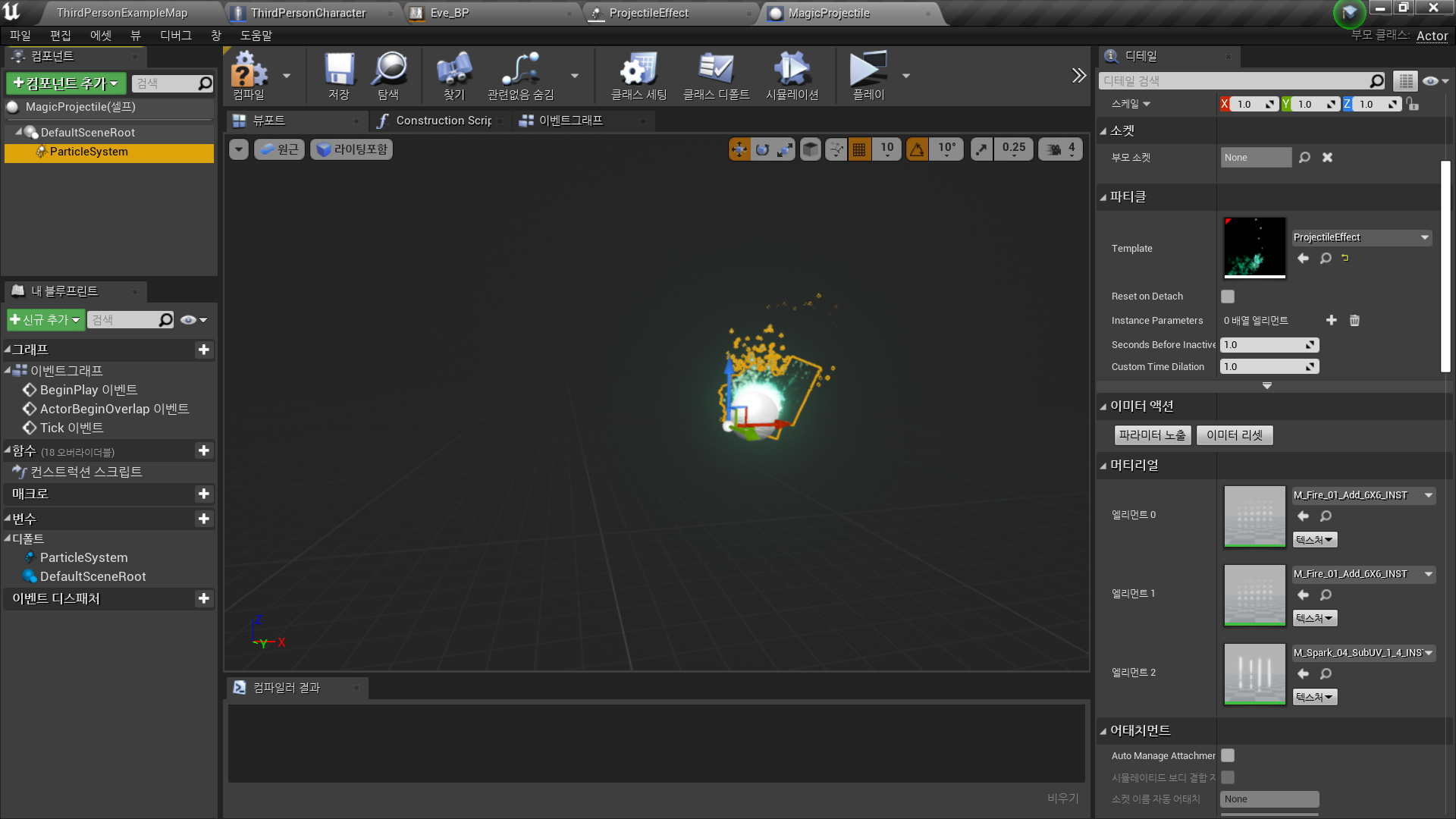
◼️ 블루프린트 생성 - Actor <MagicProjectile>
- Add Component: Particle System
- Particles - Template: ProjectileEffect
- 중앙으로 Transform 조정
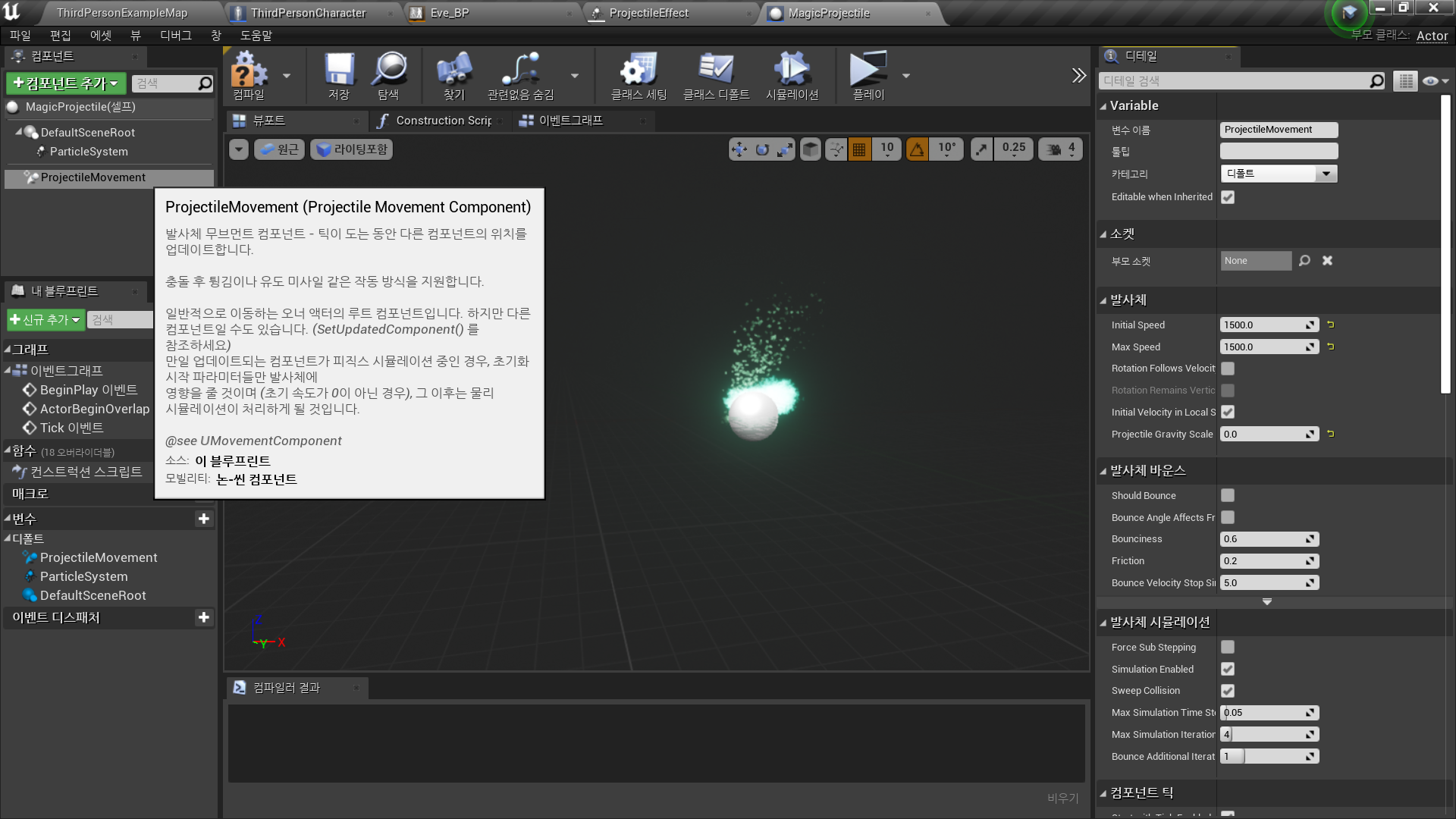
- Add Component: Projectile Movement
Projectile - Initial Speed: 1500
Projectile - Max Speed: 1500
Projectile Gravity Scale: 0
중력 영향 받지 않도록 설정
◼️ 블루프린트에서 파티클 생성
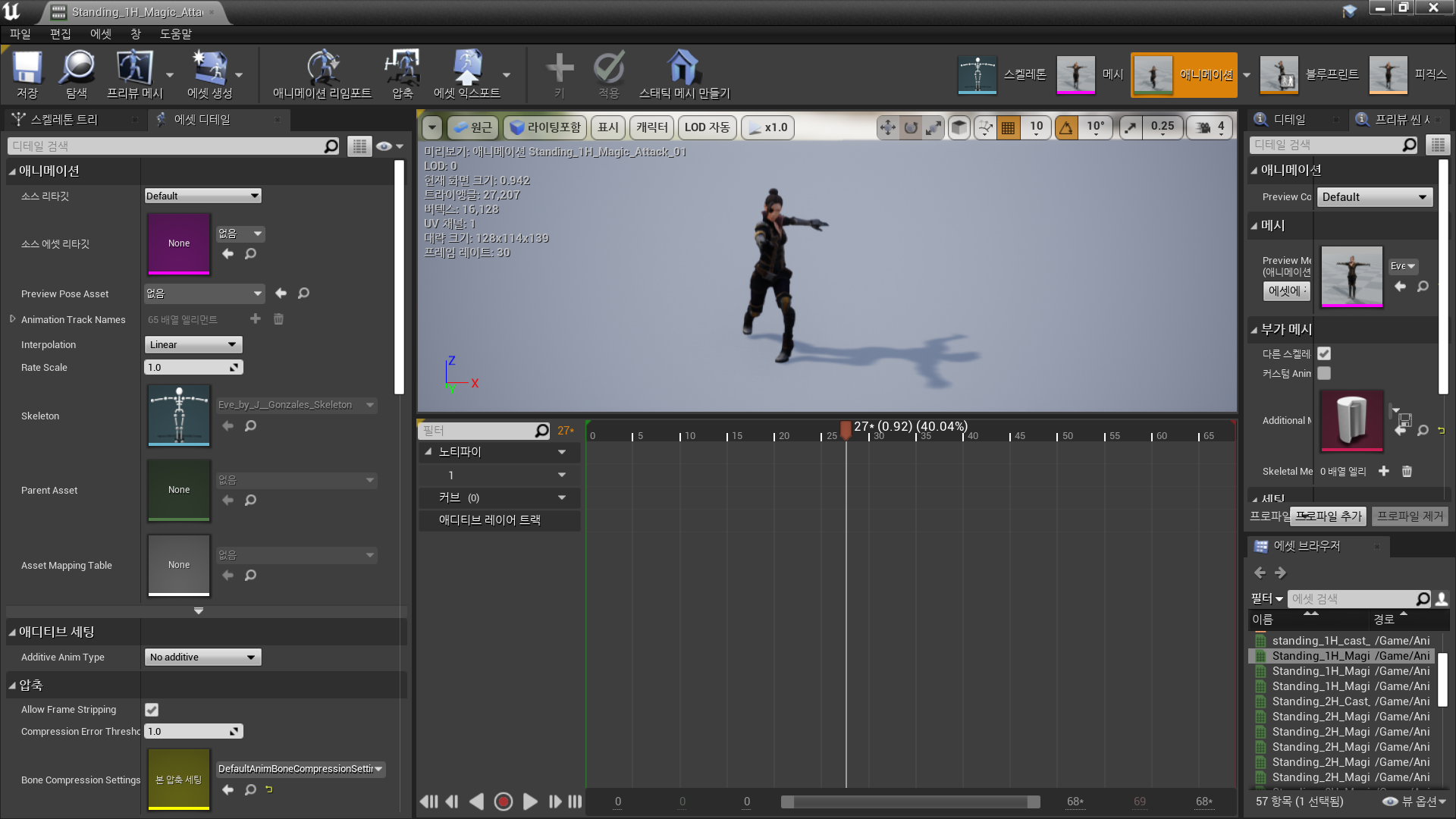
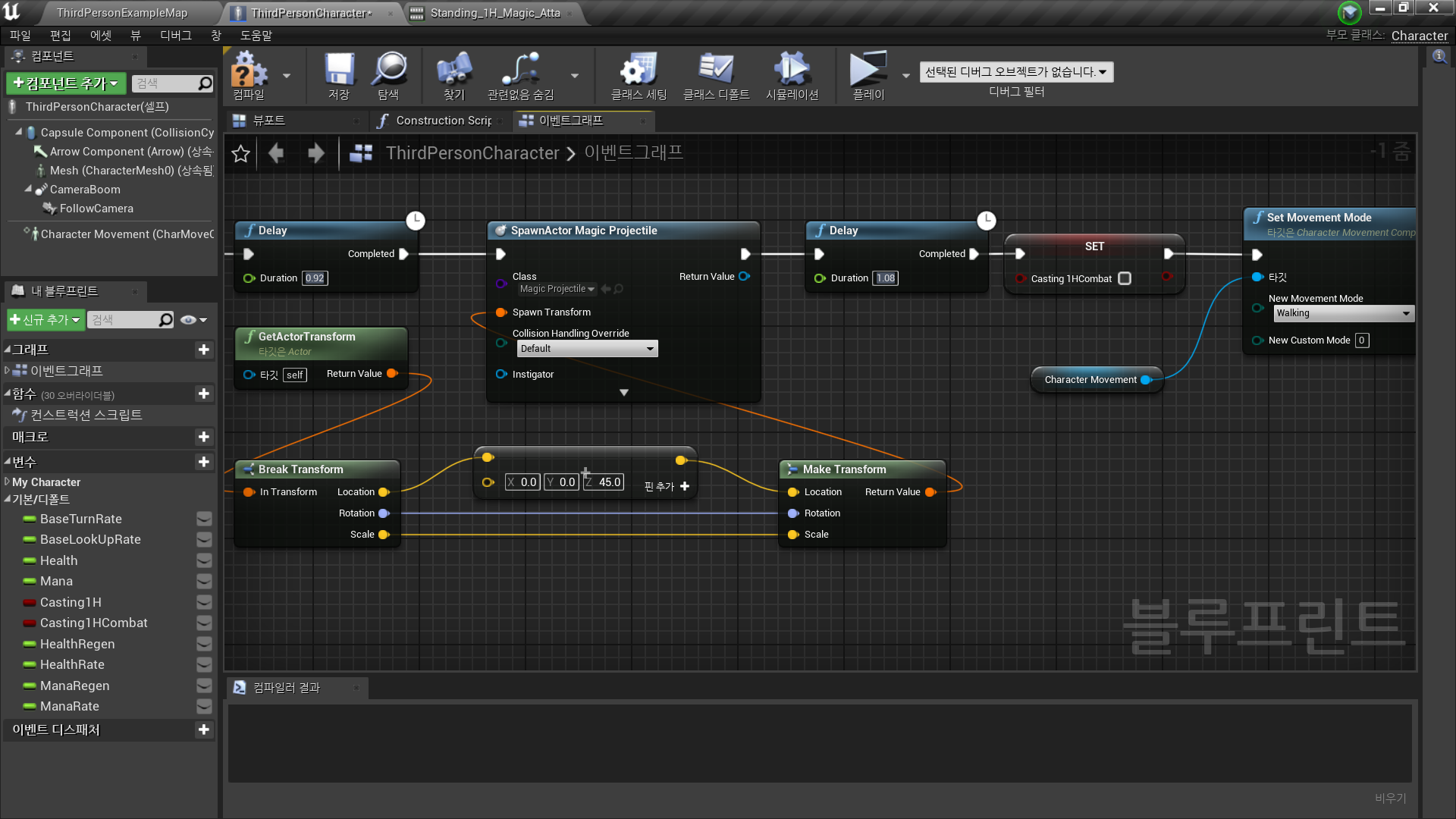
- Delay 노드를 통해 Projectile Spawn 시간 조정
Animation 에셋을 통해 duration 결정
- Spawn Actor from Class
Class: MagicProjectile
Spawn Transform 결정
1) Get Actor Transform
2) Break Transform
3) Vector + Vector
4) Make Transform - Set Movement Mode: Walking
✅ Result
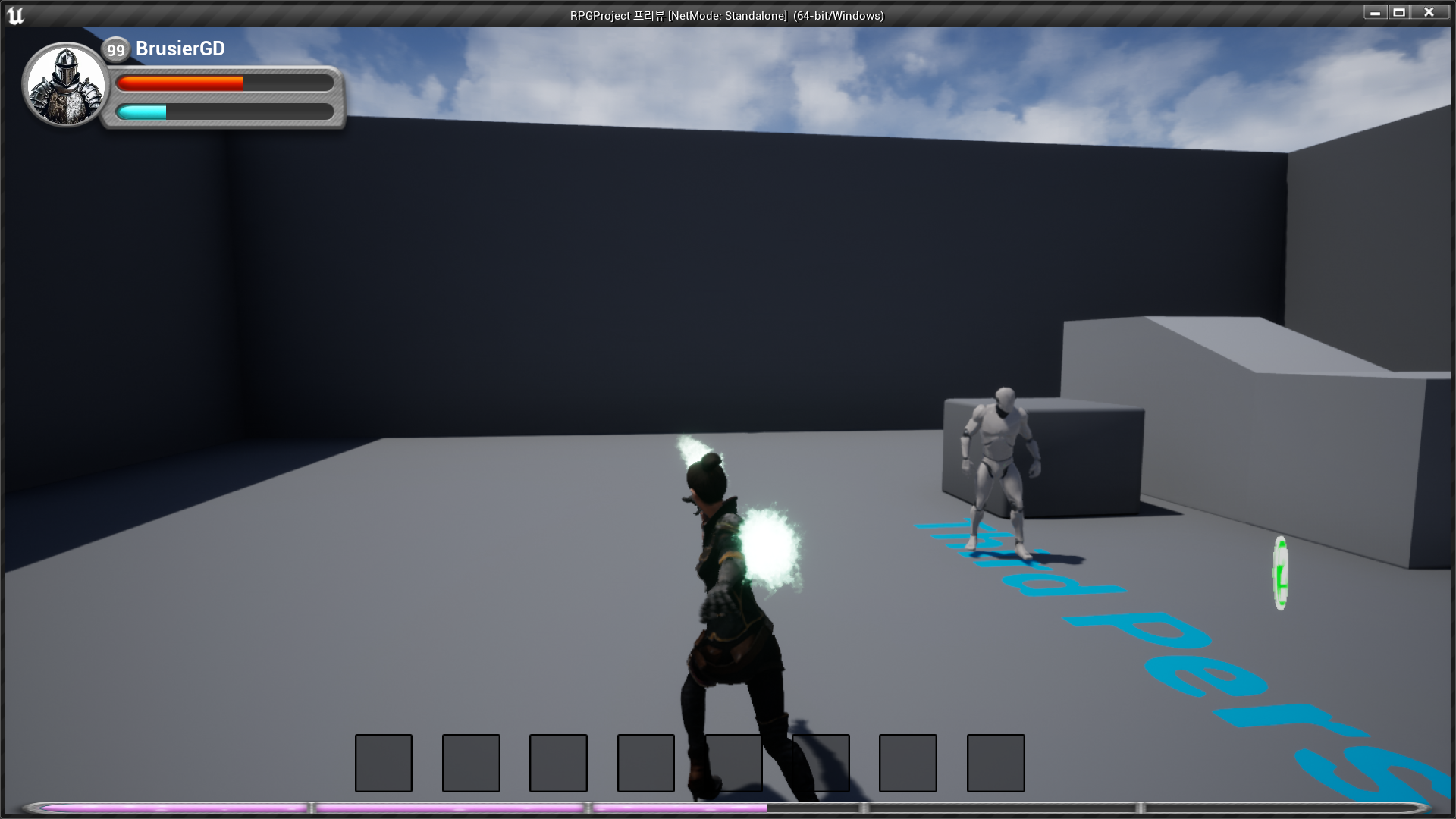
- 캐릭터 애니메이션, 발사체 파티클 생성