Today's Lesson: Ability Cool Down System
Summary
1. We take a look at how we can setup a cool down timer for our player abilties.
2. We go over how to get the timer displayed on the HUD and all of the blueprints required to set the system up..
Virtus Learning Hub
✅ 쿨다운 아이콘, 로직 생성
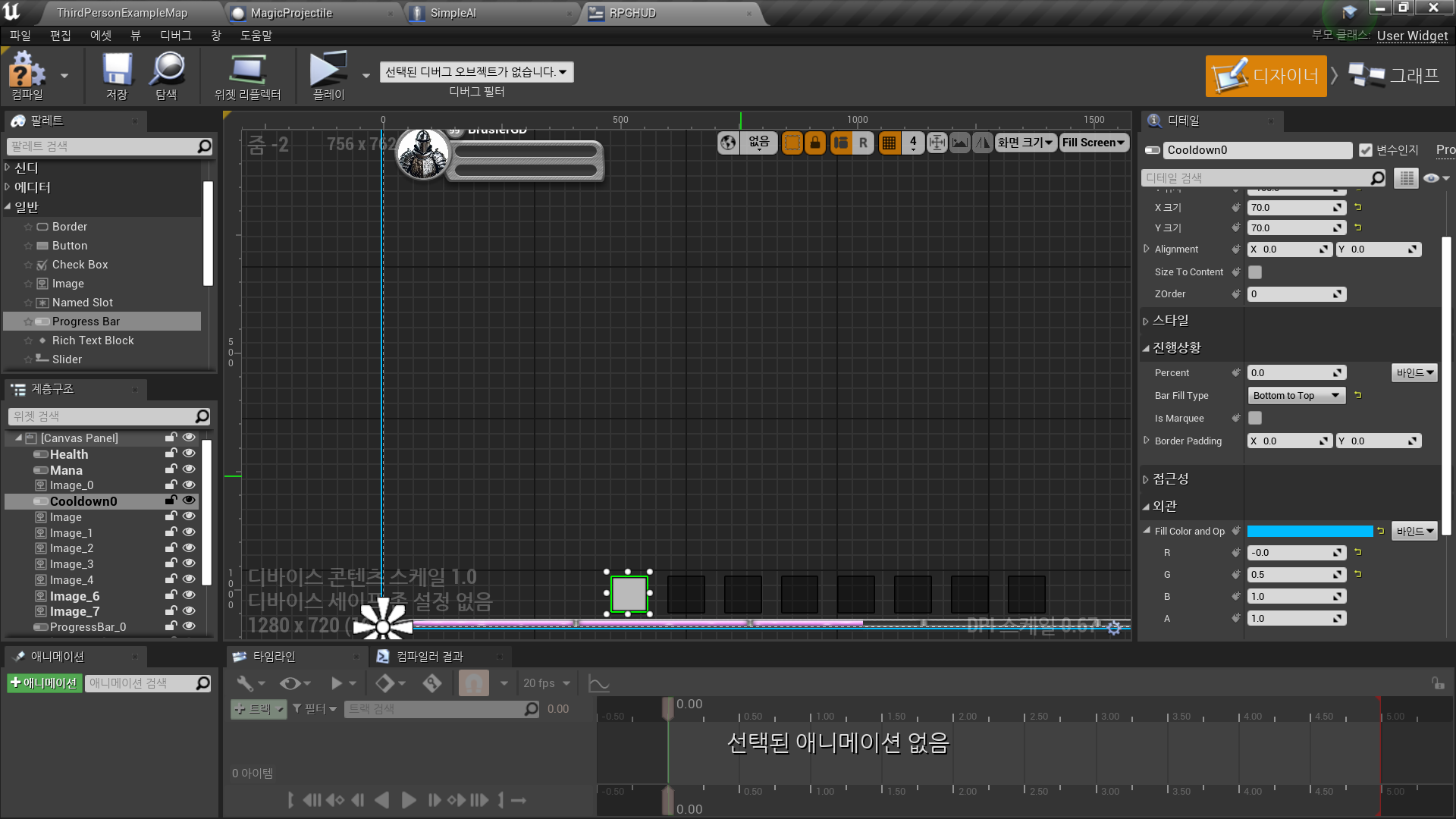
◼️ 쿨다운을 표시할 아이콘 생성
In Widget Blueprint <RPGHUD>
- Progress Bar(Cooldown1)
◼️ 쿨다운 데이터를 저장할 변수 생성
In Character Blueprint <ThirdPersonCharacter>
- New Variable: Ability1Cooldown
Type: Float
Default Value: 1
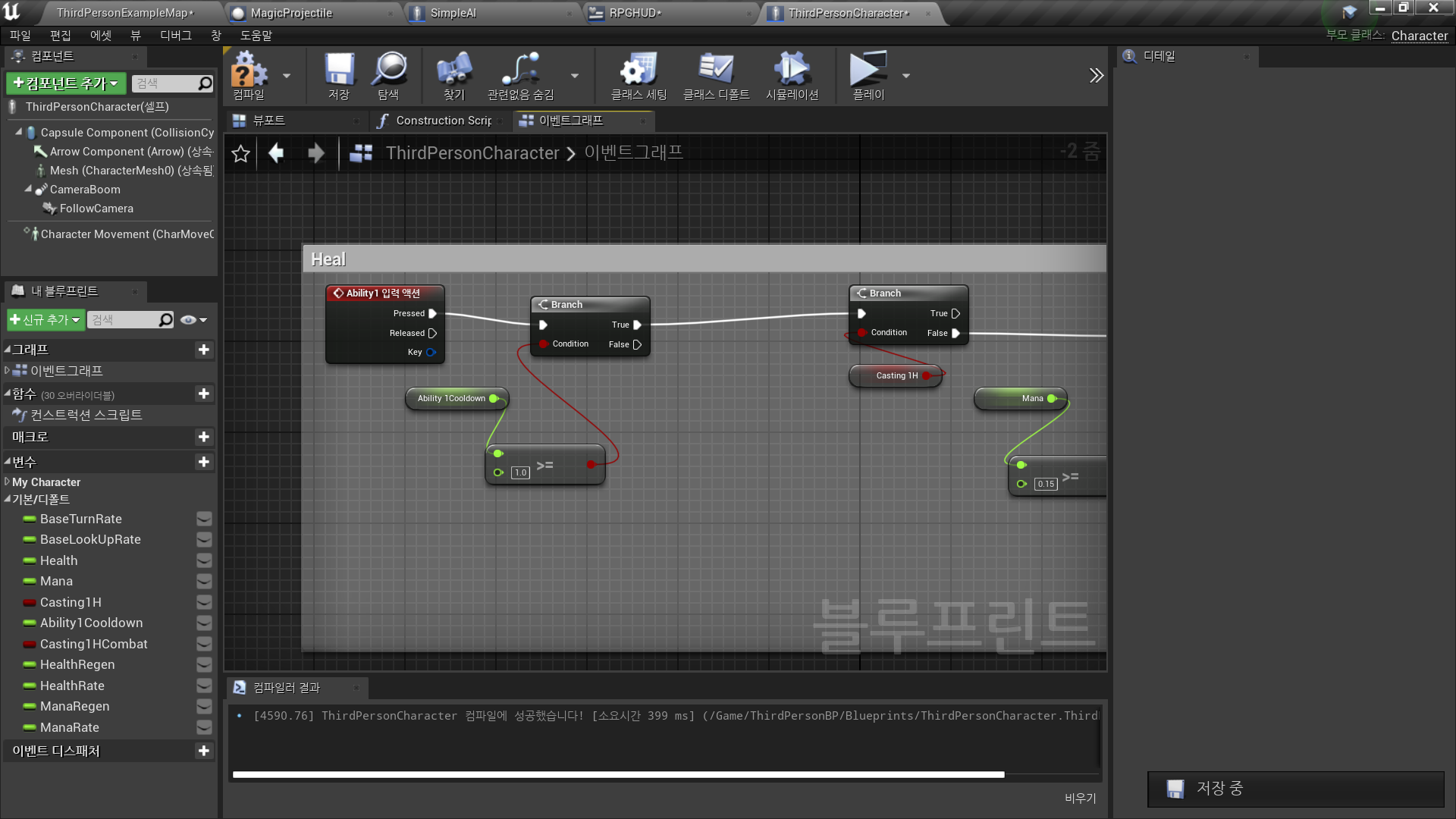
In EventGraph
- 기존 Ability1 코멘트 생성: Heal
- Ability1 입력 후
Ability1Cooldown >= 1 ?
True인 경우에만 실행
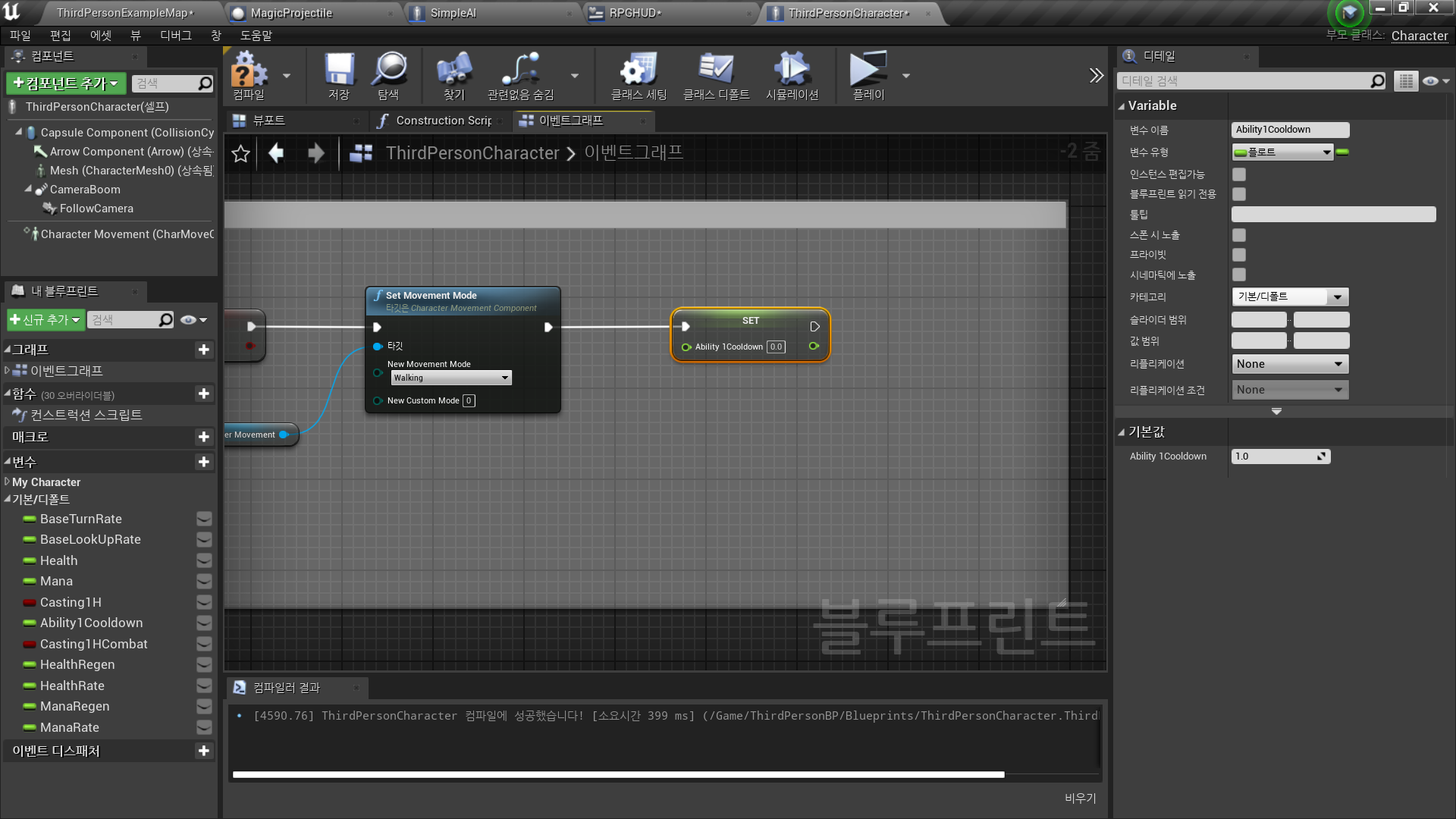
- 모든 노드 이후
Set Ability1Cooldown 0
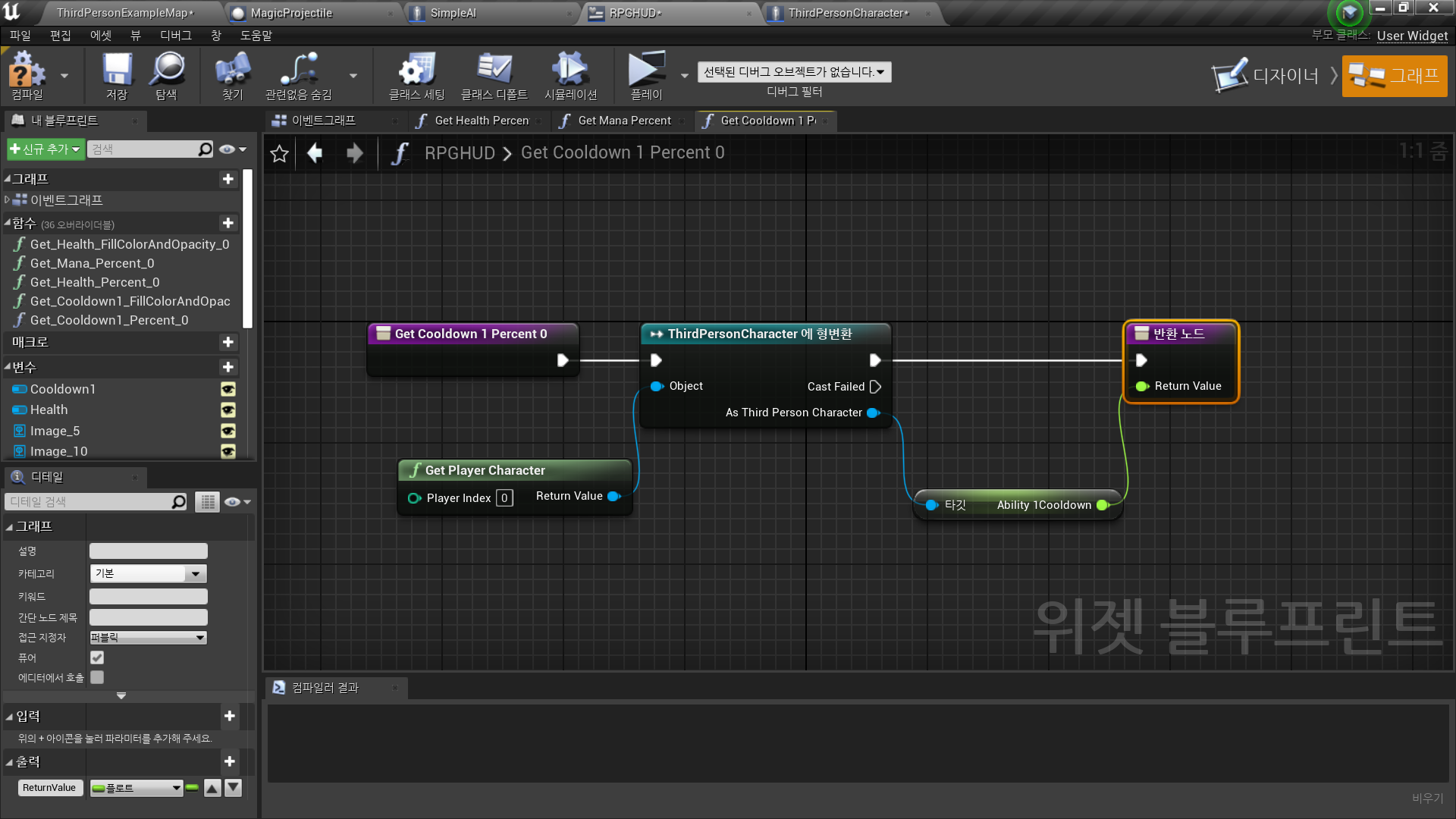
◼️ 프로그레스바 바인딩 생성
- 진행상황 - 퍼센트 - 바인딩 생성
ThirdPersonCharacter 블루 프린트의 Ability1Cooldown 변수와 바인딩
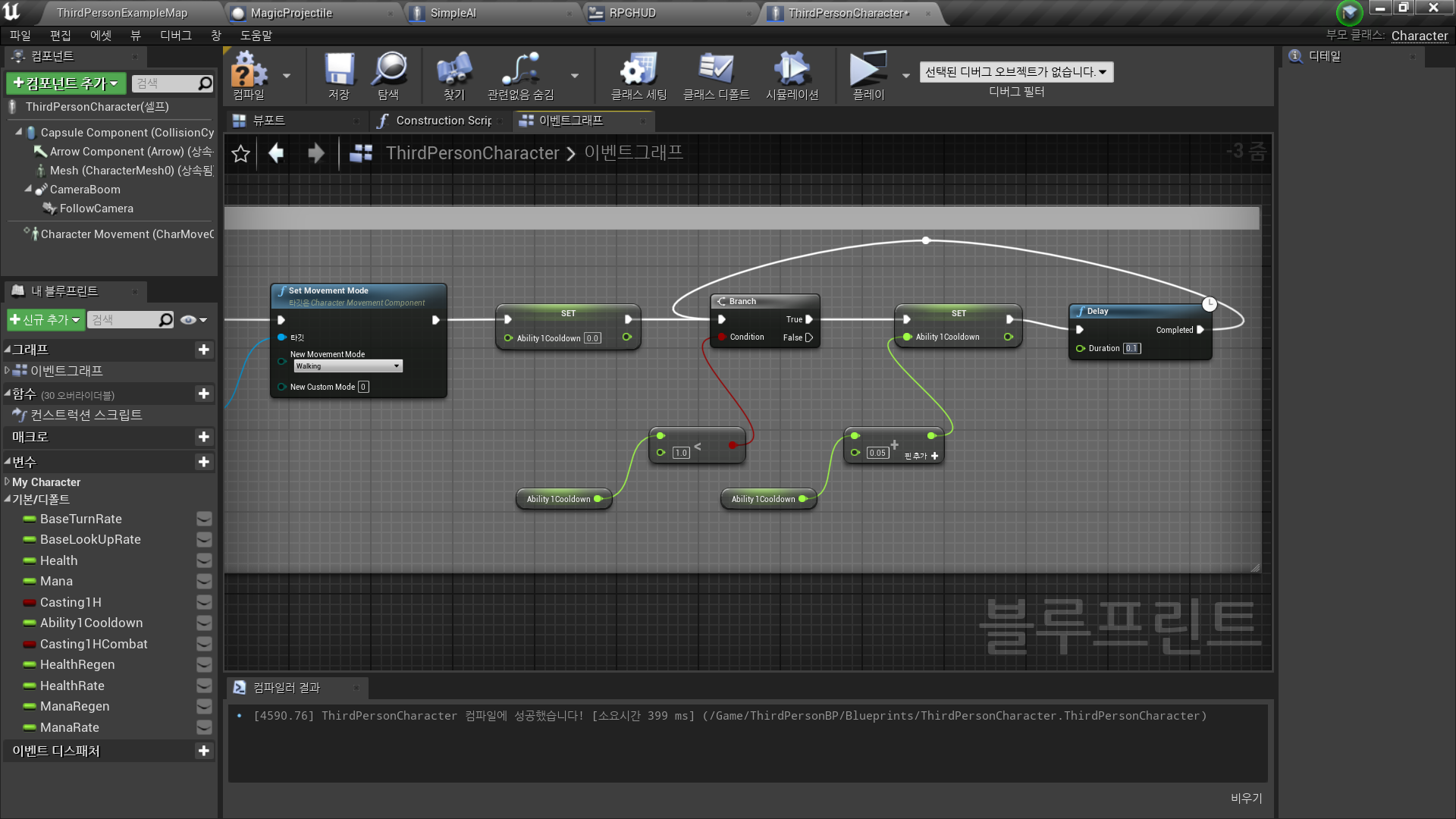
◼️ Loop 생성
1. AbilitiyCooldown 변수가 0이된 이후
2. 1보다 작은지 체크
3. 1보다 작다면 0.05를 더함
4. Delay를 통해 Loop 주기를 정함
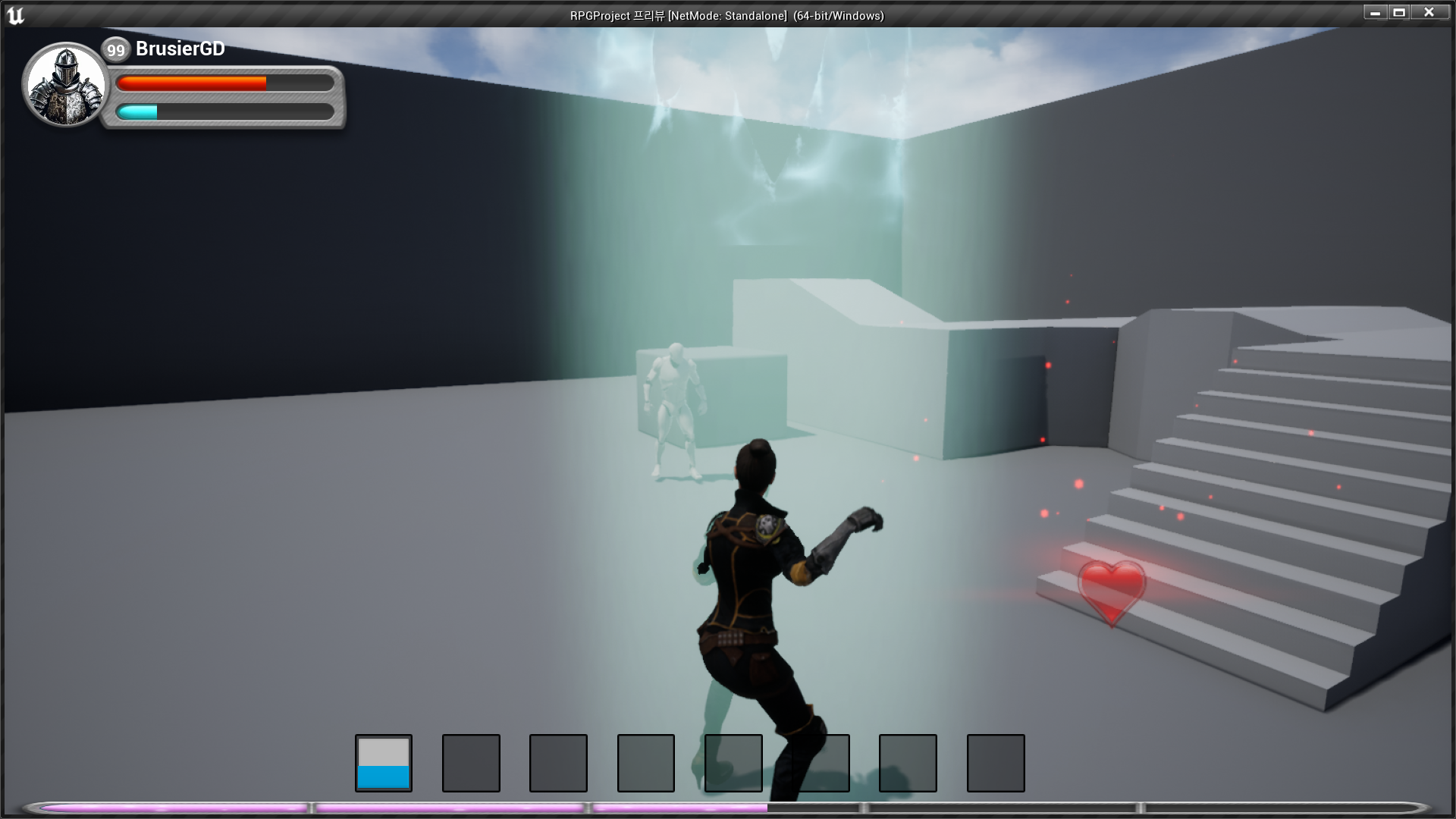
✅ Result
- Ability1 사용 시 Cooldown 로직 작동, 아이콘 표시

RPG 기획자 지망생