Today's Lesson: Sword Attack Animation
Summary
1. we show you how you can make your character use a sword slash animation when holding down the left click.
Virtus Learning Hub
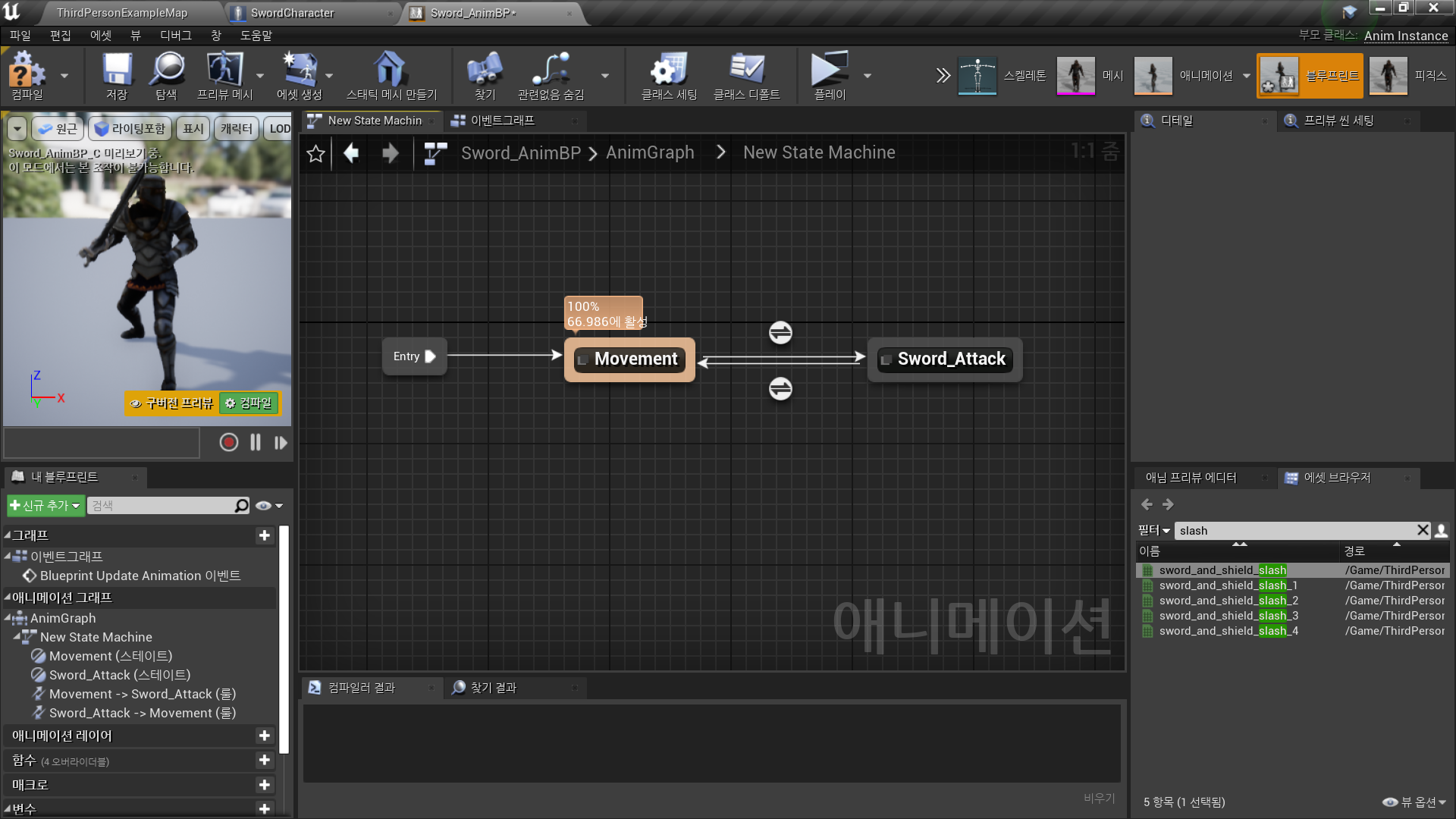
✅ Animation State로 Sword Attack 구현
◼️ Sword Attack State
In Animation Blueprint <Sword_AnimBP>
- New State: Sword_Attack
Final Animation Pose: sword_and_shield_slash
◼️ Sword Attack State 제어
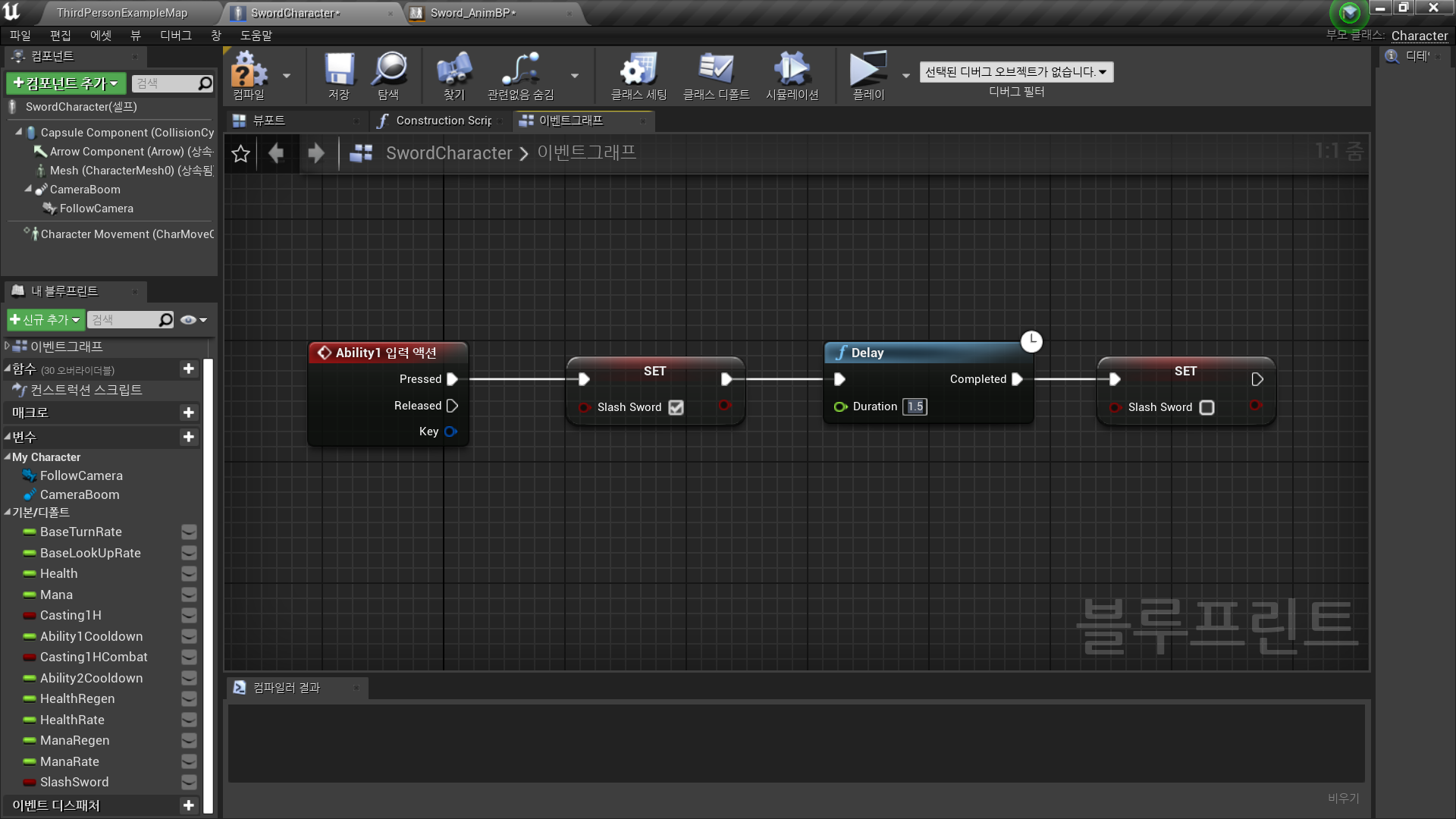
In Character Blueprint <SwordCharacter>
- Transition Rule 제어를 위한 변수: SlashSword
Type: Boolean
Default Value: False - Ability1 입력 Event
→ Set SlashSword: True
→ Delay//duration: 애니메이션 동작 시간에 맞춰
→ Set SlashSword: False
In Animation Blueprint <Sword_AnimBP>
-
캐릭터 블루프린트의 SlashSword 값 동기화
Get Player Character
→ Cast to SwordCharacter
→ As Sword Character → Get SlashSword
→ Promote to Variable(SlashSword) -
Transition Rule: Movement → Sword_Attack
SlashSword == True ? -
Transition Rule: Sword_Attack → Movement
SlashSword == False ?
✅ Sword Attack Logic
◼️ 애니메이션 중 움직임 제어
- SlashSword 애니메이션이 플레이 중이지 않을 경우에만
- Stop Movement Immediately
- Target: Character Movement - Disable Movement
- Target: Character Movement
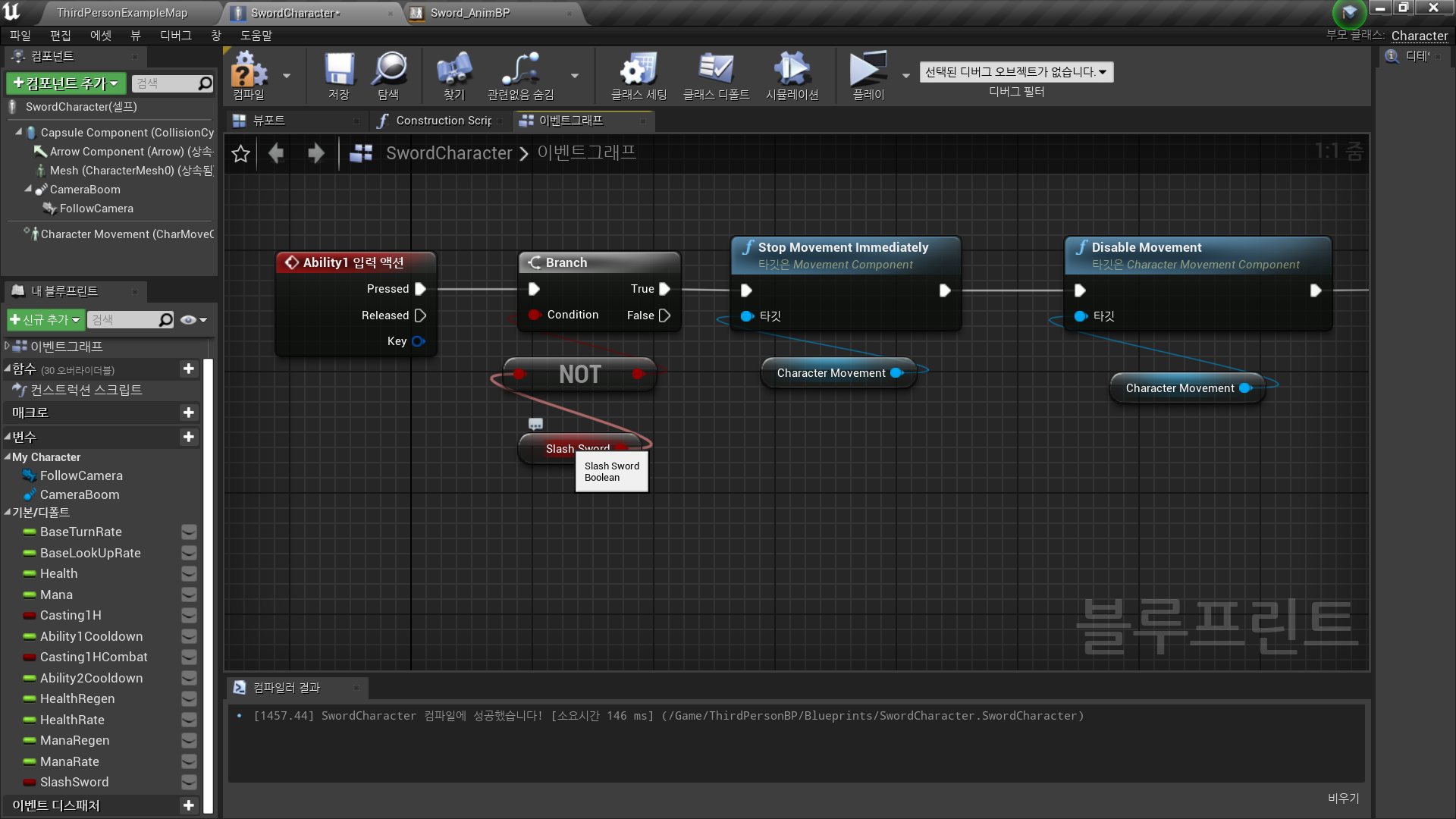
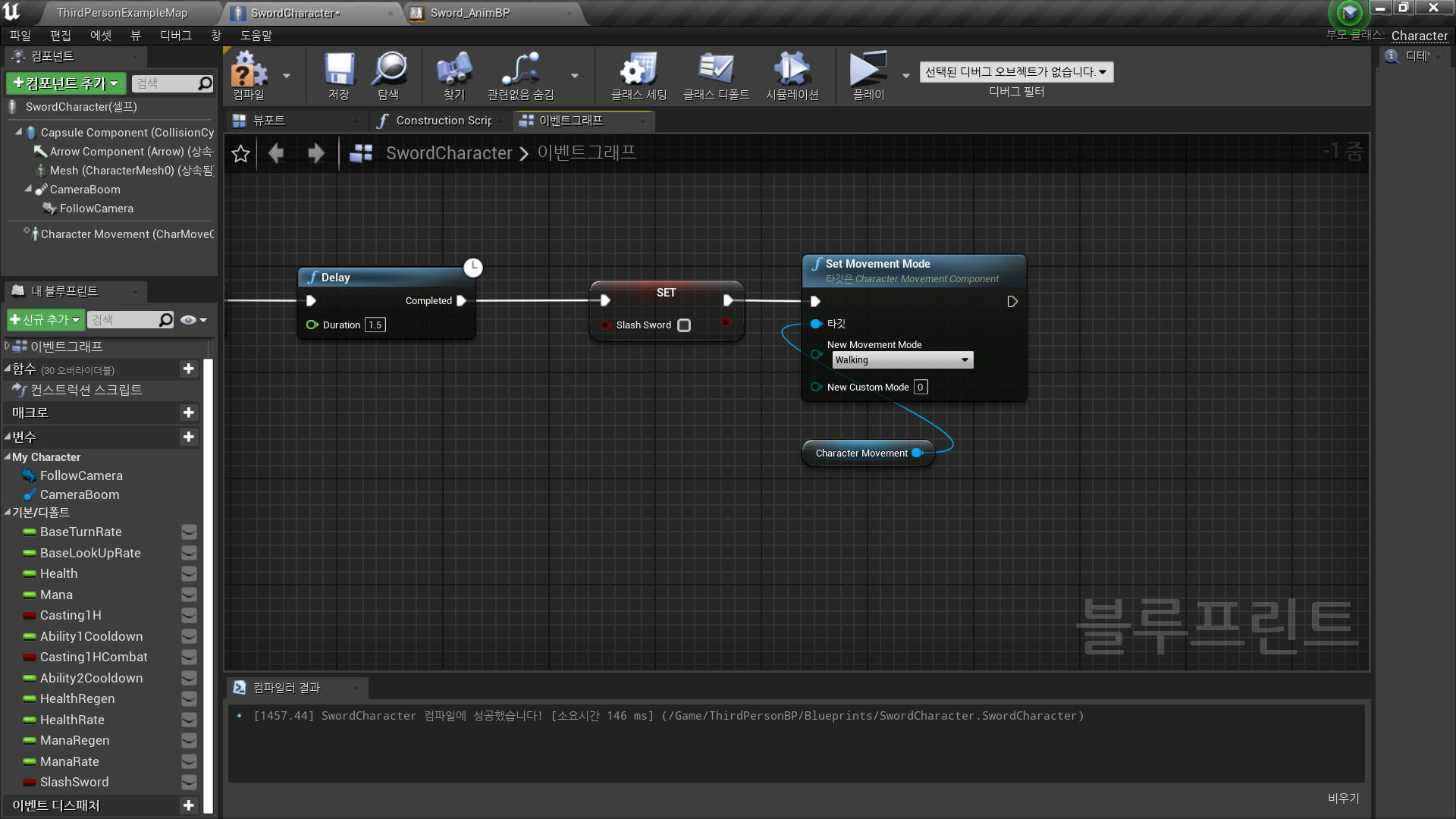
- SlashSword 애니메이션 동작 이후 다시 움직임 가능하도록 설정
Set Movement Mode
- Target: Character Movement
- New Movement Mode: Walking
✅ Result
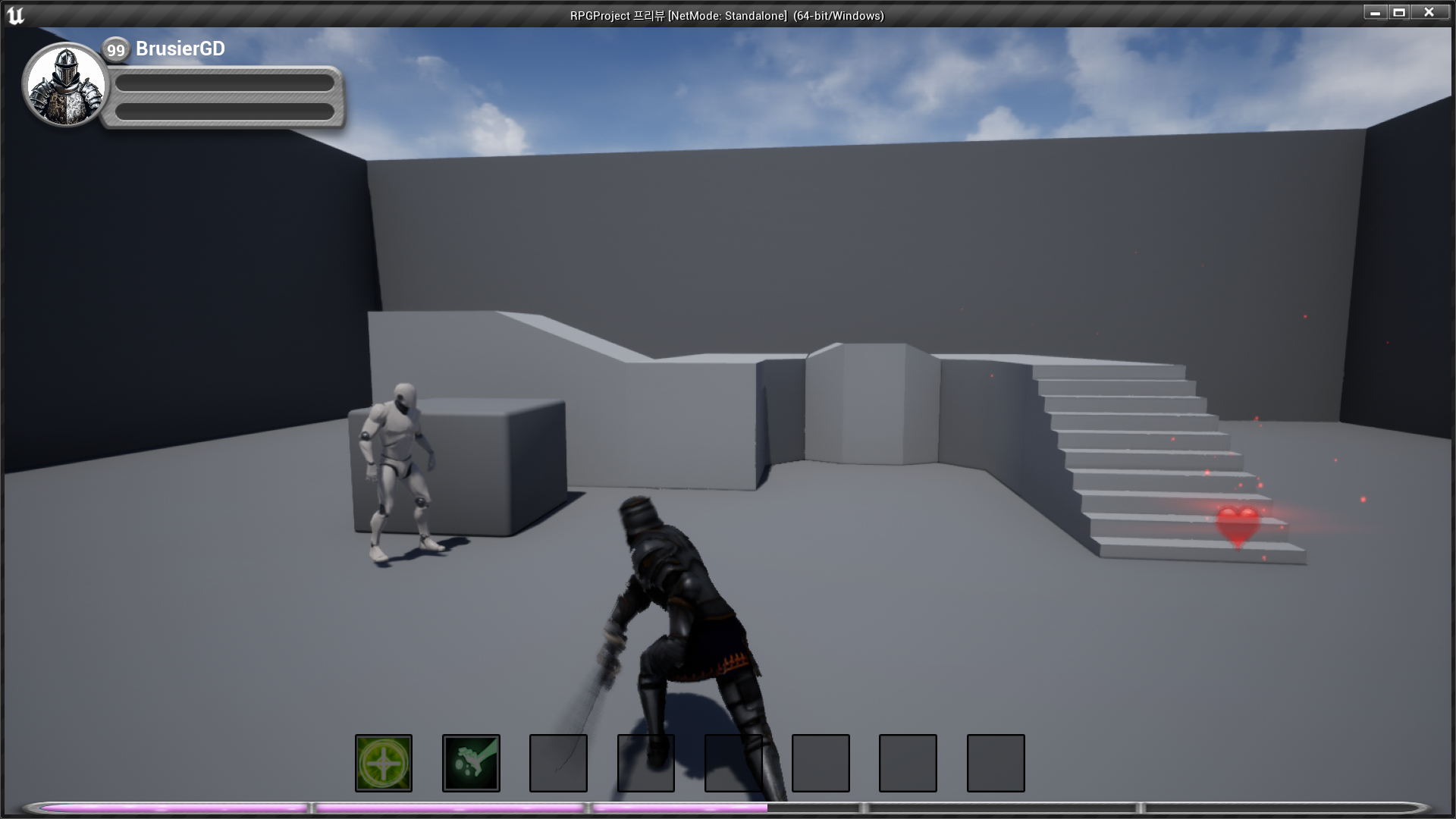
- Sword Attack Animation

RPG 기획자 지망생