Today's Lesson: Sword Weapon Blueprint
Summary
1. We take a look at how we can create a blueprint class for our sword and spawn it into the player's hand.
2. We go over everything we need to do this including setting up the socket so the engine knows where/how to place it.
Virtus Learning Hub
✅ Create Sword Weapon Blueprint
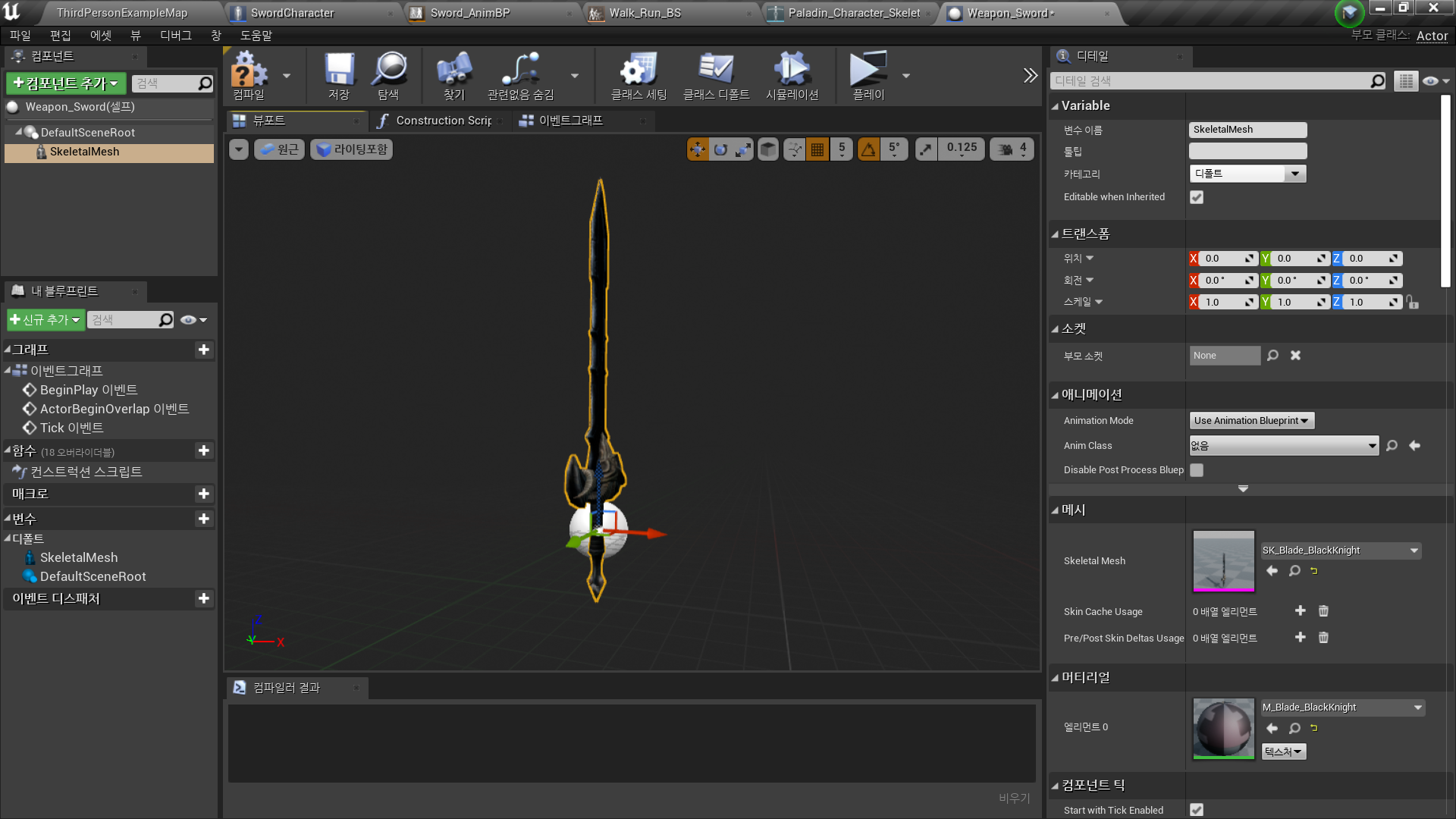
◼️ Sword Weapon Blueprint
- New Actor Blueprint <Sword_Weapon>
- Add Component: Skeletal Mesh
- Mesh - Skeletal Mesh: SK_Blade_BlackKnight
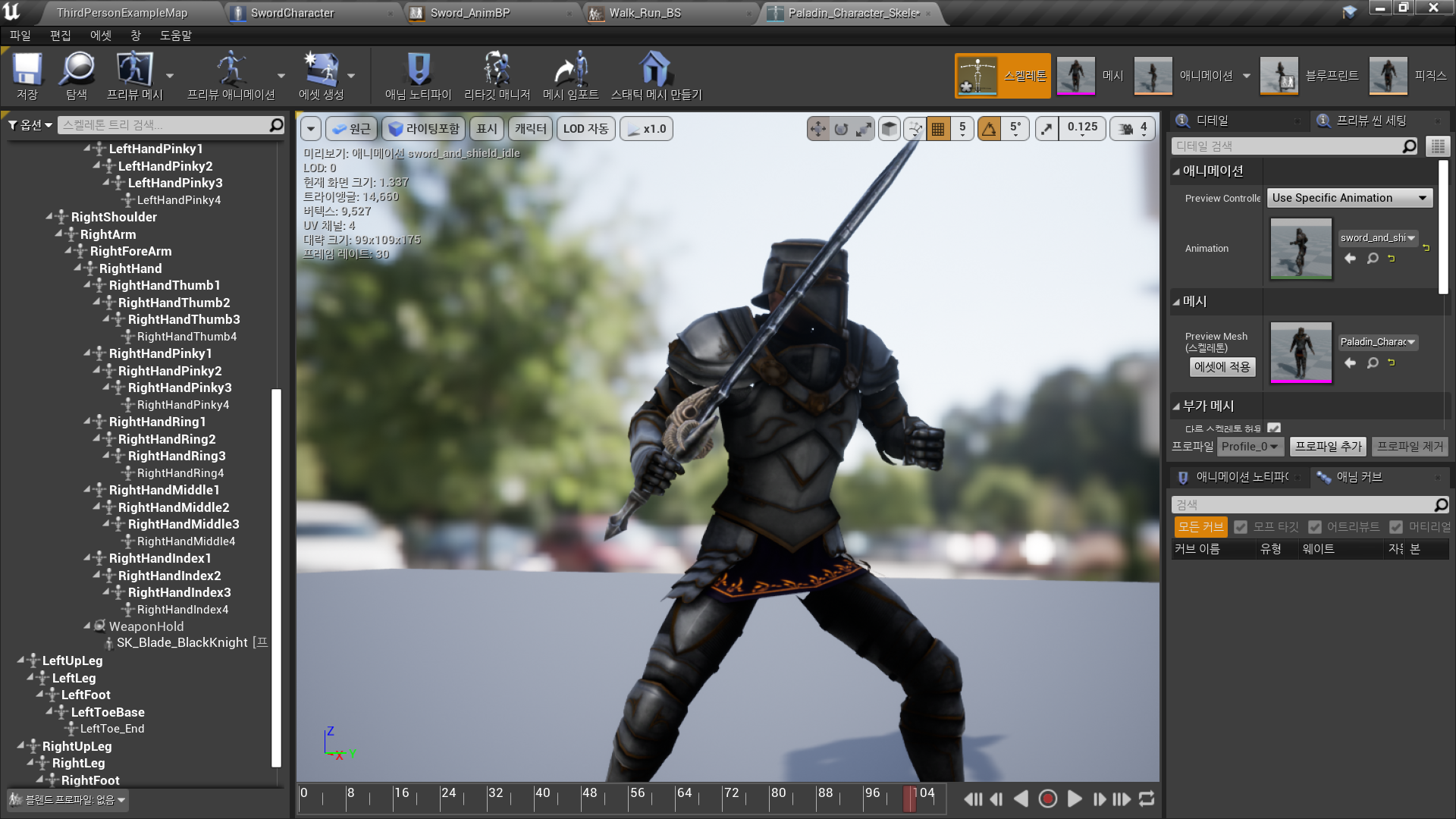
◼️ Sword Weapon Spawn을 위한 Parent Socket 생성
In Paladin_Character_Skeleton
- Add Socket: WeaponHold
- Add Preview Asset: Weapon Asset - Preview Scene Settings
- Animation - Animation Mode: Use Specific Animation
애니메이션 정지 이후 Socket Transform/Rotation/Scale 조정
✅ Sword Weapon Logic
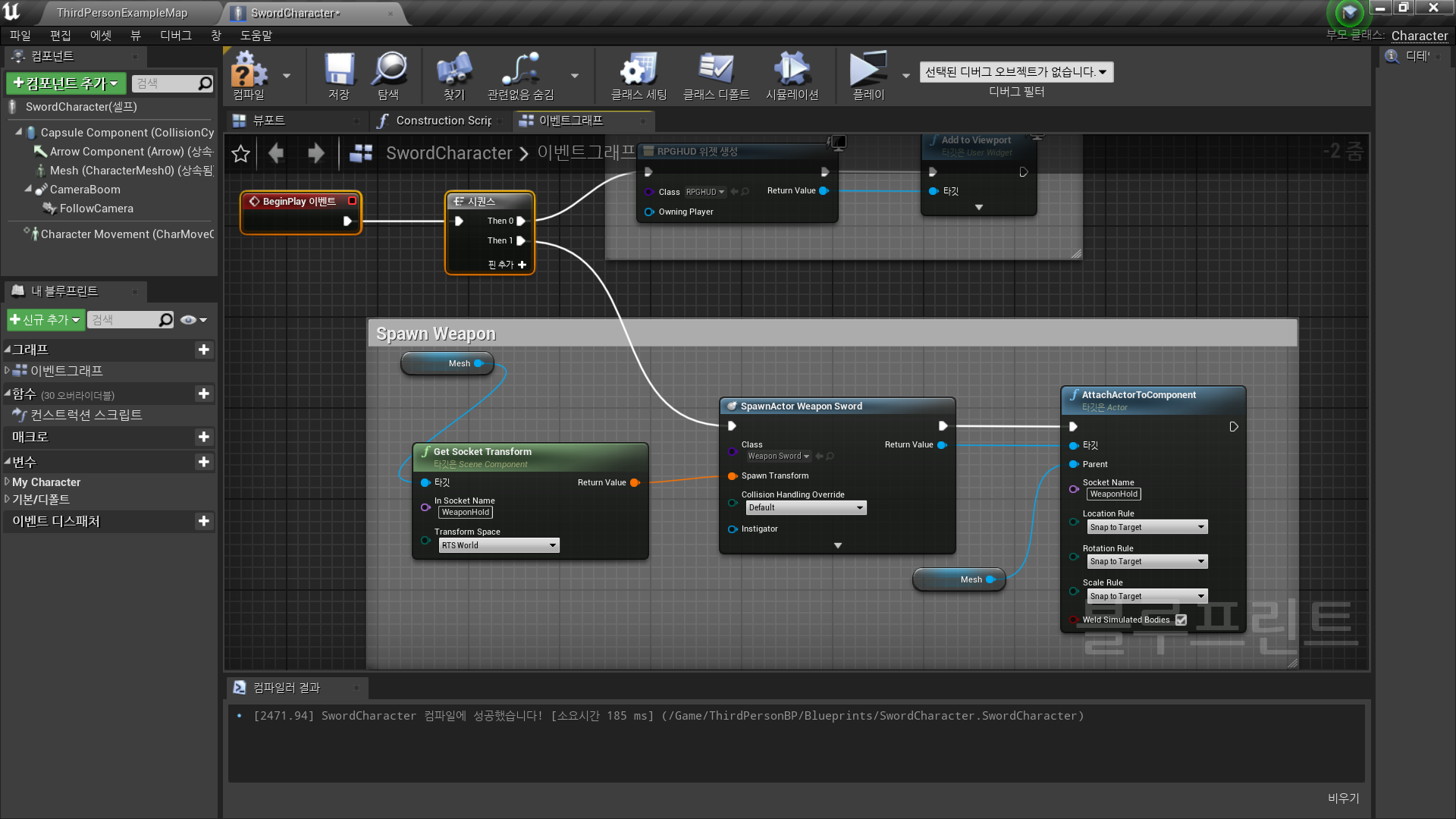
◼️ Sword Weapon Spawn,Attach
In Character Blueprint <SwordCharacter>
- Spawn
Event BeginPlay → Spawn Actor from Class
- Class: Weapon_Sword
- Spwan Transform: Mesh → Get Socket Transform
(Socket Name: WeaponHold) - Attach Actor to Component
- Parent: Mesh
- Location/Rotation/Scale Rule: Snap to Target
부착될 액터가 대상 컴포넌트의 위치, 회전, 스케일을 정확히 맞추도록 만들어 줍니다. 이 옵션을 사용하면 액터가 부착될 때 자연스럽게 정렬되어 위치, 회전, 스케일이 대상에 맞춰집니다.
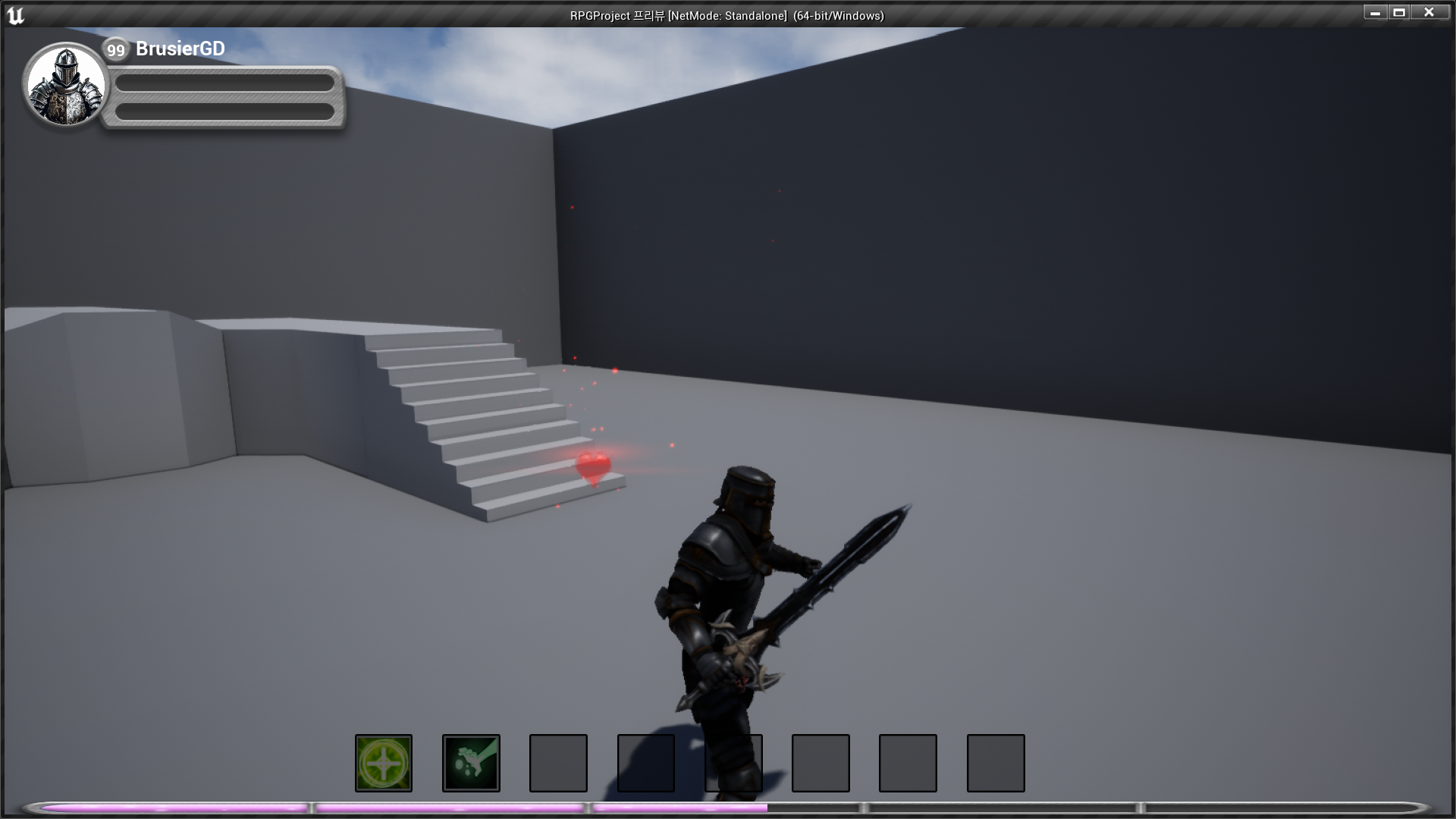
✅ Result
- Sword Weapon Spawn, Attach

RPG 기획자 지망생