Today's Lesson: Saving Player XP
Summary
1. We take a look at how we can save the player's XP and current level to a permanent file, that way when they open/close the game they'll jump back to the amount of XP they last had.
2. We go over creating the save game blueprint along with all the logic and nodes required to get the system working.
Virtus Learning Hub
✅ SaveGame Blueprint
◼️ xp, level 데이터를 저장할 블루프린트 생성
New SaveGame Blueprint <RPGSaveGame>
- New Variable: Exp (Integer, Default 0)
- New Variable: MaxExp (Integer, Default 5)
- New Variable: Level (Integer, Default 1)
✅ Game Mode에서 SaveGame BP 관리
◼️ 게임 시작 시
In Game Mode <ThirdPersonGameMode>
- Begin Play
- Does Save Game Exist
주어진 이름(Slot)의 세이브 게임이 있는지 확인
- Slot name: XP - Branch - True
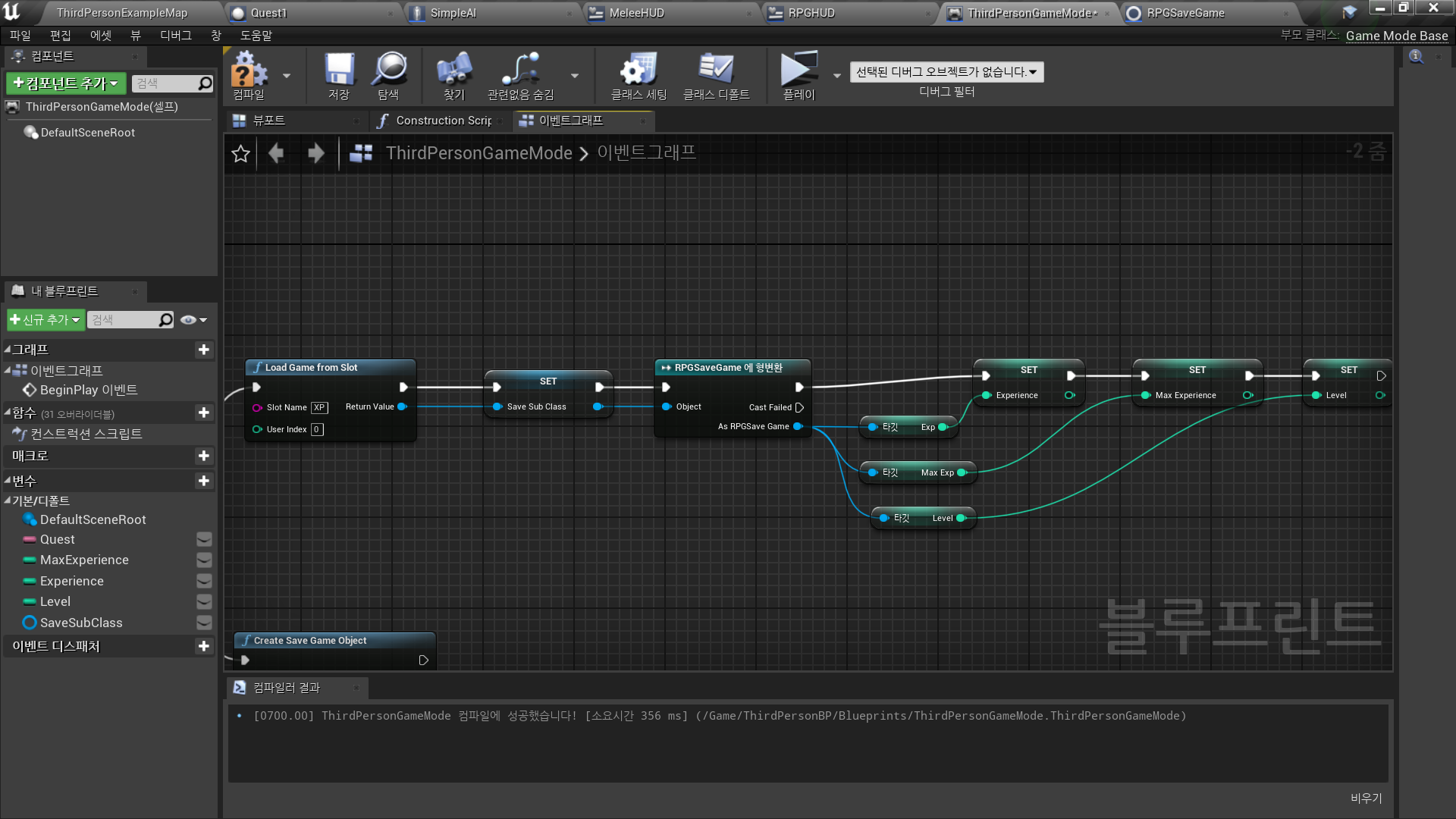
Save된 게임 데이터가 있는 경우 Load
→ Load Game from Slot
- Slot name: XP - Load Game from Slot_Return Value 변수로 승격
SaveSubClass - SaveSubClass → Cast to RPGSaveGame
- RPGSaveGame의 Exp/MaxExp/Level 값을
현재 Game Mode의 Experience/Max Experience/Level 값으로 저장
- Branch - False
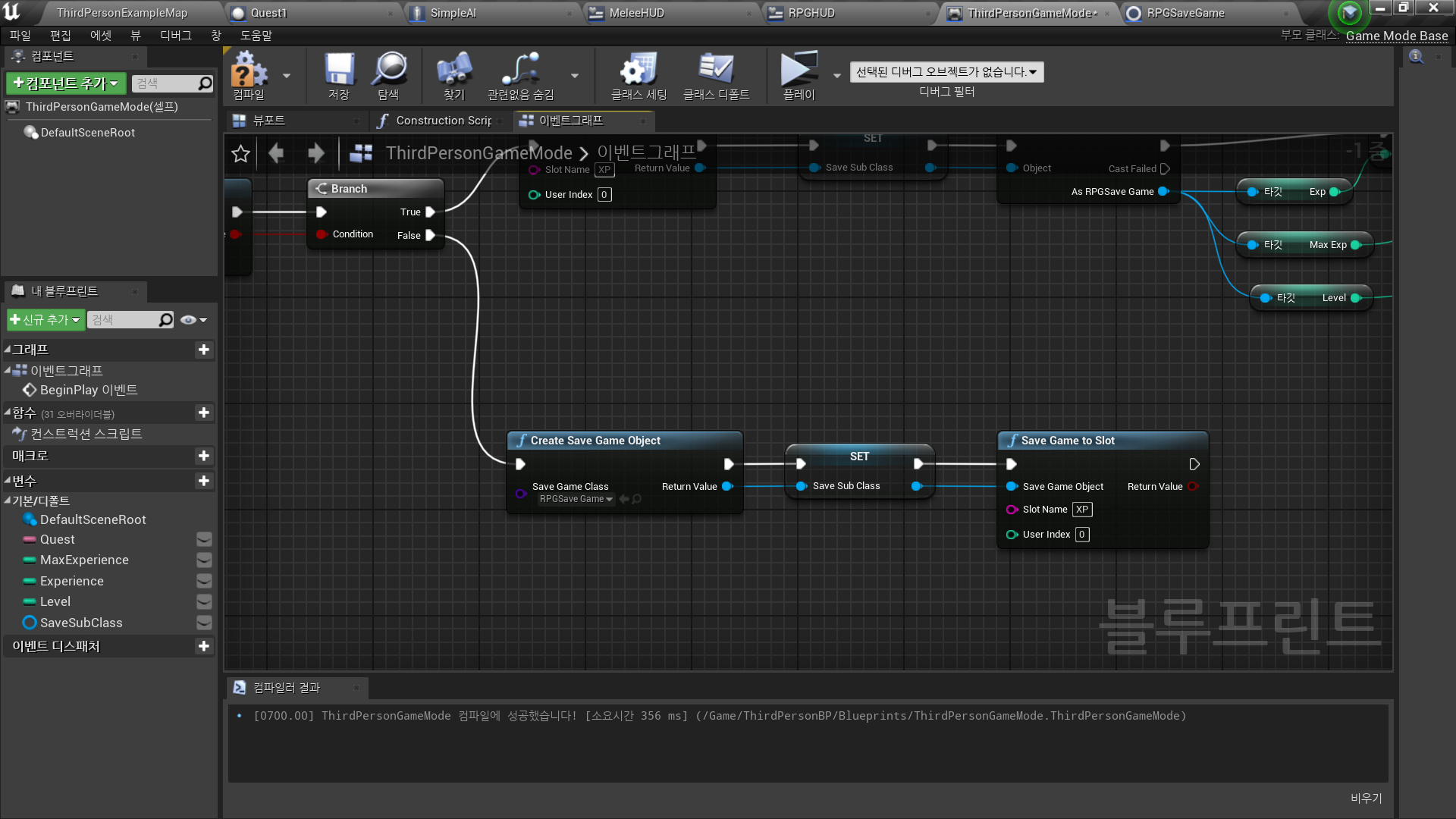
Save된 게임 데이터가 없는 경우 Create
→ Create Save Game Object
- Class: RPGSaveGame - Create Save Game Object_Return Value → Set SaveSubClass
-Set Save Sub Class → Save Game to Slot
◼️ 업데이트
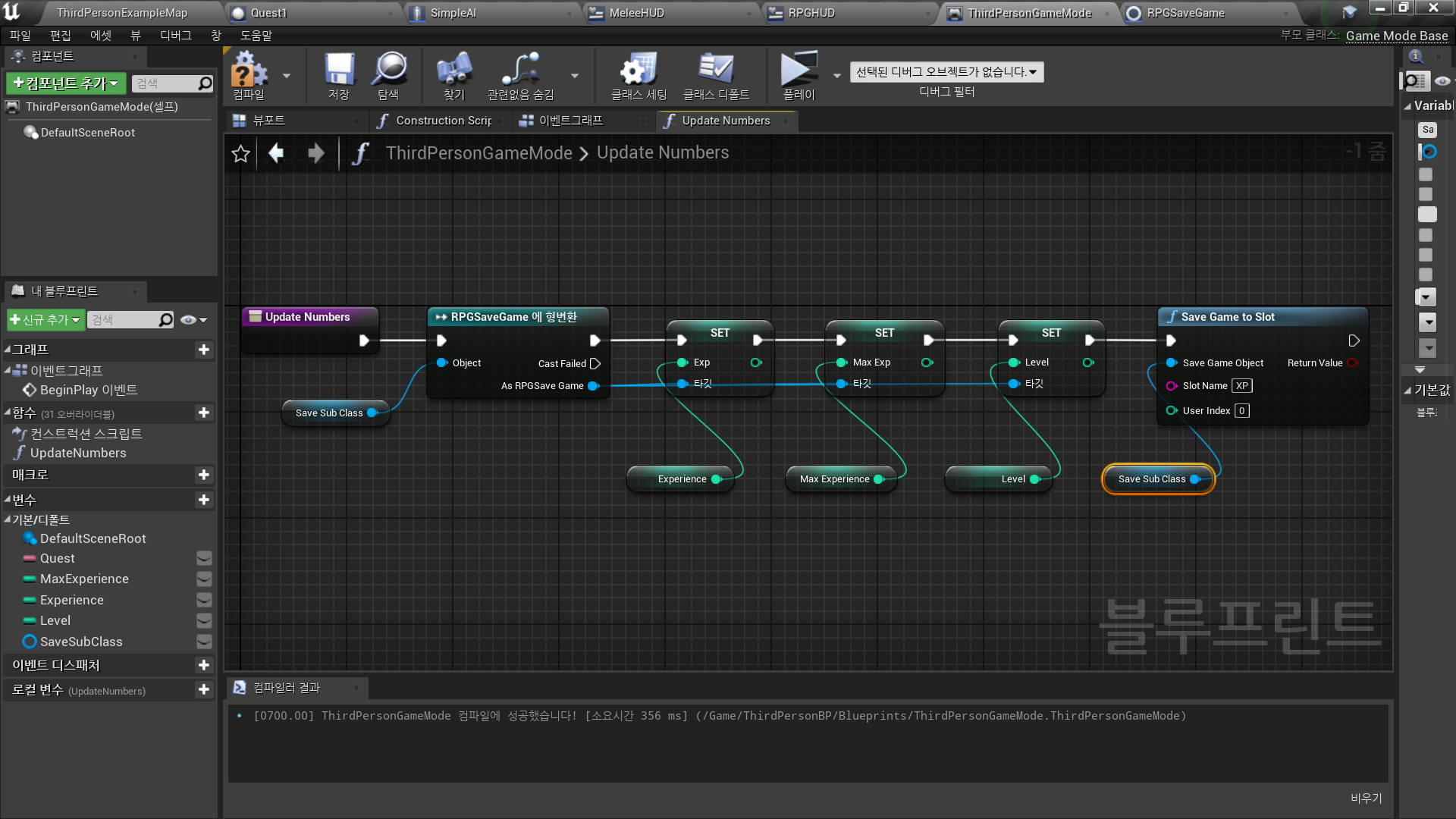
- New Function: UpdateNumbers
Game Mode - Save Sub Class 안의 변수들을 새로운 값으로 갱신한 후
Save Game to Slot 이용
◼️ 적을 죽였을 경우 정보 갱신
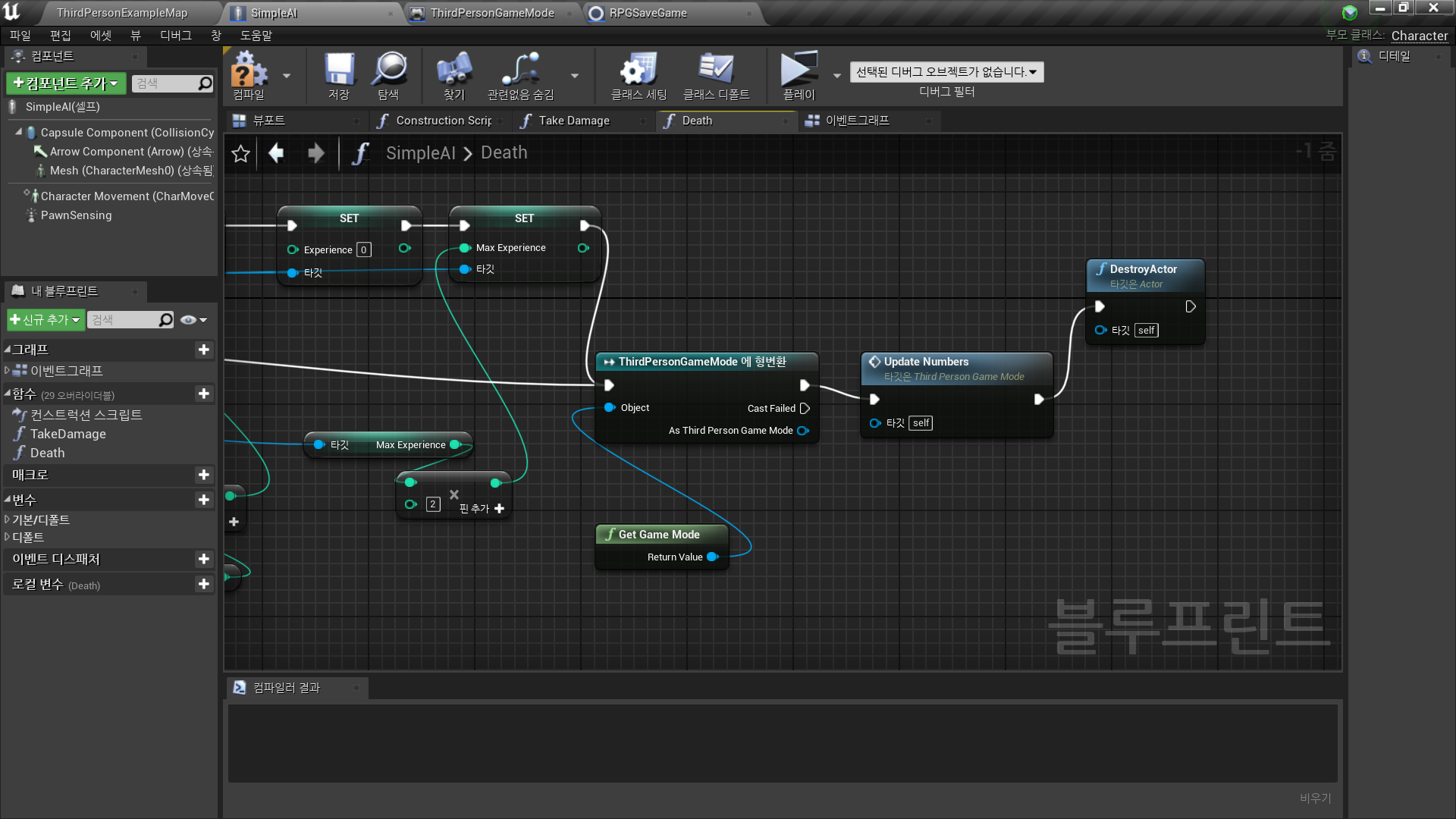
In Character Blueprint <SimpleAI>
- Death Function 에서 UpdateNumbers 사용
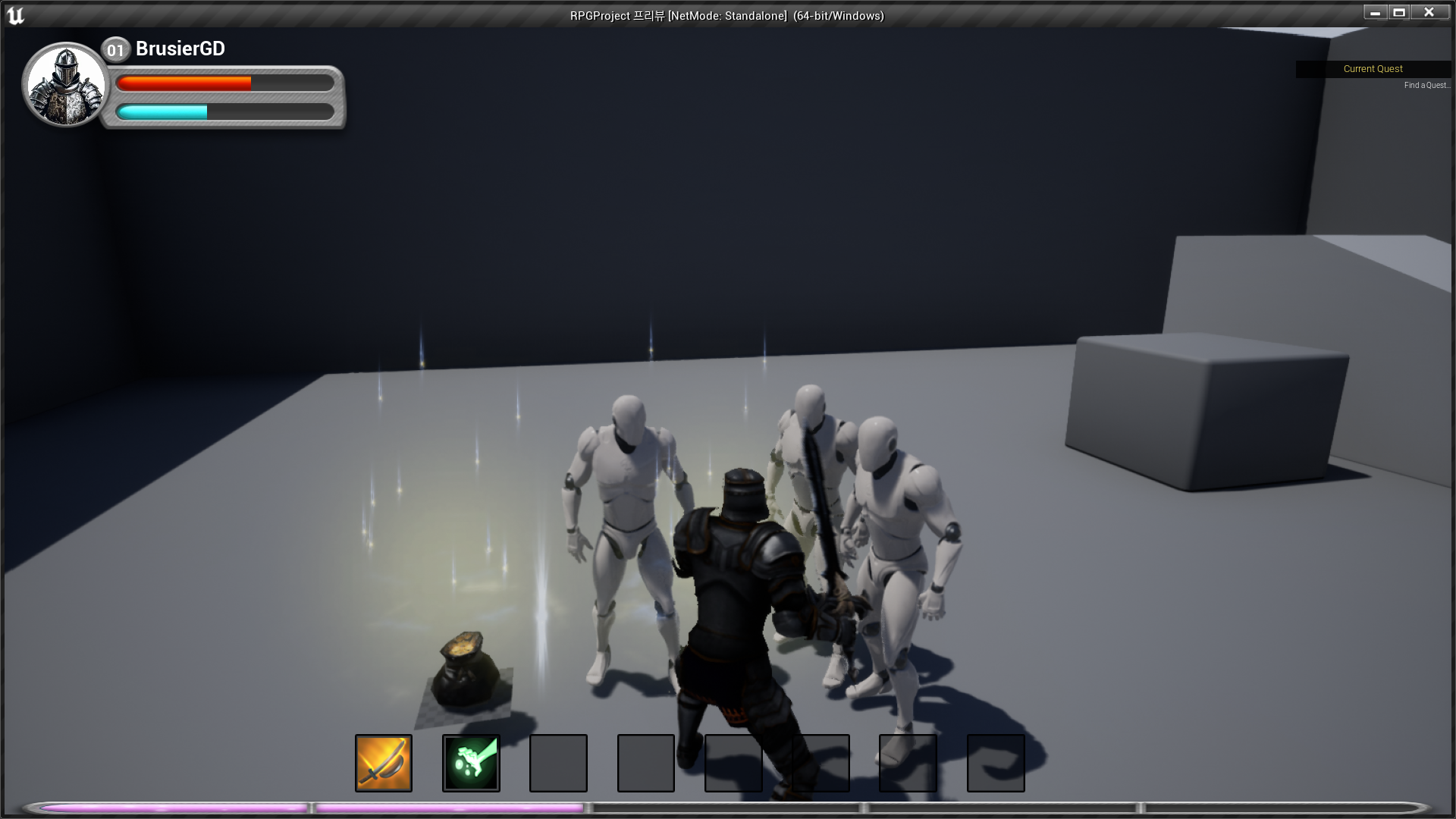
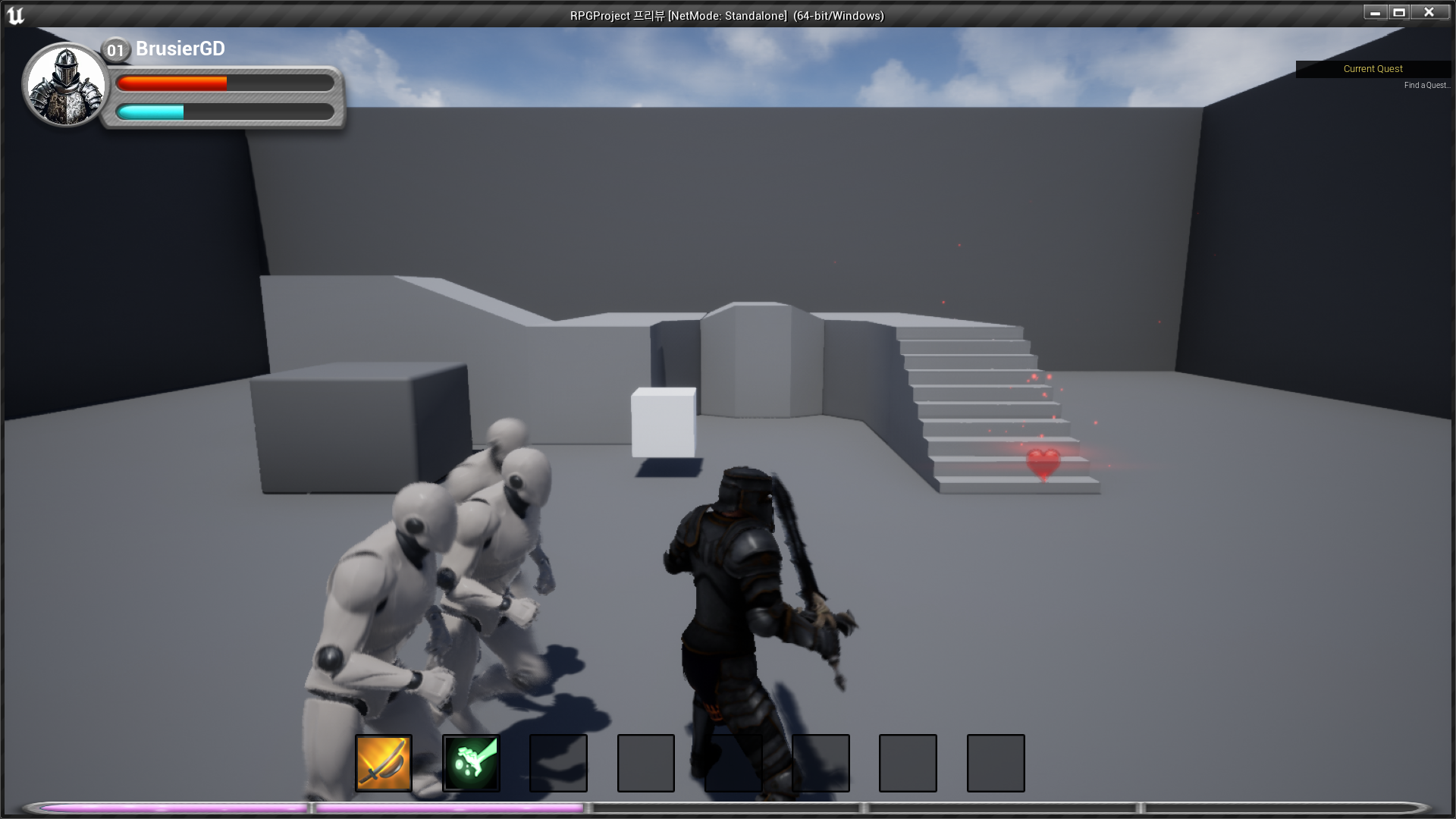
✅ Result
- 게임 종료 전
- 게임 종료 후 로드

RPG 기획자 지망생