Today's Lesson: Level Up Popup
Summary
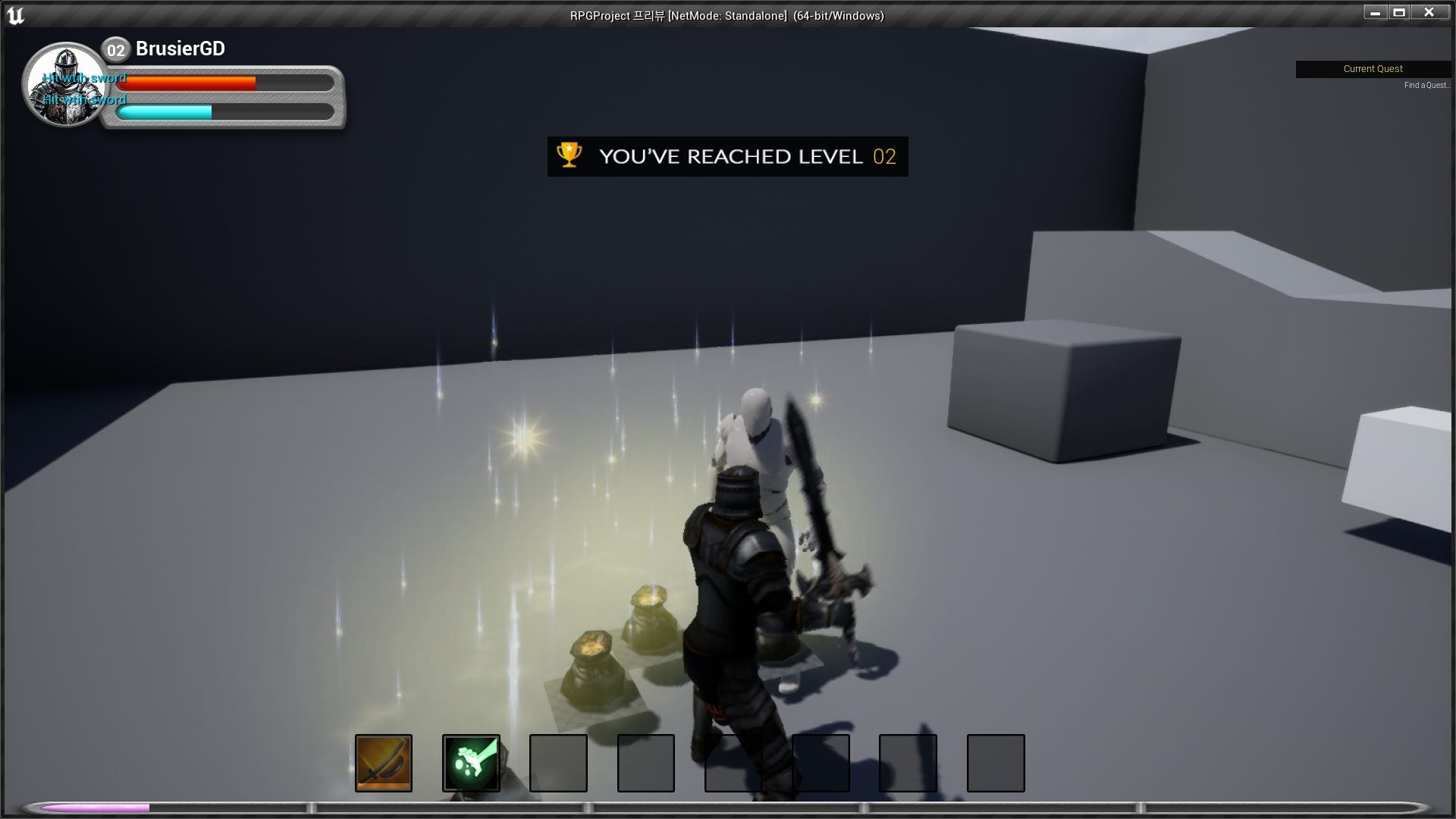
1. We take a look at how we can make a popup message display on the player's screen when they level up.
2. We go over creating the animation and the logic to place it on the screen.
Virtus Learning Hub
✅ UI, 애니메이션 생성
◼️ 팝업 블루프린트
- Create Widget Blueprint <LevelUp>
- Image(Background) 추가
- Brush - Image: LevelPopup - Text(Level) 추가
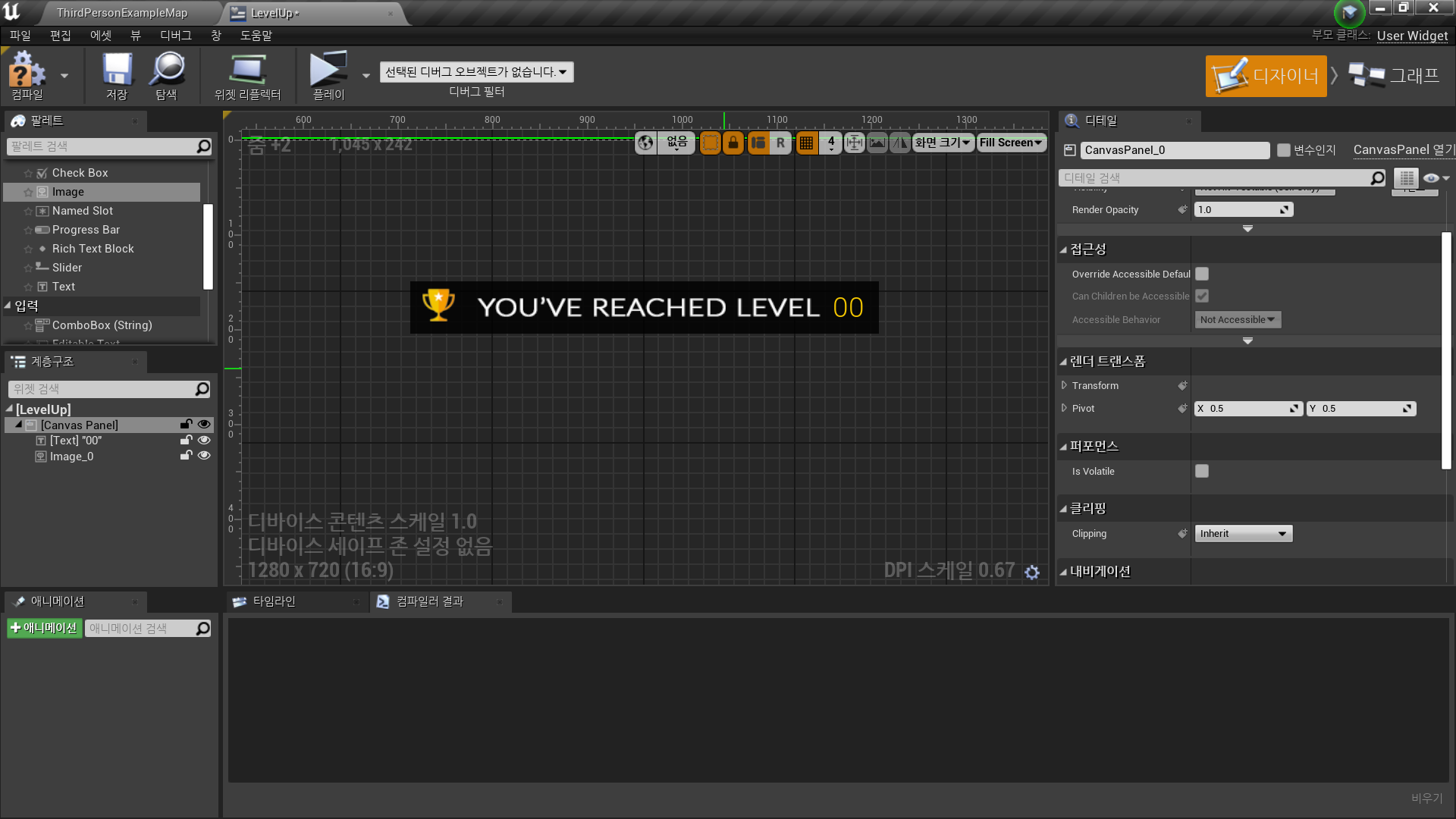
- Fade In/Out Animation을 위해 알파 기본값 0으로 설정
◼️ 팝업 애니메이션
- 대상 추가 Background, Level
- Background - Color and Opacity 트랙 추가
- 0초 Opacity 0
- 1초 Opacity 1
- 1.5초 Opacity 1
- 2.5초 Opacity 0 - Level 에도 동일한 트랙 추가
◼️ 팝업 로직
- Construct Event
- Play Animation
- In Animation: Get FadeInOut
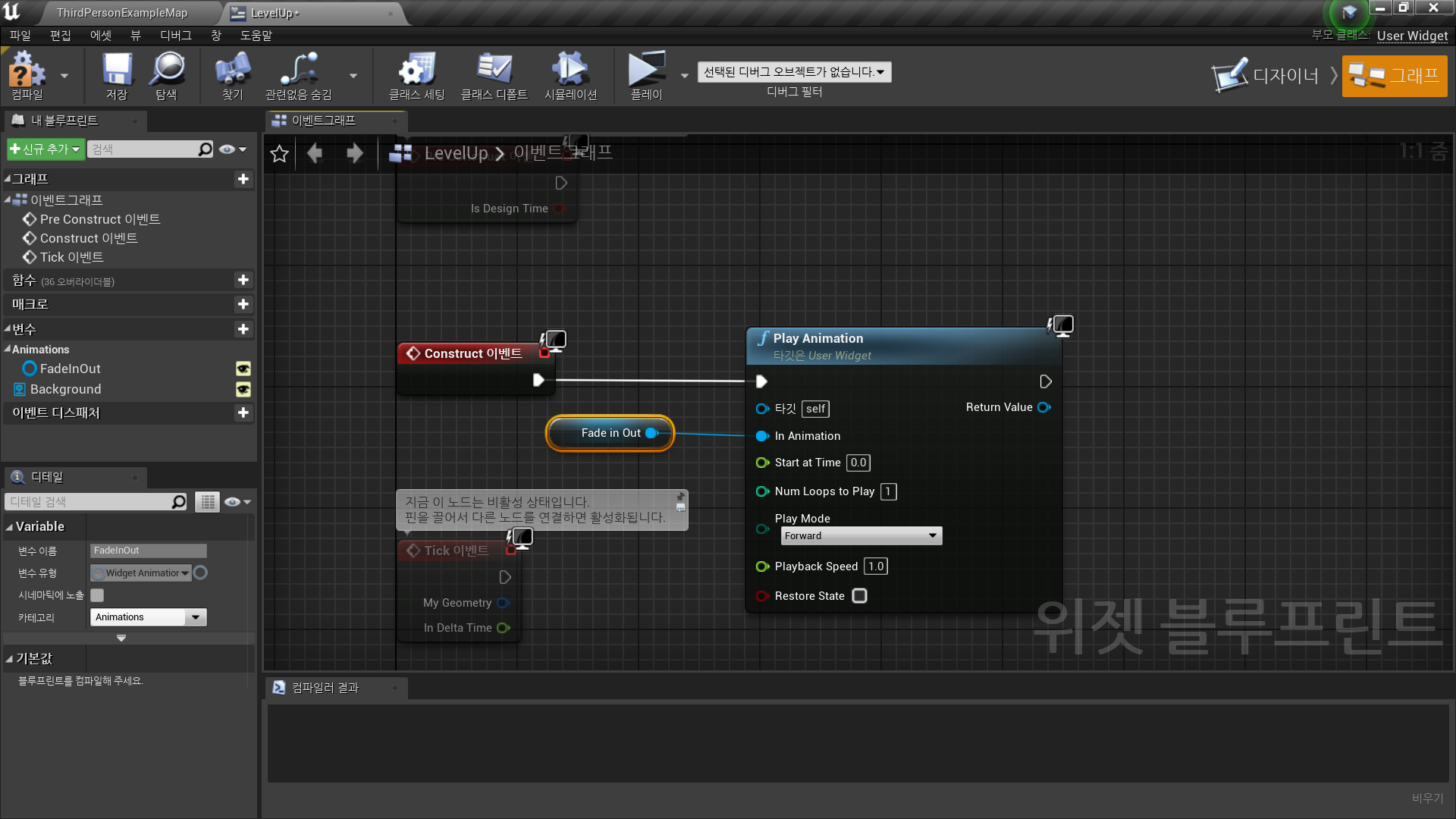
✅ 기존 로직에 추가
◼️ 위젯 생성 시점
In Character Blueprint <SimpleAI>
- Death Function에서 LevelUp한 경우에 애니메이션 재생
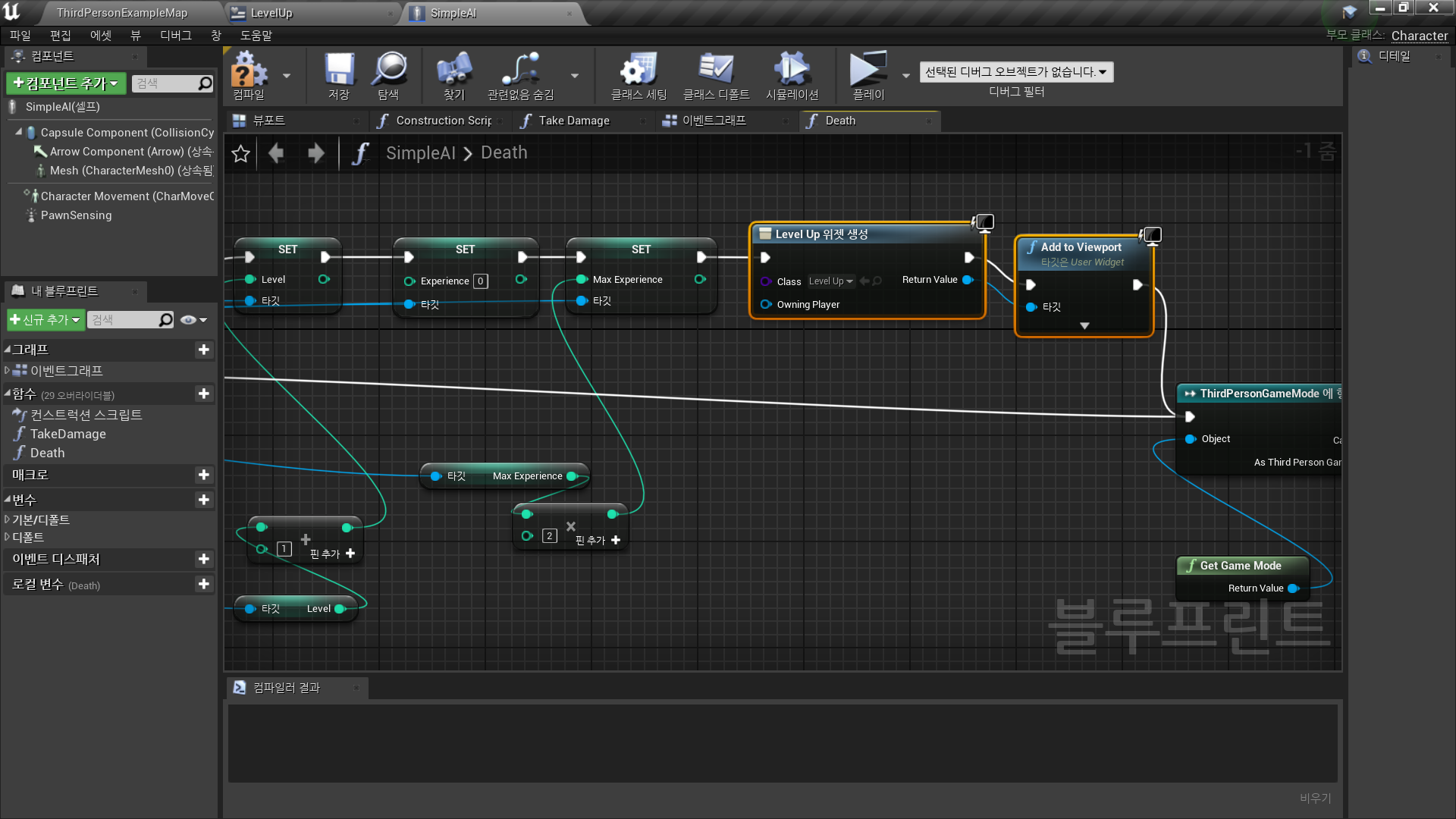
◼️ 레벨업 데이터 연동
- Level - Text 바인딩 생성
- As ThirdPersonGameMode → Get Level → ToText
- Minimum Integral Digits: 2
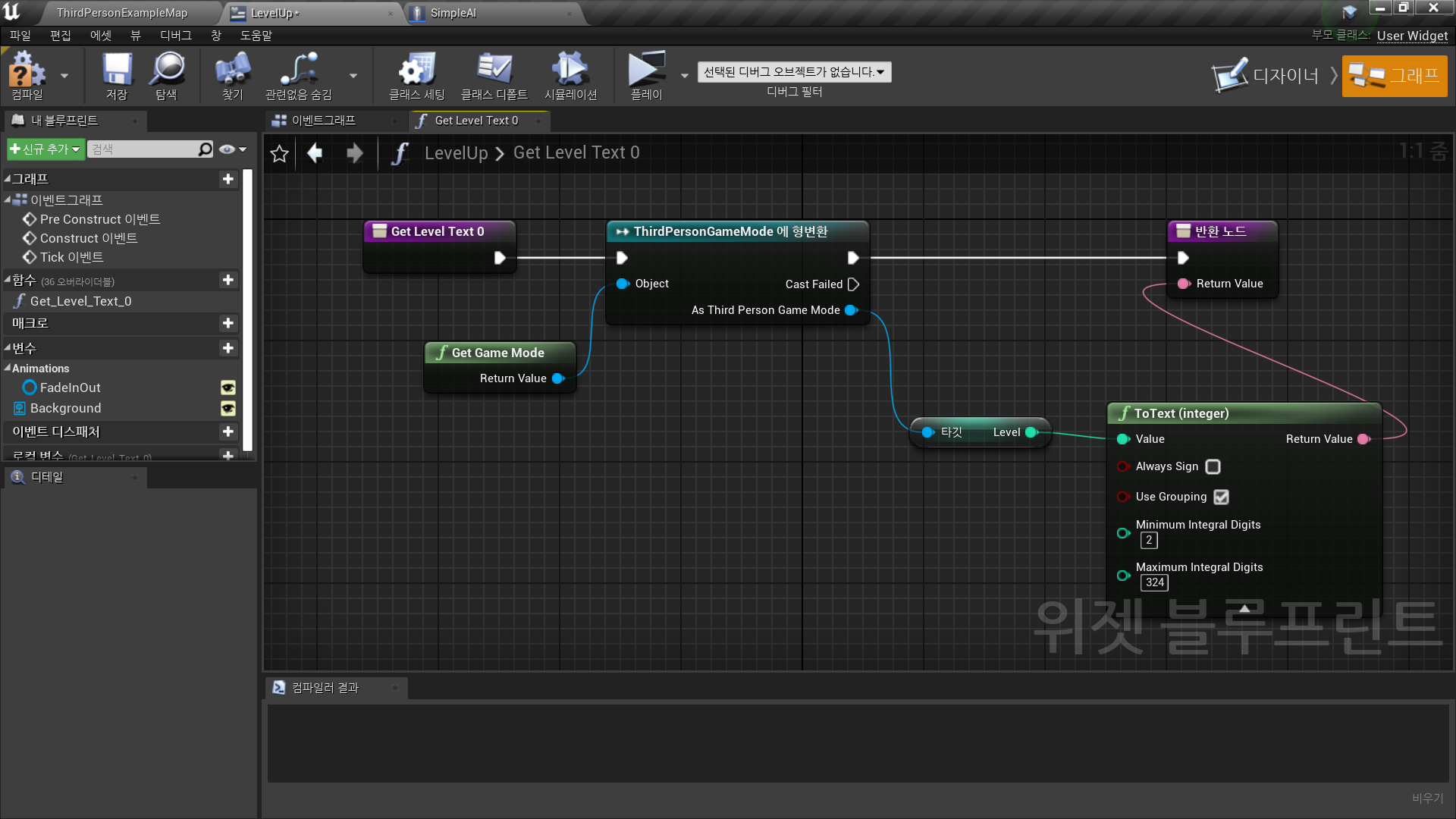
✅ Result
- Level Up 시점에 Popup 생성

RPG 기획자 지망생