Today's Lesson: Inventory Item Slot/Icon/Image
Summary
1. We take a look at how we can setup the slots for our inventory system, we cover placing the images, anchoring them and setting the variables we'll be using to link the functionality to.
2. We take a look at how we can add inventory icon images into our RPG game inside of Unreal Engine 4 by creating a content binding which links our slot variables to our newly imported textures for the icons.
Virtus Learning Hub
✅ Inventory Slot UI
◼️ Inventory Slot
In Widget BP <Inventory>
- Image(BagIcon1)
- Image: BagIcon - Bag Icon 2~8 추가 생성
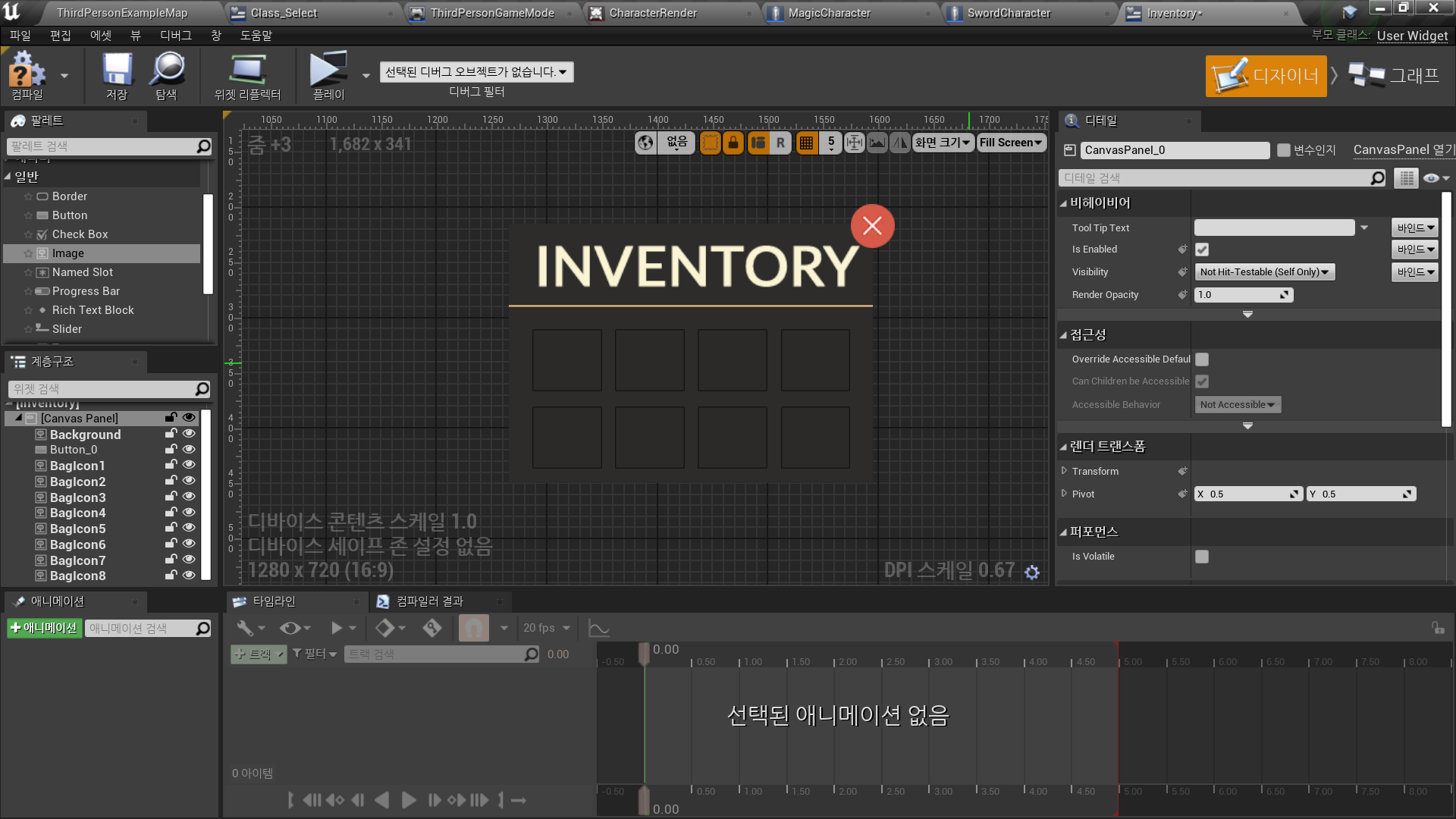
◼️ 인벤토리 아이템 변수
In <ThirdPersonGameMode>
- New Variables: InventoryItem1~8
- Type: Integer
- Default Value: 0
✅ Inventory Slot Logic
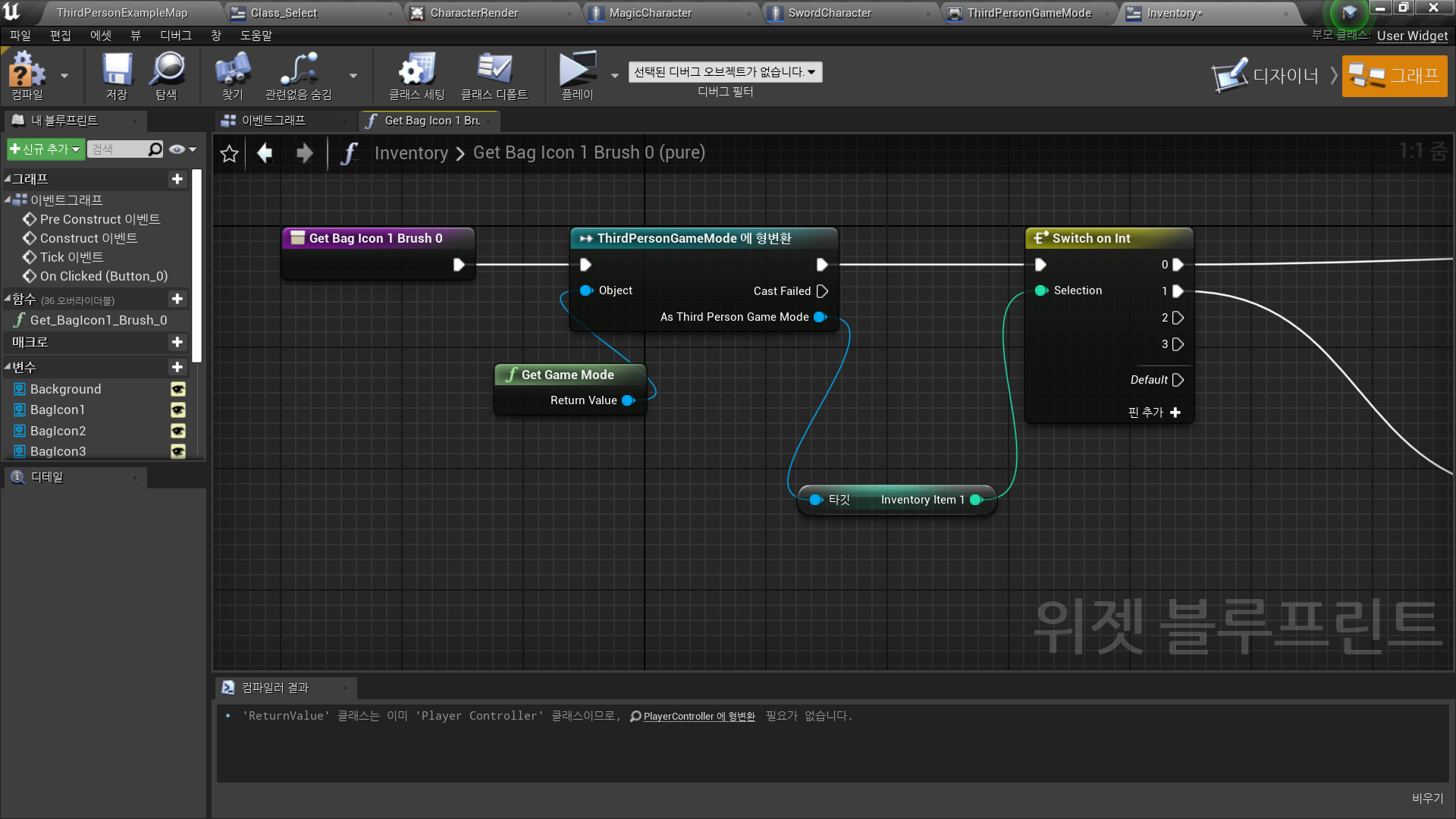
◼️ 변수에 따라 아이콘 변환
- BagIcon1~8 - Brush - 바인딩 생성
- Icon별 숫자에 따라 ThirdPersonGameMode에서 저장되어 있는 Inventory Item N 을 이용
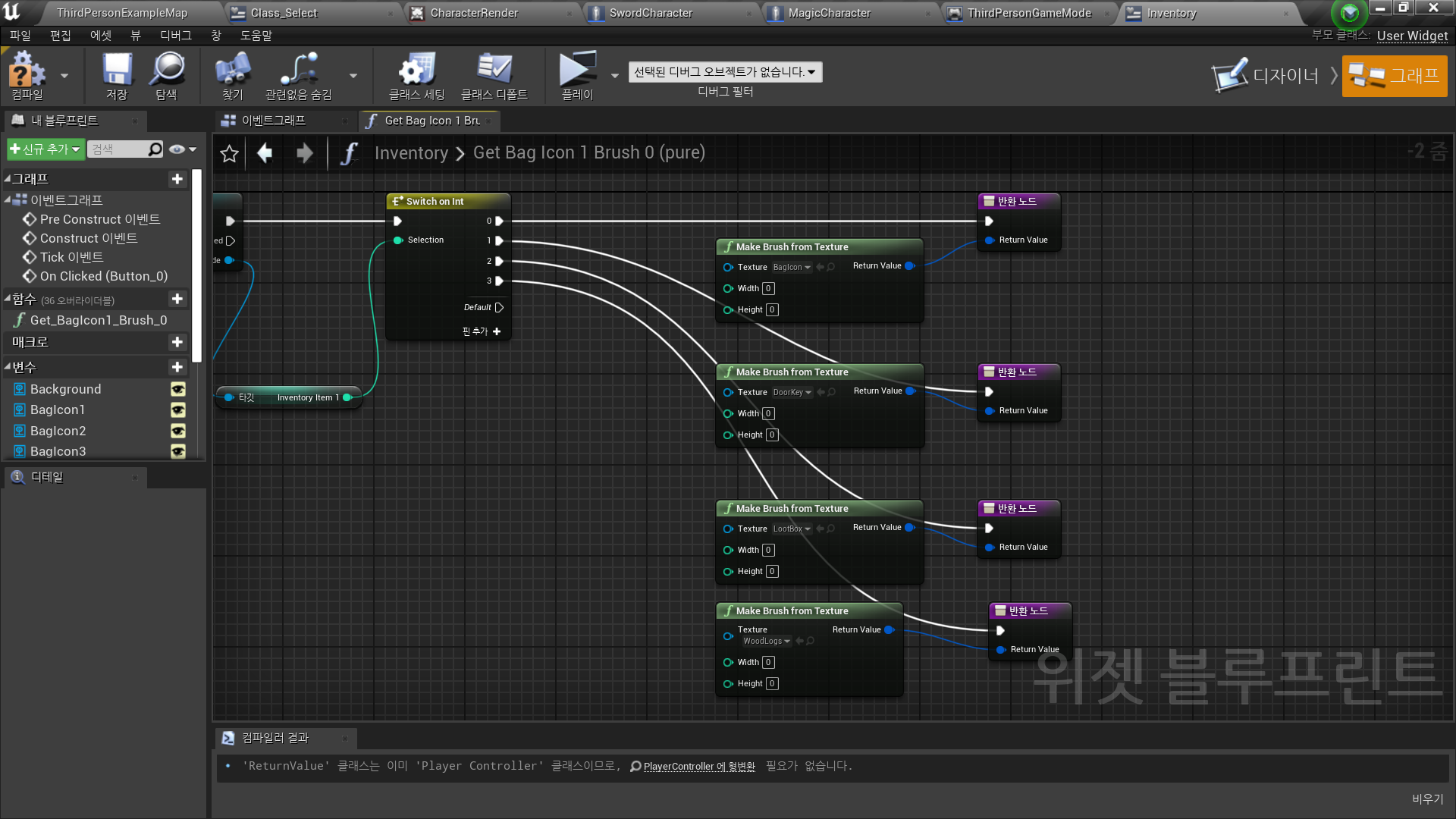
- Switch on Int 노드로 변환 아이콘 결정
- 아이콘별로 구현: Inventory Item N 부분만 아이콘 숫자에 맞게 수정
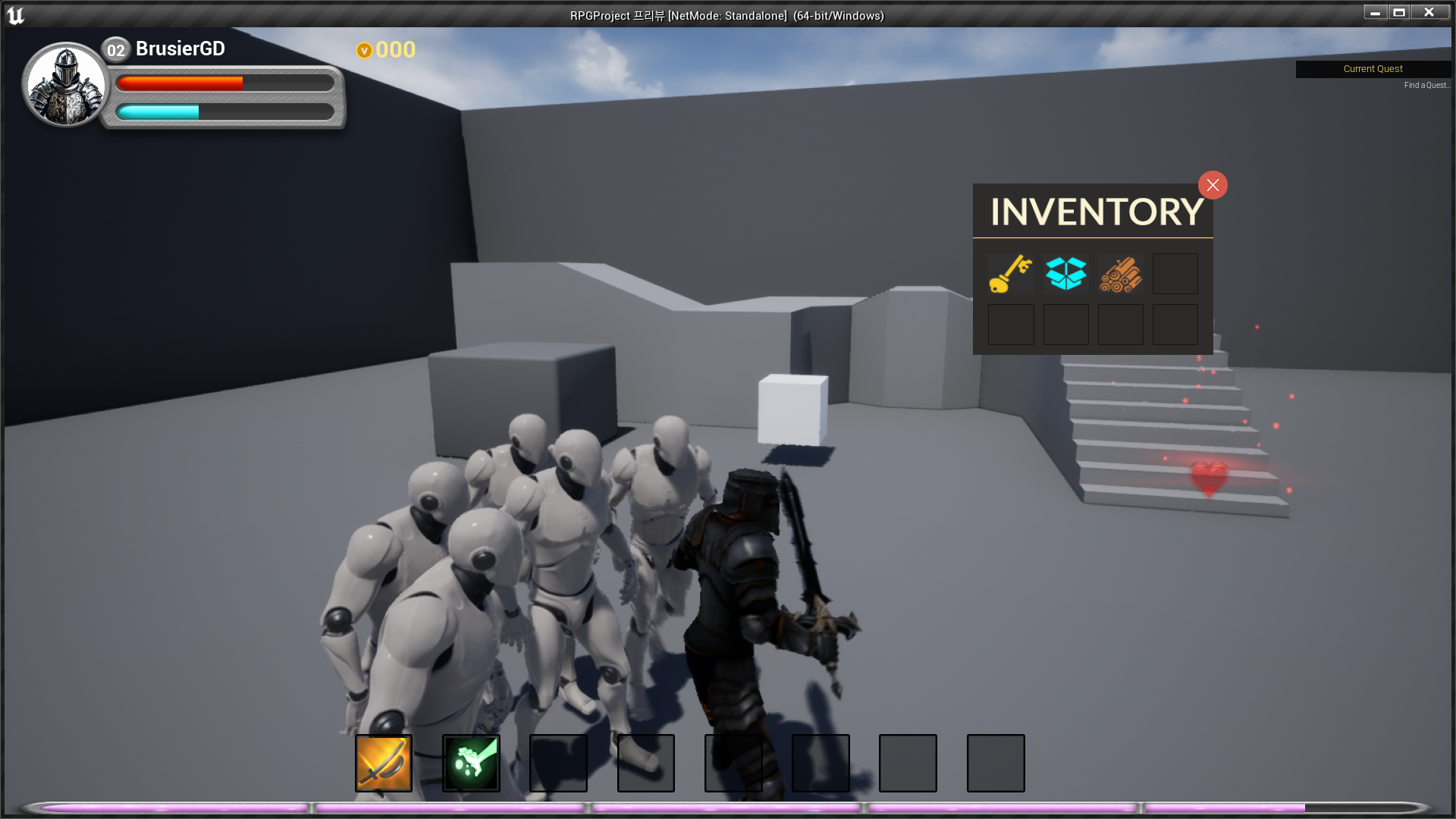
✅ Result
- Inventory Item UI
테스트를 위해 GameMode의 슬롯별 기본값 임시 변경 0→1,2,3

RPG 기획자 지망생