Today's Lesson: Displaying Inventory UI
Summary
1. We take a look at how we can import our inventory UI into Unreal Engine 4 and display it on the screen.
2. We also go over how we can get the player to open the bag using the 'B' keybinding.
Virtus Learning Hub
✅ Inventory UI
◼️ Inventory Widget
- New Widget BP: Inventory
- Image(BagBG)
- Button(CloseButton)
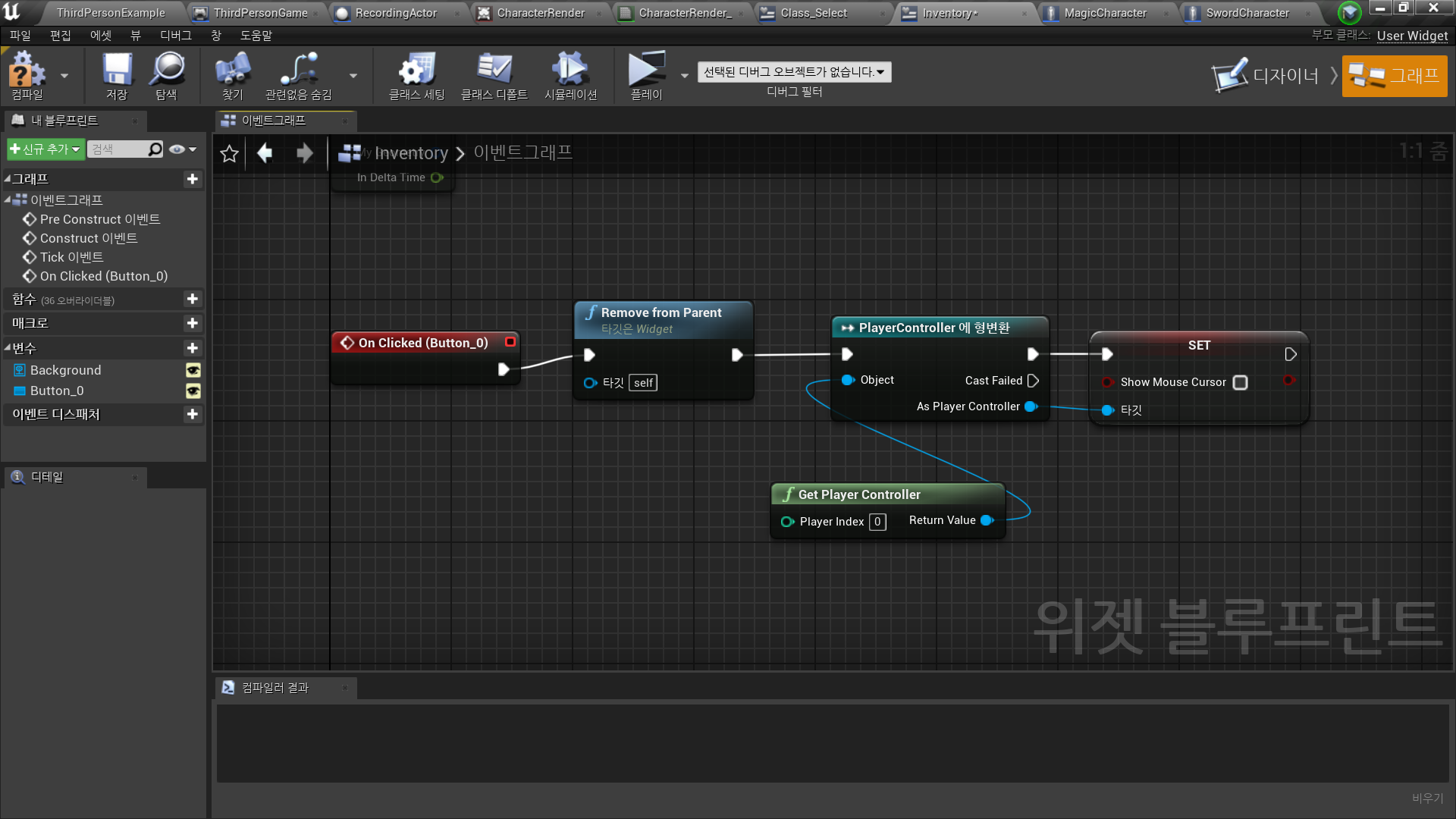
- OnClicked → Remove from Parent
- 마우스 커서 보이지 않게 처리
✅ Inventory 생성 로직
◼️ 버튼 입력
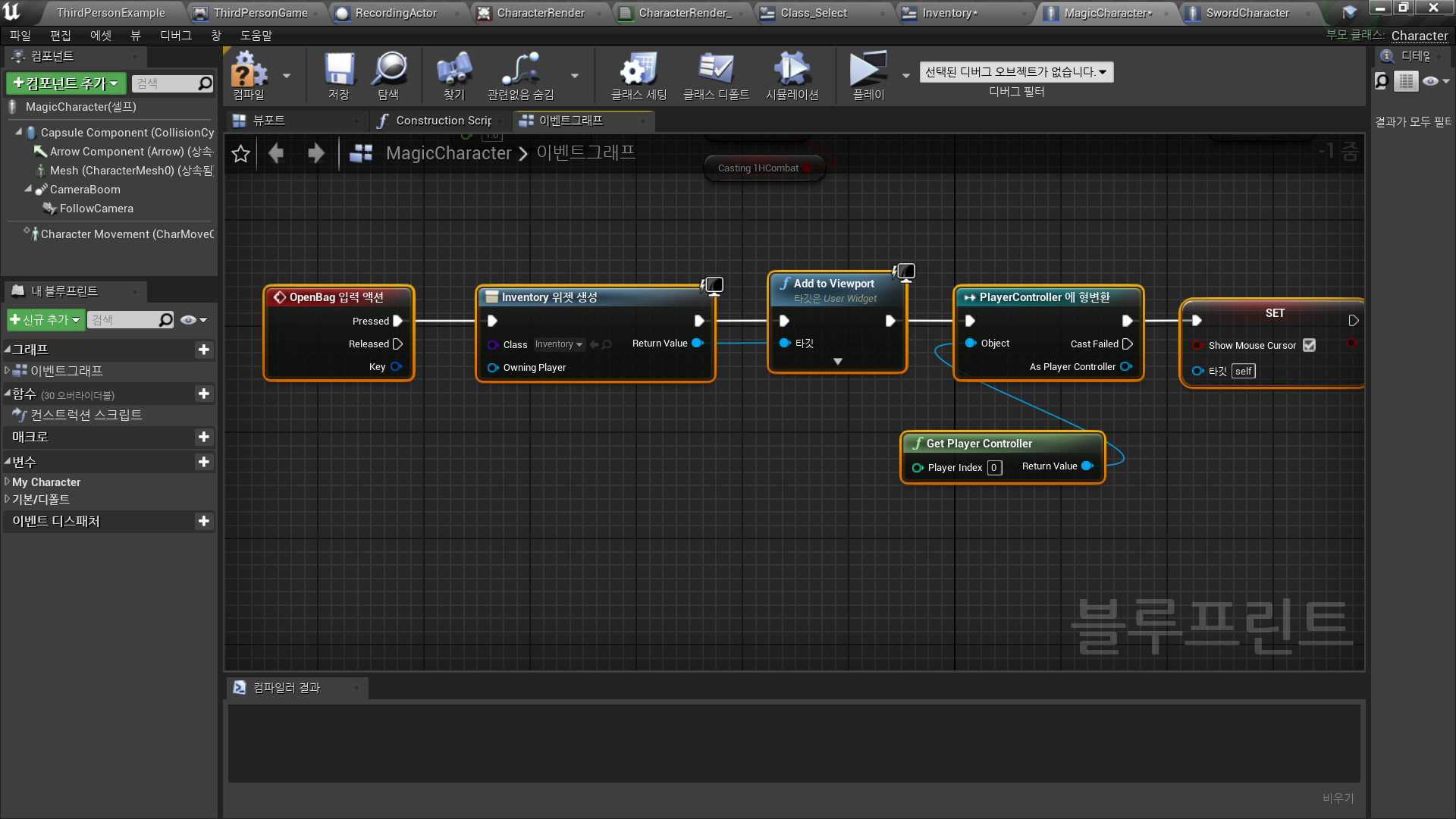
In Project Settings - Inputs - Action Mappings
- OpenBag
Key: B
In Character BP <MagicCharacter/SwordCharacter>
- 입력 액션 B → Inventory 위젯 생성 → 마우스 커서 보임 처리
✅ Result
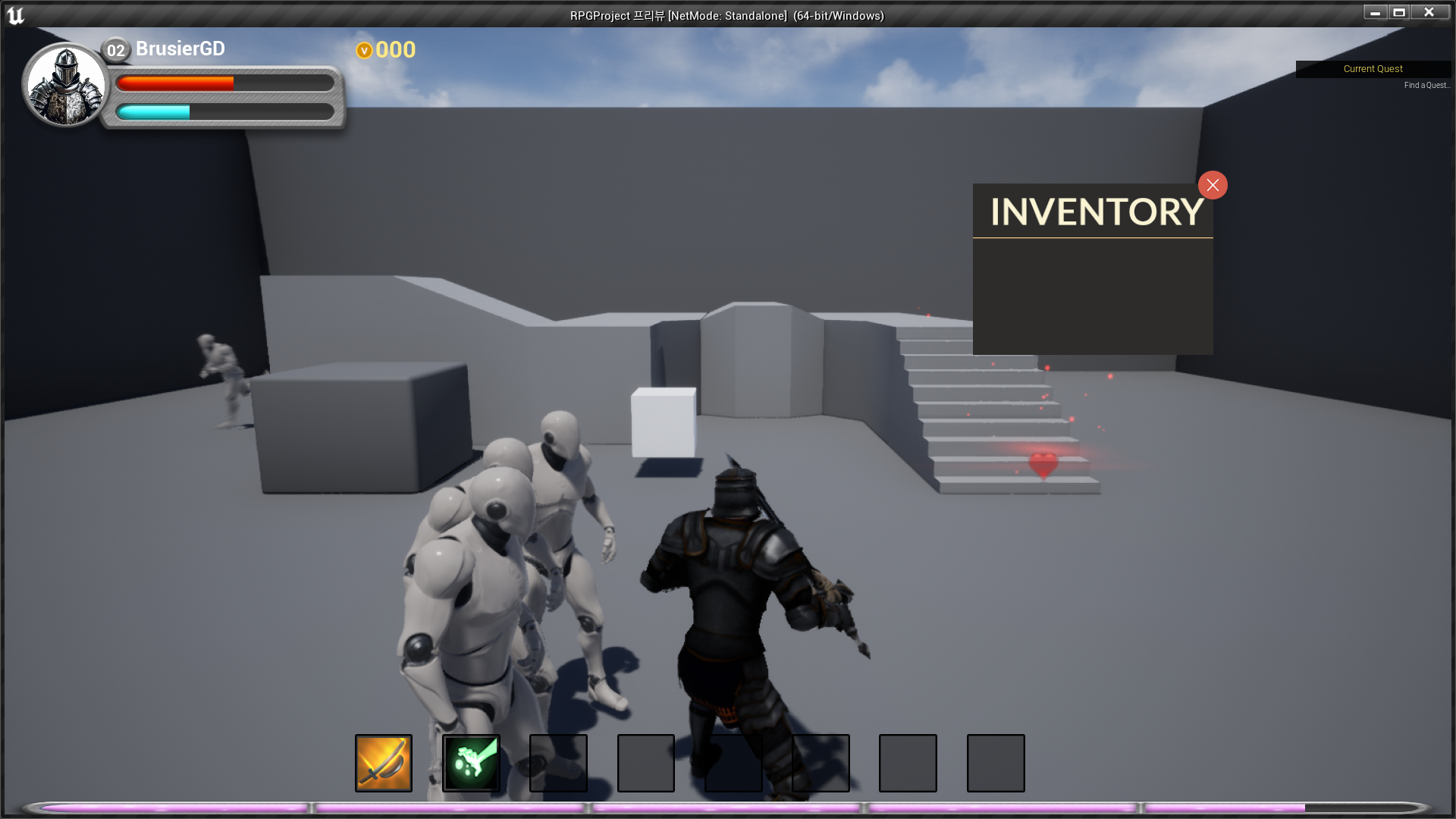
- Inventory Open
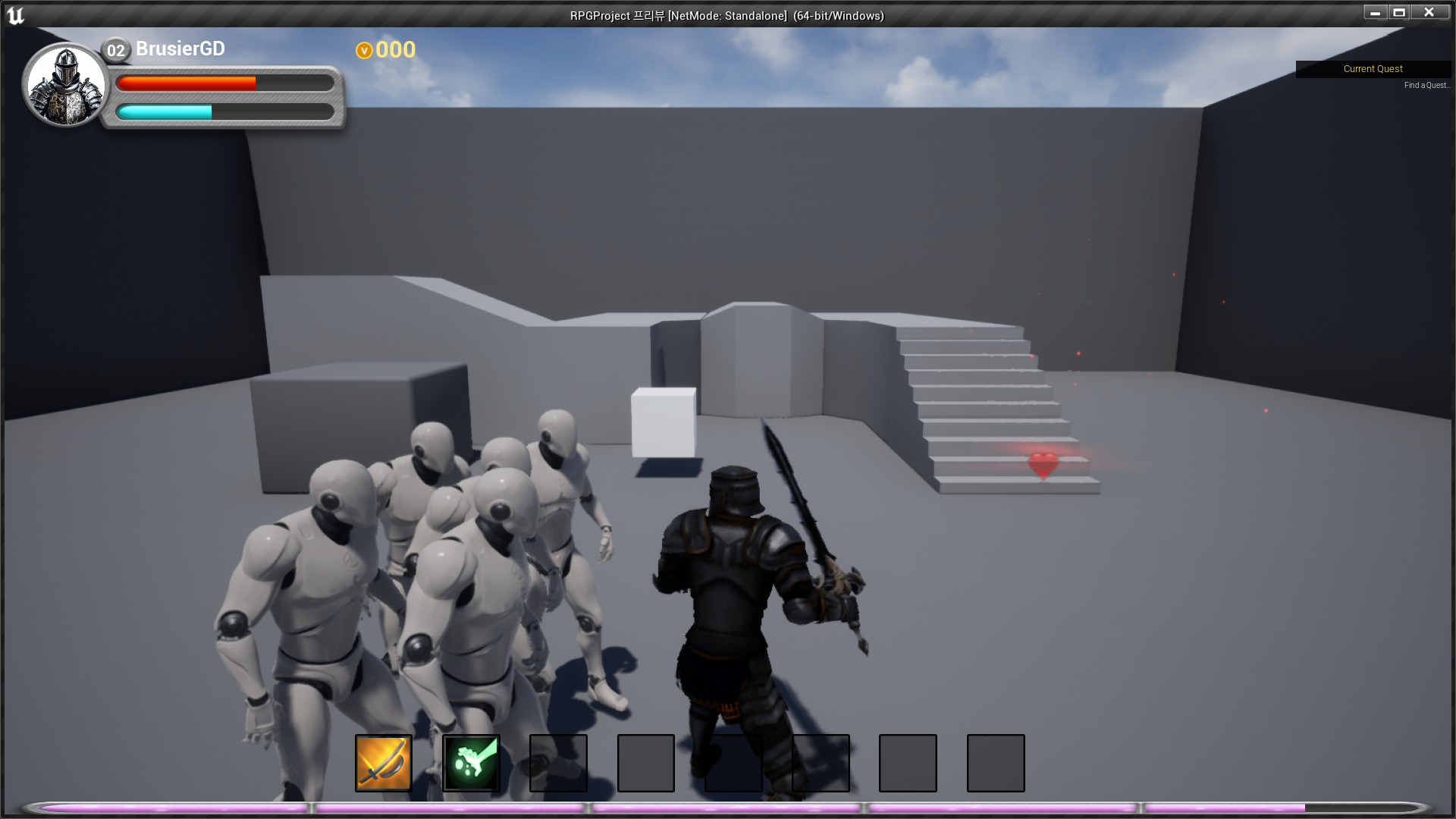
- Inventory Close

RPG 기획자 지망생