UE4 - Creating an ARPG #5 - Light and Heavy Melee Attacks
Today's Lesson: Light and Heavy Melee Attacks
Summary
Adding light and heavy attacks based on two different inputs. similar to Dark Souls, God of War and other action RPG and melee games.
✅ Settings
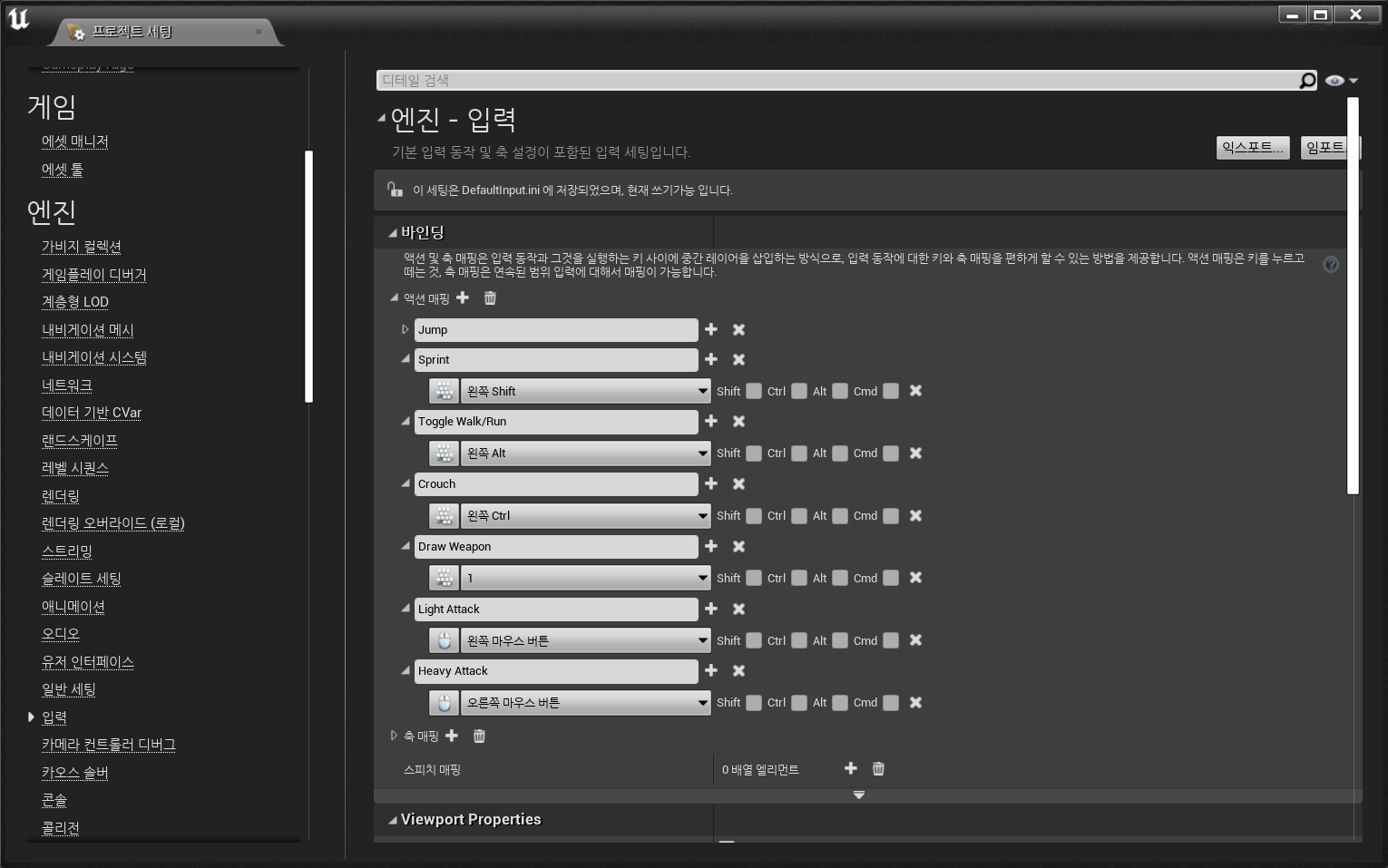
◼️ Inputs for Attacking
In Project Settings - Inputs
- Light Attack
- Key: Left Mouse Button - Heavy Attack
- Key: Right Mouse Button
✅ Animation Assets
◼️ Attack Animation Import From Mixamo
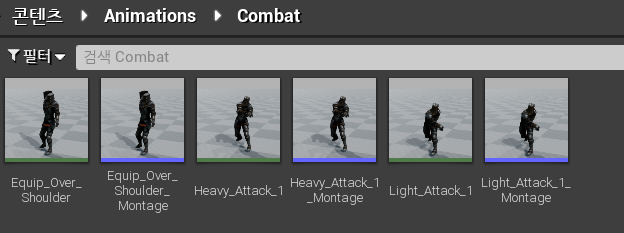
- Light Attack
검색어: Sword and Shield Slash - Heavy Attack
검색어: Great Sword Slash - Create Anim Montage
Anim Notify 사용하기 위함 - Rename 원본 Animation, Montage
Light_Attack_1(Montage), Heavy_Attack_1(Montage)
✅ Draw Weapon Logic
◼️ BP Interface
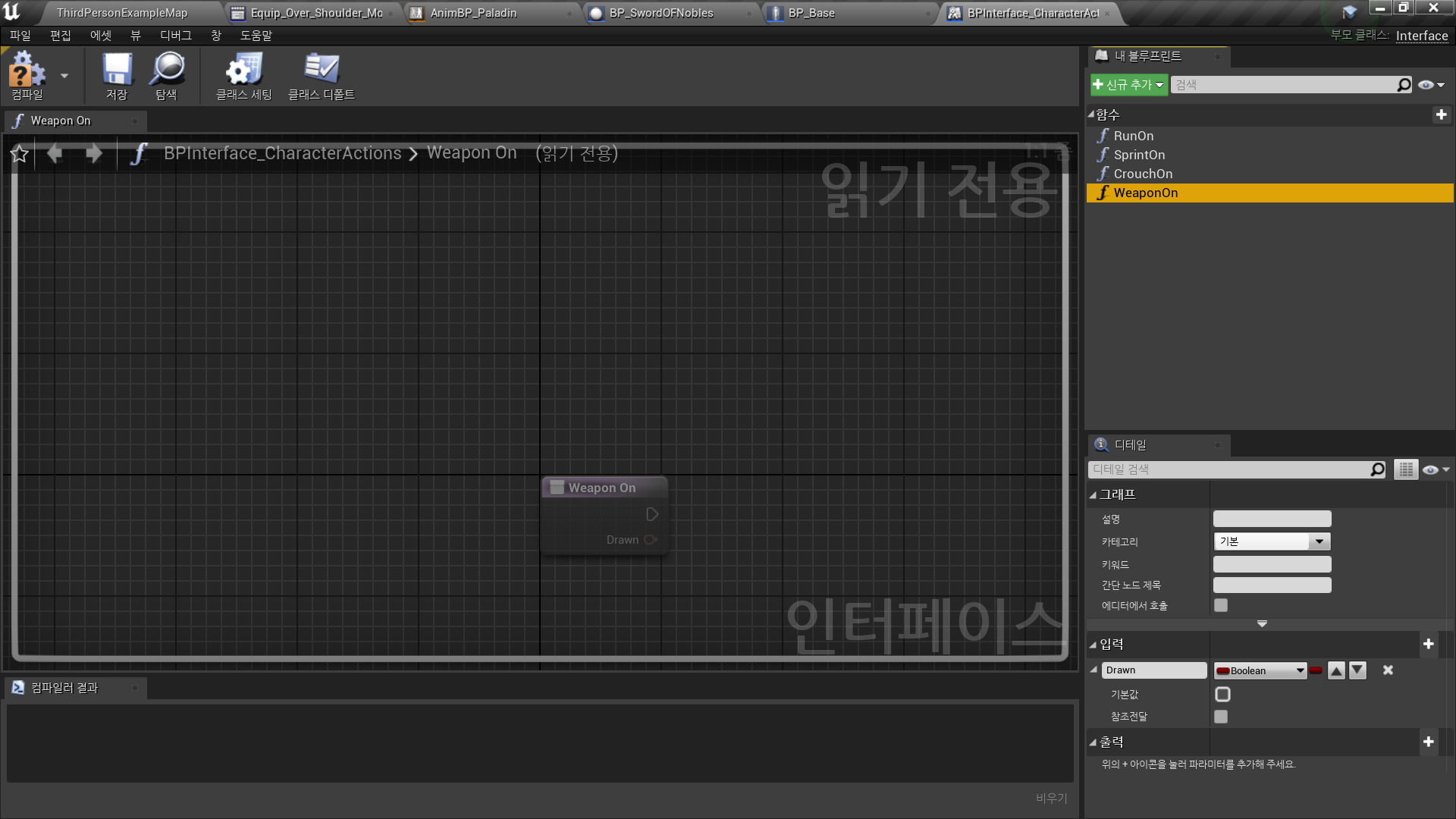
In BP Interface <BPInterface_CharacterActions>
- Add New Function: WeaponOn
- New Input: Drawn
Boolean, False
◼️ Combat Graph
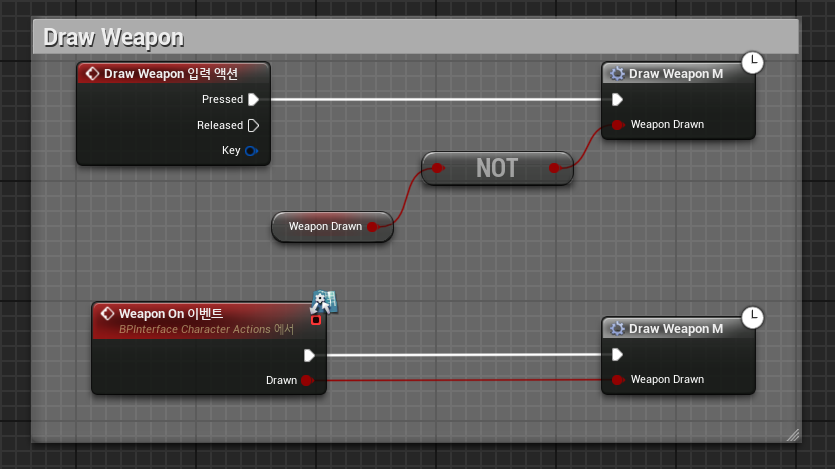
In Character BP <BP_Base> - Combat Graph
- 기존 Draw Weapon Logic 매크로로 접기: Draw Weapon M
- Event Weapon On → Draw Weapon M
✅ Light Attack Logic
◼️ Combat Graph
In Character BP <BP_Base> - Combat Graph
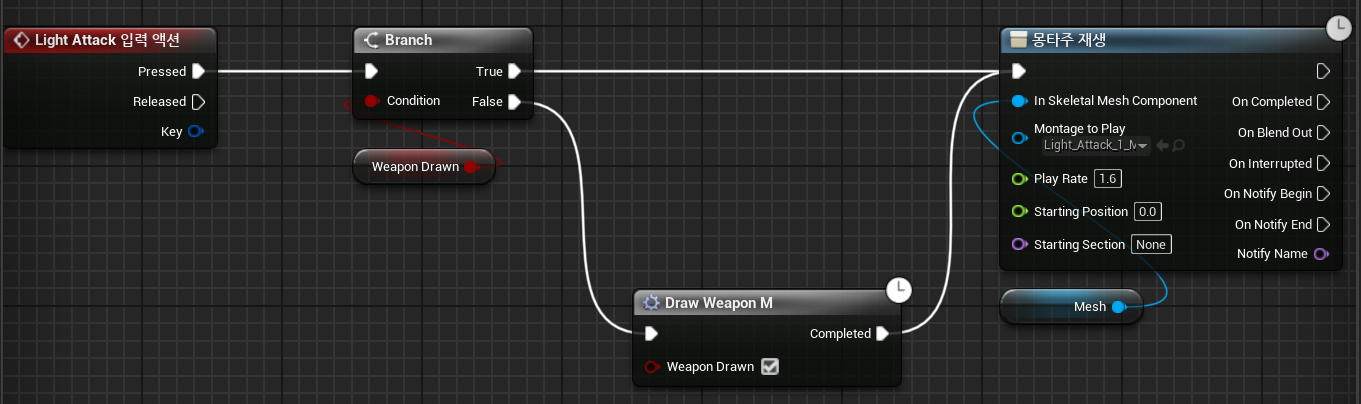
- 약공격 애니메이션 실행
Input Action Light Attack
Branch(WeaponDrawn)
True → Light Attack Anim Play
False → Draw Macro → Light Attack Anim Play
- Play Rate: 1.6
코멘트 생성: Light Attack
✅ Heavy Attack Logic
◼️ Combat Graph
In Character BP <BP_Base> - Combat Graph
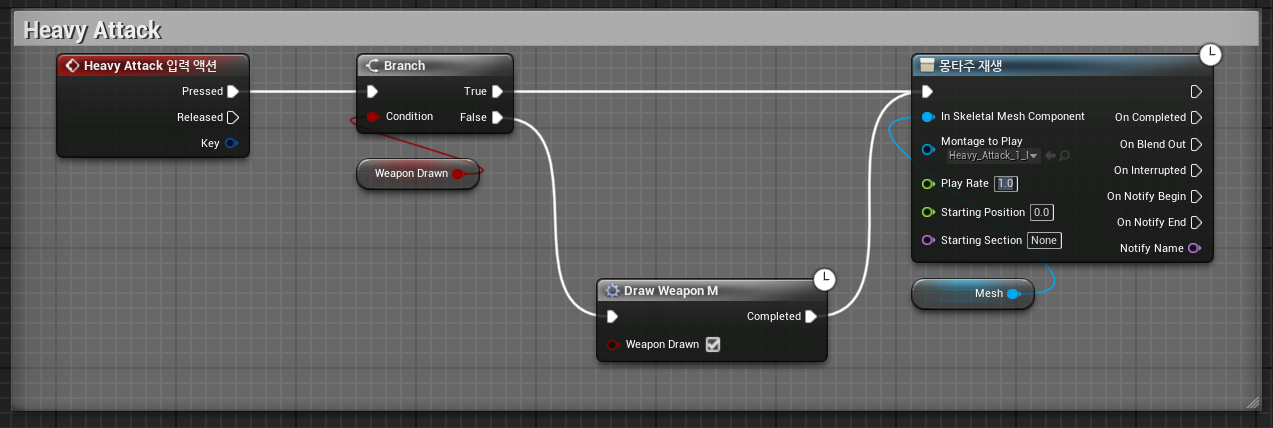
- 강공격 애니메이션 실행
Input Action Heavy Attack
Branch(WeaponDrawn)
True → Heavy Attack Anim Play
False → Draw Macro → Heavy Attack Anim Play
- Play Rate: 1.0
코멘트 생성: Heavy Attack
✅ Enable/Disable Movement
◼️ BP Interface
In BP Interface <BPInterface_CharacterActions>
- Add New Function: Movement
- New Input: On/Off
Boolean, True
◼️ Movement Graph
- New Variable: MovementOn
Boolean, True
움직임 제어 변수 - MovementOn == True → 움직임 가능
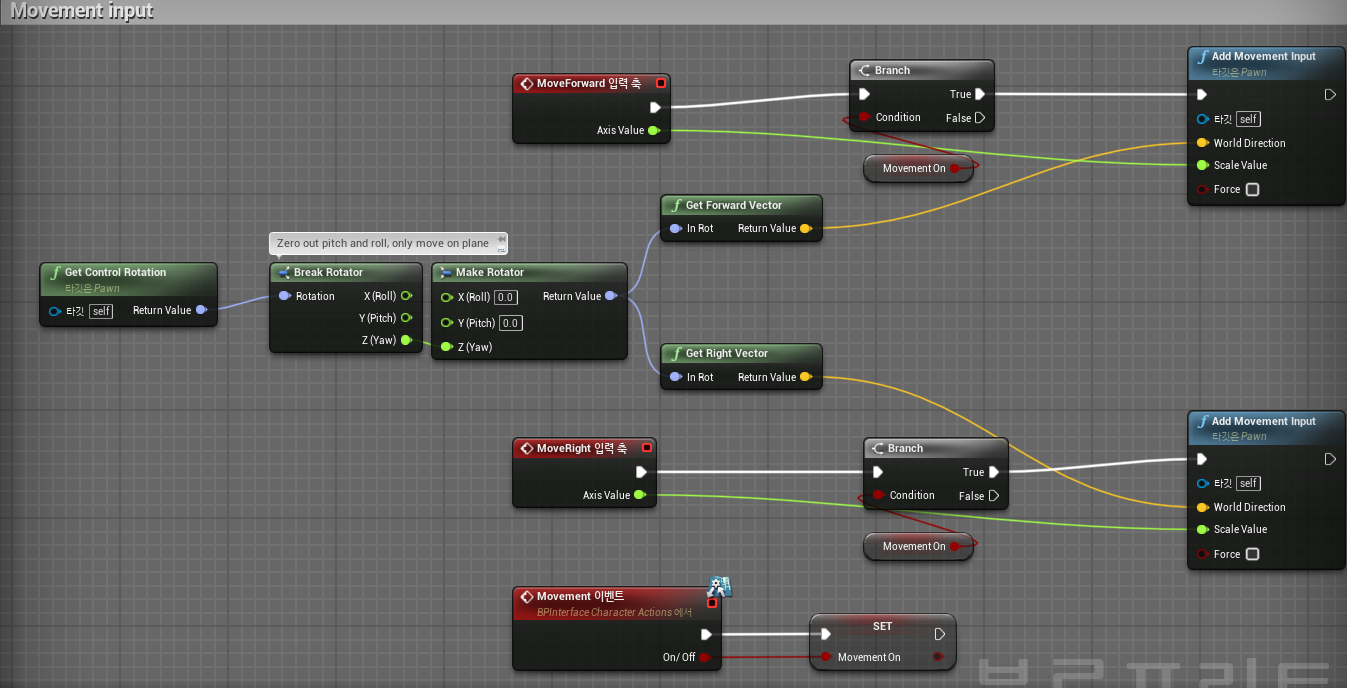
- Event Movement → Set MovementOn
◼️ Animation Notify 생성
In Anim Montage(Light Attack)
- New Notify: DisableMovement
- New Notify: EnableMovement
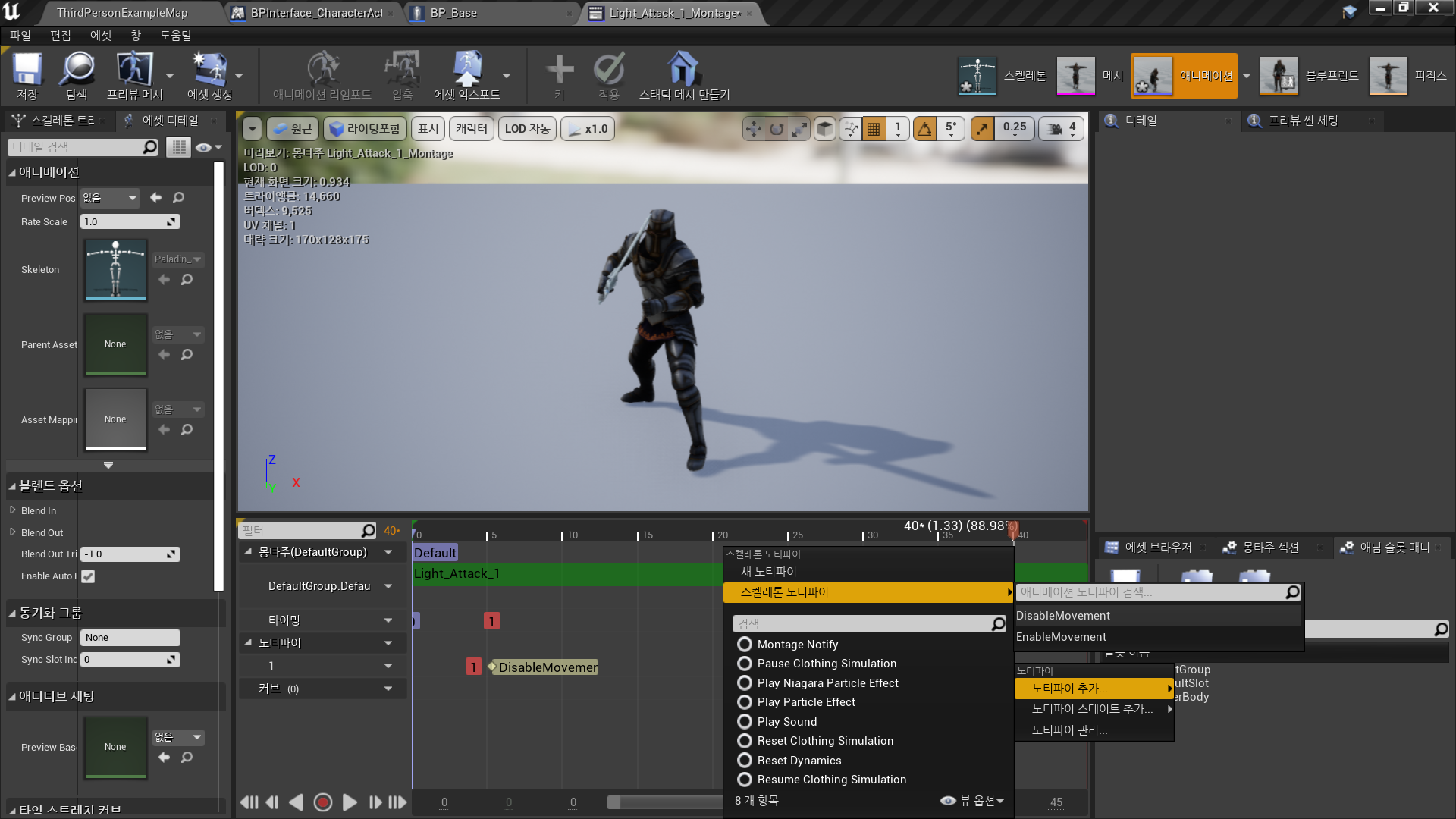
In Anim Montage(Light Attack)
- New Notify -Skeleton Notify: DisableMovement
- New Notify -Skeleton Notify: EnableMovement
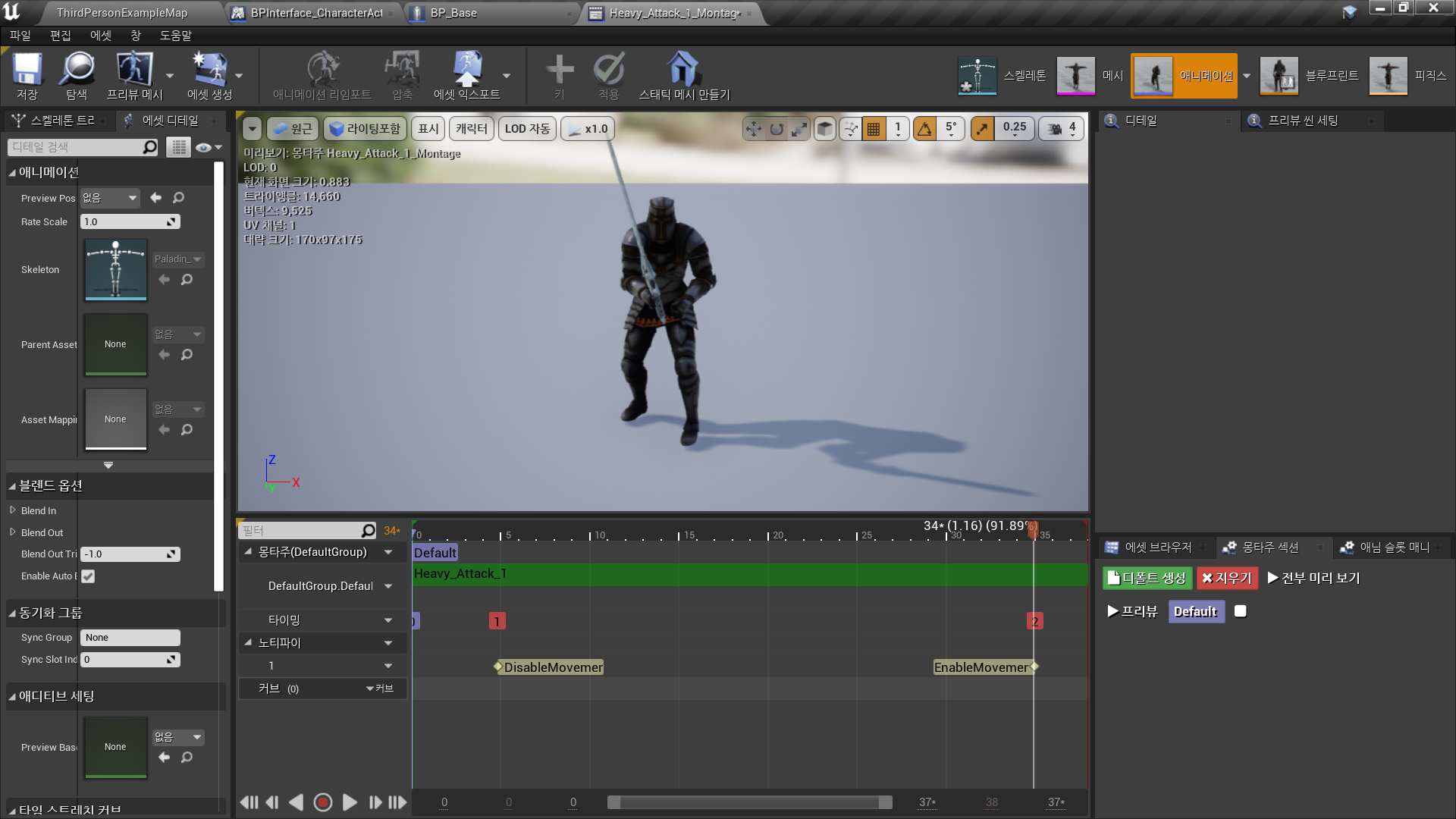
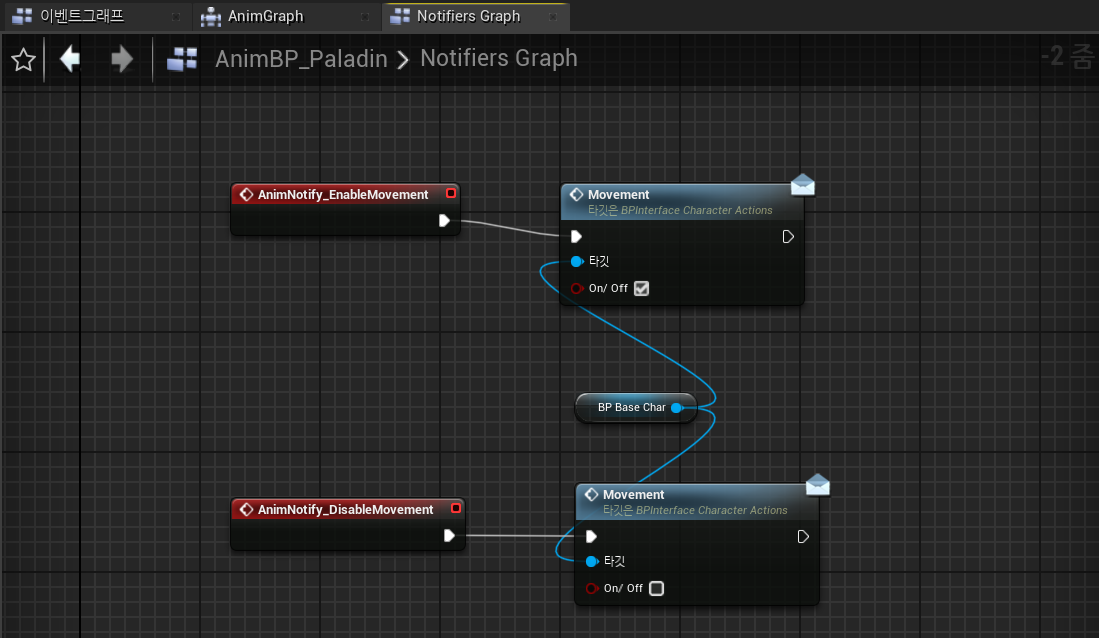
◼️ Animation Notify, BP Interface 이용하여 Movement 제어
In Anim BP <AnimBP_Paladin>
- New Graph: NotifiersGraph
- AnimNotify_EnableMovement → Movement(Message)
- On/Off: True - AnimNotify_DisableMovement → Movement(Message)
- On/Off: False
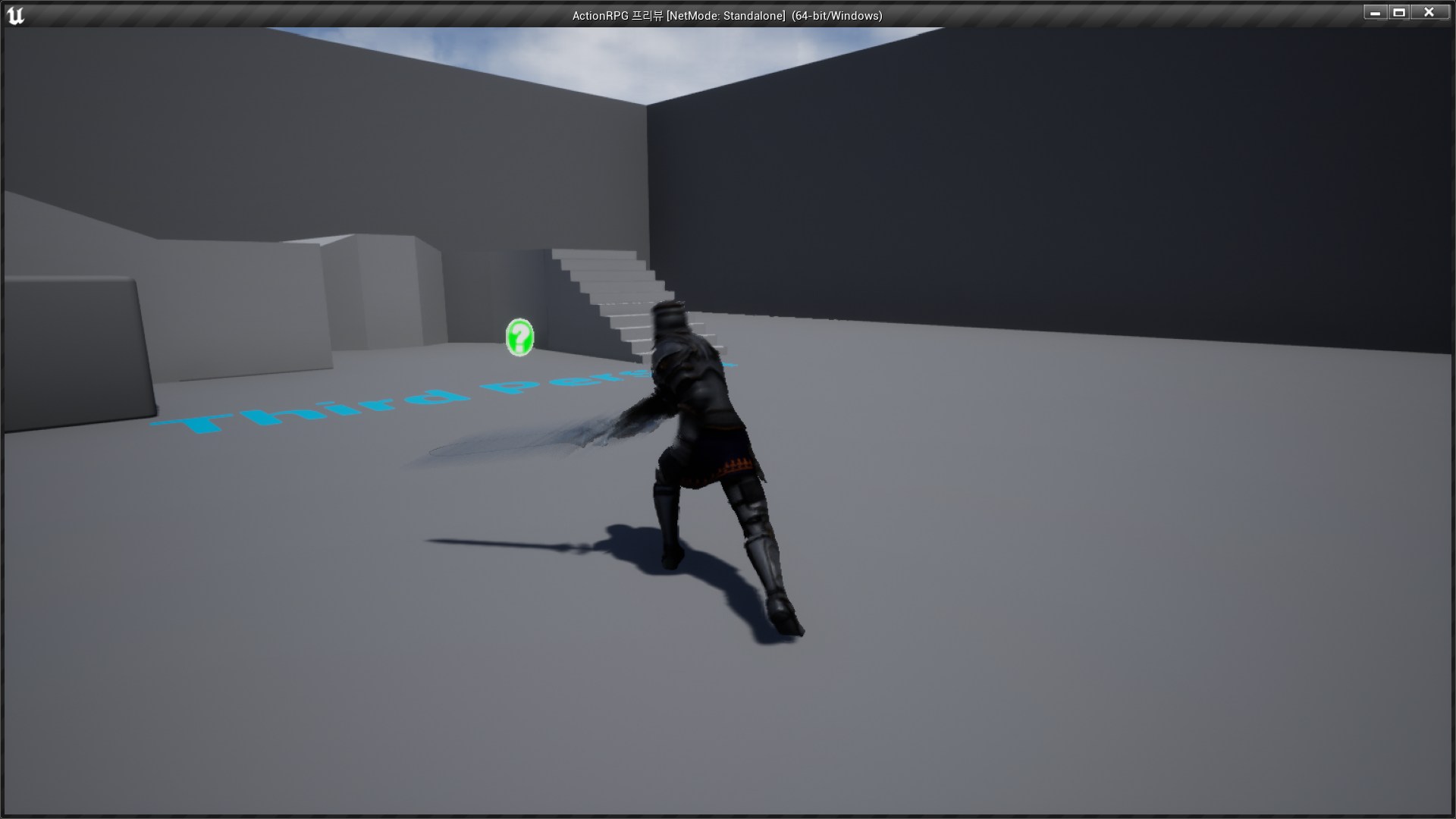
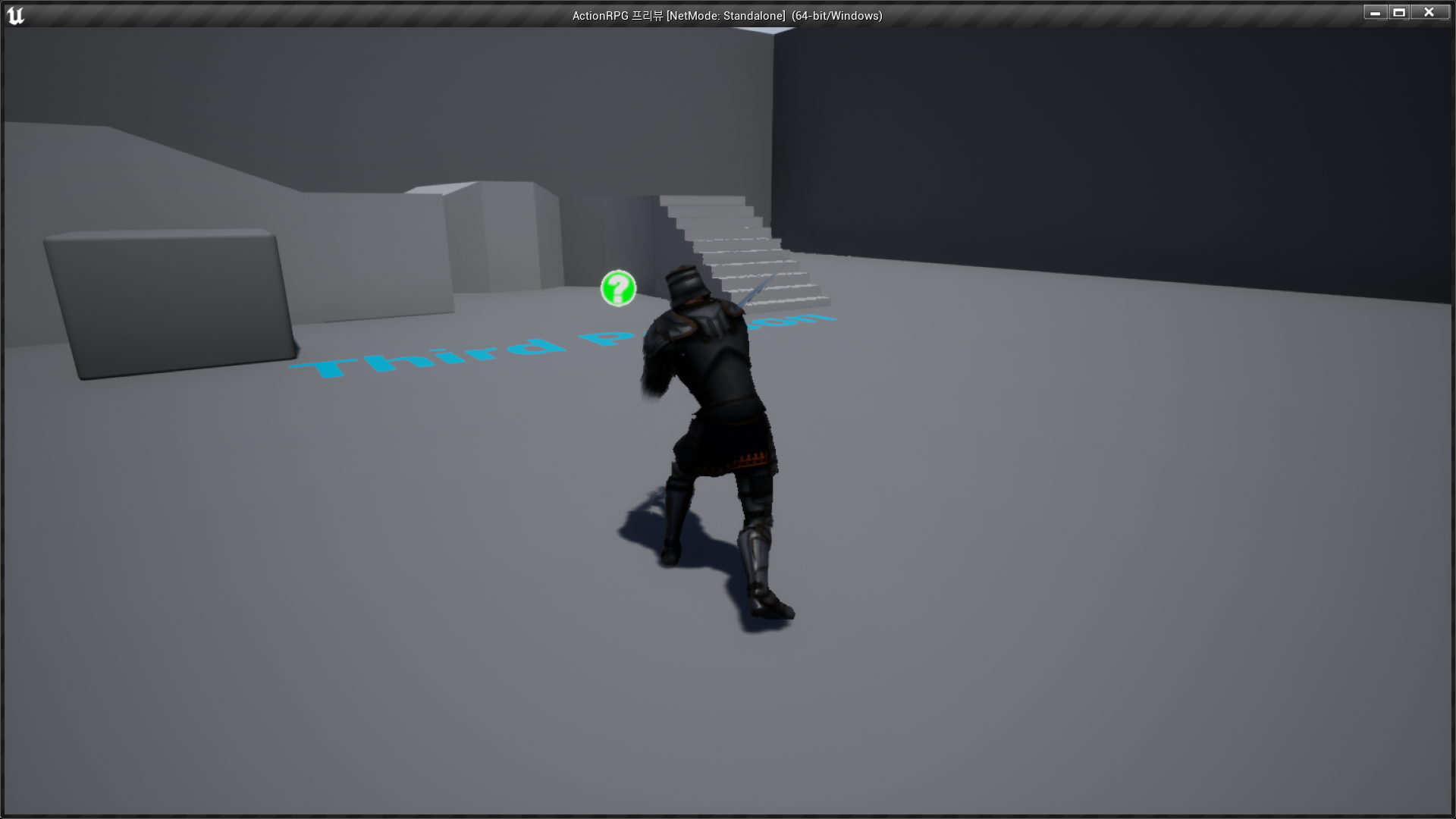
✅ Result
- Light Attack + Disable/Enable Movement
- Heavy Attack + Disable/Enable Movement

RPG 기획자 지망생