환경: ubuntu 22.04, ROS2 humble, amd64
앞선 1.8.19 버전과 겹치는 내용은 생략
1. arduino
https://www.arduino.cc/en/software
arudino 2.3.2 appimage 다운로드
2. teensyduino
https://www.pjrc.com/teensy/td_download.html
> 2.0.X 이상 버전은 이렇게 설치하란다. 위 페이지에서 상세하게 설명해준다.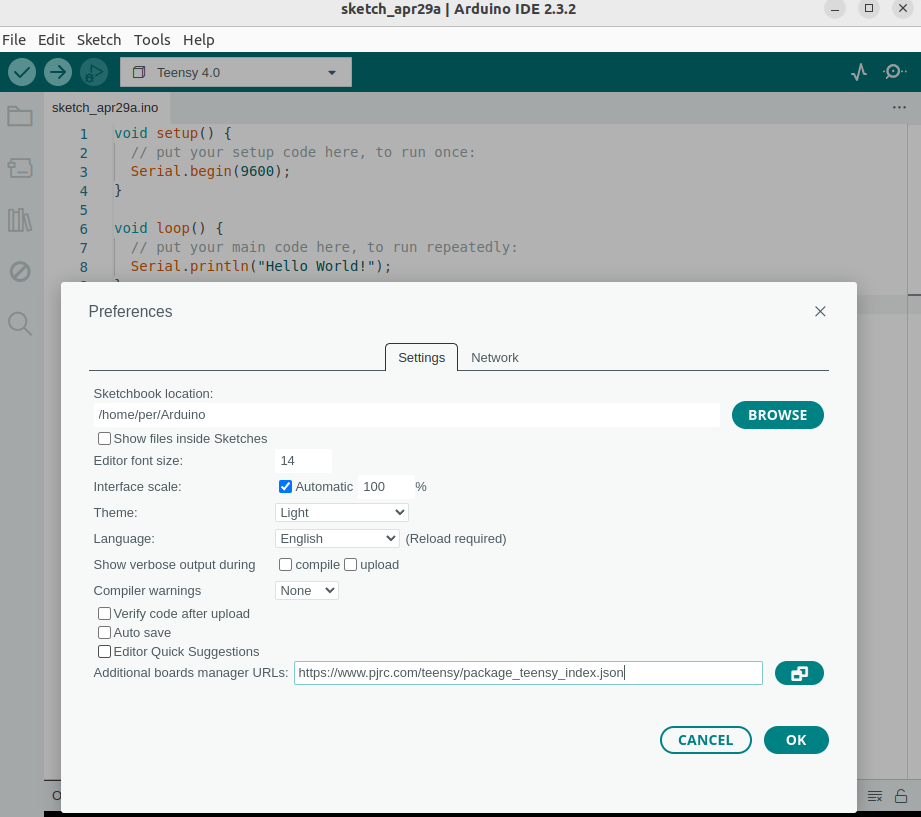
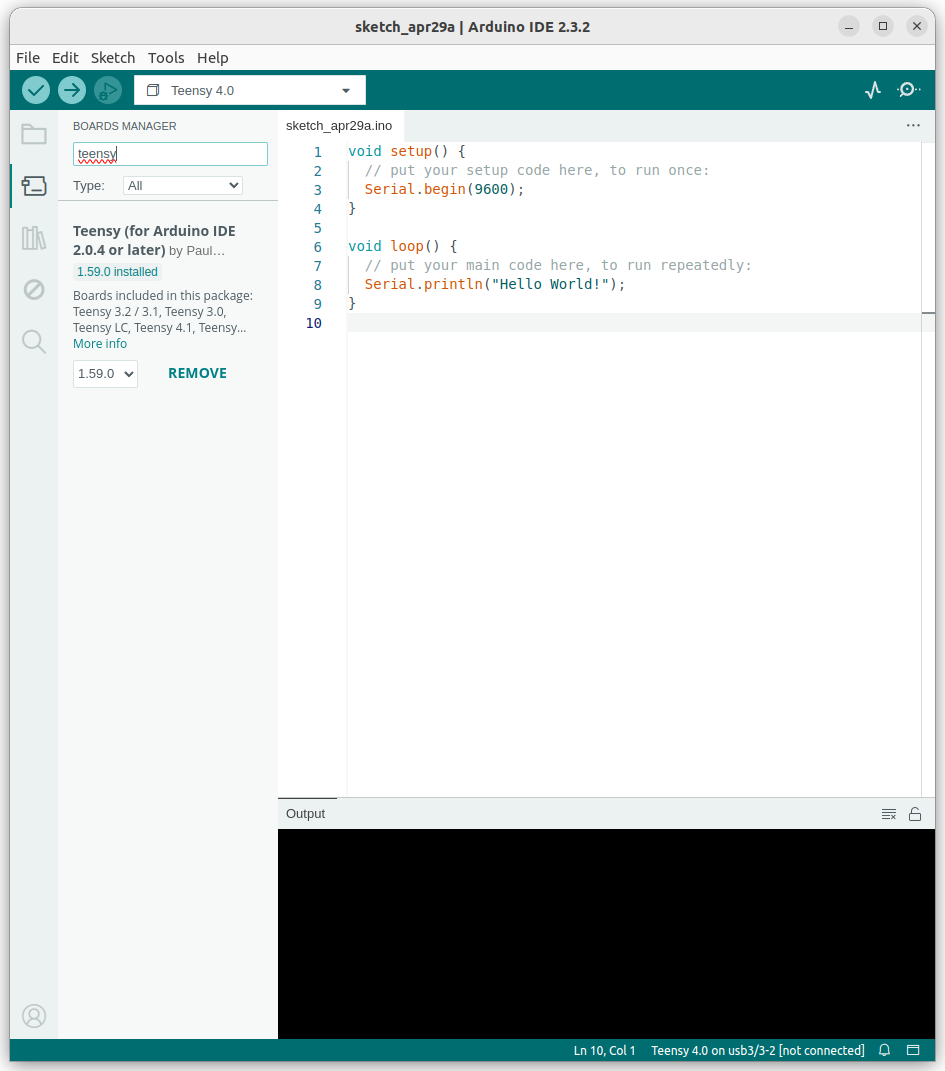
URL을 입력해주면 Board manager에서 teensy를 찾을 수 있다.
> 1.8.19와 비교했을 때 매우 간소화 되었다.오늘 기준 1.59.0(latest ver.)을 다운로드 해준다.
3. micro ros arduino
https://github.com/micro-ROS/micro_ros_arduino/tree/humble
위 레포에서 버전에 맞는 branch 를 선택하고 zip 파일로 다운로드 한다.
> 이전에 https://github.com/micro-ROS/micro_ros_arduino/releases
이상하게 여기서 humble 2.0.7를 다운로드 하고 했을 때에는 안 됐다.
근데 이 문제가 아닐 것 같긴하다. 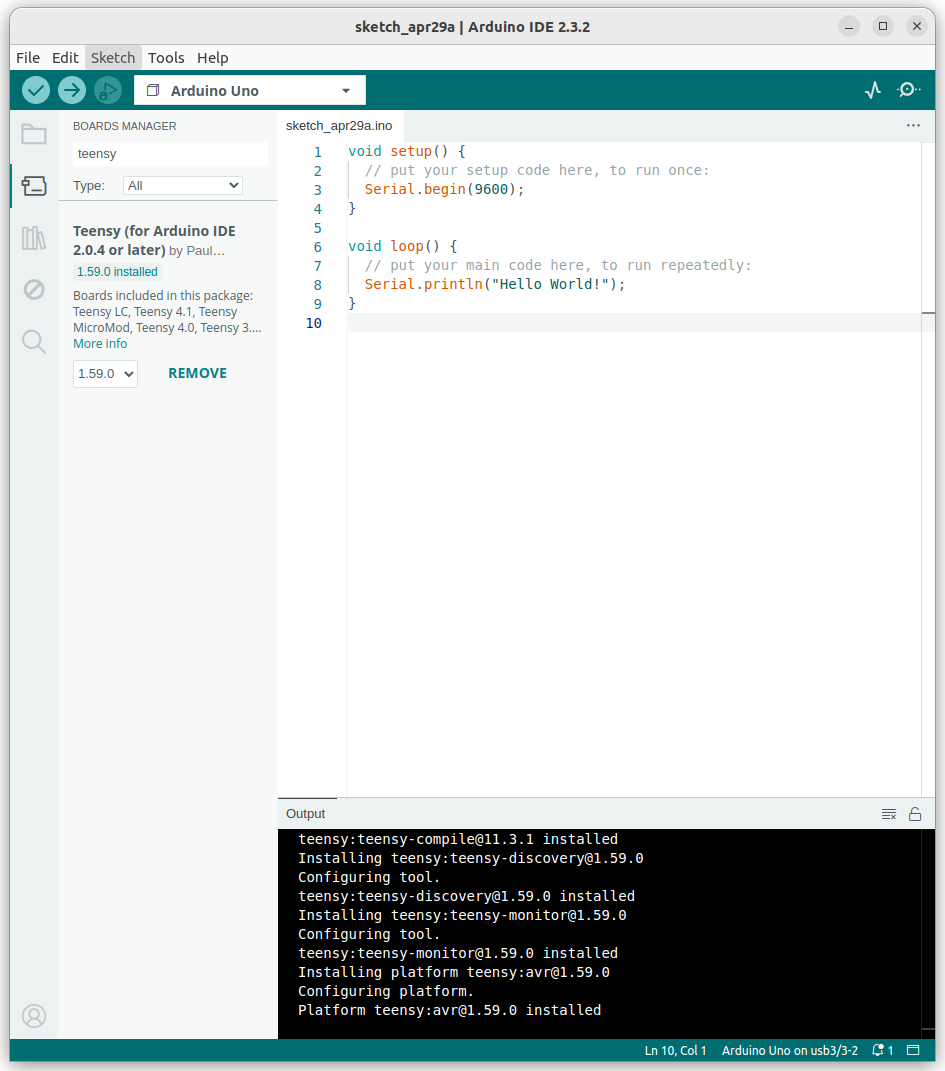
보드매니저 다운로드
이 상태에서 라이브러리 예제에서 publish 파일을 업로드하면
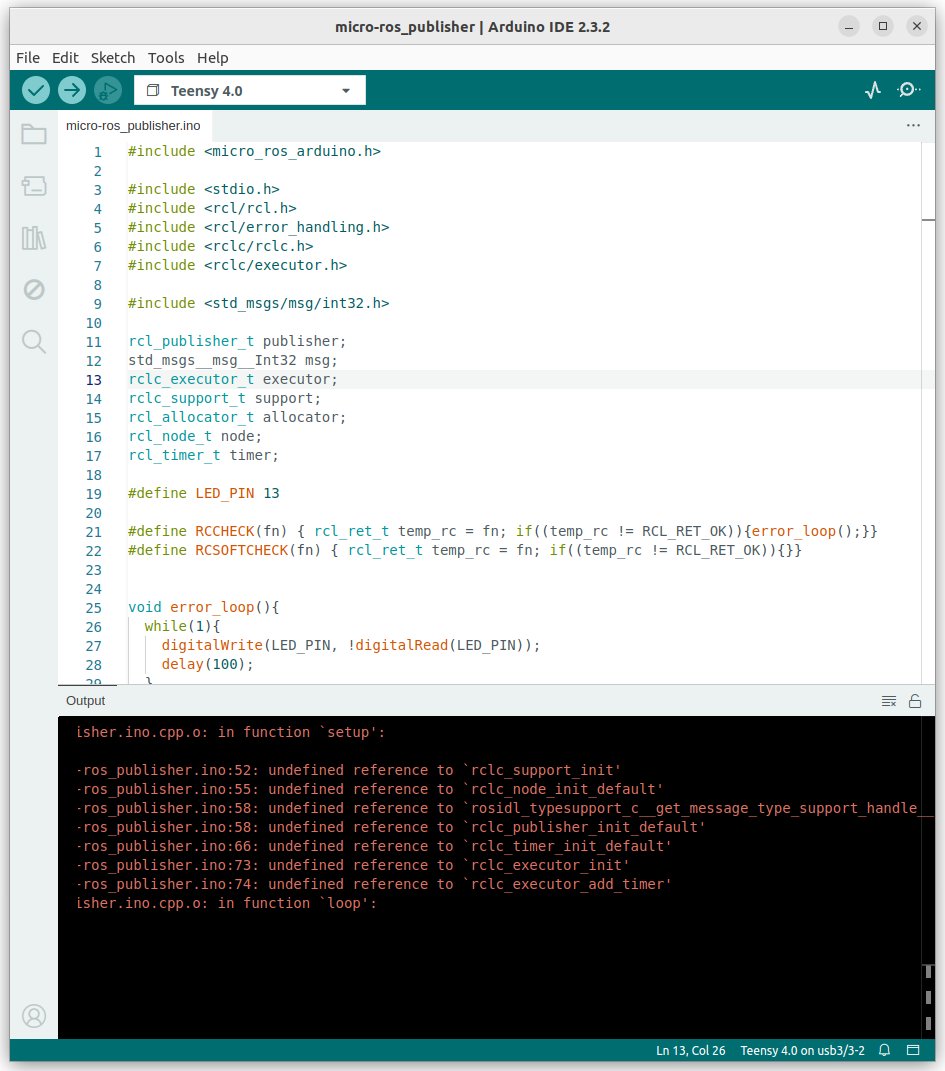
undefined error가 발생한다.
cd ~/.arduino15/packages/teensy/hardware/avr/1.59.0/로 가서 다음 커맨드로 내용을 수정해준다.
curl https://raw.githubusercontent.com/micro-ROS/micro_ros_arduino/main/extras/patching_boards/platform_teensy.txt > platform.txt그 이후
gedit plaform.txt위 텍스트 파일을 열어
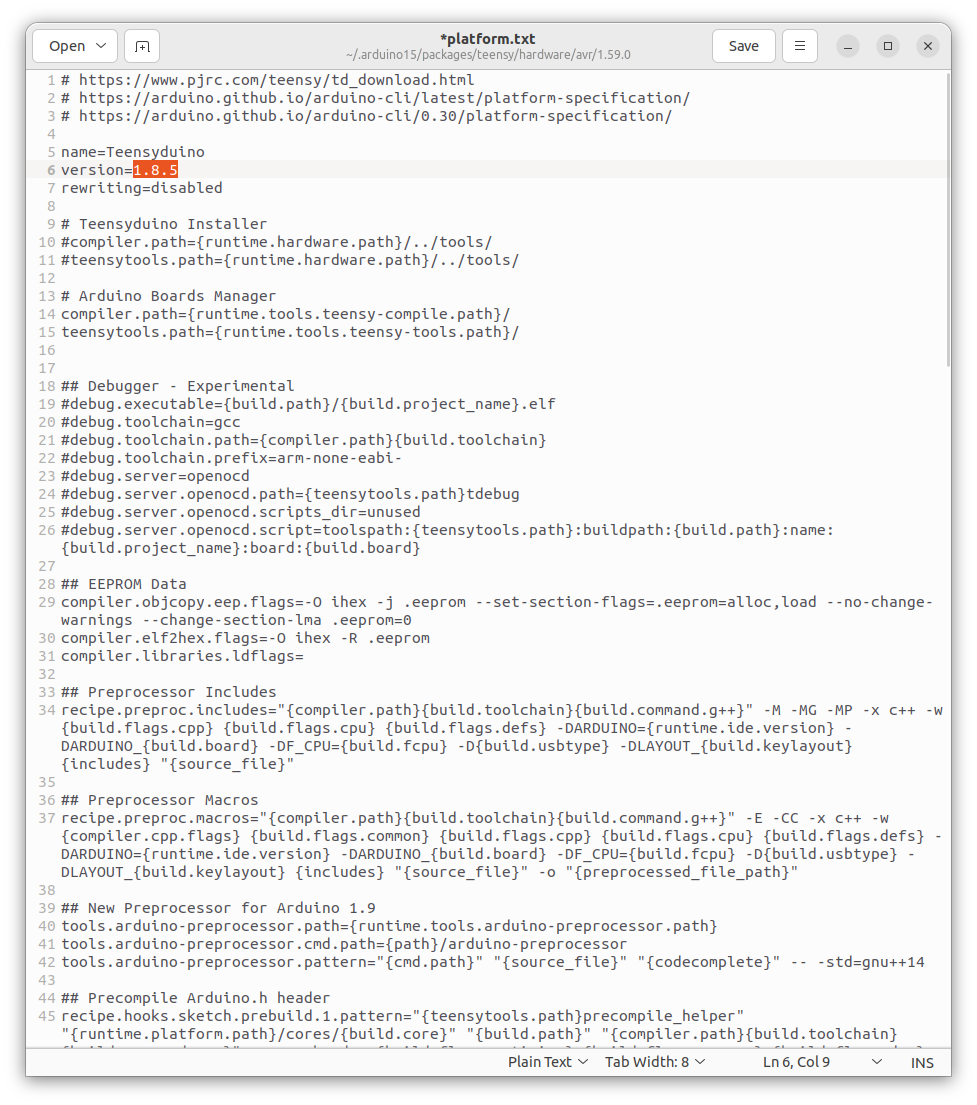
1.59.0으로 바꿔준다.
이제 다시 예제의 publish 파일을 업로드 해주면
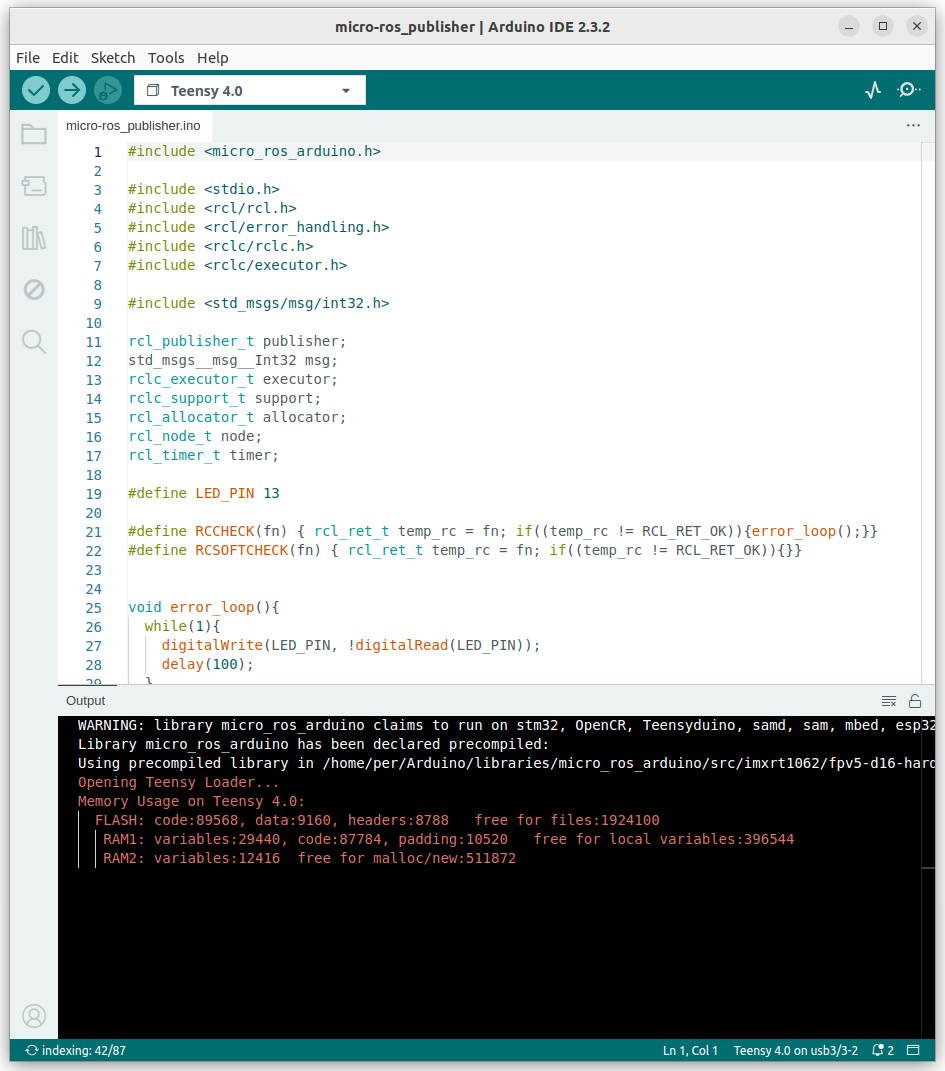
업로드가 잘 된다.
4. micro ros
공식 repo에서 제공하는 설치방법은 다음과 같다.
cd ~/ros2_ws/src
git clone -b $ROS_DISTRO https://github.com/micro-ROS/micro_ros_setup.git


sudo apt update && rosdep update
rosdep install --from-paths . --ignore-src -y


sudo apt-get install python3-pip


cd ~/ros2_ws
colcon build --packages-select micro_ros_setup
source install/local_setup.bash


cd ~/ros2_ws
ros2 run micro_ros_setup create_agent_ws.sh

ros2 run micro_ros_setup build_agent.sh
source install/local_setup.bash
$ ros2 run micro_ros_agent micro_ros_agent serial --dev /dev/ttyACM0설치 후 위 커맨드를 입력하면
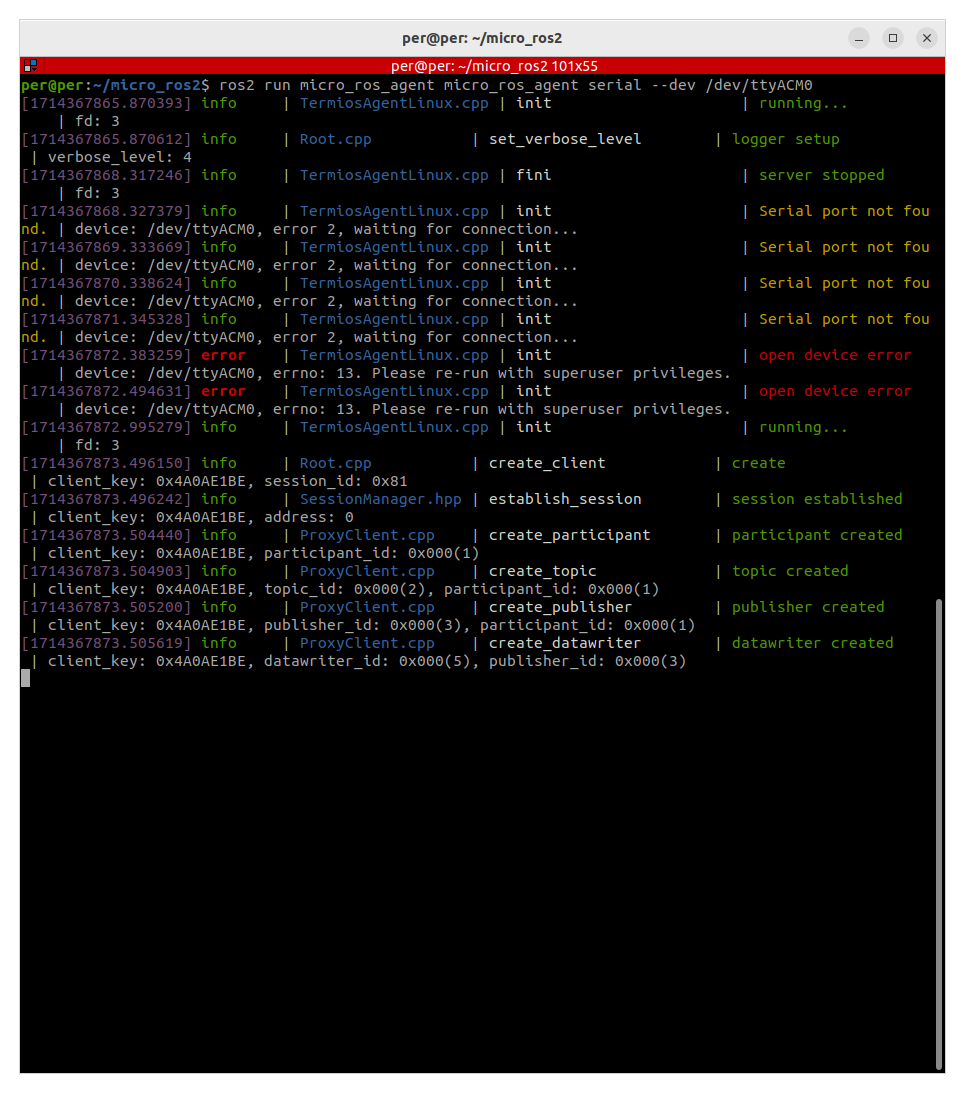
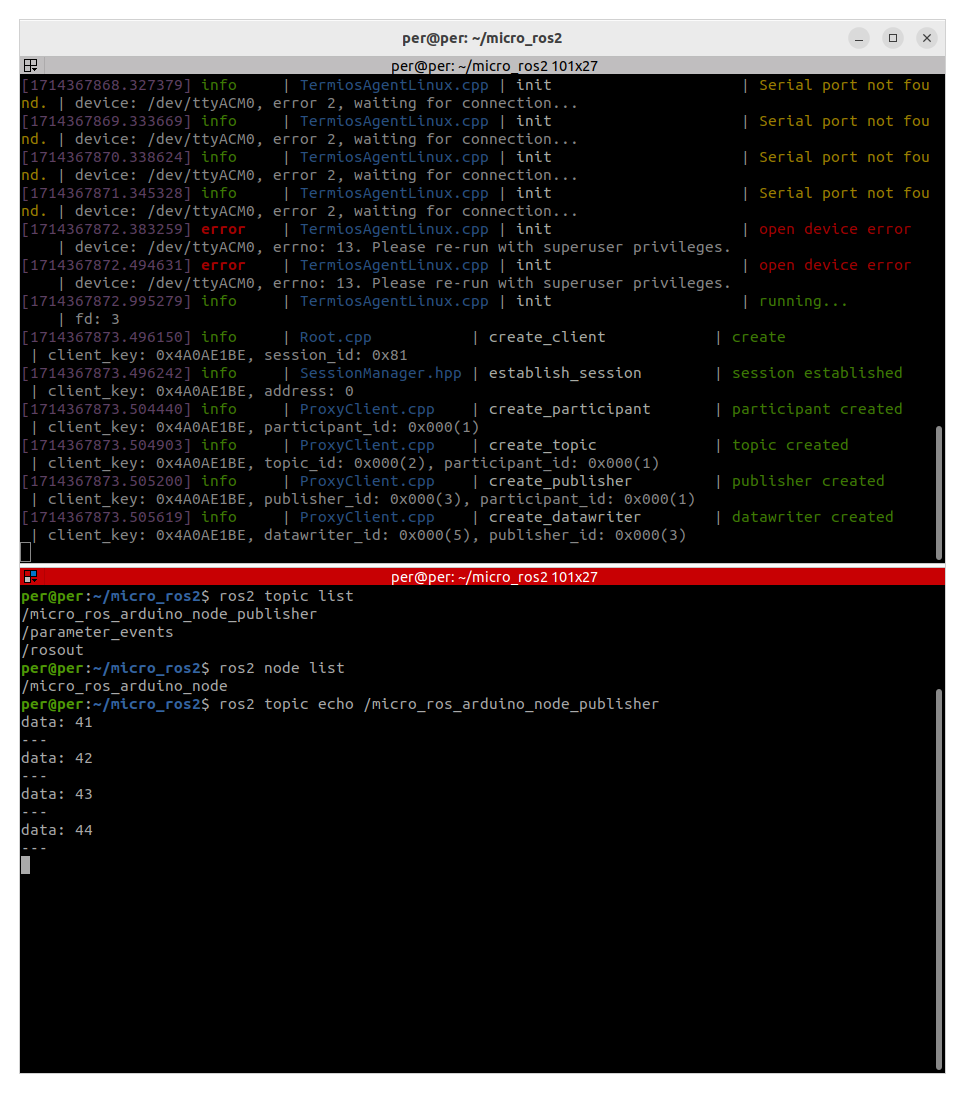
잘 작동되고 있는 걸 알 수 있다.
[추가]
docker 이용
domain_id 변경 (미변경시 0이 default, DOMAIM_ID=0 에서만 작동)
[참고]
https://stupidly-honest.tistory.com/39
https://www.pjrc.com/teensy/td_download.html
https://github.com/micro-ROS/micro_ros_arduino/releases?page=1
