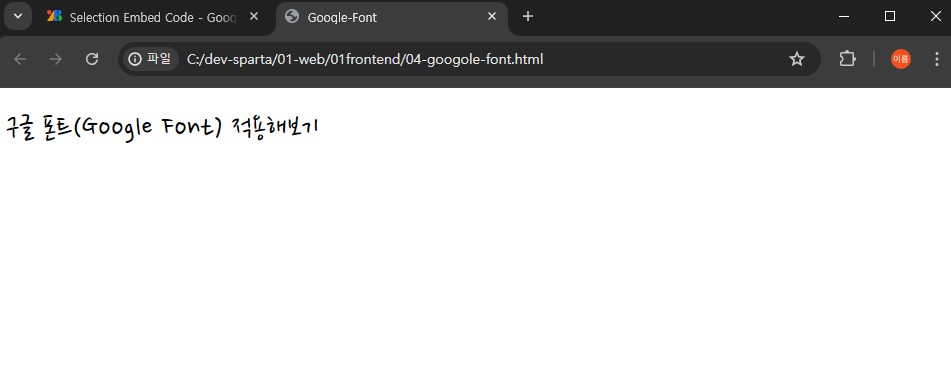
구글 폰트(Google Font) 가져다 쓰기
1. 구글 폰트(Google Font) 가져오기
구글 폰트 가져오는 곳 링크
위 링크에 들어가보면 다양한 구글 폰트를 만나볼 수 있다.
2. 폰트 선택하기
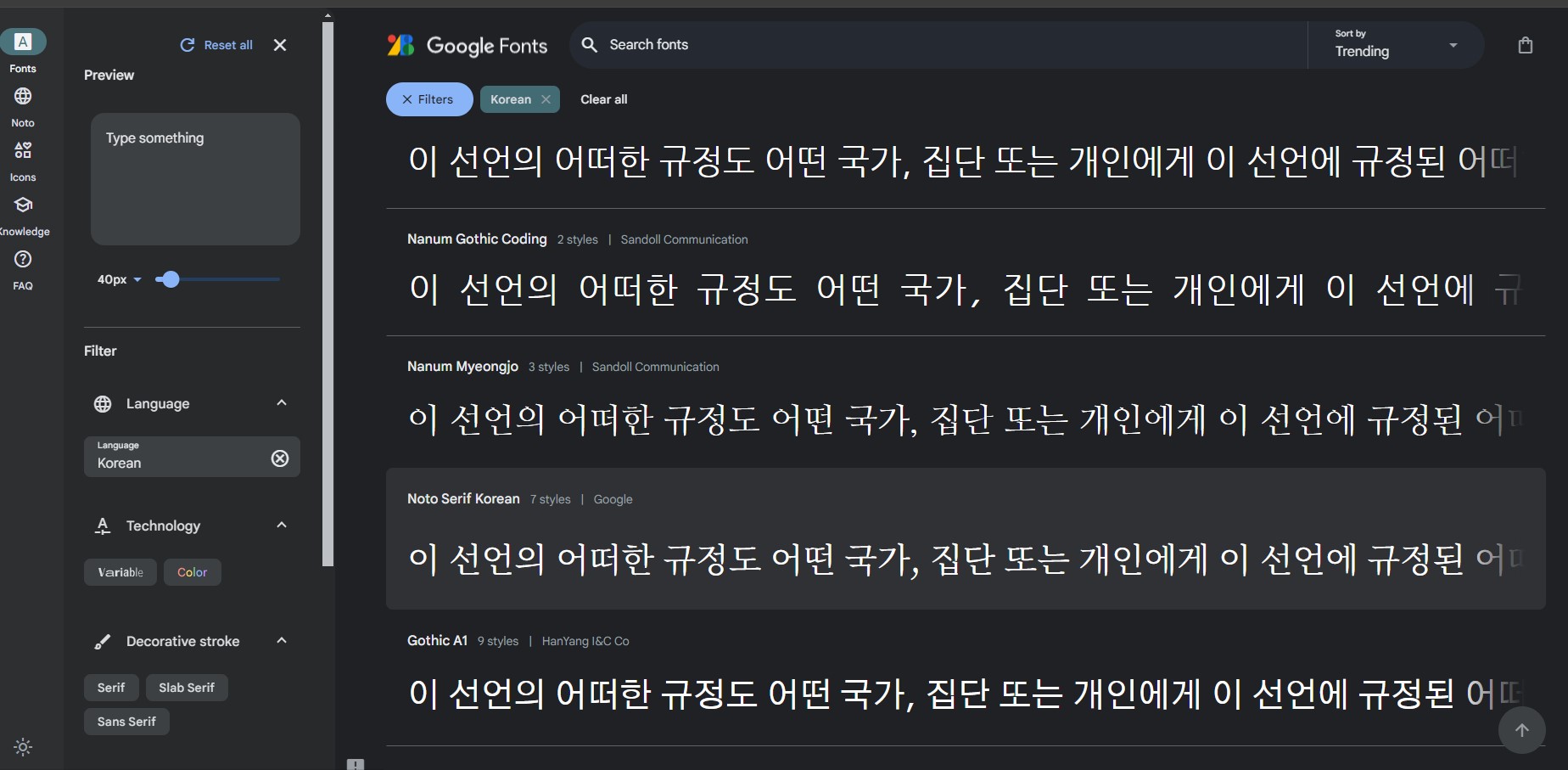
여기서 마음에 드는 폰트를 선택한 다음

오른쪽 상단의 Get Font를 클릭해준다.
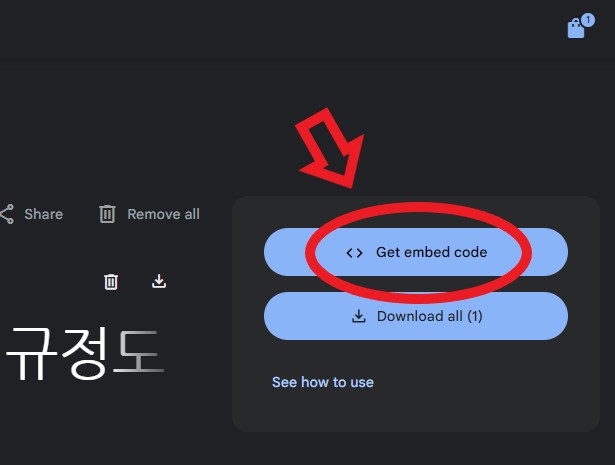
그리고 <> Get embed code를 눌러주면
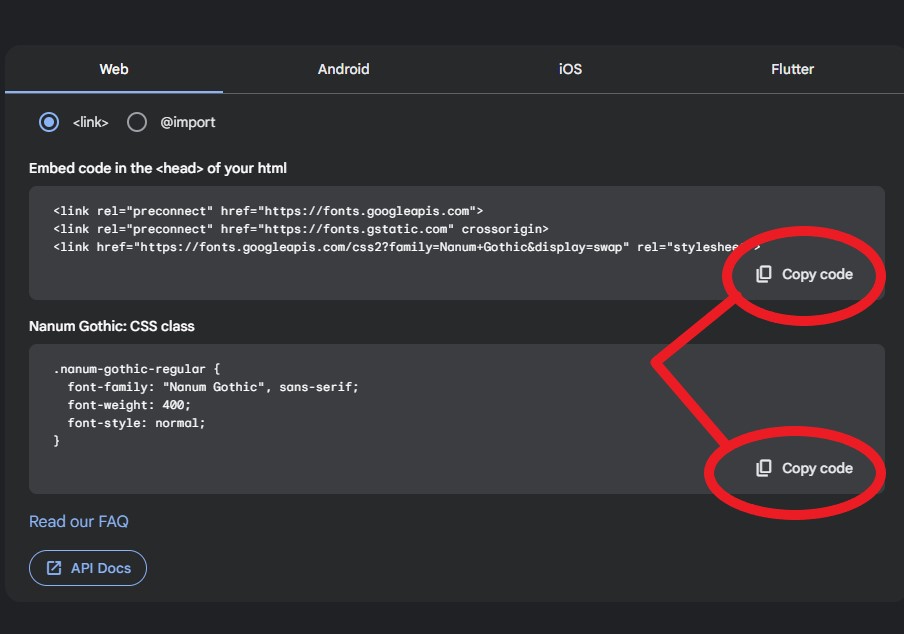
이렇게 <link> 방식이나 @import 방식으로 사용할 수 있는 코드가 나온다.
Copy code 버튼을 눌러주면 손쉽게 복사할 수 있다.
3. 폰트 적용하기
아래에는 @import 방식으로 CSS를 꾸민 것을 시연한 장면이다.
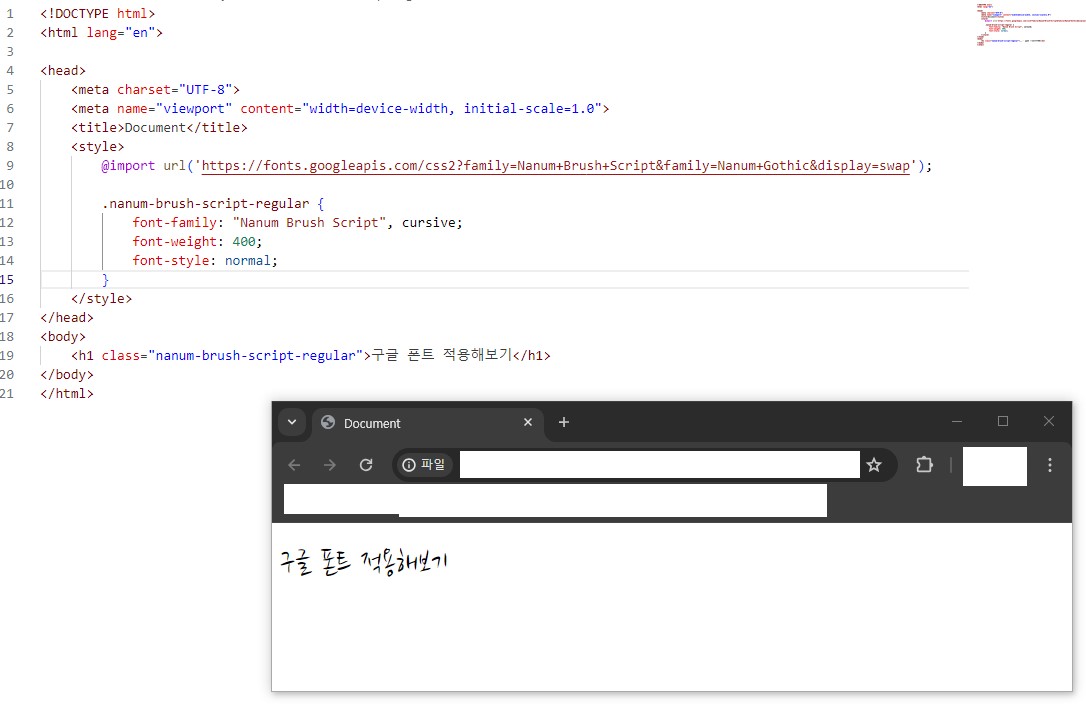
원하는 곳에 class를 정해주면 바로 폰트에 적용된다.
4. 실제 코드 및 적용 모습
<!DOCTYPE html>
<html lang="en">
  <head>
    <meta charset="UTF-8" />
    <meta name="viewport" content="width=device-width, initial-scale=1.0" />

    <title>Google-Font</title>

    <style>
      @import url("https://fonts.googleapis.com/css2?family=Nanum+Pen+Script&display=swap");

      .npsr {
        font-family: "Nanum Pen Script", cursive;
        font-weight: 400;
        font-style: normal;
      }
    </style>
  </head>

  <body>
    <h1 class="npsr">구글 폰트(Google Font) 적용해보기</h1>
  </body>
</html>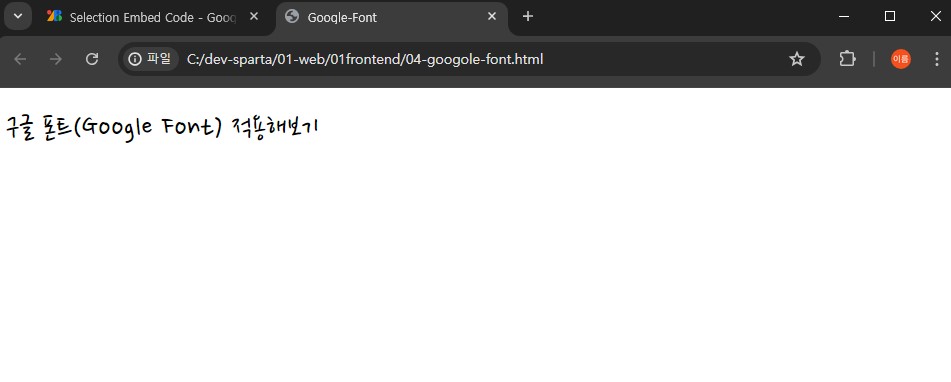

매일 성장하는 개발자