기본적인 이동
기본적인 움직임을 구현해보자.
씬 구성
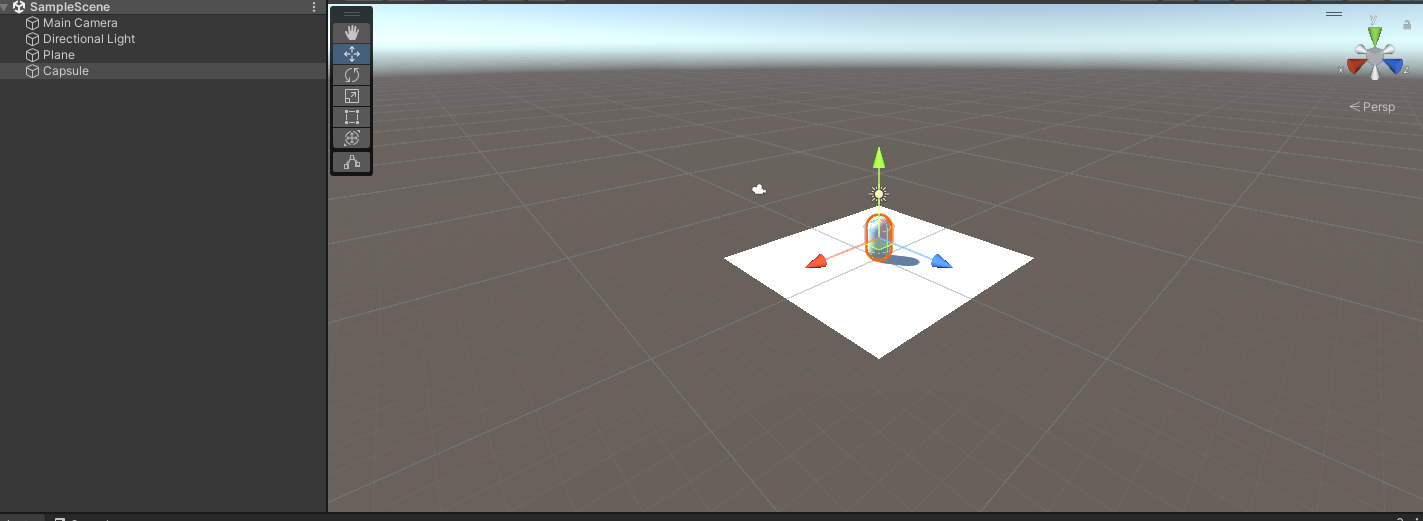
Plane 오브젝트와 Capsule 오브젝트를 생성해준다.
스크립트 작성
이동 스크립트를 작성한다.
using System.Collections;
using System.Collections.Generic;
using UnityEngine;

public class PlayerMovement : MonoBehaviour
{
    public float speed;

    void Update()
    {
        // -1 ~ 1의 값
        // 기본 맵핑: (A,D) (왼쪽 썸스틱의 오,왼)
        float horizontalInput = Input.GetAxis("Horizontal");
        // 기본 맵핑: (W,S) (왼쪽 썸스틱의 위,아래)
        float verticalInput = Input.GetAxis("Vertical");

        Vector3 movementDirection = new Vector3(horizontalInput, 0, verticalInput);
        // 방향은 유지한채 크기를 1로 정규화
        movementDirection.Normalize();

        transform.Translate(movementDirection * speed * Time.deltaTime);
    }
}
Vector3.Normalize
오브젝트의 균일한 이동을 위해 모든 방향의 벡터 길이를 1로 정규화 시켜준다.
정규화된 벡터를방향 벡터라고 한다.
Transform.Translate
public void Translate (Vector3 translation);
public void Translate (Vector3 translation, Space relativeTo= Space.Self);
스크립트 부착
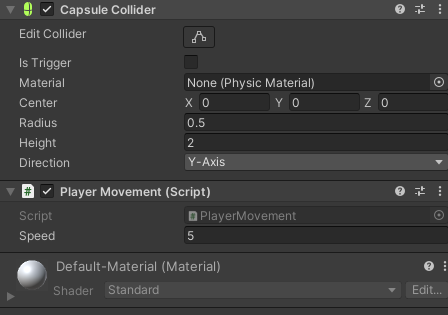
생성한 Capsule 오브젝트에 스크립트를 부착한다.
중력에 의한 영향
이동을 하다보면 캡슐이 멈출 때 조금 더 움직인 뒤 멈추는 것을 확인할 수 있다.
이는 Input.GetAxis() 메서드의 값이 설정된 중력 비율로 감소하기 때문이다.
Edit->Project Setting->InputManager->Axis 에서 Horizontal과 Verical의 Gravity를 수정할 수 있다.
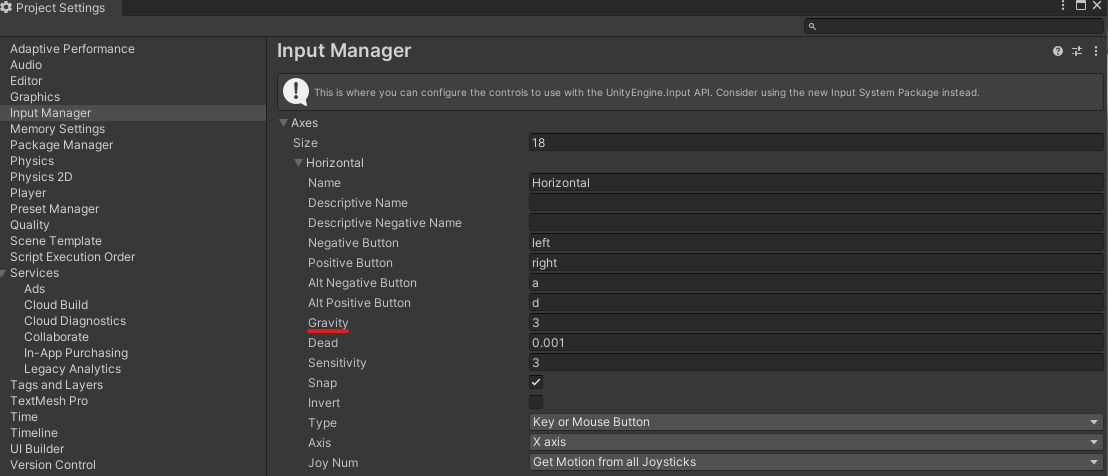
Gravity를 높게 설정하면 움직임을 바로 멈추는 걸 볼 수 확인할 수 있다.
다른 방식
Input.GetAxisRaw() 메서드는 값이 -1, 0, 1로 출력되기 때문에 굳이 중력값을 수정하지 않더라도 움직임을 바로 멈추게 할 수 있다.