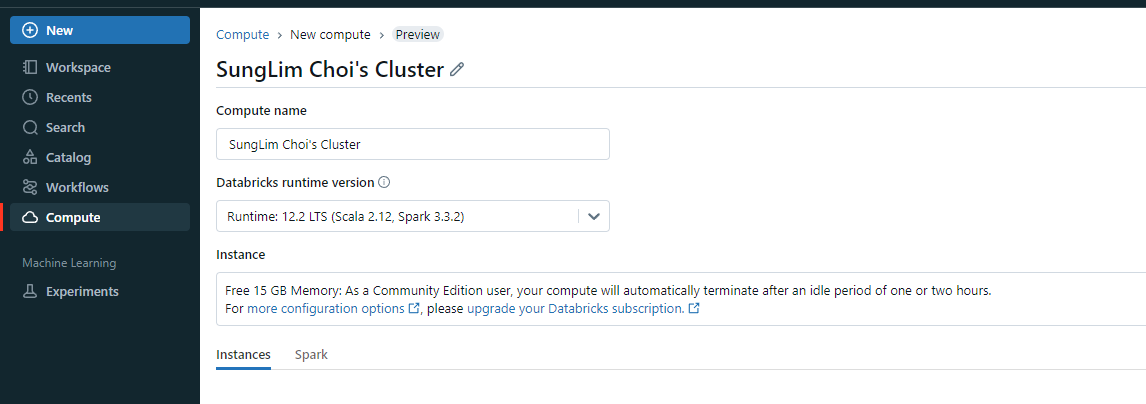
- 먼저 클러스터를 만들어야 한다
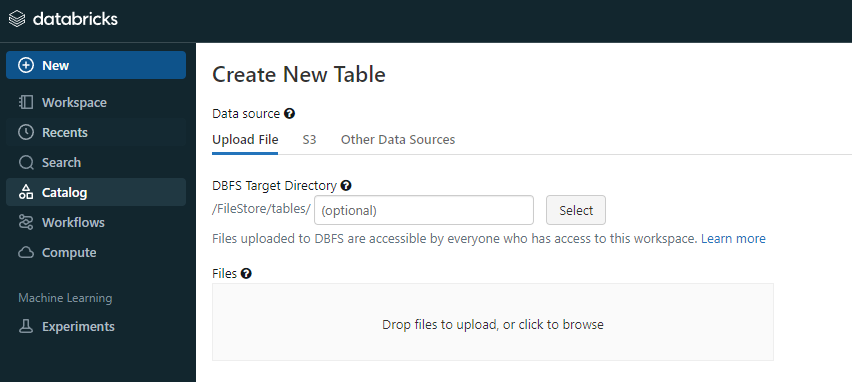
- 이후 원하는 데이터를 삽입한다
- 세미 프로젝트에서 진행했던 데이터 전처리와 파생변수 생성을 databricks spark로 진행
# File location and type
file_location = "/FileStore/tables/data3.csv"
file_type = "csv"

# CSV options
infer_schema = "false"
first_row_is_header = "true"  # Change this to true
delimiter = ","

# Read CSV file
df = spark.read.format(file_type) \
    .option("inferSchema", infer_schema) \
    .option("header", first_row_is_header) \
    .option("sep", delimiter) \
    .load(file_location)

# Display the first few rows to check the columns
display(df)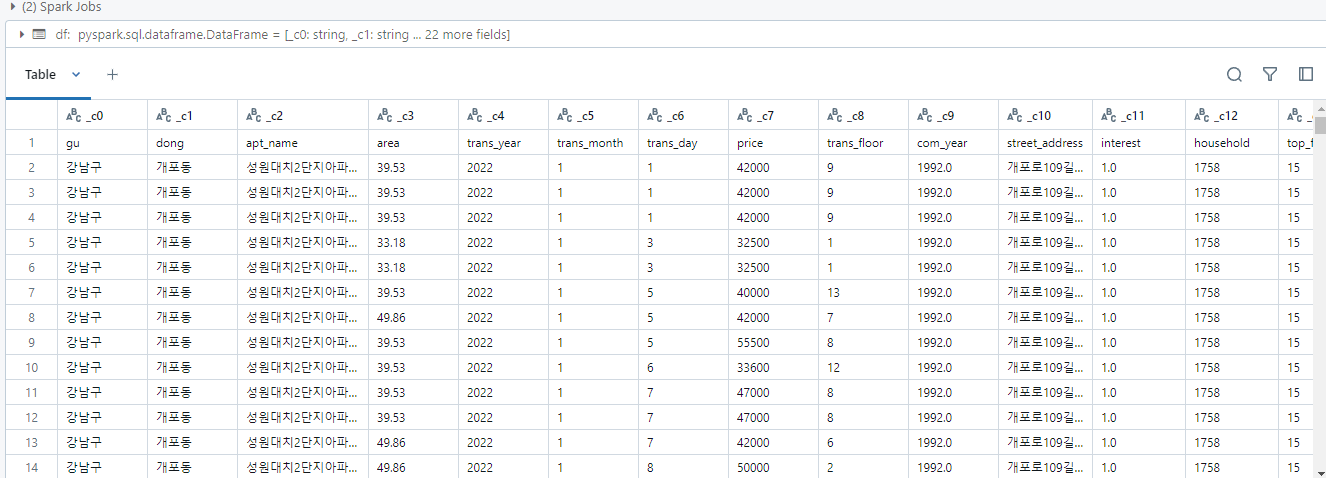
- SQL도 가능하다
%sql

/* Query the created temp table in a SQL cell */

select * from `data3_csv`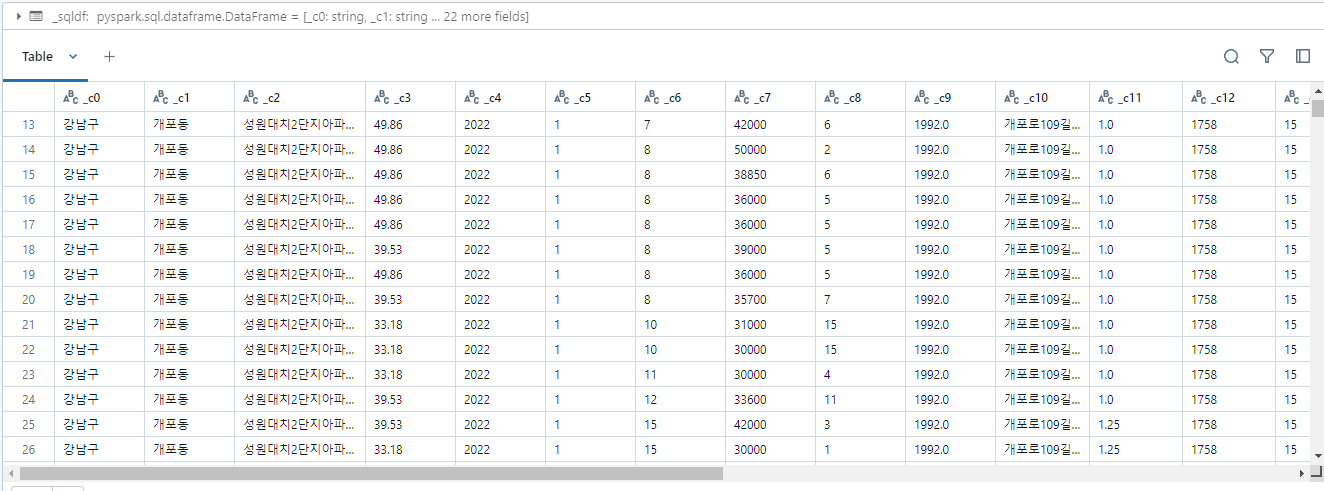
- 파생변수 및 이상치 제거, 전처리
from pyspark.sql import functions as F

# 데이터 전처리
spark_df = df.withColumn('hospital', F.when(F.col('hospital') == 0, 0).otherwise(1))
spark_df = spark_df.withColumn('mart', F.when(F.col('mart') == 0, 0).otherwise(1))

# 강남3구 파생변수 추가
spark_df = spark_df.withColumn('gangnam_3gu', F.when(F.col('gu').isin(['강남구', '서초구', '송파구']), 1).otherwise(0))

# apt_age 파생변수 추가
spark_df = spark_df.withColumn('apt_age', F.col('trans_year') - F.col('com_year') + 1)

# 필요 없는 컬럼 drop
spark_df = spark_df.drop('gu', 'dong', 'apt_name', 'trans_year', 'trans_month', 'trans_day', 'street_address', 'com_year')

# bus_cnt에 로그 변환
spark_df = spark_df.withColumn('bus_cnt', F.log(F.col('bus_cnt') + 1))

# 원핫 인코딩
heat_type_dummies = spark_df.select("heat_type").distinct()
for row in heat_type_dummies.collect():
    spark_df = spark_df.withColumn(row.heat_type, F.when(F.col('heat_type') == row.heat_type, 1).otherwise(0))

ent_type_dummies = spark_df.select("ent_type").distinct()
for row in ent_type_dummies.collect():
    spark_df = spark_df.withColumn(row.ent_type, F.when(F.col('ent_type') == row.ent_type, 1).otherwise(0))

# 결과 확인
display(spark_df)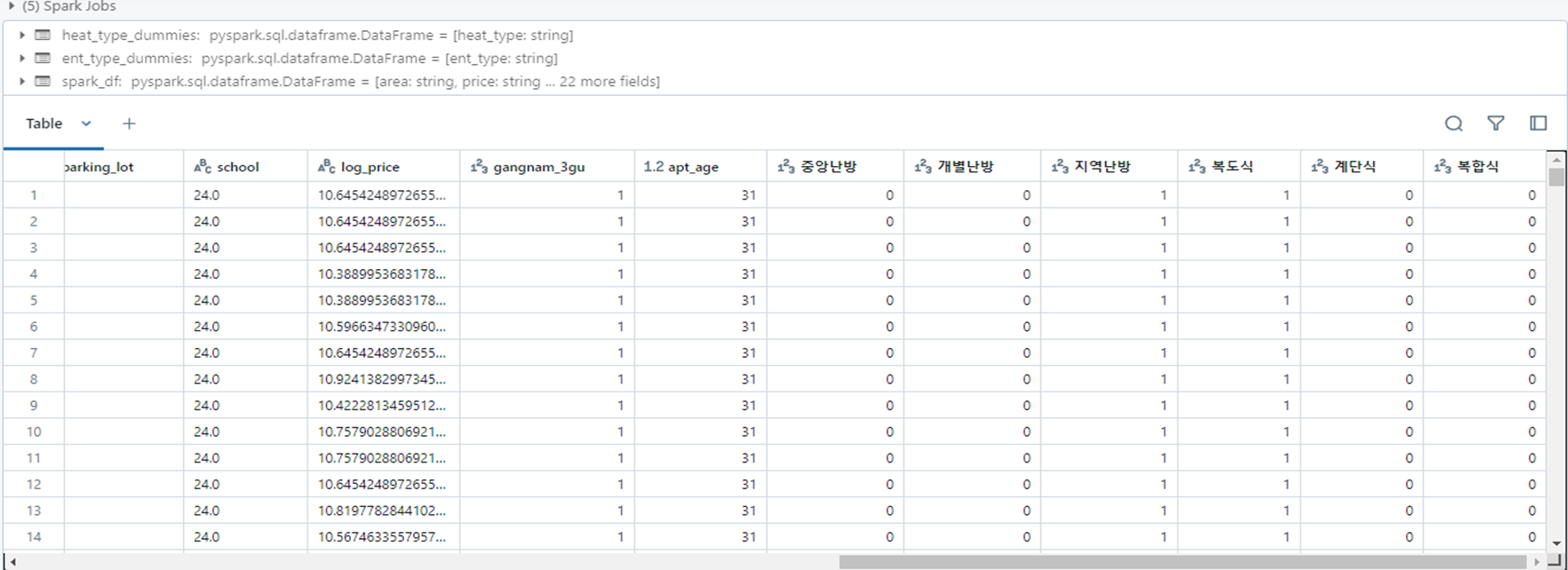

안녕하세요 반가워요