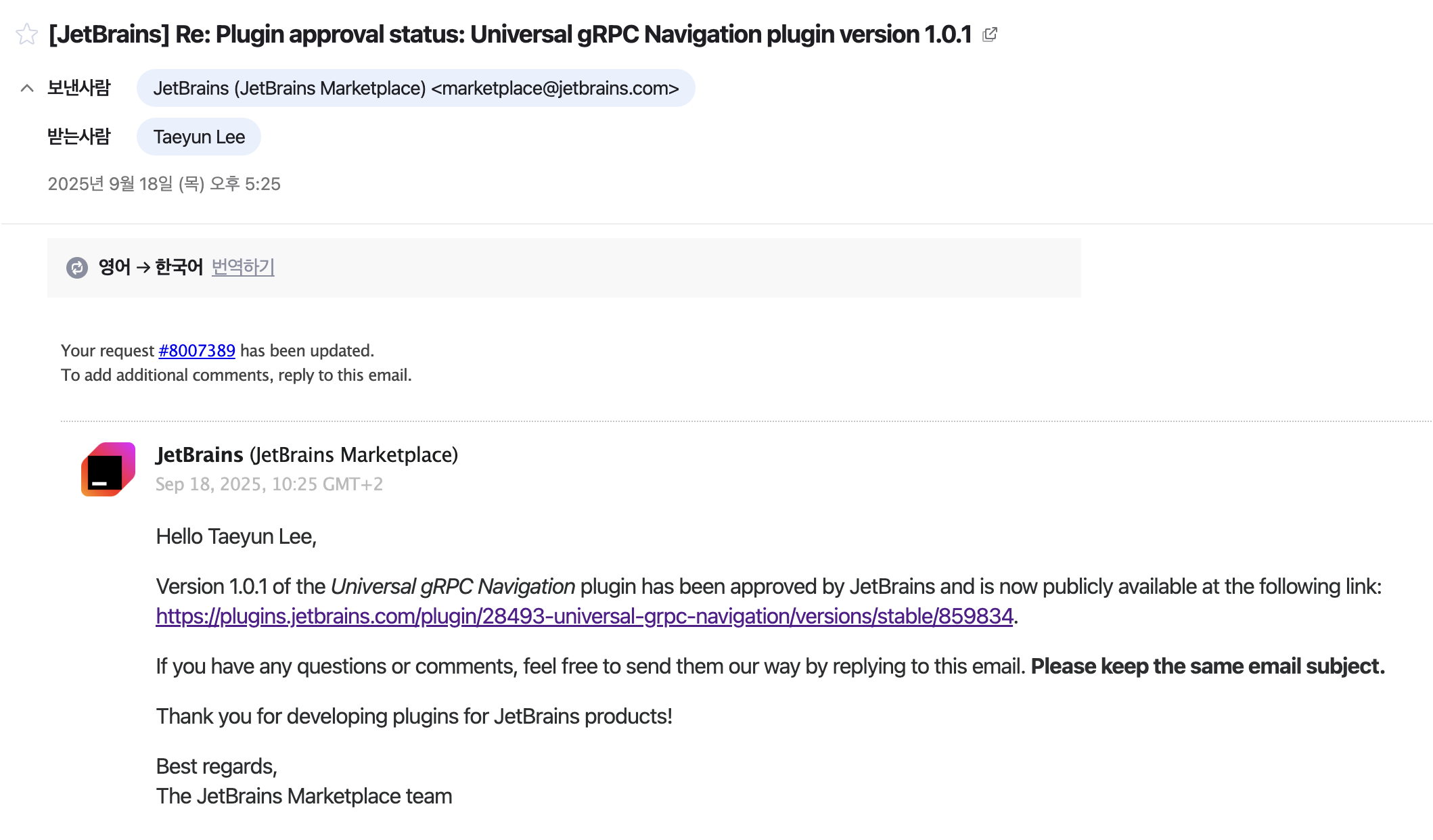
일단 깃허브 링크부터 보면서 하면 좋아요~~~
https://github.com/taeyun1215/grpc-universal-navigation-intellij-plugin
왜 만들었나?
- 개발을 하면서 가장 불편했던 건 gRPC 메서드 호출부에서 실제 구현체로 바로 점프(Goto Implementation) 가 안 된다는 거였다.
- 일반적인 Java/Kotlin 코드라면 interface → implementation 은 IntelliJ가 PSI(Program Structure Interface)로 분석해서 바로 이동이 된다.
- 하지만 gRPC의 경우는 구조가 조금 다르다
- Proto 파일 → 코드 생성
- .proto 파일에서 protoc가 돌면서
- ProductServiceGrpc (Java Stub 클래스)
- ProductServiceGrpcKt (Kotlin Coroutine Stub) 같은 자동 생성된 코드가 생긴다.
- .proto 파일에서 protoc가 돌면서
- 우리가 작성하는 구현체
- 실제 비즈니스 로직은 ProductGrpcService : ProductServiceGrpc.ProductServiceImplBase() 이런 식으로 별도의 클래스에 구현한다.
- 실제 비즈니스 로직은 ProductGrpcService : ProductServiceGrpc.ProductServiceImplBase() 이런 식으로 별도의 클래스에 구현한다.
- MSA + 모노레포 구조
- 다른 회사는 보통 서브모듈로 proto와 서비스 구현을 분리해 관리하는 경우가 많다.
- 하지만 우리 구조는 모노레포라서, protobuf 모듈에서 생성된 gRPC Stub을 가져다 쓰고, 서비스 구현체는 또 다른 모듈에 들어있다.
- 결국 Stub 호출부 → ImplBase 상속 클래스 사이의 연결은 IntelliJ가 기본적으로 알 수 없다.
- 그래서 생기는 문제
- IDE 입장에서는 userStub.getUserInfo(...) 같은 호출부를 보면 단순히 ProductServiceGrpcKt.ProductServiceCoroutineStub 안에 있는 함수로만 본다.
- Stub은 generated 코드일 뿐이고 진짜 구현체(ProductGrpcService)와 연결 고리가 없으니 기본 Goto Implementation이 작동하지 않는다.
- Proto 파일 → 코드 생성
- 이게 생각보다 진짜 불편했다. 불편한 이유를 아래 나열해보겠다.
- 나는 Stub에서 ⌘B(Goto)를 눌렀을 때 → ProductGrpcService 같은 실제 구현체로 이동하고 싶다.
- 근데 IntelliJ는 proto 기반 Stub과 ImplBase 구현을 연결하지 못한다.
- 게다가 모노레포 구조라 빌드해서 Stub을 찍고 사용하는 방식이라 IDE 내부적으로도 direct link가 없다.
- 그래서 결국 PSI를 직접 파싱해서 호출부(receiver + methodName) → ImplBase 상속 클래스에서 같은 메서드를 찾아 연결해주는 플러그인을 만든 것이다.
로컬 개발 환경 세팅
- Gradle + IntelliJ Platform Plugin SDK를 사용했다.
plugins { id("org.jetbrains.intellij") version "1.17.4" kotlin("jvm") version "1.9.0" } group = "com.taeyun" version = "1.0.0" java { sourceCompatibility = JavaVersion.VERSION_17 targetCompatibility = JavaVersion.VERSION_17 } intellij { version.set("2024.1") instrumentCode.set(false) plugins.set(listOf("java", "Kotlin")) }- 여기서 중요한 건
- IntelliJ 버전을 2024.1로 지정
- plugins에 "java", "Kotlin"을 명시 (Java PSI, Kotlin PSI 쓸 수 있게)
- 여기서 중요한 건
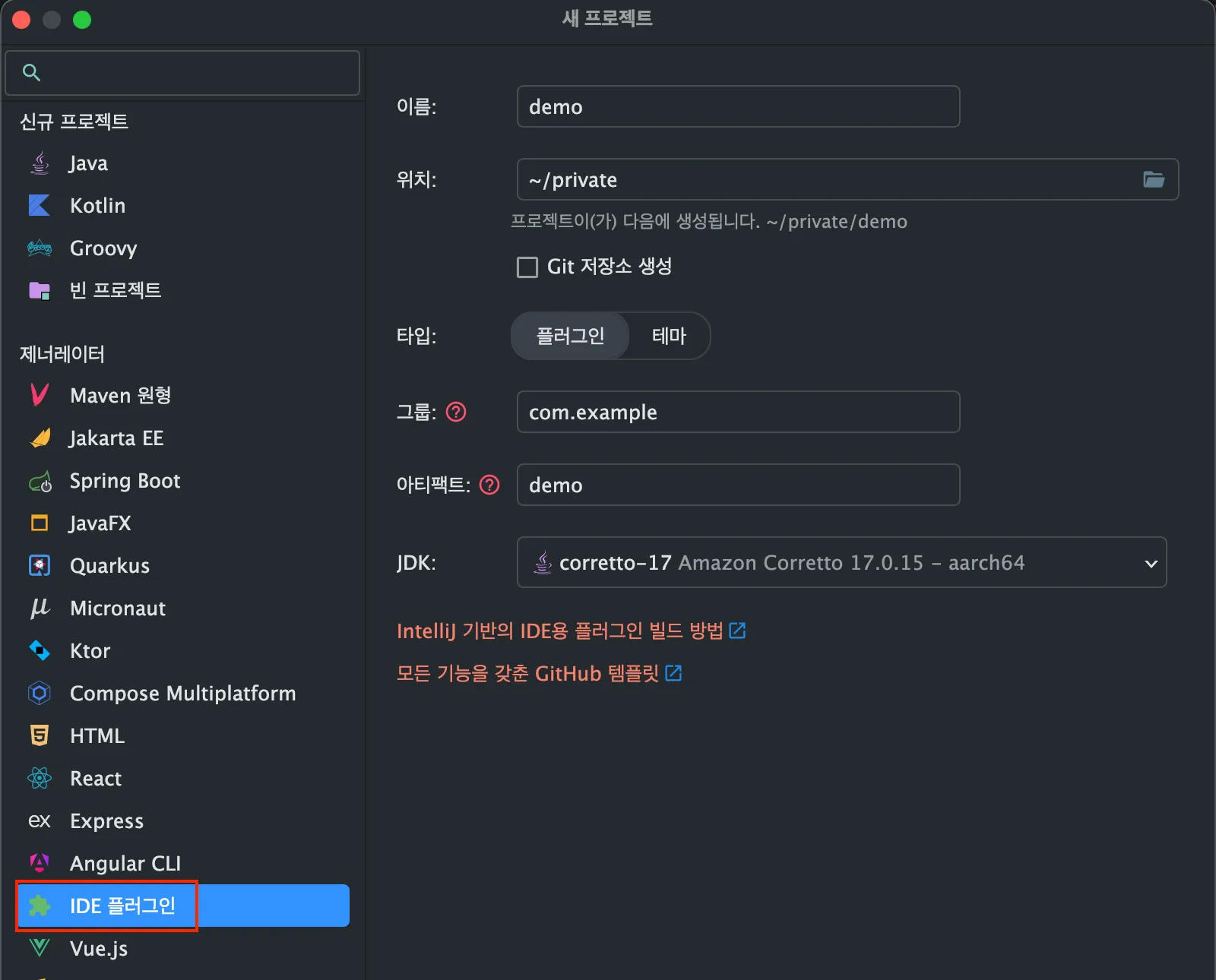
인텔리제이
- 인텔리제이에서 새 프로젝트를 만들 때 IDE 플러그인으로 만들면 뼈대 세팅이 완료된 상태로 나오게 된다.
Universal gRPC Goto Implementation Handler
package com.example

import com.intellij.codeInsight.hint.HintManager
import com.intellij.codeInsight.navigation.actions.GotoDeclarationHandler
import com.intellij.openapi.actionSystem.DataContext
import com.intellij.openapi.application.ApplicationManager
import com.intellij.openapi.diagnostic.Logger
import com.intellij.openapi.editor.Editor
import com.intellij.openapi.project.Project
import com.intellij.psi.PsiClass
import com.intellij.psi.PsiElement
import com.intellij.psi.search.GlobalSearchScope
import com.intellij.psi.search.PsiShortNamesCache
import com.intellij.psi.util.PsiTreeUtil
import org.jetbrains.annotations.Nullable
import org.jetbrains.kotlin.idea.intentions.callExpression
import org.jetbrains.kotlin.psi.KtDotQualifiedExpression

/**
 * Universal gRPC Goto Implementation Handler
 *
 * gRPC Stub 호출부에서 "구현체"로 점프하도록 IntelliJ의 GotoDeclarationHandler 확장
 */
class UniversalGrpcGotoImplementationHandler : GotoDeclarationHandler {

    private val log = Logger.getInstance(UniversalGrpcGotoImplementationHandler::class.java)

    /**
     * Ctrl+B (Goto Declaration) 동작 시 호출되는 메서드
     */
    @Nullable
    override fun getGotoDeclarationTargets(
        sourceElement: PsiElement?,
        offset: Int,
        editor: Editor
    ): Array<PsiElement>? {
        log.info("[GrpcNav] getGotoDeclarationTargets called")

        // 1. 커서가 null이면 종료
        if (sourceElement == null) {
            log.warn("[GrpcNav] sourceElement is null")
            return null
        }

        // 2. dot-qualified expression (ex: userStub.getUserInfo(...)) 추출
        val qualified = PsiTreeUtil.getParentOfType(sourceElement, KtDotQualifiedExpression::class.java)
        if (qualified == null) {
            log.warn("[GrpcNav] Not in dot-qualified expression: ${sourceElement.text}")
            return null
        }

        // 3. call expression (메서드 호출 부분) 추출
        val callExpression = qualified.callExpression
        if (callExpression == null) {
            log.warn("[GrpcNav] Skipping non-call qualified expression: ${qualified.text}")
            return null
        }
        log.info("[GrpcNav] callExpression.text = ${callExpression.text}")

        // 4. 수신 객체(receiver) + 메서드명 추출
        val receiverExpr = qualified.receiverExpression.text
        val methodName = callExpression.calleeExpression?.text
        log.info("[GrpcNav] receiverExpr=$receiverExpr, methodName=$methodName")

        if (receiverExpr.isNullOrBlank() || methodName.isNullOrBlank()) {
            log.warn("[GrpcNav] Could not extract receiver/method properly")
            return null
        }

        // 5. Stub일 때만 처리: Stub로 끝나지 않으면 무시
        if (!receiverExpr.endsWith("Stub")) {
            log.info("[GrpcNav] Skipping non-Stub receiver: $receiverExpr")
            return null
        }

        // 6. receiver 이름에서 "Stub" 접미어 제거 → Service 이름 유추
        val receiverName = receiverExpr.removeSuffix("Stub").lowercase()
        log.info("[GrpcNav] Extracted receiverName=$receiverName, methodName=$methodName")

        val project = sourceElement.project
        val scope = GlobalSearchScope.allScope(project)

        // 7. 구현체 클래스 찾기
        val implClass = findServiceImplementation(project, scope, methodName, receiverName)
        if (implClass == null) {
            log.warn("[GrpcNav] No implementation found for $receiverName.$methodName")
            ApplicationManager.getApplication().invokeLater {
                HintManager.getInstance()
                    .showErrorHint(editor, "No implementation found for $receiverName.$methodName")
            }
            return null
        }
        log.info("[GrpcNav] Found implementation class=${implClass.qualifiedName}")

        // 8. 해당 클래스에서 메서드 검색
        val method = implClass.findMethodsByName(methodName, true).firstOrNull()
        if (method == null) {
            log.warn("[GrpcNav] Method $methodName not found in implementation ${implClass.name}")
            ApplicationManager.getApplication().invokeLater {
                HintManager.getInstance()
                    .showErrorHint(editor, "Method $methodName not found in implementation ${implClass.name}")
            }
            return null
        }
        log.info("[GrpcNav] Matched method=${method.name}")

        return arrayOf(method) // 최종 점프 타깃
    }

    @Nullable
    override fun getActionText(context: DataContext): String? {
        return "Go to gRPC Implementation"
    }

    /**
     * 실제 gRPC 구현체(GrpcService 클래스) 탐색 로직
     */
    private fun findServiceImplementation(
        project: Project,
        scope: GlobalSearchScope,
        methodName: String,
        receiverName: String
    ): PsiClass? {
        val cache = PsiShortNamesCache.getInstance(project)
        val allNames = cache.getAllClassNames()
        log.info("[GrpcNav] Total class names in project: ${allNames.size}")

        // 1. receiverName 과 매칭되는 후보 클래스 목록 필터링
        val candidates = allNames
            .filter { it.contains(receiverName, ignoreCase = true) }
            .flatMap { cache.getClassesByName(it, scope).toList() }
        log.info("[GrpcNav] Candidate simple names: ${candidates.mapNotNull { it.name }}")

        // 2. "GrpcService" 로 끝나는 클래스 우선 매칭
        val grpcServiceMatch = candidates.firstOrNull { psiClass ->
            val name = psiClass.name ?: return@firstOrNull false
            val hasMethod = psiClass.findMethodsByName(methodName, true).isNotEmpty()
            val isGrpcService = name.endsWith("GrpcService")
            isGrpcService && hasMethod
        }
        if (grpcServiceMatch != null) {
            log.info("[GrpcNav] Matched GrpcService implementation=${grpcServiceMatch.qualifiedName}")
            return grpcServiceMatch
        }

        // 3. fallback: ImplBase / CoroutineImplBase 클래스 탐색
        val fallbackMatch = candidates.firstOrNull { psiClass ->
            val name = psiClass.name ?: return@firstOrNull false
            val hasMethod = psiClass.findMethodsByName(methodName, true).isNotEmpty()
            val isImplBase = name.endsWith("ImplBase")
            val isCoroutineImplBase = name.endsWith("CoroutineImplBase")
            (isImplBase || isCoroutineImplBase) && hasMethod
        }
        if (fallbackMatch != null) {
            log.info("[GrpcNav] Matched fallback implementation=${fallbackMatch.qualifiedName}")
        }
        return fallbackMatch
    }
}- 위 코드에 주석이 잘 달려있어서 보기에 어렵지 않을 것이라고 예상한다.
- 그래도 큰거 몇개만 얘기하자면
- 호출부 분석 KtDotQualifiedExpression (userStub.getUserInfo(...))을 파싱해서 Stub 객체 이름 (userStub), 호출 메서드 이름 (getUserInfo) 을 뽑는다.
- 구현체 탐색
- Stub 이름에서 Stub을 떼고 소문자로 만든 값으로 후보 클래스들을 검색한다.
- 우선순위:
- SomethingGrpcService → 우리회사 네이밍 관례이다.
- SomethingImplBase / SomethingCoroutineImplBase
- 메서드 점프
- 찾은 클래스에서 동일한 메서드 이름을 검색 → 있으면 그 메서드로 점프.
- 없으면 에러 힌트를 IDE에 띄운다.
로컬 실행 (IDE 샌드박스 테스트)
- 개발 중일 때는 내 IntelliJ에 바로 설치하지 않고 샌드박스 환경에서 테스트한다.
./gradlew runIde- 이 명령어를 실행하면 내가 설정한 버전의 IntelliJ(2024.1)가 새로 뜨고 플러그인이 자동 로드된다.

- 여기서 실제 gRPC 메서드 호출부에 커서를 두고 ⌘B (Goto) 해보면 내가 작성한 Handler가 동작하는지 확인 가능하다.
- 로그도 확인이 가능하다.
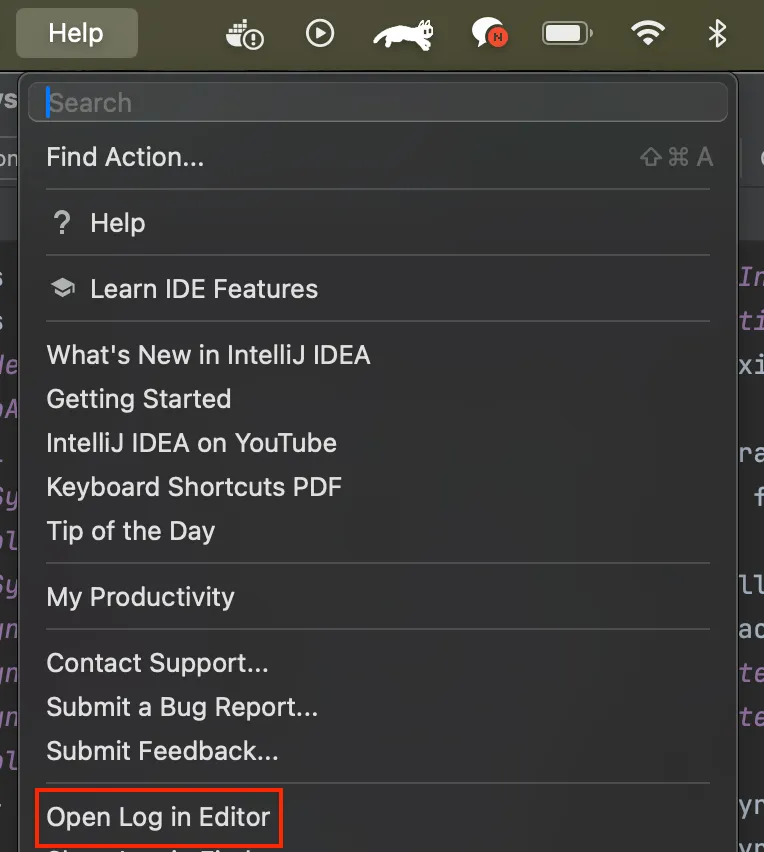
- 이 명령어를 실행하면 내가 설정한 버전의 IntelliJ(2024.1)가 새로 뜨고 플러그인이 자동 로드된다.
내가 사용하는 IntelliJ에 수동 설치
- 샌드박스 말고 내가 매일 쓰는 IntelliJ에 직접 넣고 싶을 땐 ZIP 패키지를 빌드한다.
./gradlew buildPlugin - 빌드가 끝나면 build/distributions/Universal-gRPC-Navigation-1.0.0.zip 파일이 생긴다.
- 이걸 IntelliJ에서 직접 설치하면 된다.
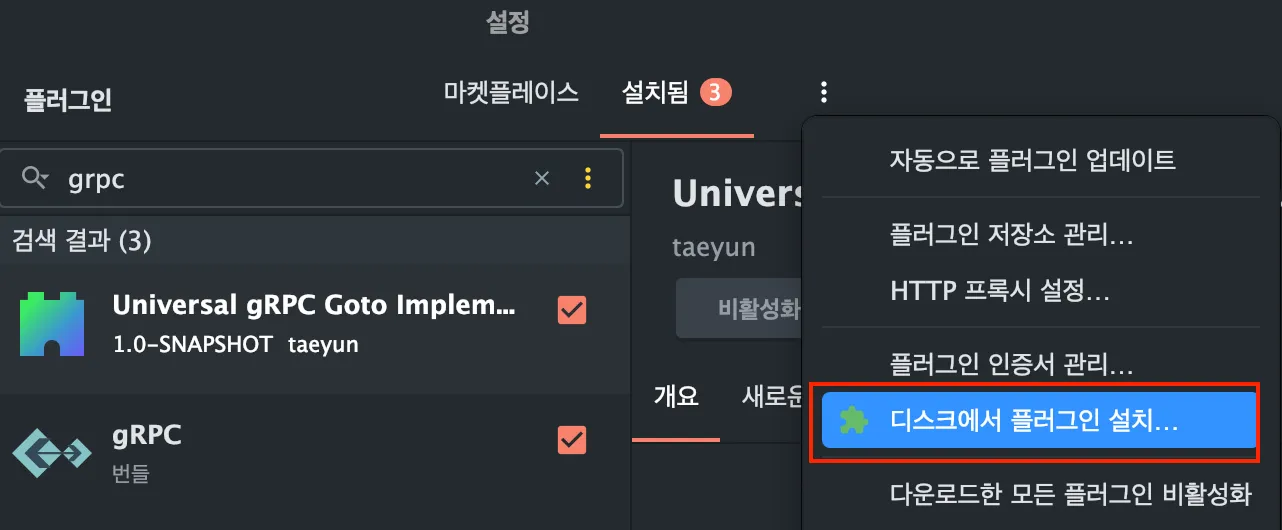
- 디스크에서 플러그인 설치를 하면 해당 경로에 내가 빌드한 zip을 올리면 된다.
- 올리게 되면 옆에 설치됨에 뜨게 되고 재시작을 해주면 된다.
JetBrains Marketplace 업로드
- 처음엔 자동 업로드를 하려고 publishPlugin 설정도 넣었지만 귀찮아서 그냥 수동 업로드로 선택했다.
- 방법은 간단하다
- ./gradlew buildPlugin 으로 ZIP 생성
- JetBrains Marketplace 접속
- 내 플러그인 페이지 → Upload new version 클릭
- ZIP 파일 업로드
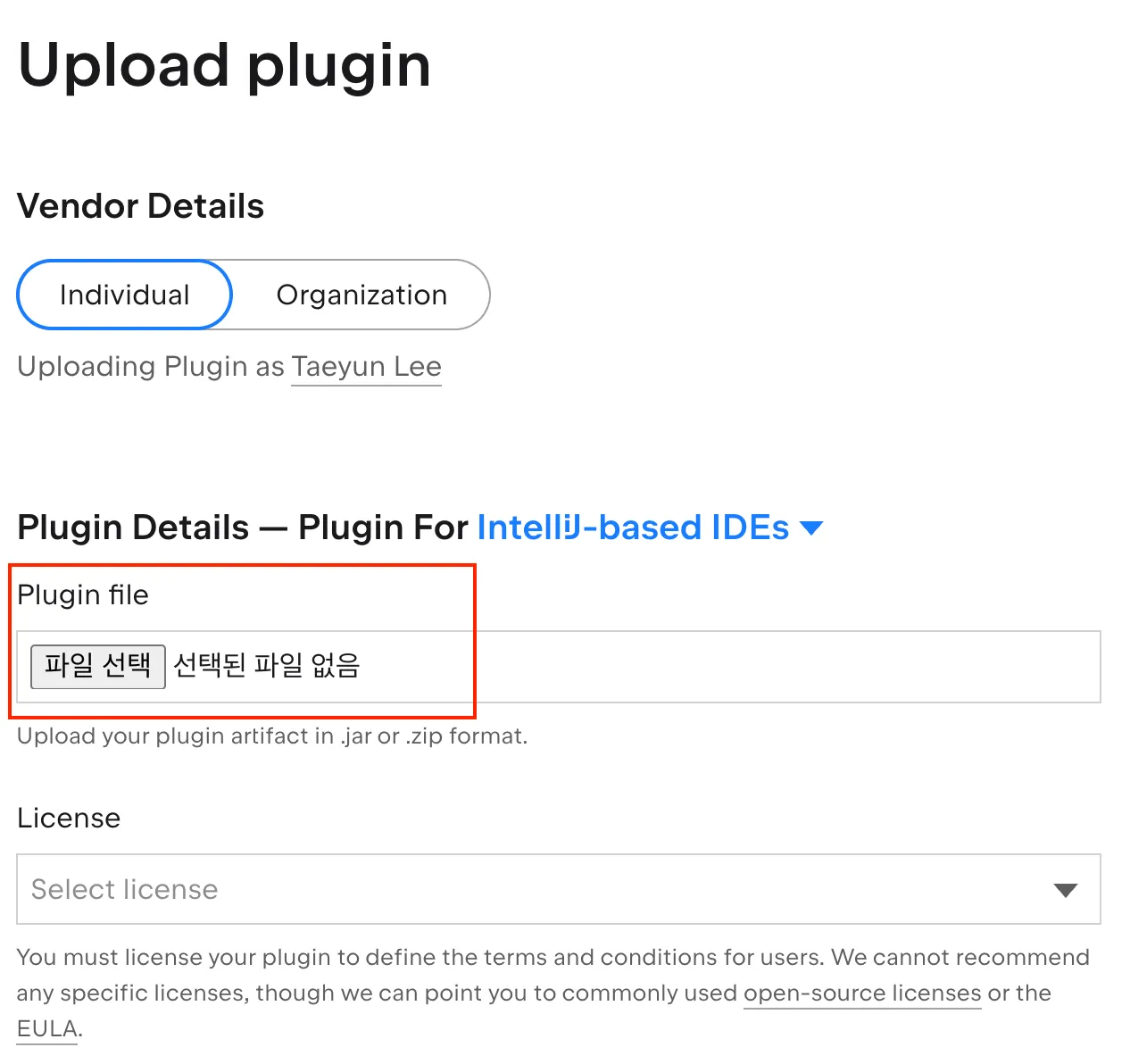
- 올리게 되면 플러그인에대한 문제 및 호환성에 대한 검증을 한다.

- 나는 일단 2025.1.5.1 버전을 사용하기에 해당 부분에 대해서 테스트를 했는데 잘 통과된 모습이다.
- 업로드 기준 2일 이내 승인이 된다고 나와있다.
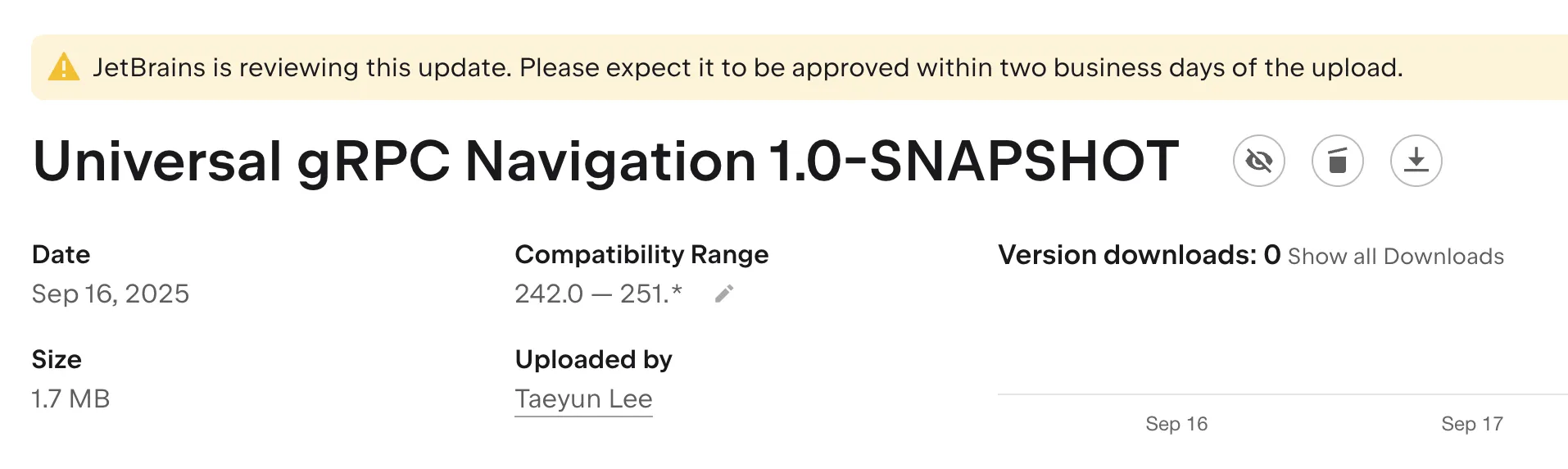
- 일단 그래도 미리 프리뷰로 볼 수 있다. 아래 링크 남겨두겠다!
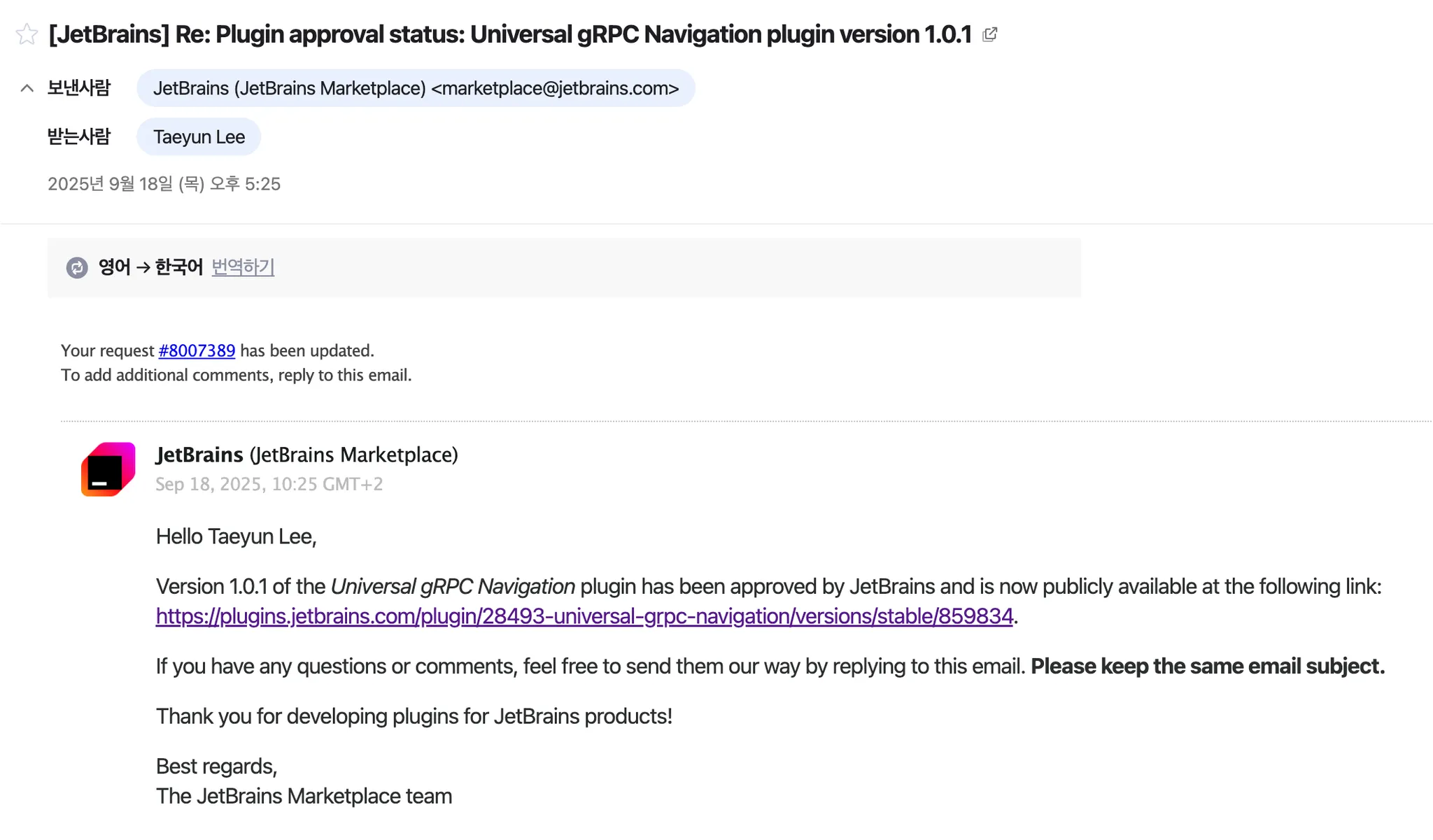
- 2일이 지난 뒤 승인 됐다라는 메일을 받을 수 있었다~~~
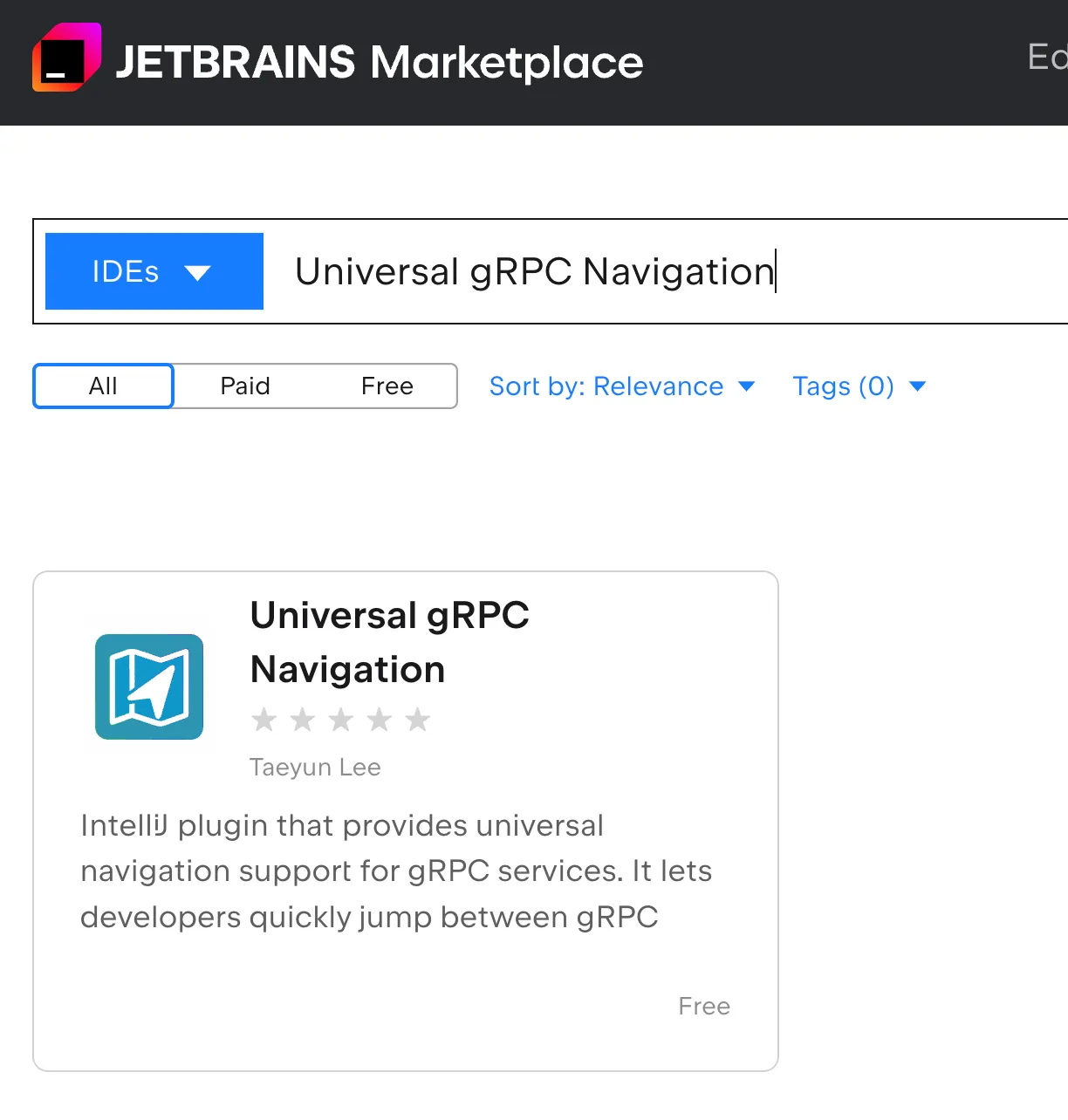
- 그리고 이제 젯브레인 마켓플레이스에 검색하면! 두둥 내가 만든 플러그인이 나온다~~
실제 사용 후기
- 샌드박스에서 잘 돌고 내 로컬 IntelliJ에서도 문제없이 설치 되었다.
- Marketplace에 플러그인 올려 호환성 검사도 통과했다.
- JetBrains 쪽 리뷰 메일도 와서 보니 보통 이틀 안에 승인된다고 한다.
정리
- 처음엔 단순히 불편함에서 시작했지만 결국은 JetBrains Marketplace에 공개 배포까지 하게 됐다.
- 이제는 나뿐만 아니라 다른 개발자들도 gRPC 구현체로 빠르게 점프할 수 있다.
✨ 결론: 야너두 할 수 있다! 플러그인 개발 ✨


지나가는 개발자