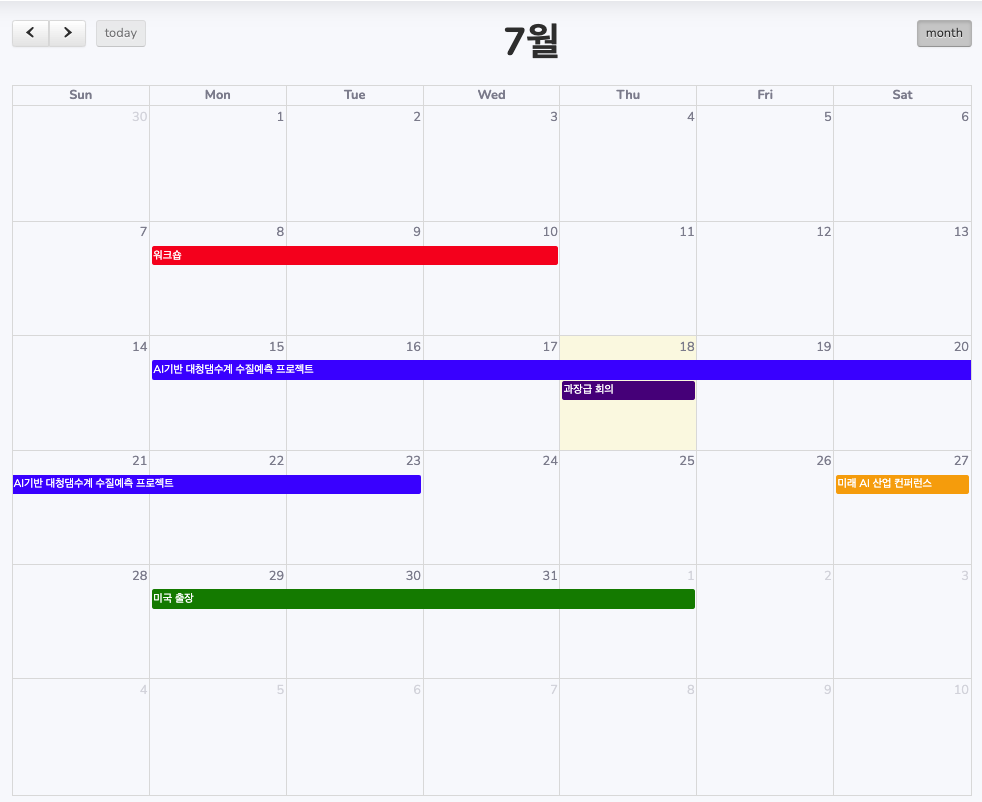
풀캘린더(FullCalendar) 라이브러리는 웹 애플리케이션에서 강력하고 유연한 일정 관리 기능을 구현할 수 있게 해주는 JavaScript 라이브러리입니다. 이 글에서는 풀캘린더 API를 사용하여 일정 관리 시스템을 구현하는 방법을 살펴보겠습니다.
1. 기본 설정
먼저, 필요한 라이브러리들을 포함시켜야 합니다. HTML 파일의 <head> 섹션에 다음 코드를 추가합니다:
<link href="https://cdnjs.cloudflare.com/ajax/libs/fullcalendar/3.10.2/fullcalendar.min.css" rel="stylesheet">
<script src="https://code.jquery.com/jquery-3.7.1.min.js"></script>
<script src="https://cdnjs.cloudflare.com/ajax/libs/moment.js/2.29.1/moment.min.js"></script>
<script src="https://cdnjs.cloudflare.com/ajax/libs/fullcalendar/3.10.2/fullcalendar.min.js"></script>
이 코드는 풀캘린더의 CSS 파일, jQuery, Moment.js (날짜 처리 라이브러리), 그리고 풀캘린더 자체 JavaScript 파일을 로드합니다. 이 라이브러리들은 풀캘린더의 기능을 사용하기 위해 필요합니다.
2. 캘린더 초기화
JavaScript에서 풀캘린더를 초기화하고 기본 옵션을 설정합니다:
var calendar = $('#calendar').fullCalendar({
    header: {
        left: 'prev,next today',
        center: 'title',
        right: 'month,agendaWeek,agendaDay'
    },
    selectable: true,
    selectHelper: true,
    editable: true,
    eventLimit: true,
    events: function(start, end, timezone, callback) {
        // AJAX를 통해 서버에서 일정 데이터를 가져옵니다.
        $.ajax({
            url: '/schedule/all',
            type: 'GET',
            dataType: 'json',
            success: function(events) {
                callback(events);
            }
        });
    },
    // 기타 이벤트 핸들러...
});
이 코드는 풀캘린더를 초기화하고 기본 설정을 지정합니다:
header: 캘린더 상단에 표시될 버튼들을 설정합니다.selectable: 사용자가 날짜를 선택할 수 있게 합니다.selectHelper: 날짜 선택 시 시각적 도움을 제공합니다.editable: 이벤트를 드래그하여 이동할 수 있게 합니다.eventLimit: 한 날짜에 표시할 수 있는 이벤트 수를 제한합니다.events: 서버에서 일정 데이터를 가져오는 함수를 정의합니다.
*풀캘린더의 모든 옵션과 자세한 사용법은 공식 문서에서 확인할 수 있습니다.
- FullCalendar v3 문서: https://fullcalendar.io/docs/v3
- 옵션 목록: https://fullcalendar.io/docs/v3/option-index
3. 일정 추가
사용자가 캘린더에서 날짜를 선택했을 때 일정 추가 모달을 열고, 폼 제출 시 서버에 데이터를 전송합니다:
select: function(start, end) {
    openAddScheduleModal(start, end);
},

$('#addScheduleForm').submit(function(e) {
    e.preventDefault();
    var newSchedule = {
        title: $('#scheduleTitle').val(),
        start: $('#scheduleDate').val(),
        end: $('#scheduleEnd').val(),
        // 기타 필드...
    };

    $.ajax({
        url: '/schedule/addSchedule',
        type: 'POST',
        contentType: 'application/json',
        data: JSON.stringify(newSchedule),
        success: function(response) {
            $('#calendar').fullCalendar('renderEvent', newSchedule, true);
            $('#scheduleModal').modal('hide');
        }
    });
});
이 코드는 두 부분으로 나뉩니다:
1. select 함수: 사용자가 캘린더에서 날짜를 선택했을 때 호출되며, 일정 추가 모달을 엽니다.
2. 폼 제출 이벤트 핸들러: 사용자가 일정 정보를 입력하고 제출하면, 이 데이터를 서버로 전송하고 성공 시 캘린더에 새 일정을 추가합니다.
4. 일정 수정 및 삭제
일정을 클릭하면 수정 모달을 열고, 드래그앤드롭으로 일정을 이동할 수 있게 합니다:
eventClick: function(event) {
    openViewScheduleModal(event);
},
eventDrop: function(event) {
    updateSchedule(event, true);
},
eventResize: function(event) {
    updateSchedule(event, true);
}
이 코드는 세 가지 이벤트를 처리합니다:
eventClick: 일정을 클릭했을 때 수정 모달을 엽니다.eventDrop: 일정을 드래그하여 이동했을 때 서버에 업데이트를 요청합니다.eventResize: 일정의 길이를 변경했을 때 서버에 업데이트를 요청합니다.
삭제 기능:
$('#deleteScheduleBtn').click(function() {
    if (confirm('정말로 이 일정을 삭제하시겠습니까?')) {
        var scheduleId = $('#viewScheduleId').val();
        $.ajax({
            url: '/schedule/deleteSchedule',
            type: 'DELETE',
            data: { id: scheduleId },
            success: function(response) {
                $('#calendar').fullCalendar('removeEvents', scheduleId);
                $('#viewScheduleModal').modal('hide');
            }
        });
    }
});
이 코드는 삭제 버튼 클릭 시 확인 후 서버에 삭제 요청을 보내고, 성공 시 캘린더에서 해당 일정을 제거합니다.
5. 서버 측 구현
서버 측에서는 일정 데이터를 처리하고 저장하는 로직이 필요합니다. 예를 들어, Spring Boot를 사용한 컨트롤러 예시:
@Controller
@RequestMapping("/schedule")
public class ScheduleController {

    @Autowired
    private ScheduleService service;

    @GetMapping("/all")
    @ResponseBody
    public List<Map<String, Object>> getSchedules() {
        Authentication auth = SecurityContextHolder.getContext().getAuthentication();
        Employee loginEmployee = (Employee) auth.getPrincipal();
        int employeeNo = loginEmployee.getEmployeeNo();
        return service.getSchedules(employeeNo);
    }

    @PostMapping("/addSchedule")
    @ResponseBody
    public ResponseEntity<String> addSchedule(@RequestBody Schedule schedule) {
        Authentication auth = SecurityContextHolder.getContext().getAuthentication();
        Employee loginEmployee = (Employee) auth.getPrincipal();
        int employeeNo = loginEmployee.getEmployeeNo();
        try {
            service.addSchedule(schedule, employeeNo);
            return ResponseEntity.ok("일정이 성공적으로 추가되었습니다");
        } catch (Exception e) {
            return ResponseEntity.status(HttpStatus.INTERNAL_SERVER_ERROR)
                    .body("일정 추가 중 오류 발생: " + e.getMessage());
        }
    }

    // 기타 메서드...
}
이 컨트롤러는 다음과 같은 기능을 제공합니다:
getSchedules(): 로그인한 사용자의 모든 일정을 가져옵니다.addSchedule(): 새로운 일정을 추가합니다. 현재 로그인한 사용자의 정보를 사용하여 일정을 생성합니다.
각 메서드는 적절한 HTTP 메서드와 URL에 매핑되어 있으며, 클라이언트의 요청을 처리합니다.
결론
풀캘린더 API를 활용하면 강력하고 유연한 일정 관리 시스템을 구현할 수 있습니다. 이 글에서 다룬 기본적인 CRUD 기능 외에도, 풀캘린더는 다양한 뷰 옵션, 반복 일정, 시간대 지원 등 더 많은 고급 기능을 제공합니다.