This time, I studied and applied how to make the server DB we created accessible from the outside.
1) Connection MySQL
$ sudo mysql -u root -p2) Create User
mysql> create user 'username'@'%' identified by 'password'; 'user name' is accessible from the outside, and select user, host from user; You can check that the user has been created through the command.
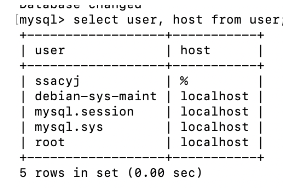
3) Authorization
Grants a scar to the created user. At this time, permission settings are given, so make sure that your ID or password is not exposed.
mysql> grant all privileges on *.* to '[username]'@'%';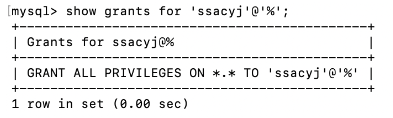
4) External connection setting
$ cd /etc/mysql/mysql.conf.d
$ sudo vi mysqld.cnf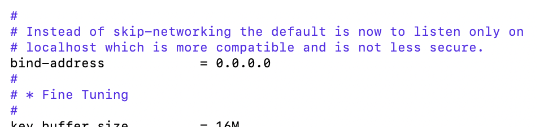
If you check mysqld.conf, the bind-address is set to 127.0.0.1. Change this part to 0.0.0.0. This allows external access.
5) Add inbound rule
If you use the cloud server, you should add inbound rule.
Add 3306 port in AWS or Azure for connection MySQL

6) Restart
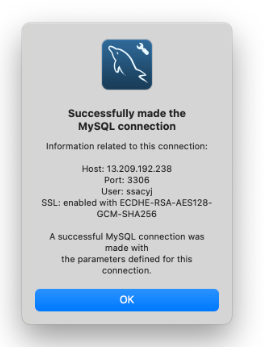
$sudo service mysql restart7) Connection to MySQL Workbench
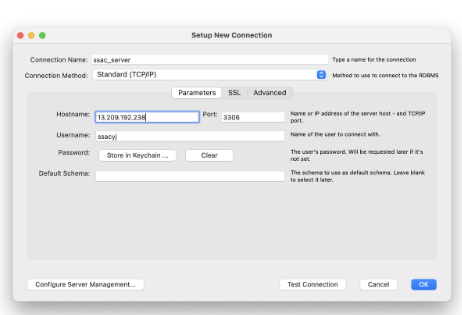
Hostname : Public IP address of EC2 Instance
Username : MySQL username which we made it
password : MySQL password which we made the user

Developer who does not give up and keeps on going.