Outline
I'm implementing a PWA using Vue.js. Originally, the router was used in hash mode (the way #/ is inserted after the domain ex: www.DomainName.com/#/RouterName ), and then the history mode (common way ex: www.DomainName.com /RouterName ). The router in history mode is prettier, so I changed it right away, but a problem occurred. It was an issue that led to 404 when opening a new window with the router name attached at the back.
Netlify is a service that distributes static sites. It is really simple to set up, so even a low-skilled developer like me can use it easily.
The service I am currently developing is hosted using Netlify.
Changed the mode of the currently used Vue Router to history mode. According to the Vue Router official documentation, I found and modified the router configuration (router.js) of my project.
The problem at the bottom is written, but I had to set a redirect to solve the 404 error in history mode.
Netlify redirect settings _redirects
In Netlify, there was kindly a redirect setting method in the official documentation.
I read the documentation and it says that redirects can be set up by creating a "_redirects" file and putting it in the distribution directory.
_redirects
/* /index.html 200
If you look at the repositories, _redirects are included. Even in the Netlify community, there was a saying that _redirects should be located next to index.html. Now, when deploying, the redirect should be set.
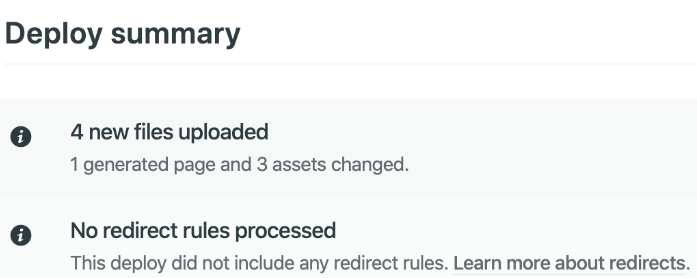
However, when I look at the deployment, it says there is no redirect rule.
I put the _redirects file in the correct location, but it was not recognized. I searched the community to solve the problem and made various attempts, but I couldn't solve it. So I searched and there was a way to use netlify.toml.
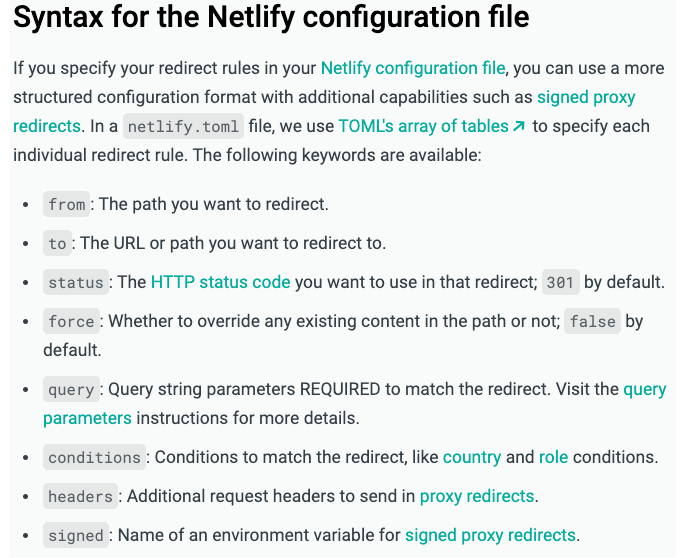
According to the official documentation, you can use the netlify.toml file to set more advanced rules.
netlify.toml
[[redirects]]
from = "/*"
to = "/index.html"
status = 200
I tried to deploy by creating a toml file with only redirects settings and putting it in the root folder (not the distribution location).
The redirect rules popped up and worked without problems in the actual service.
Conclusion
At first, the _redirects file did not apply, so I searched the Netlify overseas community to find a solution, but it was very difficult because there was no article showing an error similar to mine. However, using a different method using a toml file solved the problem right away.
I wrote an article in hopes that it would be helpful if you had a similar error as me.
Thank you,