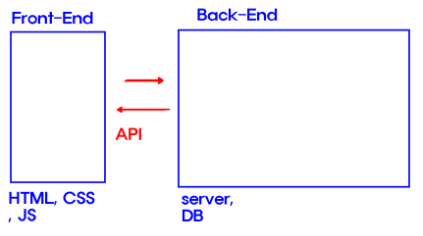
- API 데이터를 주고받을 수 있는 문법 2가지 : fetch, axios
- fetch API
-
장점
-JS 자체 내장 라이브러리, 별도의 설치 필요 X
-속도가 상대적으로 빠름 -
단점
-지원이 되지 않는 브라우저가 존재
=> 그러다 보니 react-native(어플)에서 많이 사용
-JSON 변환 작업 필요
- Axios
-
장점
-fetch보다 상대적으로 다양한 기능
-다양한 브라우저에서 사용 가능
-상대적으로 보안에 유리
-자동으로 JSON 변환 -
단점
-별도 라이브러리 설치(npm i axios)
-속도가 상대적으로 느림
- Axios 사용 문법
1) 설치 : 터미널에 npm 1 axios
2) import axios from 'axios'
3) url 주소를 통해 데이터를 받아오는 방법
axios.get(url 주소)
.then(성공 시 실행 될 함수)
.catch(실패 시 실행 될 함수)
4) 나의 서버에 데이터를 보내주는 방법
axios.post(내 서버 주소, {내가 보내줄 데이터(객체형식)})
.then(성공 시 실행 함수)
.catch(실패 시 실행 함수)
"내 프로젝트는 볼륨도 작고, 설치도 귀찮아" → fetch
"나는 react-native를 통해 어플을 만들거야" → fetch
"어느정도 볼륨이 있는 그 외 모든 웹프로젝트" → axios
- 콜백함수
(( ) ⇒ {

      		(( ) ⇒ {

            		 ( ) ⇒ { }

     	})

})- promise 문법
fetch(url)
.then(( ) ⇒ { })
.then(( ) ⇒ { })
.then(( ) ⇒ { })
.catch(( ⇒ { })- async await
const addNum = async ( ) ⇒ {

          await()

}
실습
- Ex16.jsx
-fetch
import React, { useEffect, useState } from 'react'

const Ex16 = () => {

    const [movieList, setMovieList] = useState([]);

    /* 화면 렌더링이 마무리 된 직후 실행됨 */
    useEffect(()=>{
        let url = `https://kobis.or.kr/kobisopenapi/webservice/rest/boxoffice/searchDailyBoxOfficeList.json?key=f5eef3421c602c6cb7ea224104795888&targetDt=20231205`

        fetch(url)
        .then(res => res.json())
        .then(res => setMovieList(res.boxOfficeResult.dailyBoxOfficeList))

  return (
    <div>
        <h1>영화 순위</h1>
        <table border={"1px solid black"}>
            <tbody>
                {/* 가져온 영화를 세팅 */}
                {movieList.map(item => (
                    <tr key={item.movieNm}>
                        <td>{item.rank}</td>
                        <td>{item.movieNm}</td>
                        <td>{item.openDt}</td>
                    </tr>
                ))}
            </tbody>
        </table>
    </div>
  )
}

export default Ex16
-axios
import React, { useEffect, useState } from 'react'
// import 해줘야한다.
import axios from 'axios'

const Ex16 = () => {

    const [movieList, setMovieList] = useState([]);

    /* 화면 렌더링이 마무리 된 직후 실행됨 */
    useEffect(()=>{
        let url = `https://kobis.or.kr/kobisopenapi/webservice/rest/boxoffice/searchDailyBoxOfficeList.json?key=f5eef3421c602c6cb7ea224104795888&targetDt=20231205`

        axios.get(url)
            .then(res => setMovieList(res.data.boxOfficeResult.dailyBoxOfficeList))
            .catch(err => console.log(err))

    },[])

  return (
    <div>
        <h1>영화 순위</h1>
        <table border={"1px solid black"}>
            <tbody>
                {/* 가져온 영화를 세팅 */}
                {movieList.map(item => (
                    <tr key={item.movieNm}>
                        <td>{item.rank}</td>
                        <td>{item.movieNm}</td>
                        <td>{item.openDt}</td>
                    </tr>
                ))}
            </tbody>
        </table>
    </div>
  )
}

export default Ex16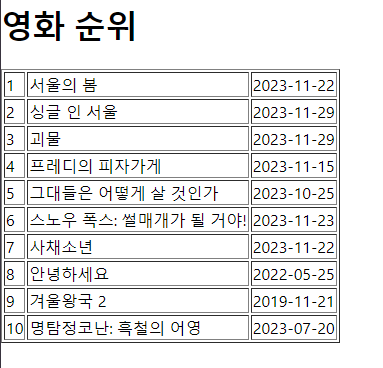
- Ex17.jsx
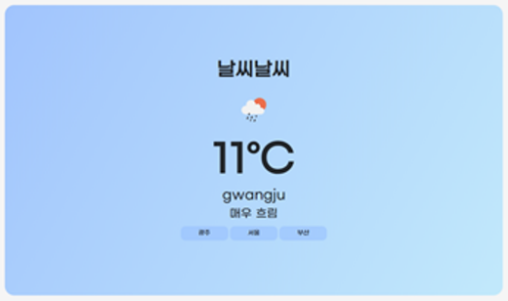
/*
    ** 문제 풀 때 참고사항
    1. icon은 단톡에 있는 주소를 통해서 사용
    2. 해당 API는 켈빈온도 사용
       (켈빈온도 -273 = 섭씨온도)
    3. 만약 구름의 양이 90보다 크다면 "매우 흐림"
       60보다 크다면 흐림
       30보다 크다면 약간 흐림
       그 이외에는 맑음

    ** 문제풀이 STEP
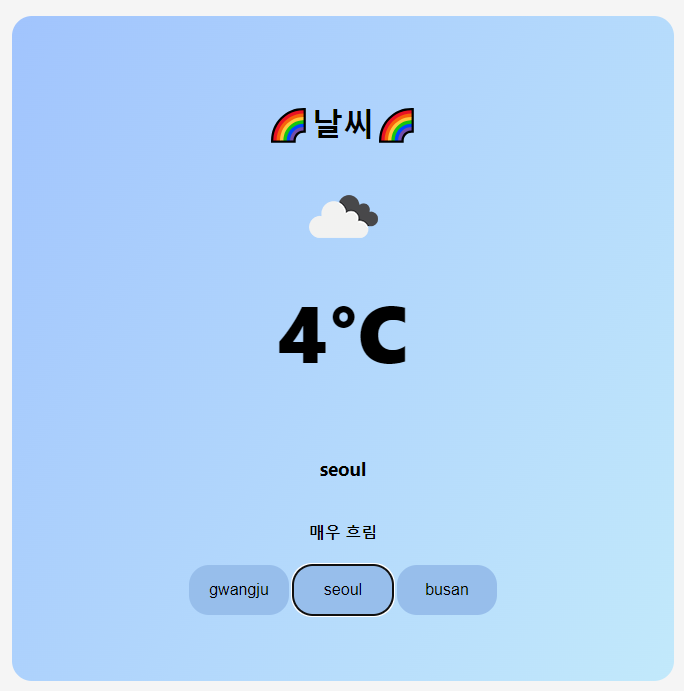
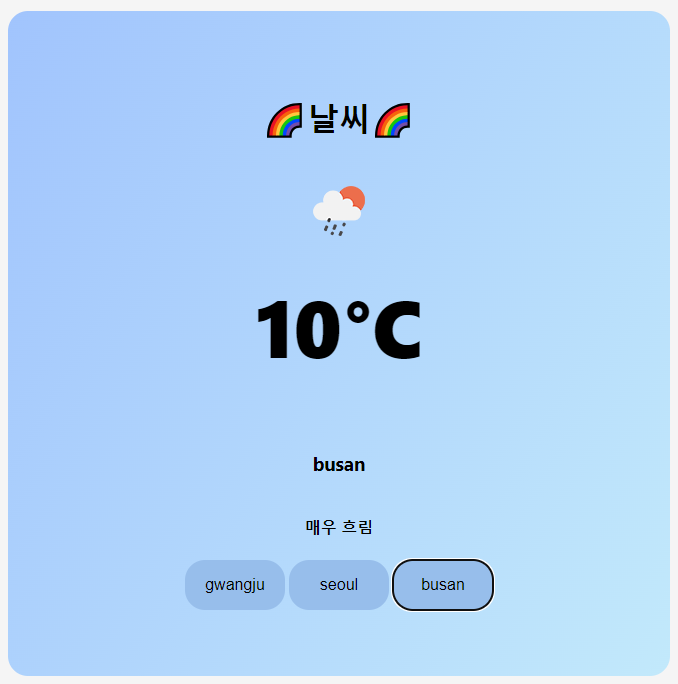
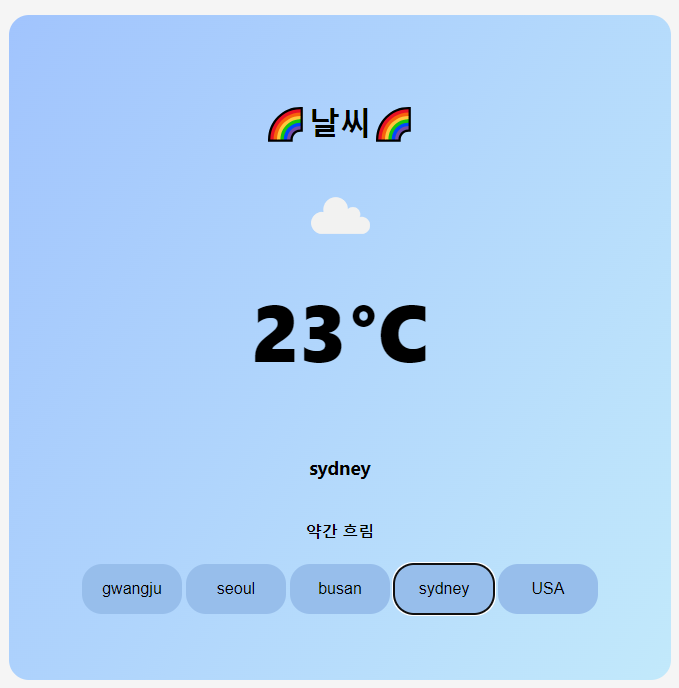
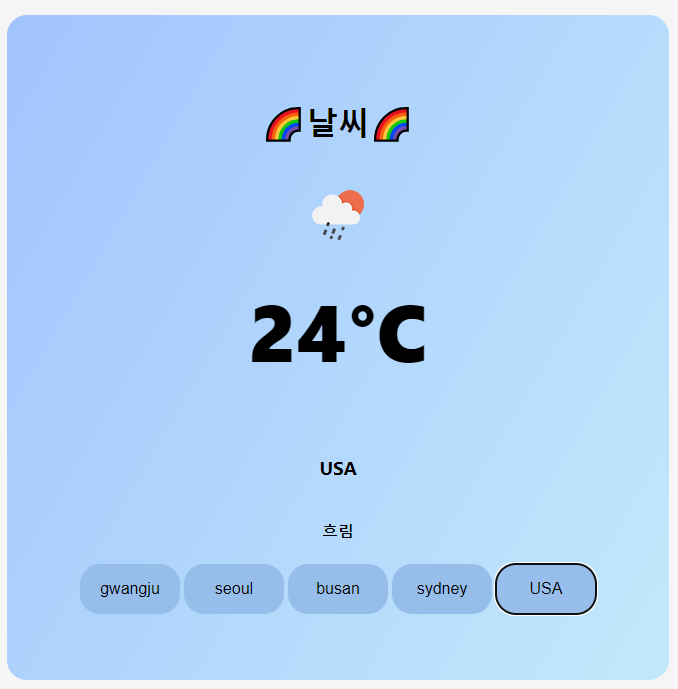
    1) 도시를 나타내는 city를 state로 정의, 초기 값 "gwangju"

    2) 첫 화면이 렌더링 되었을 때, getData함수 호출

    3) getData라는 함수를 정의
       open API 값 가져오기
       각각의 값을 정의 - state 정의
       - 아이콘 (icon)
       - 온도 (temp)
       - 도시이름 (city)
       - 맑음상태 (cloud)
    */
-Ex17.jsx
import React, { useEffect, useState } from 'react'
import './ex17.css'

const Ex17 = () => {

    let cityList = ['gwangju', 'seoul', 'busan']

    const [city, setCity] = useState('gwangju');

    const [icon, setIcon] = useState();

    const [temp , setTemp] = useState();

    const [cloud, setCloud] = useState();

    let iconUrl = `https://openweathermap.org/img/wn/${icon}@2x.png`

    /** 날씨 데이터를 가져오는 gkatn */
    const getData = () => {

        let url = `https://api.openweathermap.org/data/2.5/weather?q=${city}&appid=603aa562f93c1b6e5fb4e7596aa820d5`

        fetch(url)
        .then(res => res.json())
        .then(res => {setIcon(res.weather[0].icon)
                      setTemp(parseInt(res.main.temp -273))
                      if(res.clouds.all > 90) {
                            setCloud("매우 흐림")
                        }else if(res.clouds.all > 60) {
                            setCloud("흐림")
                        }else if(res.clouds.all > 30) {
                            setCloud("약간 흐림")
                        }else {
                            setCloud("맑음")
                        }

                    })
    }

    /** 내가 클릭한 도시를 가져오는 함수 */
    const getCity = (e) => {
        setCity(e.target.innerText)
    }

    useEffect(()=>{

        getData();

    },[city])

  return (
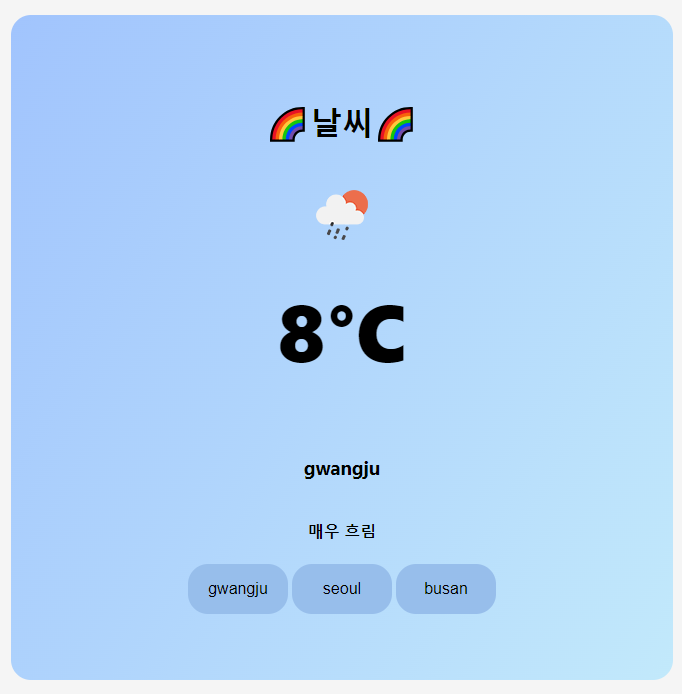
    <div className='weather-container'>
        <div className='weather-item'>
            <h1>🌈날씨🌈</h1>
            <div className='weather-data'>
                <img width='100px' src={iconUrl}></img>
                <h1>{temp}°C</h1>
                <h3>{city}</h3>
                <h4>{cloud}</h4>
            </div>

            <div>
                {cityList.map(item => <button key={item} onClick={getCity}>{item}</button>)}
            </div>

        </div>
    </div>
  )
}

export default Ex17
-ex17.css
.weather-container {
  background-color: whitesmoke;
  display: flex;
  justify-content: center;
  align-items: center;

  height: 100vh;
}

.weather-item {
  background-image: linear-gradient(120deg, #a1c4fd 0%, #c2e9fb 100%);

  width: 60%;
  height: 70%;
  border-radius: 20px;

  display: flex;
  flex-direction: column;
  justify-content: center;
  align-items: center;
}

button {
  width: 100px;
  height: 50px;
  margin: 2px;
  border-radius: 10px;
  font-size: 1em;
  background-color: rgb(151, 190, 235);
  border-radius: 20px;
  border: 0px;
}

.weather-data {
  display: flex;
  flex-direction: column;
  justify-content: center;
  align-items: center;
}
.weather-data > h1 {
  margin-top: 10px;
  font-size: 5em;
  font-weight: 900;
}

노는게 제일 좋아~!