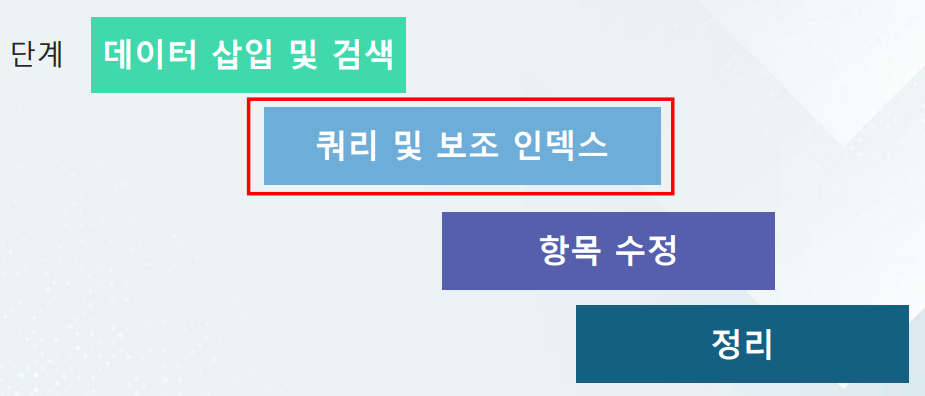
GSI 사용
보조 인덱스(Secondary index) 를 사용하는 이유
- 기본 테이블 키(PK)가 아닌 다른 컬럼으로 빠르게 조회하고 싶을 떄 GSI(Global Secondary Index)를 생성
- GSI를 안 쓰고 테이블 전체를 스캔하면 비효율적이라 비용도 비싸지고 속도도 느려짐
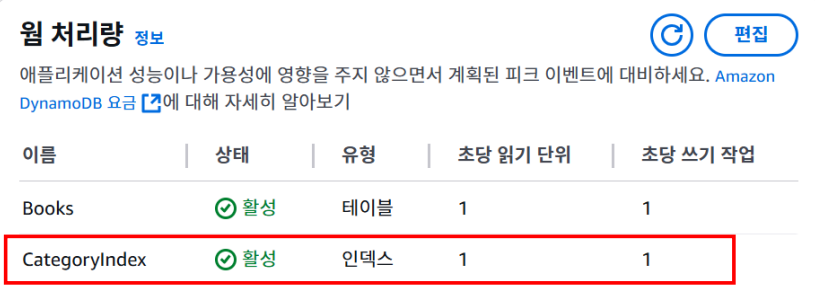
- 실습으로 Category라는 필드를 기준으로 빠르게 검색하기 위해 Category Index를 생성
보조 인덱스 만들기
update_table을 통해 인덱스 생성AttributeDefinitions내부AttributeName인 Category와AttributeType인 String 명시- 이후
GlobalSecondaryIndexUpdates=[{"Create": {...}}]를 통해 secondary index 생성 Projection내부에ProjectionTypeall 을 하겠다는 의미는 인덱스에 모든 걸 담겠다는 것. 즉 그 테이블 전체 돌아가면서 인덱스 생성하겠다는 거임ProvisionedThroughput안에 있는 ReadCapacityUnits는 RCU, WriteCapacityUnits는 WCU를 의미함
import boto3
client = boto3.client('dynamodb', region_name=‘ap-northeast-2')
try:
 resp = client.update_table(
 TableName="Books",
 AttributeDefinitions=[
 {
 "AttributeName": "Category",
 "AttributeType": "S"
 },
 ],
 GlobalSecondaryIndexUpdates=[
 {
 "Create": {
 "IndexName": "CategoryIndex",
 "KeySchema": [
 {
 "AttributeName": "Category",
 "KeyType": "HASH"
 }
 ],
 "Projection": {
 "ProjectionType": "ALL"
 },
 "ProvisionedThroughput": {
 "ReadCapacityUnits": 1,
 "WriteCapacityUnits": 1,
 }
 }
 }
 ],
 )
 print("Secondary index added!")
except Exception as e:
 print("Error updating table:")
 print(e)
요약
Python → boto3 → AWS DynamoDB
1. Books 테이블에
2. CategoryIndex라는 글로벌 보조 인덱스를
3. Category를 키로 사용해서 추가
4. 결과를 성공/실패 출력
보조 인덱스 쿼리 (Secondary index query) - 항목 조회
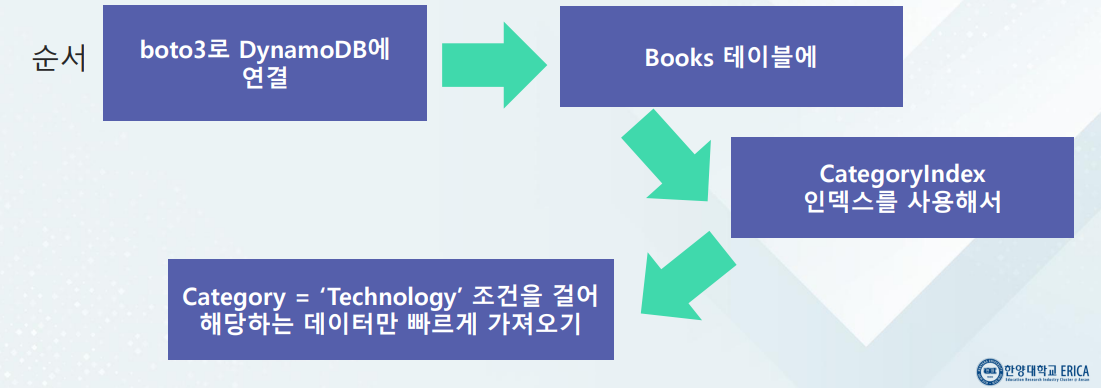
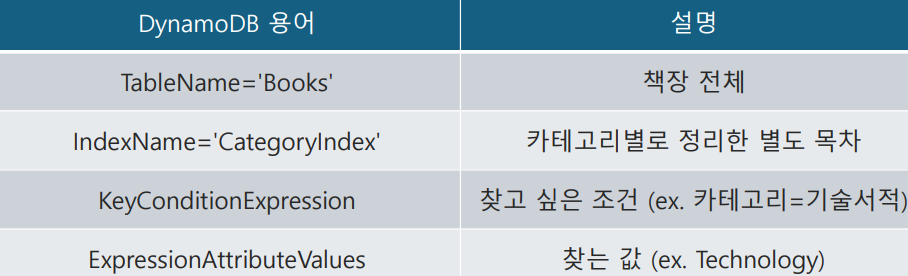
query메서드를 사용해서 보조 인덱스 쿼리를 사용해서 데이터 조회KeyConditionExpression을 사용해서 조건 설정ExpressionAttributeValues을 사용해서 조건 구체화(String 형식의 Technology)
import boto3
dynamodb = boto3.client('dynamodb',
region_name='us-east-1')
resp = dynamodb.query(
 TableName='Books',
 IndexName='CategoryIndex',
KeyConditionExpression='Category
= :categoryValue',
 ExpressionAttributeValues={
 ':categoryValue': {'S': 'Technology'}
 }
)
print(resp['Items'])execute_statement을 써도 상태 조회 가능Statement=...에 쿼리를 넣으면 됨.
import boto3
dynamodb = boto3.client('dynamodb',
region_name='ap-northeast-2')
resp =
dynamodb.execute_statement(Statement='
SELECT * FROM Books.CategoryIndex
WHERE Category = \'Technology\'')
print(resp['Items'])
보조 인덱스 쿼리 (Secondary index query) - 항목 제거
- API를 사용하여 기존 항목의 속성(attribute)을 업데이트하고 항목을 제거
- 테이블 항목 속성(attribute) 업데이트
- 새로운 형식 제품 카탈로그 추가
- 더 이상 사용 할 수 없는 형식 제거
항목 속성 (attribute) 업데이트
UPDATE와 SET을 사용해서 함
import boto3
dynamodb = boto3.client('dynamodb',
region_name='ap-northeast-2')
resp = dynamodb.execute_statement(
 Statement="""
 UPDATE Books
 SET Formats.Audiobook = 'JCV555'
 WHERE Author = 'Antje Barth' AND Title
= 'Data Science on AWS'
 """
)
print("Update completed.")- 아니면
update_item을 사용해서 할 수 있음
항목 속성 제거
UPDATE와 REMOVE를 사용
import boto3
dynamodb = boto3.client('dynamodb',
region_name='ap-northeast-2')
resp = dynamodb.execute_statement(
 Statement="""
 UPDATE Books
 REMOVE Formats.Audiobook
 WHERE Author = 'Antje Barth' AND Title
= 'Data Science on AWS'
 """
)
print("Attribute removed successfully.")delete_item을 사용할 수도 있음
항목 속성 추가
put_item을 사용하면 항목 속성 추가
생성된 리소스 정리
- 계정이 아직 무료 티어에 있는 경우 월별 요금이 부과되지 않음
- 무료 티어에서 해제된 후에는 API 호출이 발생하지 않으면 비용이 발생하지 않고, 애플리케이션을 사용할 때만 비용이 발생
- delete_table 로 테이블을 삭제하면 그 안의 모든 데이터도 함께 사라짐
- 테이블 상태가 "DELETING"인 동안은 재생성 불가
delete_table사용하여 삭제
import boto3
client = boto3.client('dynamodb',
region_name='ap-northeast-2')
try:
 resp = client.delete_table(
 TableName="Books",
 )
 print("Table deleted successfully!")
except Exception as e:
 print("Error deleting table:")
 prin
+) keyConditionExpression
table.query(
	IndexName = 'GenreRatingIndex',
   KeyConditionExpressio = Key('Genre').eq('Sci-Fi')
)
+) describe_table
response = dynamodb.describe_table(TableName=table_name)
요약
- Python 에서 boto3 로 AWS DynamoDB에 생성해 놓은 Books 테이블에 'Category'를 키로 하는 글로벌 보조 인덱스로 Category index를 추가하고, 성공 여부를 출력하는 코드를 만든다
- 기본 테이블 키가 아닌 다른 컬럼으로 빠르게 조회하고 싶을 때 GSI(Global Secondary Index)를 사용한다
- GSI를 안 쓰고 테이블 전체를 스캔하면 비효율적
비용이 올라가고, 속도는 느려진다. - DynamoDB API를 사용하여 제품 카탈로그의 항목 속성(attribute)을 업데이트하고 제거할 수 있다

행복한 하루 보내세요